

The Connect conversation funnel organizes support: it shows each conversation\u2019s stage and what the team should do next. The CRM funnel tracks the sales progress of leads and opportunities.
Important: moving a conversation to another stage does not by itself create a lead or advance a CRM opportunity. These are separate processes. A stage action can connect to another product, but it must be configured explicitly.
What each funnel organizes
| Connect | CRM |
|---|---|
| Conversations, messages, and support status. | Leads, opportunities, and sales progress. |
| Stages such as New, In progress, Follow-up, or Completed. | Stages defined for the sales process. |
| Helps coordinate who replies and what follow-up remains. | Helps control the process through a won or lost outcome. |
Review the Connect funnel
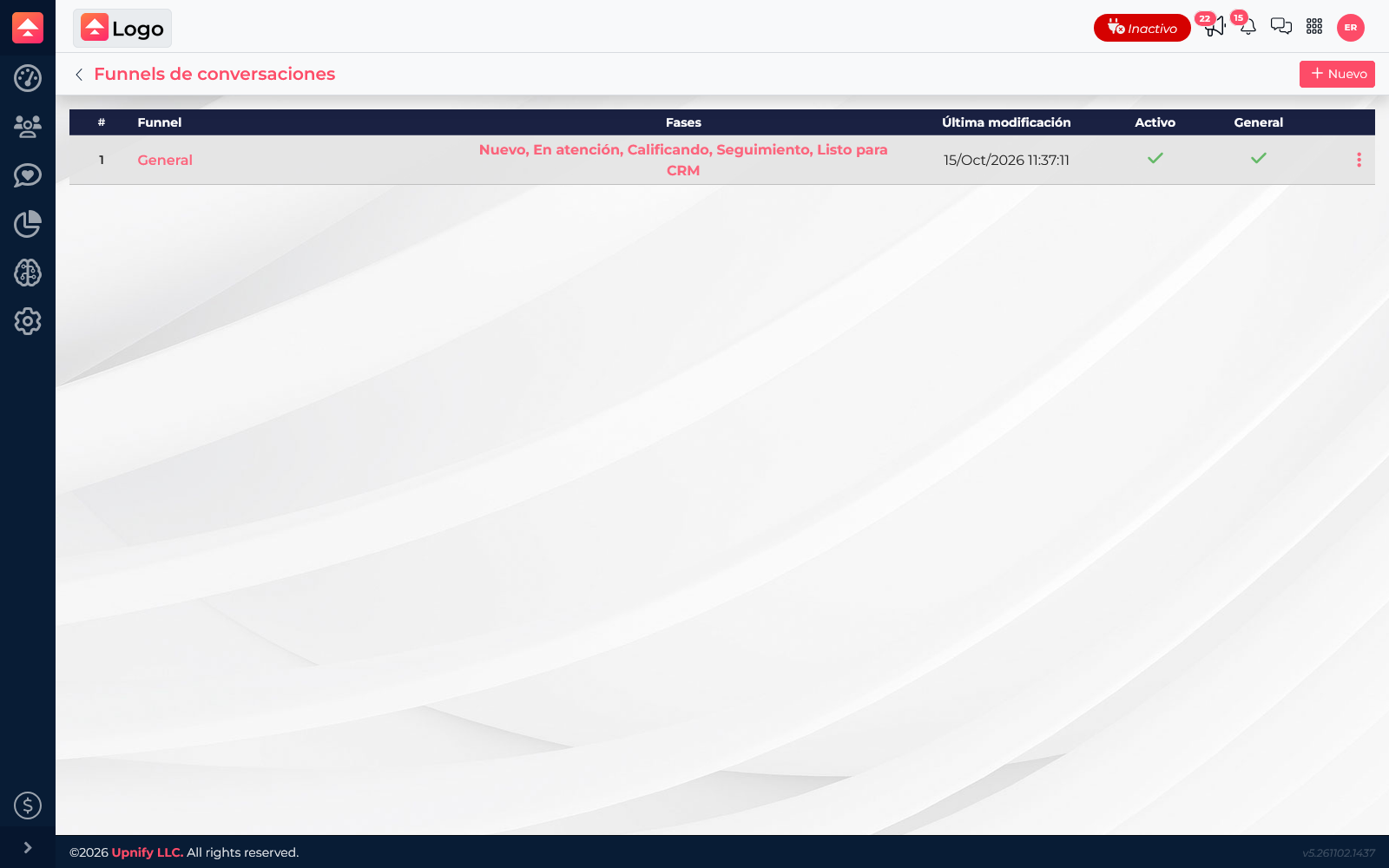
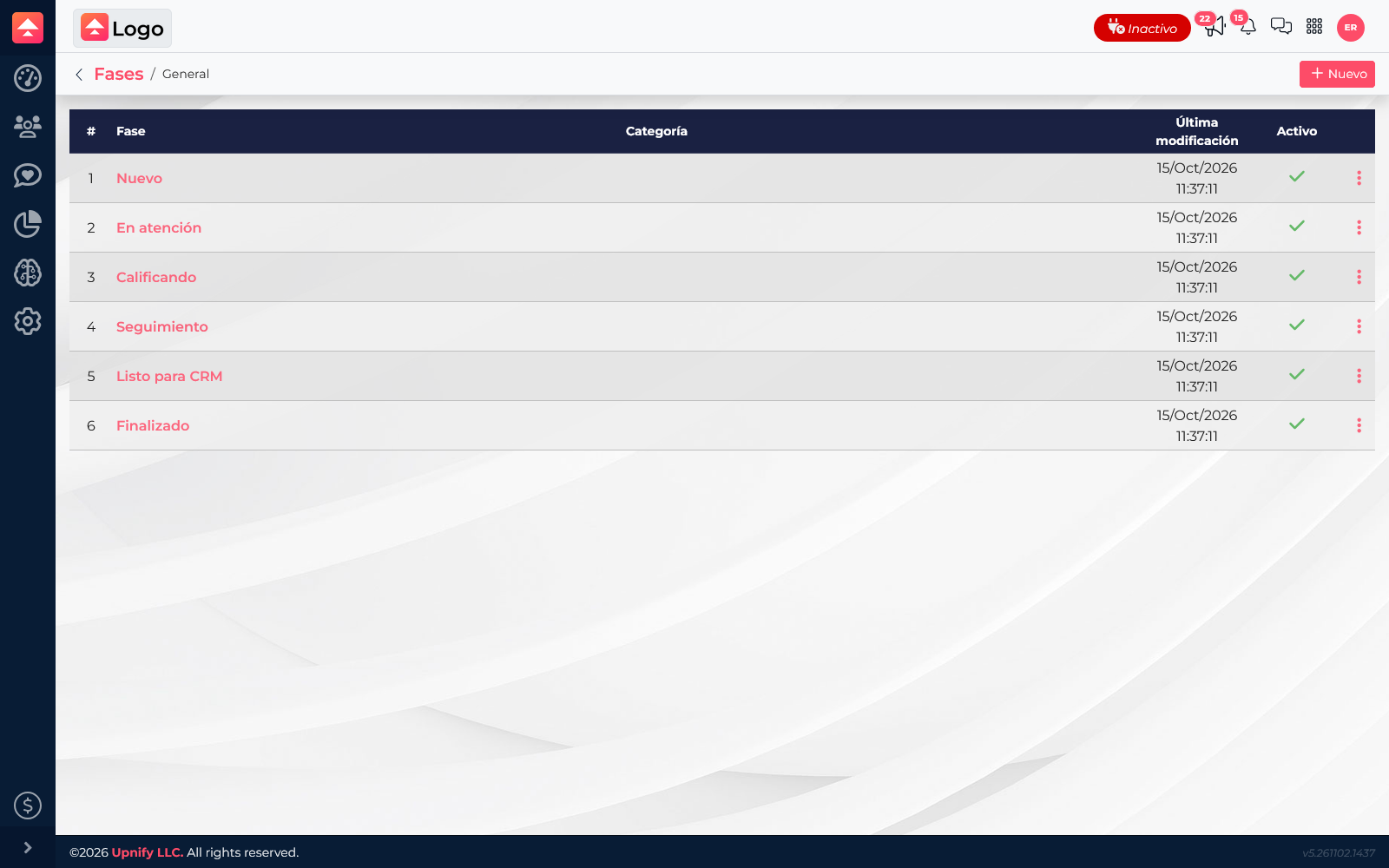
In Connect, open Settings > Funnels and select the funnel your team uses. Review its stages, order, and configured options. The demo\u2019s General funnel has stages from New to Completed.
Design stages your team understands
- Describe the path from the first message to the end of support.
- Use short names with shared meanings, such as New, In progress, Follow-up, and Completed.
- Add stages only when they represent a real change in work or help supervise support.
- Order stages to match the usual process. Configure colors, categories, or actions when they help the team.
- Before enabling an automatic action, confirm what it does and when it runs. Configurable options may include creating a Flow task, converting to a lead, moving or archiving a conversation, or creating a CRM reminder.
Example: someone asks on WhatsApp about availability. The agent moves the thread from New to In progress and then Follow-up. If they request a proposal, the team starts the CRM sales process as configured; changing the stage alone does not create the opportunity.
Agree on the meaning of each stage before changing the funnel. This keeps reports and daily work aligned on the same support status.