

Upnify CRM
← Back to product

Connect · Conversations

How to use the unified inbox and reply to conversations from different channels

Review enabled channels in one place, understand each conversation, and reply with context.

Two customer support teammates reviewing conversations together in their workspace.

Published on November 3, 2026

Upnify Connect’s inbox brings together conversations from the channels enabled for your company. The team can handle messages without switching between apps and keep each thread associated with its originating channel.

In this guide: Review enabled channels in one place, understand each conversation, and reply with context.

Get oriented in the inbox

At the top, choose all conversations, a specific channel, or quick views such as unanswered, expiring, archived, or blocked. Available options depend on the channels and features configured for your company.

The list helps identify each thread using available information, such as contact or phone, channel, latest message, and status. Select a row to open the full conversation.
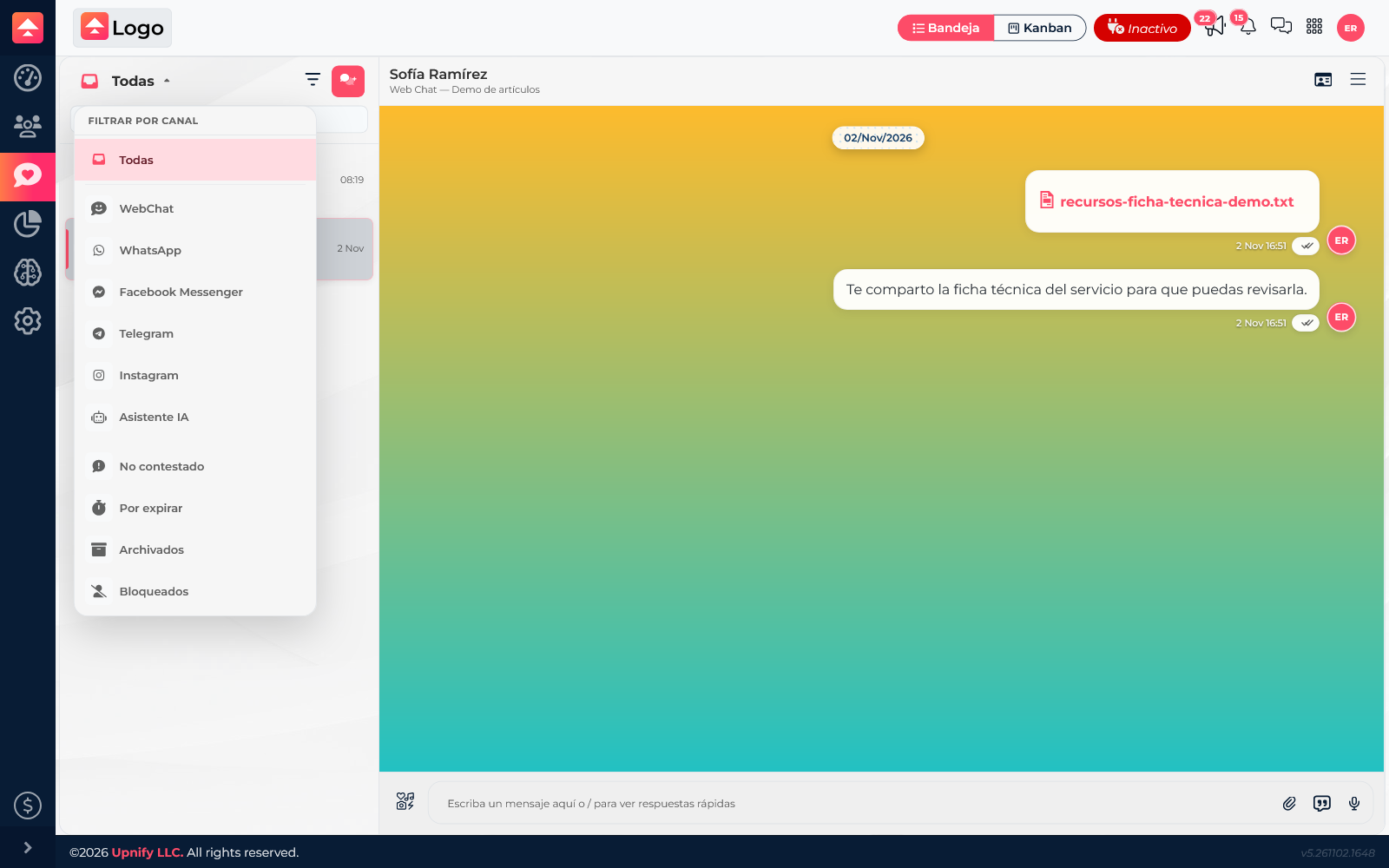
Channel selector and quick views open in the Connect inbox
Switch channels or review conversations by status.

Read and reply with context

Before replying, check who wrote, which channel they used, and what has already been said. Read the thread and write your reply in the field at the bottom; Connect sends it through the originating channel when the integration allows it.

Address the question clearly. If someone else should continue, transfer the chat; if it is resolved, finish it to remove it from the active inbox.
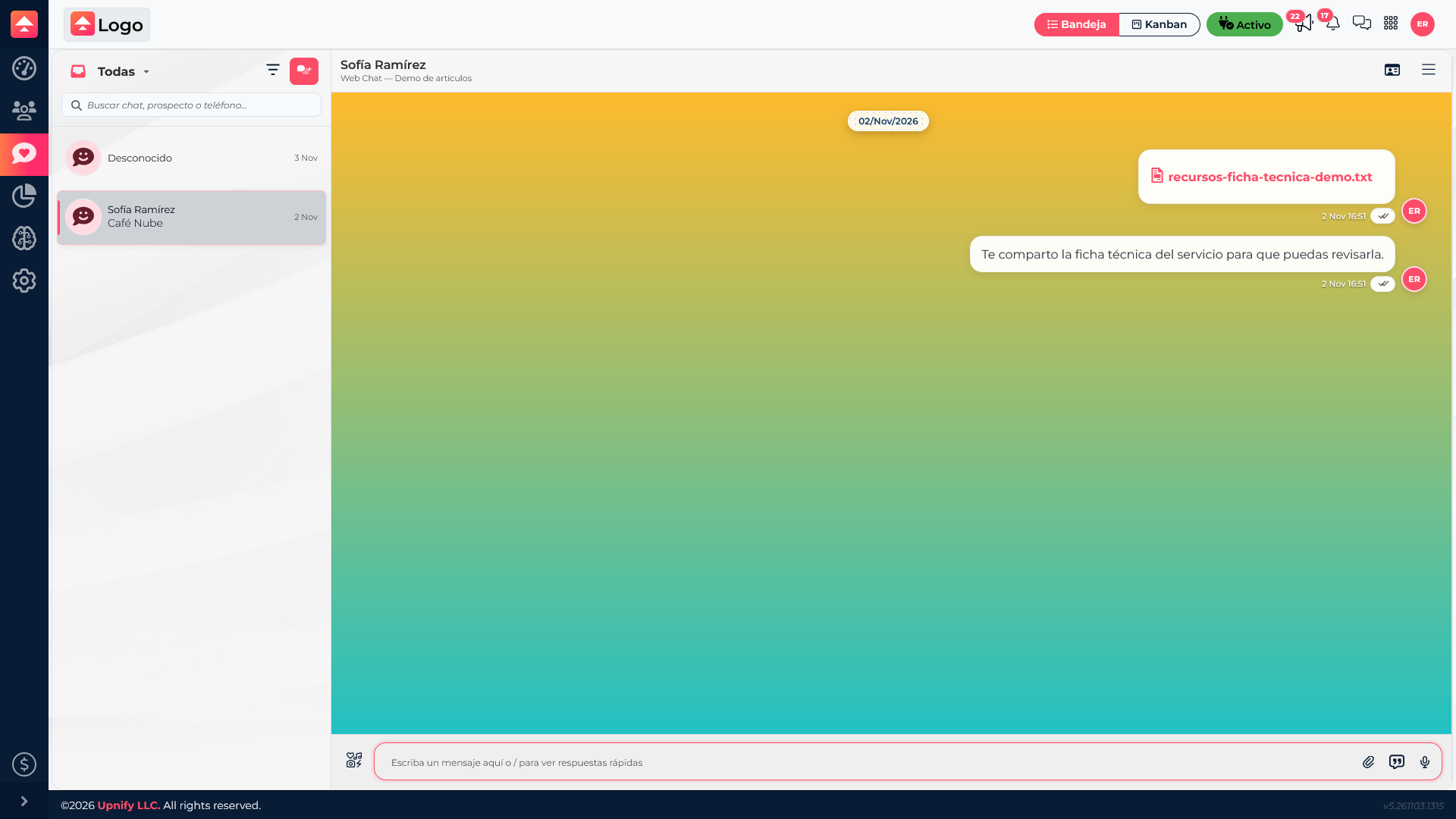
Connect conversation open with messages and reply field
The thread keeps messages together so the team can continue in the originating channel.
Practical example: If Sofía asks about availability in WebChat, the agent reviews the earlier message, confirms which product she means, and replies in the same thread. The team keeps context and avoids asking for the same details again.
Important: A conversation is a message thread. By itself, it does not mean the person is already registered as a CRM contact.