

The audit report helps you find Connect conversations and quickly identify their status, channel, contact, interaction count, and latest activity. To understand what happened in a case, open the conversation from the report and read its thread.
Filter the conversations you want to review
Go to Reports and open Conversation Audit. Choose a channel, assistant, agent, period, contact type, or category. Click Apply to refresh the list.
The initial period may be Today. Change it to This week, This month, or another available range to review more records. The additional options menu also lets you search text and set an interaction-count range.
Example: to review support requests from this week, choose the channel and category, select This week, and apply the filters.
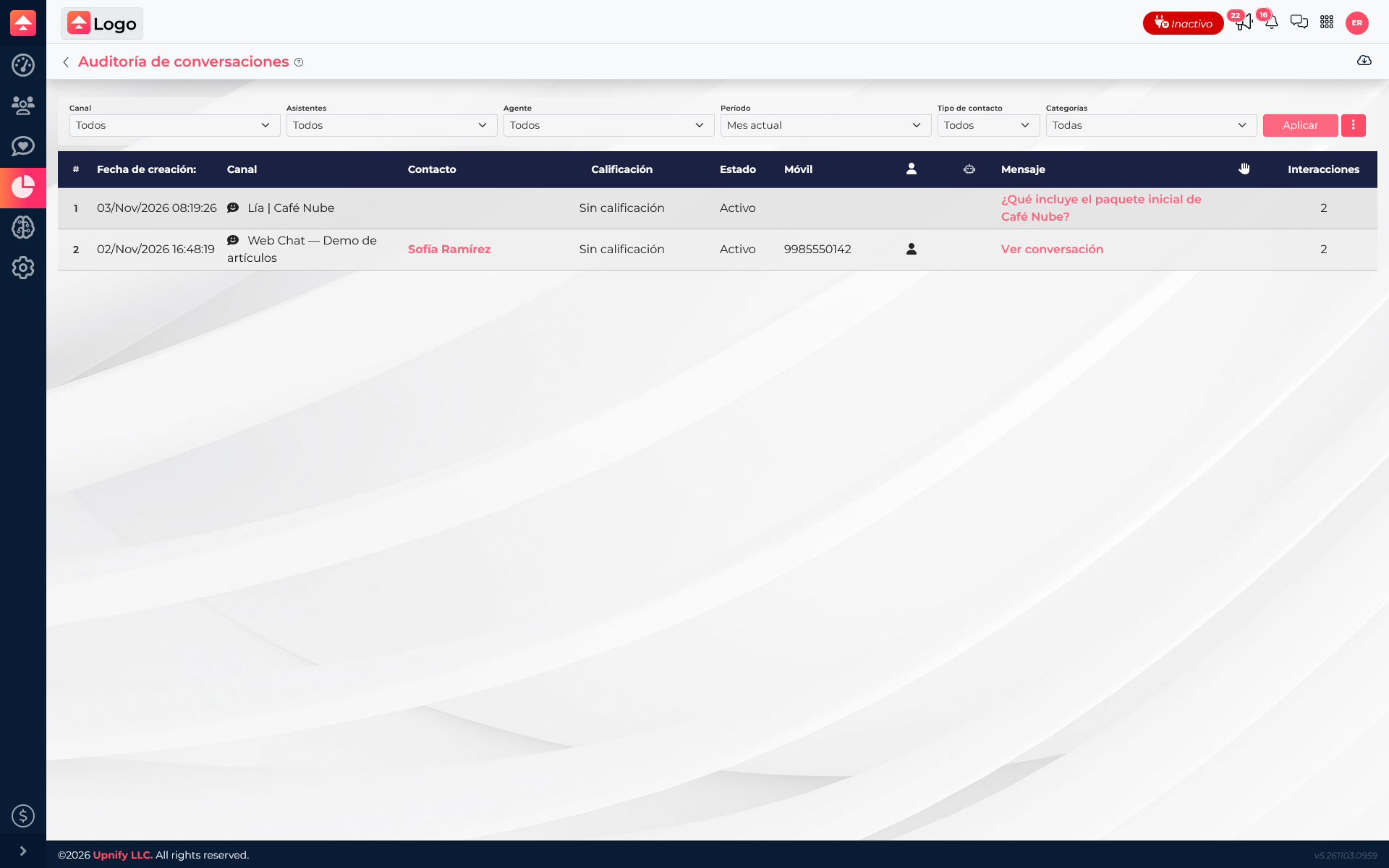
Understand each row
Each row represents one conversation. The table can show its creation date, channel, contact, rating, status, opening message, interaction count, assistant, category, last interaction, elapsed time, agent, and executive.
The opening message and interaction count help identify a case. Last interaction and elapsed time can point to conversations that may need follow-up. A high elapsed time alone does not prove there is a problem; review the status and thread context.
Open the message history
Select the opening message or the View conversation option in a row. Connect opens the thread so you can read the recorded messages and see who participated and when.
Use the history before resuming a case, reviewing service, or transferring context to another person. The audit is an index for finding conversations; the thread shows the message exchange.
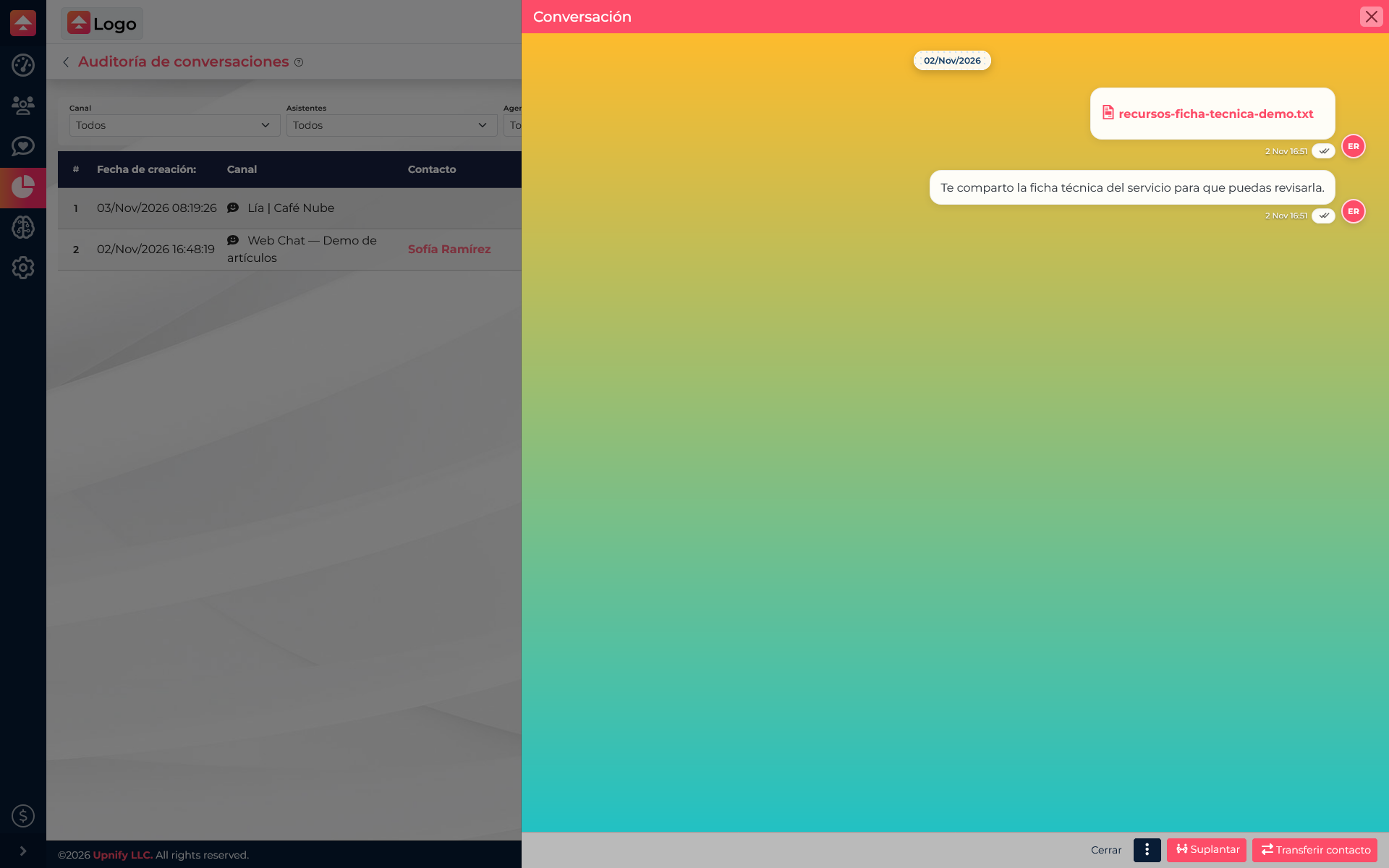
Example review
A supervisor wants to confirm what someone asked through WebChat and what reply they received. Filter the period, identify the row by channel and opening message, then open the thread. This lets them review the request and reply without searching the entire inbox manually.
If a contact has several conversations, check the date and channel before opening the right record. The audit organizes conversations; it does not replace the CRM contact record or automatically turn every conversation into a contact.