

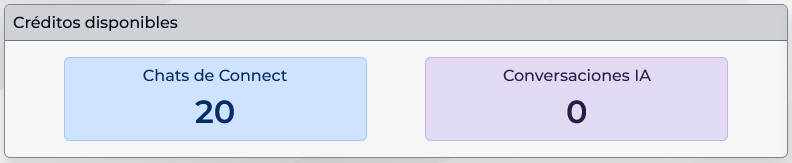
Connect shows separate balances for Connect Chats and AI Conversations. This lets you estimate the cost of conversations handled by your team separately from those started with an assistant.
When a credit is deducted
Usage is recorded when Connect creates a new conversation. During creation, the system classifies that conversation and deducts one credit from the matching balance:
| Credit type | When it applies | What to keep in mind |
|---|---|---|
| Connect Chats | When a conversation is created without starting it with an AI assistant. | The credit applies to the new support thread, not to each message sent inside that thread. |
| AI Conversations | When a new conversation starts with an AI assistant enabled to respond. | The AI balance is used. A new opening credit is not charged for every assistant reply within that conversation. |
For example, if a customer writes through Web Chat and an agent receives the new thread, usage is recorded under Connect Chats. If another new conversation starts with the channel\u2019s AI assistant, it uses AI Conversations. Several agent messages in an existing conversation do not each become a separate credit.
Where to check balances
- Open the Connect Dashboard.
- Find the Available credits card.
- Review Connect Chats and AI Conversations separately.
- Before enabling an assistant or adding channels, estimate the number of new conversations expected in each mode and compare them with the corresponding balance.
If the balance for a required conversation type runs out, Connect may prevent new conversations of that type until the account has credits available. Review the notice shown by the system and the reload or purchase options available for your account. Connect credits are separate from any terms an external channel provider may apply.
Available packages and prices may vary by country. Check the current information on the Upnify Connect page.