In a CRM, a person, a potential deal, and a completed sale are separate records because each answers a different question: Who are we talking to? What deal are we working on? What transaction was completed? Upnify CRM links these records so you do not have to create a duplicate person whenever a new deal comes up.
What each record represents
| Record | What it stores and when to use it |
|---|---|
| Contact | The person your team communicates with. Their details remain the reference even if they have more than one purchase or negotiation. |
| Prospect | A contact still being evaluated or handled as part of the sales process. Its phase shows where that process stands. |
| Opportunity | A specific potential deal related to a contact. It can have its own concept, amount, phase, certainty, and estimated close date. |
| Customer | A contact who has purchased or has been converted to a customer. They can still have open opportunities or make repeat purchases. |
| Company | The organization associated with one or more contacts and their sales activity. Not every contact needs to be linked to a company. |
| Sale | A transaction your team records as completed. Depending on your company's process, it can come from an opportunity or be recorded directly. |
Example: one person can have several deals
Imagine that Sofia works at a company interested in your services. First, you record her as a contact and handle her as a prospect. Later, if she requests proposals for two different projects, you can create one opportunity for each project and keep both in Sofia's context. Her contact record stays unique, while each deal keeps its own amount, phase, and date.
- Record the person once. If they belong to an organization you want to group, link them to the company as well.
- Track the sales process from the prospect record and update the information as the conversation develops.
- Create an opportunity when there is a specific potential deal. Describe the product or project so you can distinguish it from other opportunities for the same person.
- Document the activity: add a follow-up after a call or meeting that already happened; create a pending task when you need a reminder for a future action.
- Record the outcome according to your company's sales flow. Being a customer does not prevent that person from having other open opportunities.
Where to review related records
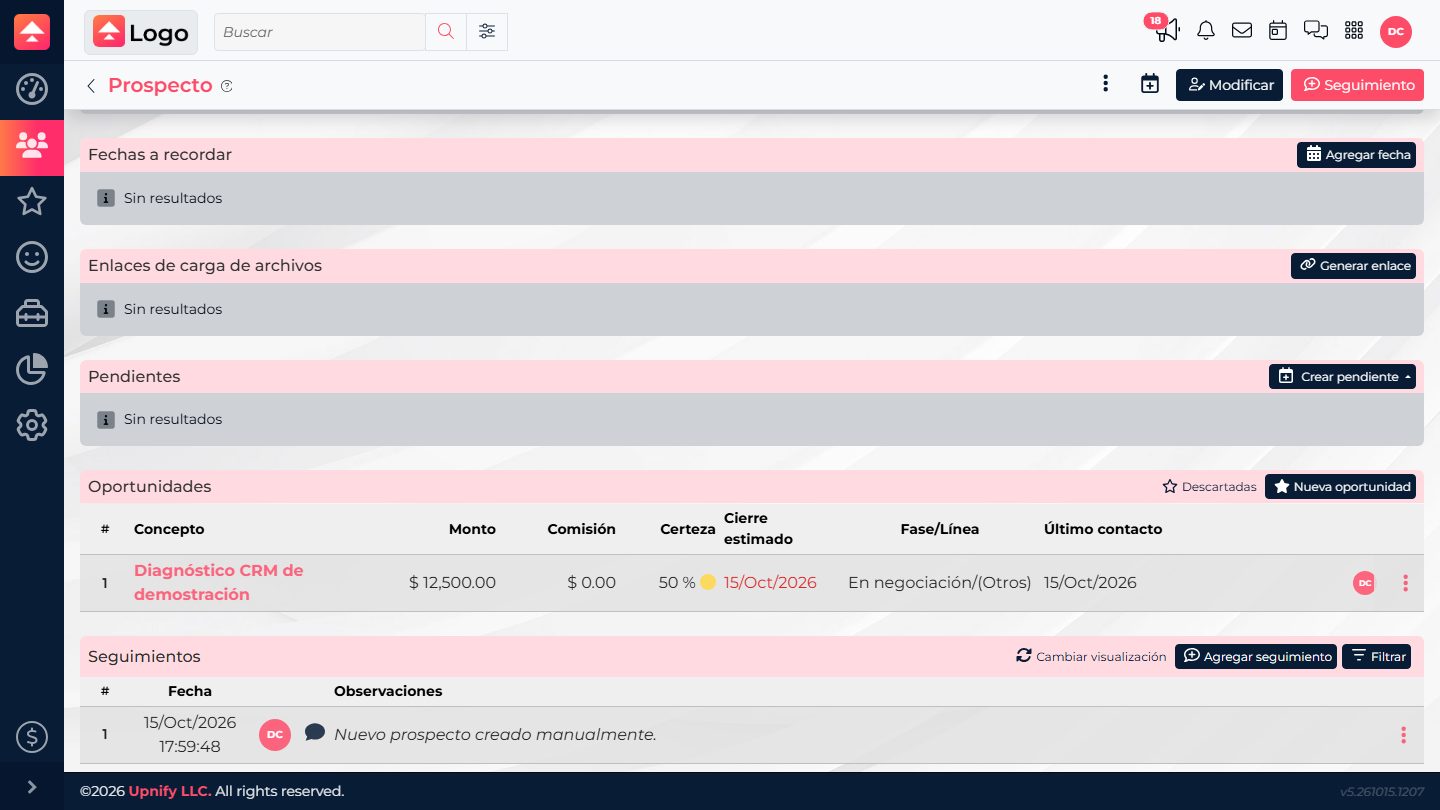
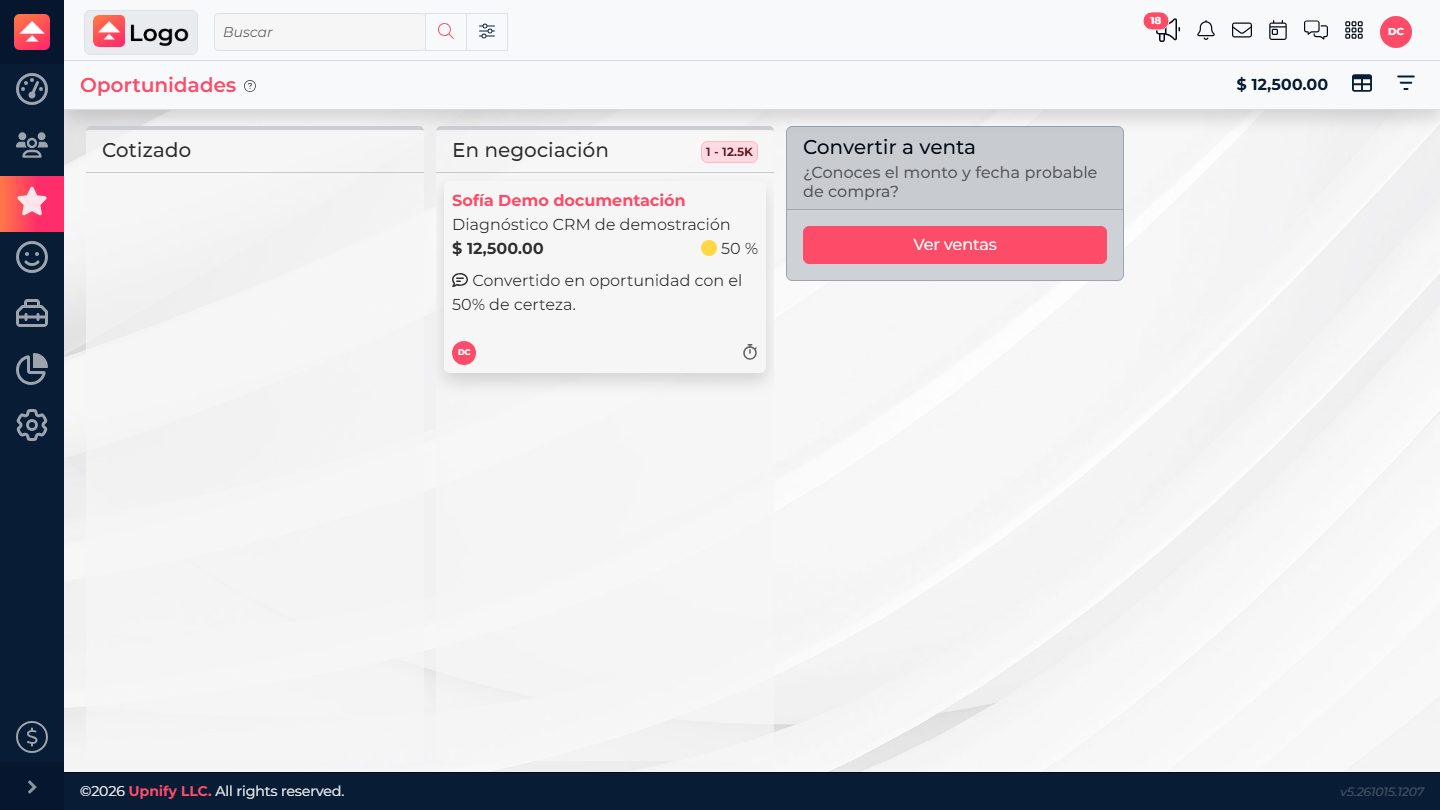
To see how records connect, open Prospects and select the person's name to open their record details. Review their information and history, then find the related opportunities section. Open an opportunity to check its details and phase. The Kanban card also shows where that opportunity stands in the sales process.
The screenshots show the Spanish-language interface; labels may differ in your account.