
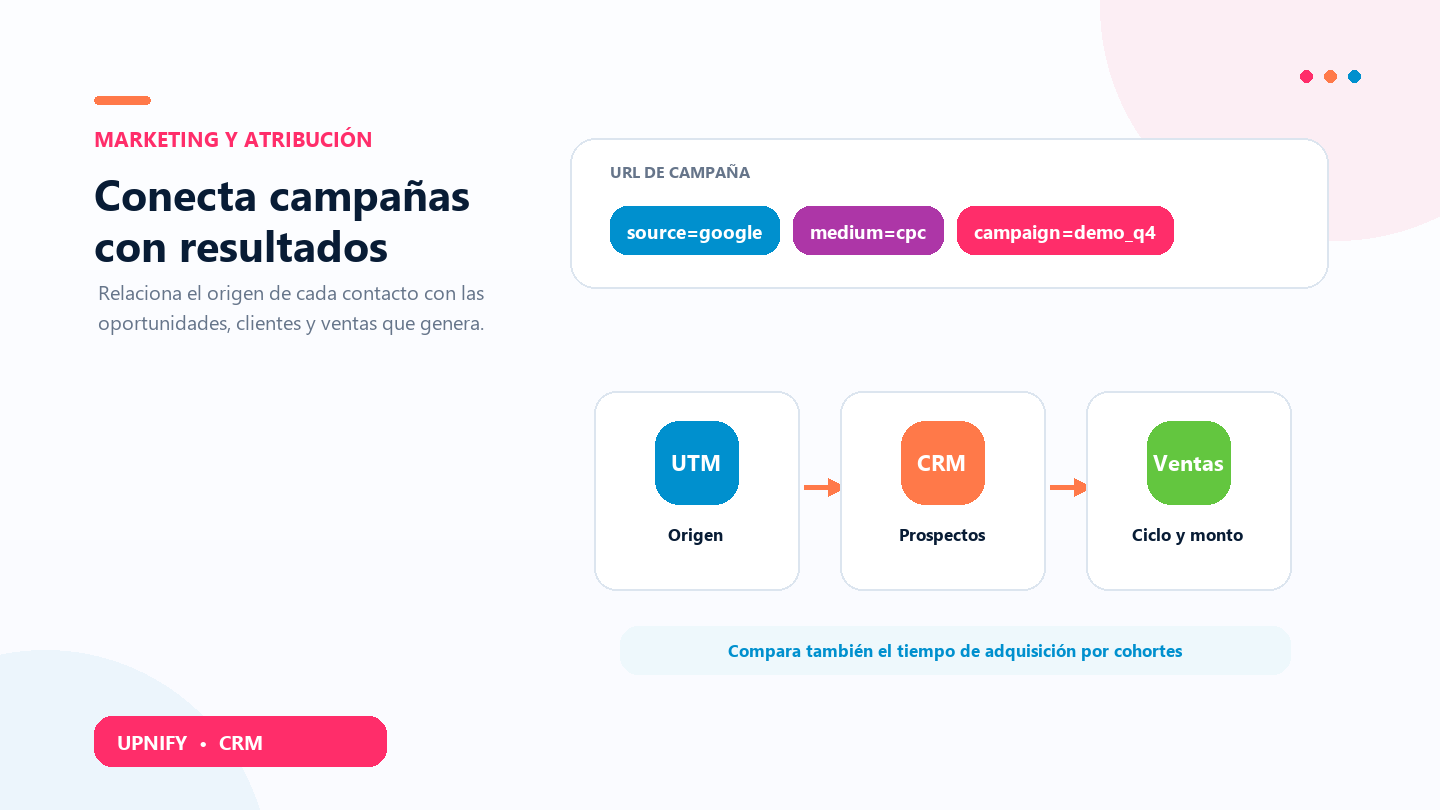
Marketing reports connect how someone reached your company with what happened next in CRM. Performance groups prospects by their UTM data and summarizes opportunities and sales. Acquisition Cohorts reviews sales and the time between prospect creation and sale creation.
What UTM parameters mean
UTM parameters are labels added to a page link to identify the source of a visit and its campaign context. When capture data preserves those values, CRM can group records and relate them to sales outcomes.
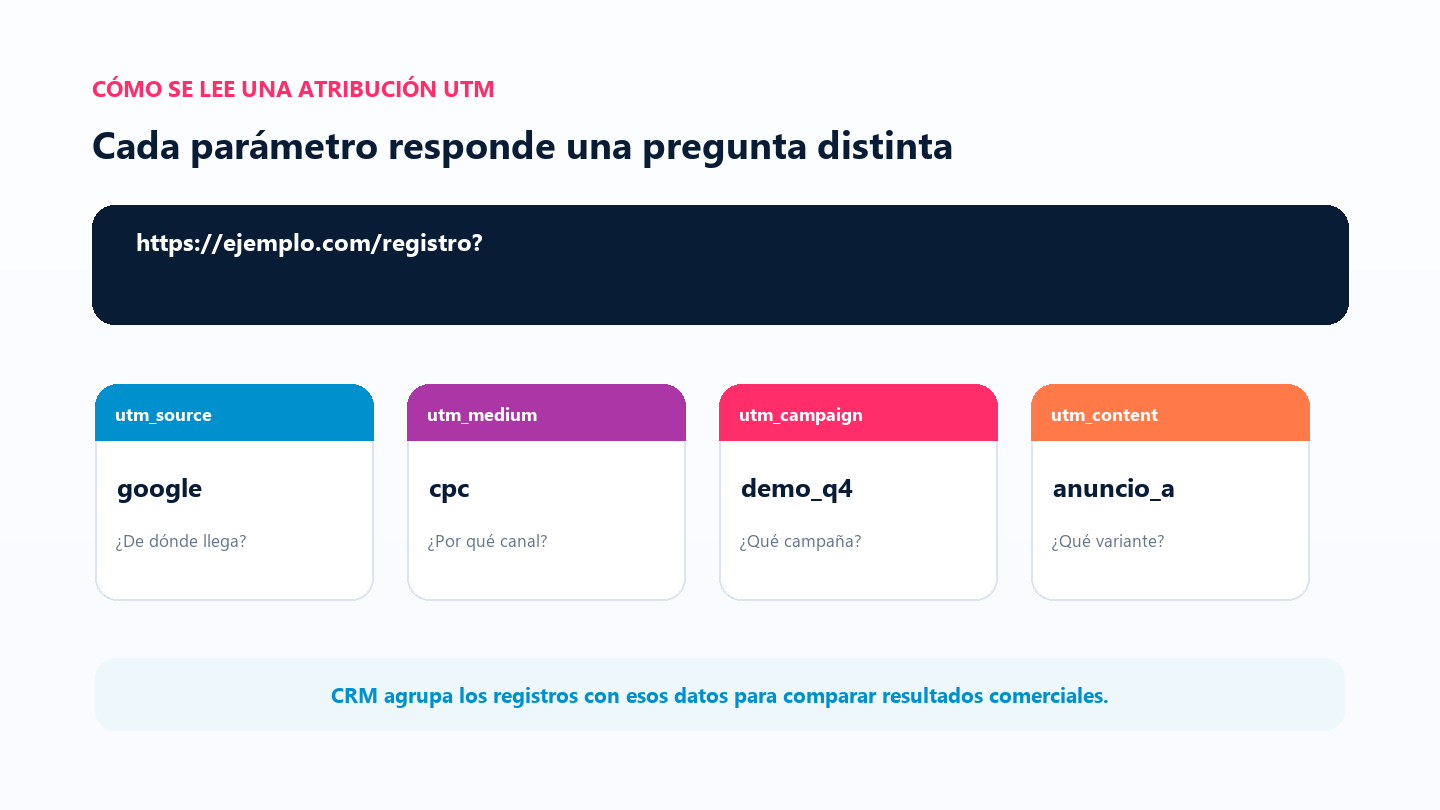
| Parameter | Question | Example |
|---|---|---|
| utm_source | Which site or platform sent the visitor? | google or instagram |
| utm_medium | Which channel type? | cpc, email, or social |
| utm_campaign | Which campaign? | webinar_october |
| utm_term | Which term or keyword was associated? | crm for clinics |
| utm_content | Which ad or link variation? | video_a |
If a tracking record exists but one UTM value is blank, that value may appear as Unknown. If a prospect has no UTM tracking record, it cannot be attributed in this report; CRM does not infer a source from the contact or company name.
Review Marketing Performance
- In CRM, open Reports and select Performance under Marketing.
- Under Group by, choose UTM Source/Medium, Source, Medium, Campaign, Term, or Content.
- To isolate a value, use the UTM filter and select the parameter and value.
- Under Period, choose prospect creation date or recorded first interaction. Select a range and click Apply.
The table can show prospects, open opportunities, customers, conversion, first purchase, transactions, average ticket, purchase cycle, and customer lifetime value (LTV). Opportunity amount includes open opportunities; won and lost opportunities are excluded. Conversion relates customers to prospects within the displayed group.
Analyze Acquisition Cohorts
Open Acquisition Cohorts to compare sales for a period by executive, group, or prospect origin. The report measures days between prospect creation and sale creation, then distributes amounts into four ranges: under 30 days, 30 to 60, 60 to 90, and over 90 days.
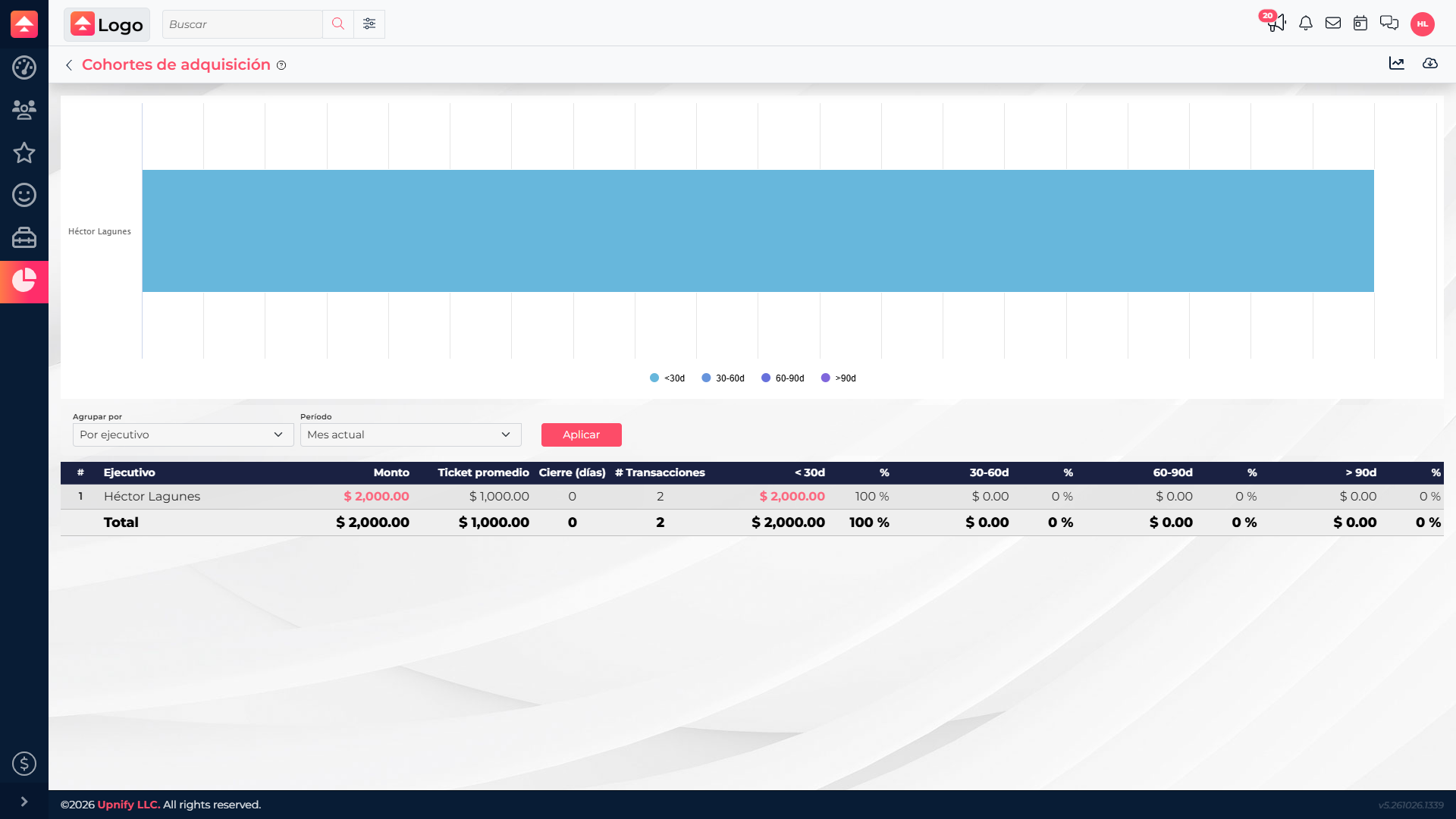
- Choose By executive, By group, or By origin.
- Select the sales Period and click Apply.
- Compare amount, average ticket, closing days, and amounts by range. The chart shows distribution; the table provides exact figures.
- Open the detail linked to a row or cell when available to review records behind an amount.
What to do when Performance is empty
- Confirm that campaign links include UTM parameters and that the prospect creation process preserves attribution.
- Choose a range that includes the creation date or recorded first interaction, and remove filters that may exclude values.
- If a record did not save UTM tracking, set a convention for future links. The report cannot recover a source that was never recorded.
- To analyze purchase timing without UTM data, use Cohorts, which relies on recorded sales and can group by executive, group, or available origin.