
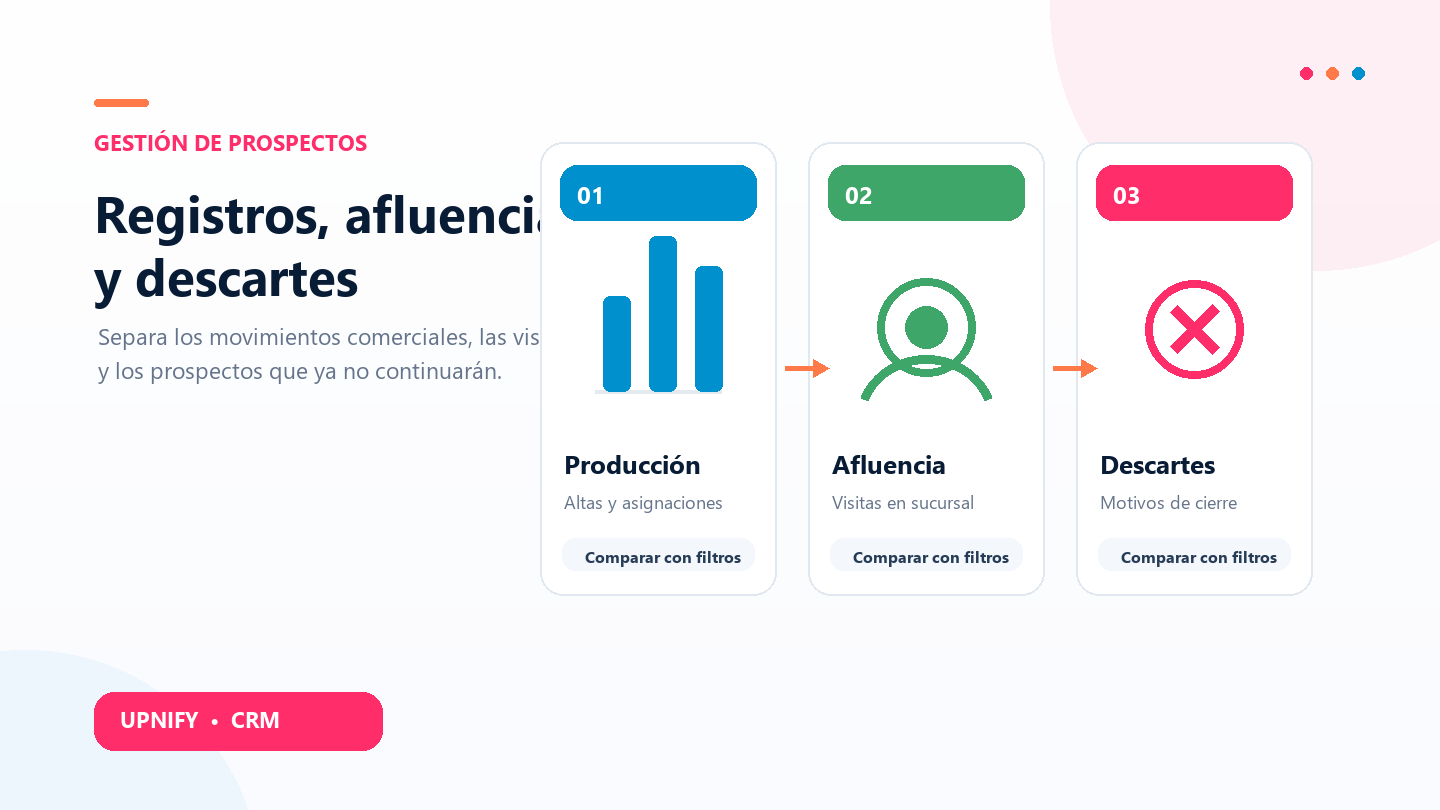
The Production, Foot Traffic, and Discarded reports answer different questions about sales progress. Production summarizes process activity; Foot Traffic shows visits recorded at a branch; and Discarded helps you understand which prospects were closed without moving forward and why. Reviewing them together helps distinguish activity, in-person visits, and lost opportunities.
Production: follow sales activity
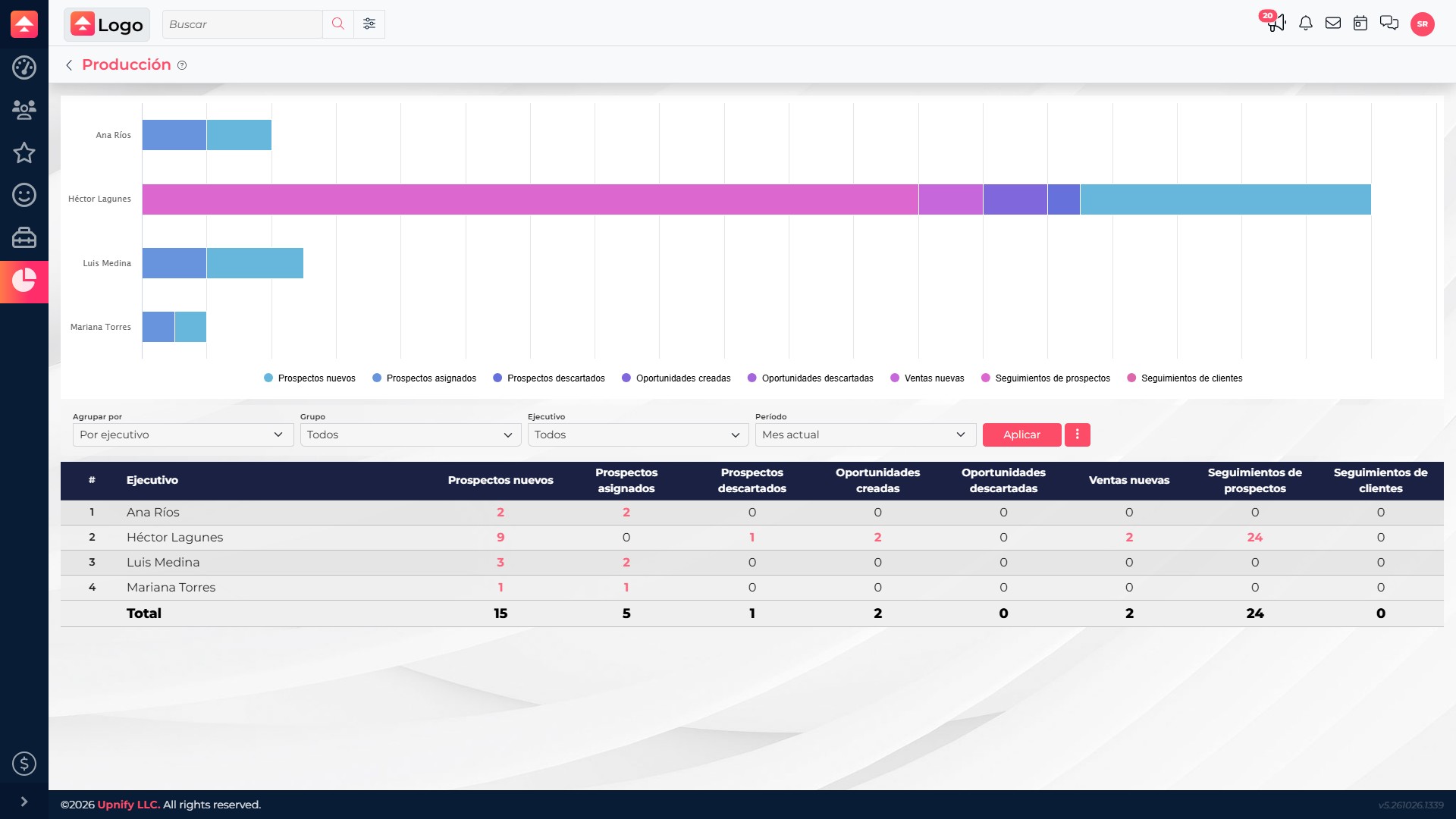
The Production report brings together results recorded during a period, such as new prospects, assignments, discarded prospects, opportunities, sales, and follow-ups. Use it for a weekly or monthly review: see what happened in the process, then investigate the records behind a change.
- In CRM > Reports, open Production.
- Choose a period and, if needed, a group or executive. Leave the criterion at All to compare the full team.
- Select Apply and review the chart and table. The indicators represent different events: an assignment is not a sale, and a follow-up does not necessarily create an opportunity.
- Select a linked total to open the records included in it.
Influence: review recorded visits
Influence brings together in-person business visits entered by the team in CRM. Use it to compare when and where service took place at branches or sales locations; it does not measure website visits or detect people automatically.
- Open CRM > Reports > Influence.
- Under Group by, choose executive, group, source, country, region, city, or sales floor. To compare branches, use Sales floor when configured for your company.
- Choose the interval—monthly, bimonthly, quarterly, half-yearly, biweekly, or weekly—and the year. Narrow by group or executive when those filters are available.
- Select Apply. Use the chart to compare periods and the table to confirm counts. Open linked details to review records behind a total.
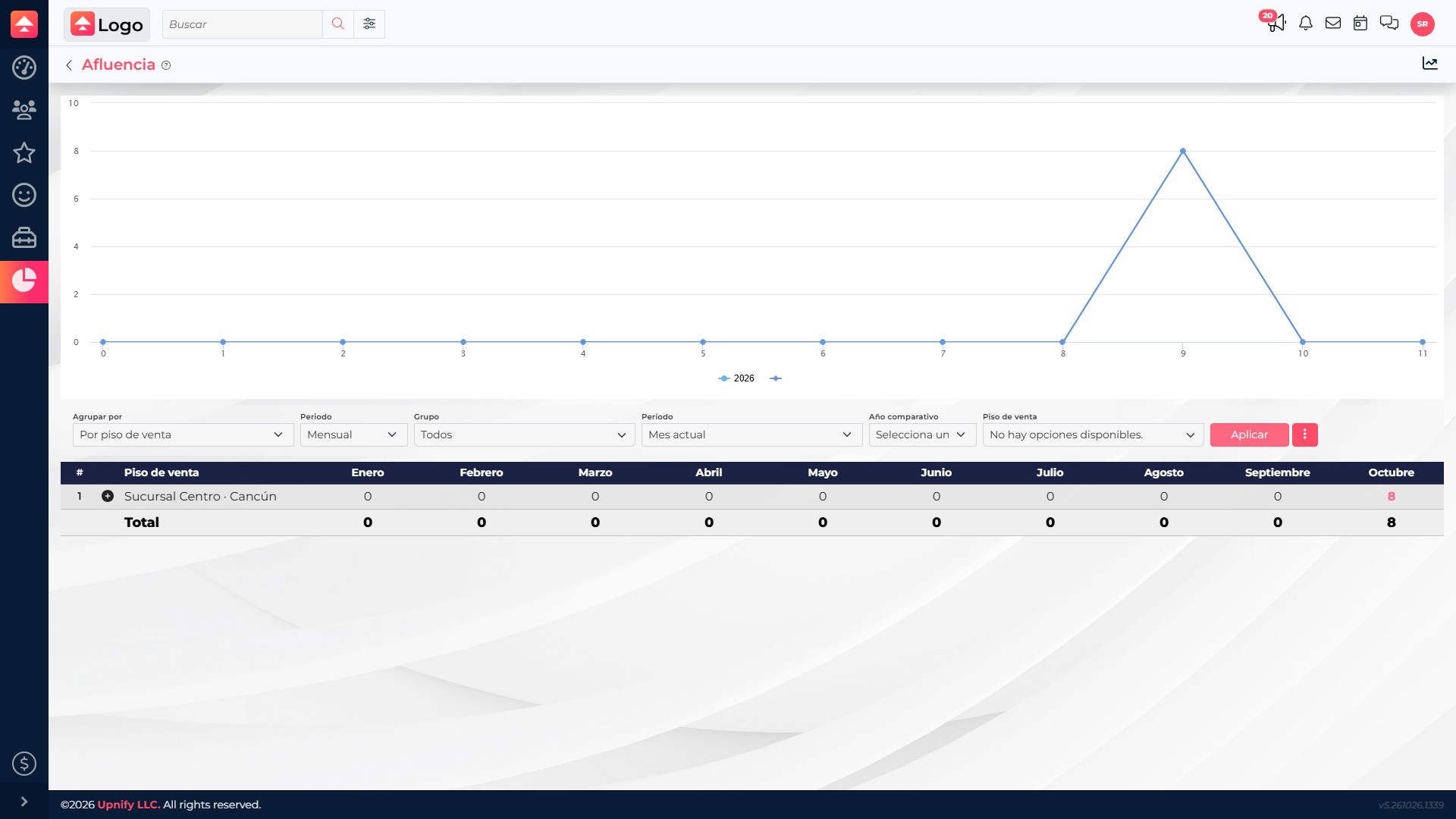
Example: if a branch recorded eight visits in October, compare their dates and contrast them with other periods. If a date has no records, first confirm that the team entered the visits.
Discarded: identify reasons and patterns
The Discarded report summarizes prospects or opportunities marked as discarded. Group them by executive, group, product line, source, country, or region to find where they are concentrated. Review the reason in the record detail; it is not a grouping option in the main view.
- In CRM > Reports, open Discarded.
- Choose the entity—prospects or opportunities—the period, and a grouping that fits your question.
- Apply group or executive filters when you need a narrower set, then select Apply.
- Open a linked total to review individual records. Check the reason, comment, and history before deciding whether there is a pattern.
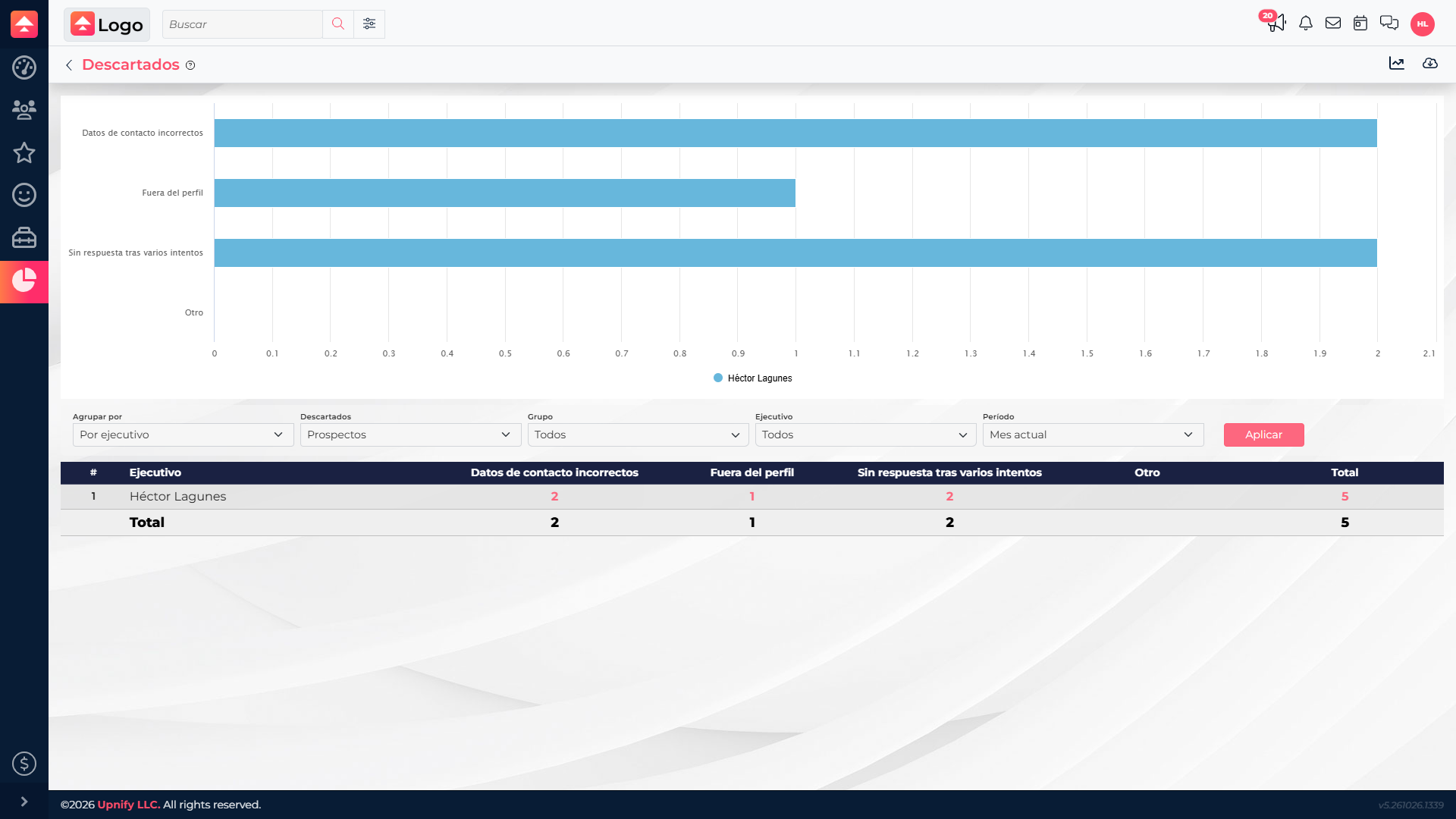
Example: this view contains five prospects assigned to Héctor Lagunes: two with incorrect contact details, one outside the target profile, and two with no response after several attempts. The distribution helps you spot recurring reasons and decide what to review first. Before changing a campaign or sales process, compare other periods or teams and inspect the individual records.
A practical review can follow this order: use Production to locate a change, Foot Traffic to understand in-person visits, and Discarded to check reasons for loss. Keep the same period and team filters so the views cover the same scope.