

Classifying a contact means leaving clear signals about where the person came from, where they are in the process, and who will follow up. On a Prospect or Customer record, maintain the company and job title, origin, phase, assigned executive, comments, and tags.
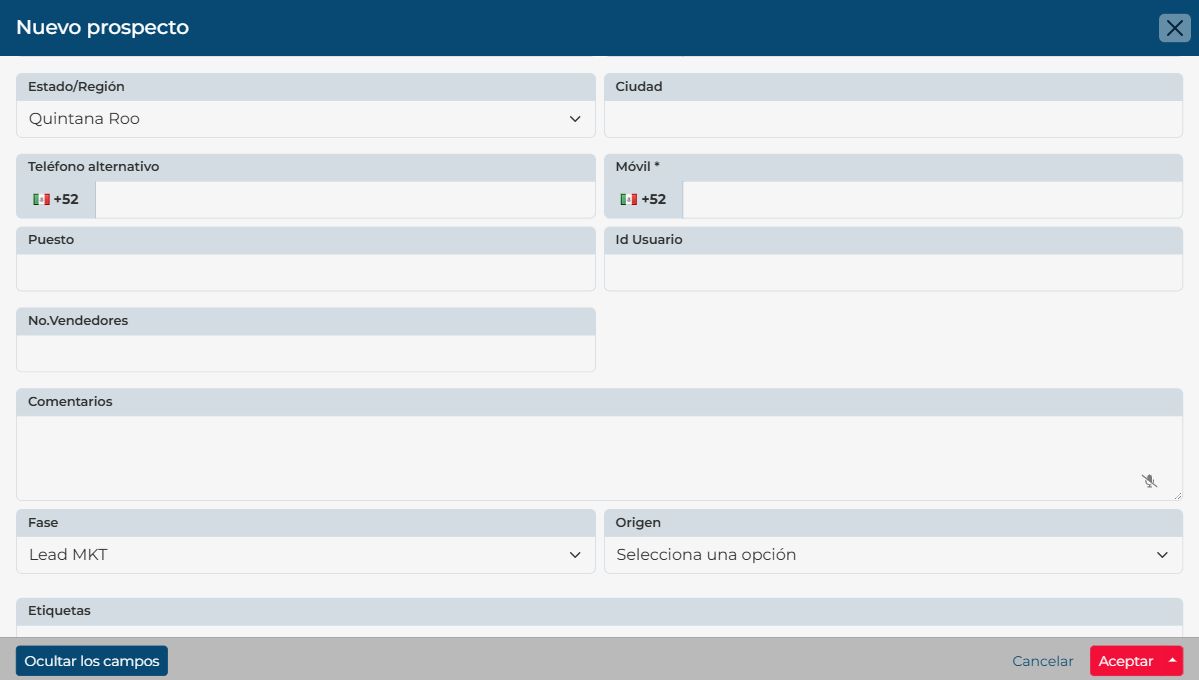
What to record on a contact
| Detail | Why it helps | Example |
|---|---|---|
| Company and job title | Understand the person’s organization and role. | Acme · Purchasing manager |
| Origin | Identify how the contact reached your team. | Website, referral, or event |
| Phase | Show progress through your configured process. | New prospect or Contacted |
| Executive and comments | Know who follows up and keep useful context. | Assigned owner and stated need |
| Tags | Group, filter, and segment contacts. | Renewal interest or healthcare sector |
Keep sale details on the opportunity
If the contact has a potential sale, open or review their Opportunity. That record tracks the negotiation, including its concept, amount, certainty, and estimated close. This keeps a person’s details separate from the forecast for a specific sale.
Example
If someone came from a campaign, record the origin and an interest tag. If they request a $50,000 proposal, record the amount and certainty on the related opportunity.
If someone came from a campaign, record the origin and an interest tag. If they request a $50,000 proposal, record the amount and certainty on the related opportunity.