

Closing an opportunity correctly keeps the pipeline aligned with the actual sales outcome. Won means the customer confirmed the purchase and the opportunity is converted into a sale; lost records that the process did not move forward. Sending a quote or receiving a positive response does not by itself mean a sale has happened.
Before closing: verify the contact, opportunity, agreed products, amount, and latest conversation. This helps keep the outcome and reports tied to the right process.
When the customer confirms: convert it into a sale
- Open the opportunity and choose Convert to sale from its action menu. You can also start this action from the opportunities list or Kanban view.
- Review the sales form: contact, concept, date, currency, amount, and any other details your company uses.
- Check the products and commercial terms. Correct any mismatch with the agreement before saving.
- Mark the sale as paid only if payment has been received. The purchase can be confirmed even when payment will arrive later.
- Save and review the record to confirm the contact, amount, and products are correct.
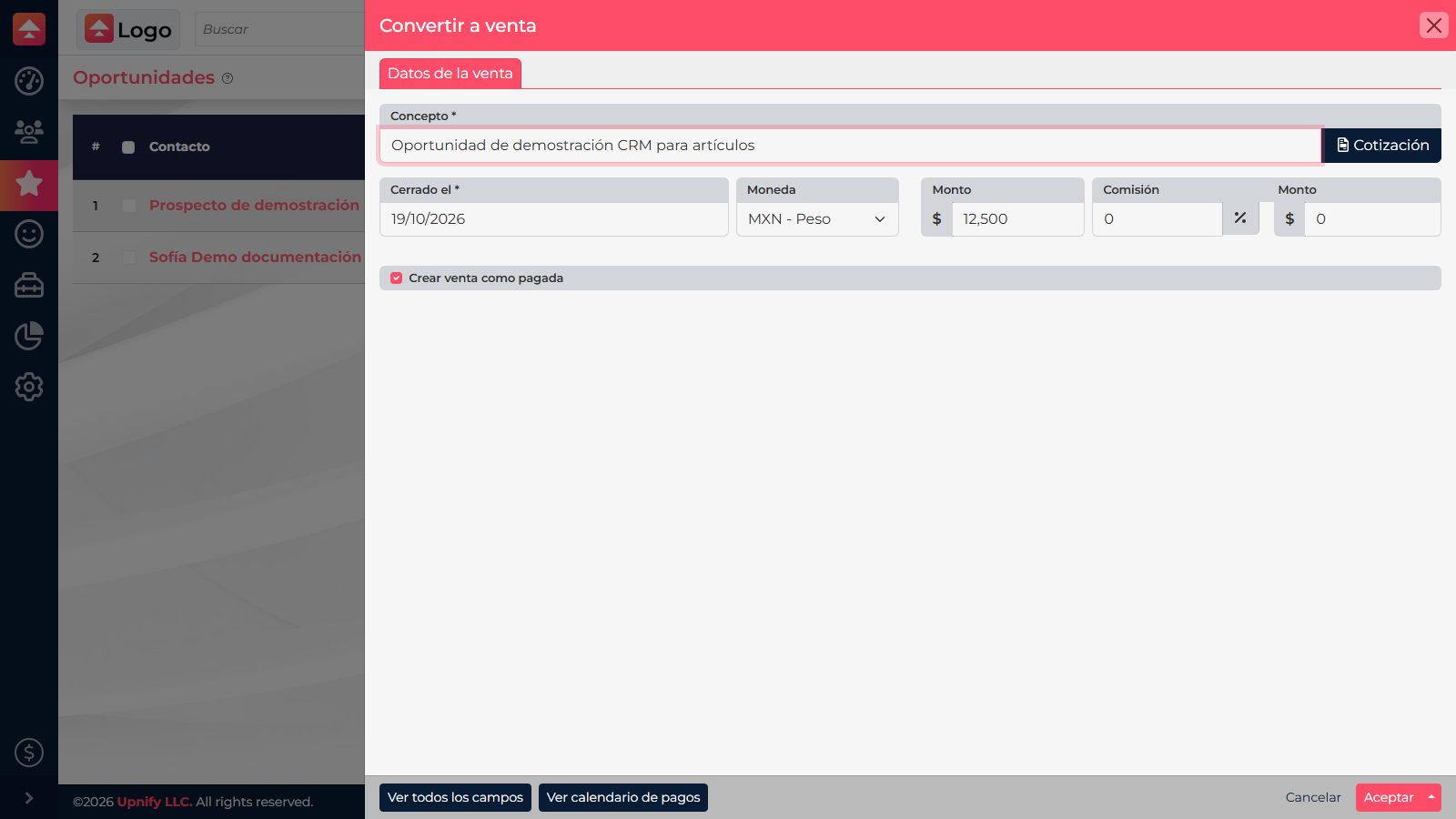
Example: the customer approves a 12-license proposal but will send the payment next week. Convert the opportunity into a sale because the purchase is confirmed; do not mark it as paid until the money arrives.
When the process stops: record the loss
- Choose Discard from the opportunity action menu.
- Select the reason that best explains the outcome. If you choose Other, add a specific note so the team understands what happened.
- Separately decide whether to discard the prospect too. Select Discard prospect only when the contact should also leave the sales process; losing one opportunity does not always mean the person is no longer a valid prospect.
- Review the reason and prospect selection, then confirm.
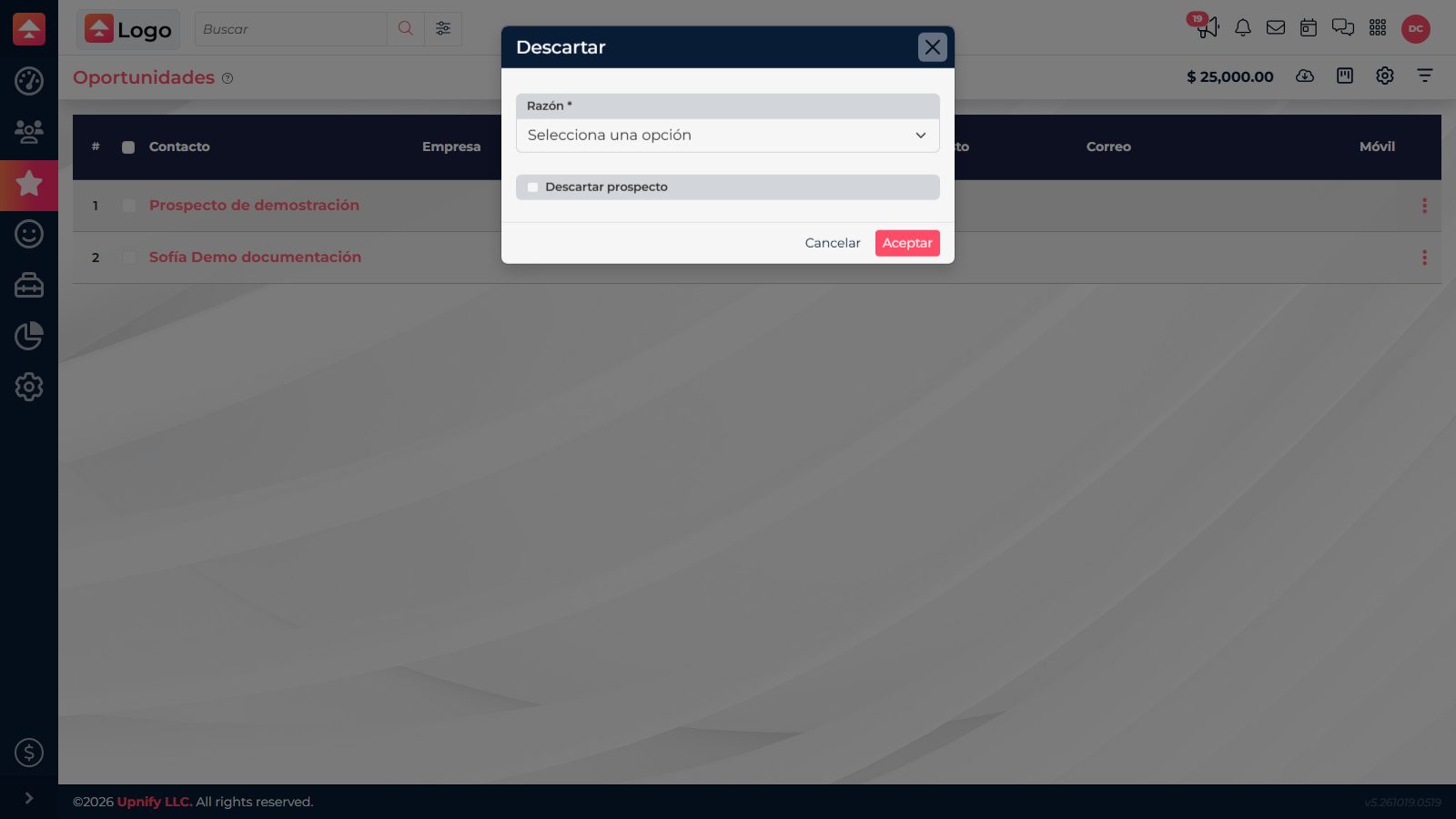
Example: if the company chose another provider, record that reason on the opportunity. If they may still be interested in a different service, keep the prospect active so you can continue the relationship.
Important: converting an opportunity into a sale and discarding an opportunity are different outcomes. Use the first when the purchase is confirmed; use the second to record an opportunity that did not close.