
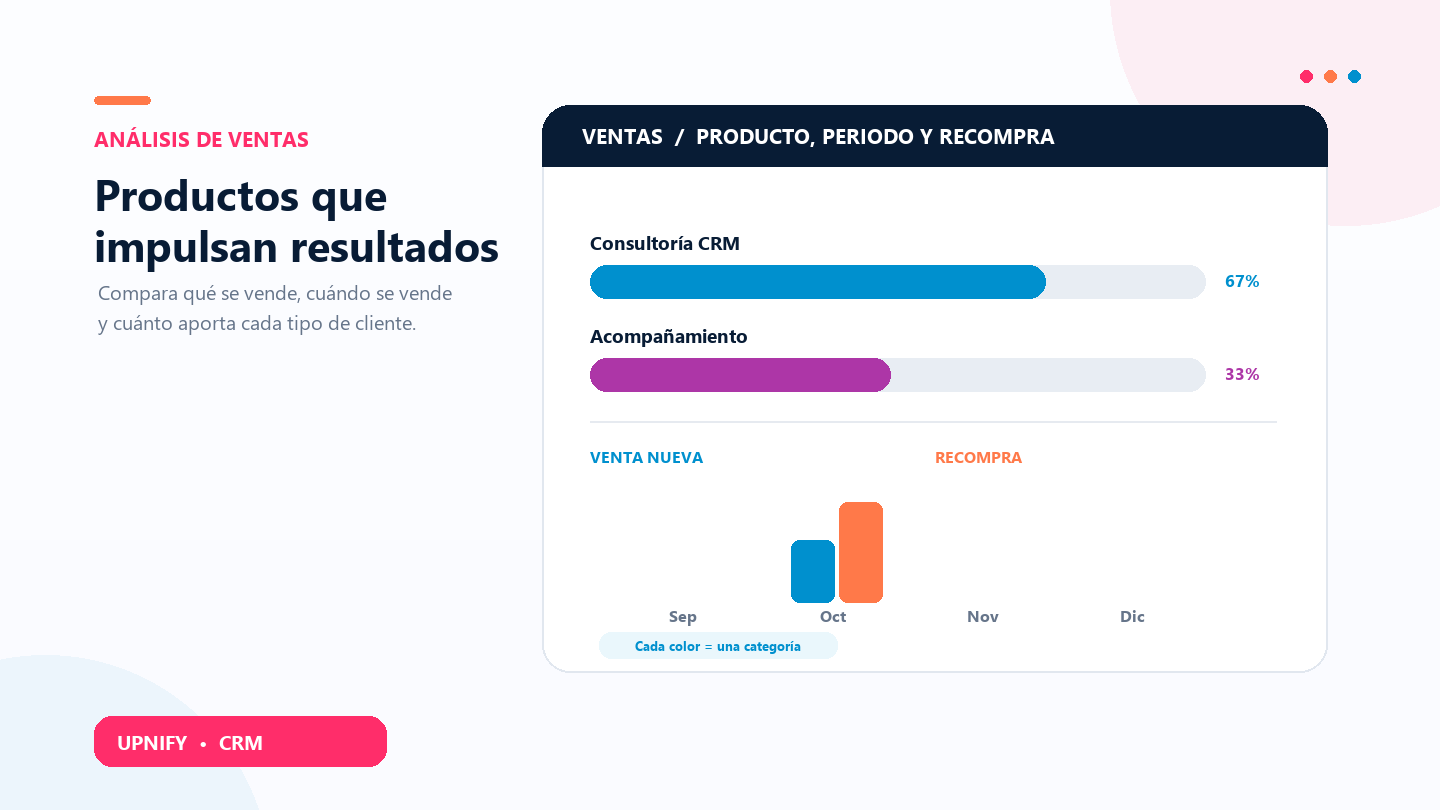
CRM provides two complementary views to help you understand what drives sales: By product shows which products or services contribute to sales, while New vs. repeat compares sales classified as new with repeat purchases. Together, they help you review your catalog, plan campaigns, and identify opportunities to retain customers.
A manager can use the first view to see which products contribute the most revenue or compare product lines and brands. Then the second view can show how new sales and repeat purchases change by period or executive. These are different reports with different questions and filters.
What you need for useful data
The product report depends on won sales having products or services in their line items. New vs. repeat uses the sale classification stored in CRM; it does not infer repeat purchases from the product sold.
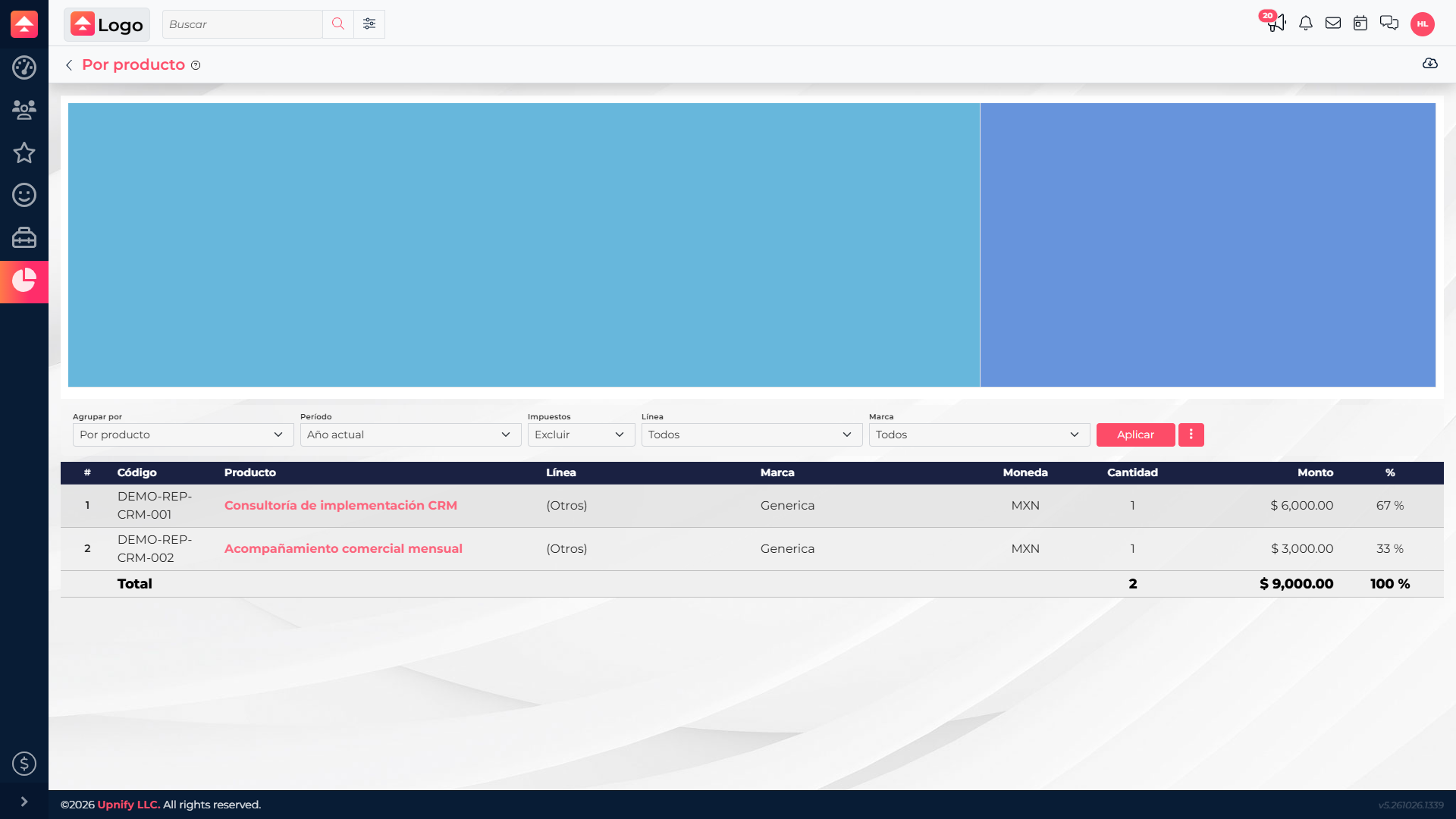
Compare sales by product
- In CRM, open Reports, go to Sales, and select By product.
- Choose the period, currency, and grouping available in the report. Depending on the view, you can compare products, lines, brands, or other dimensions.
- If the report offers an option to include taxes, choose whether you want amounts before or after tax. Keep this setting consistent when comparing results.
- Select Apply. Review units, amount, and percentage of the displayed total in the chart and table.
Compare new sales and repeat purchases by period
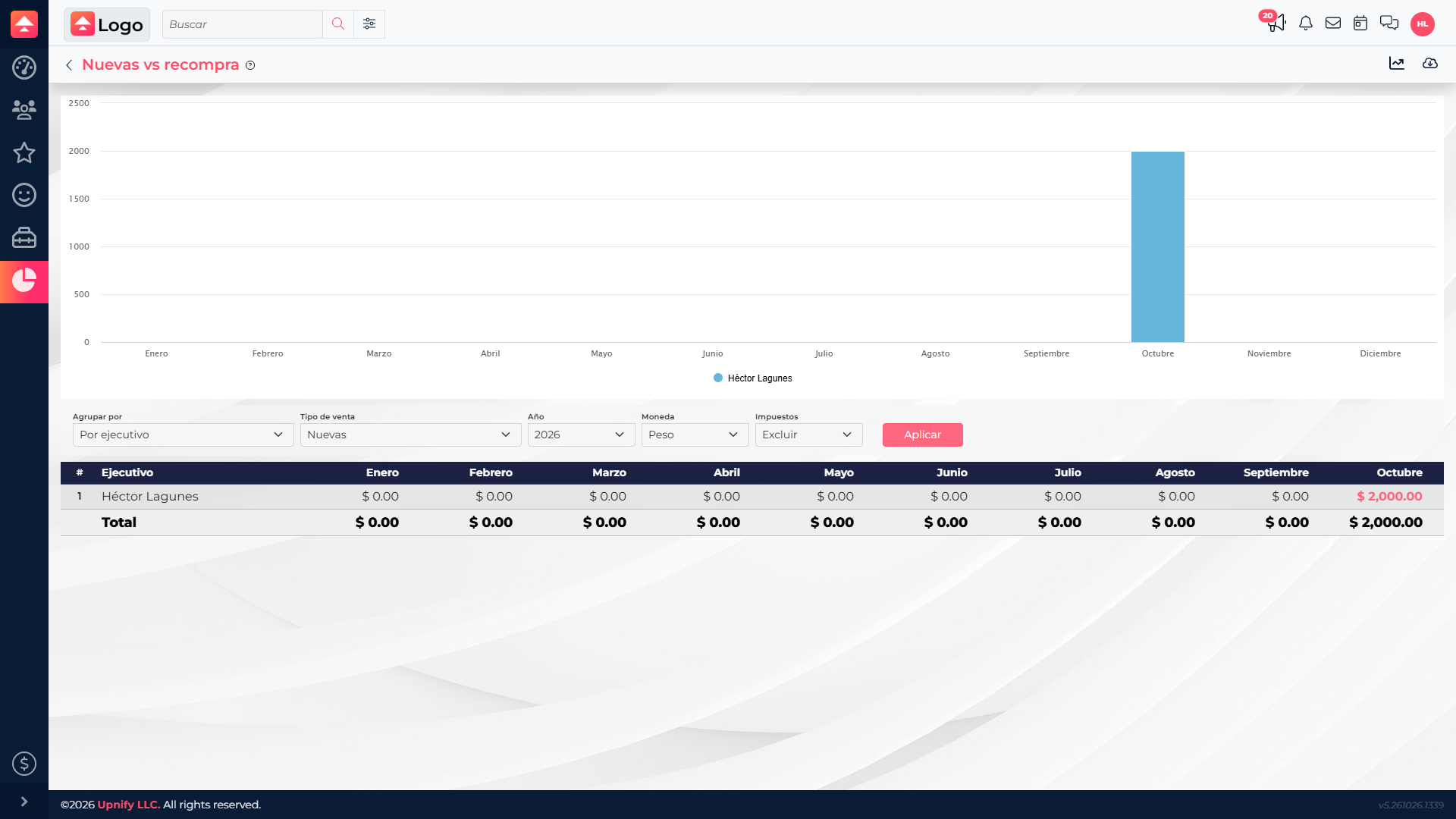
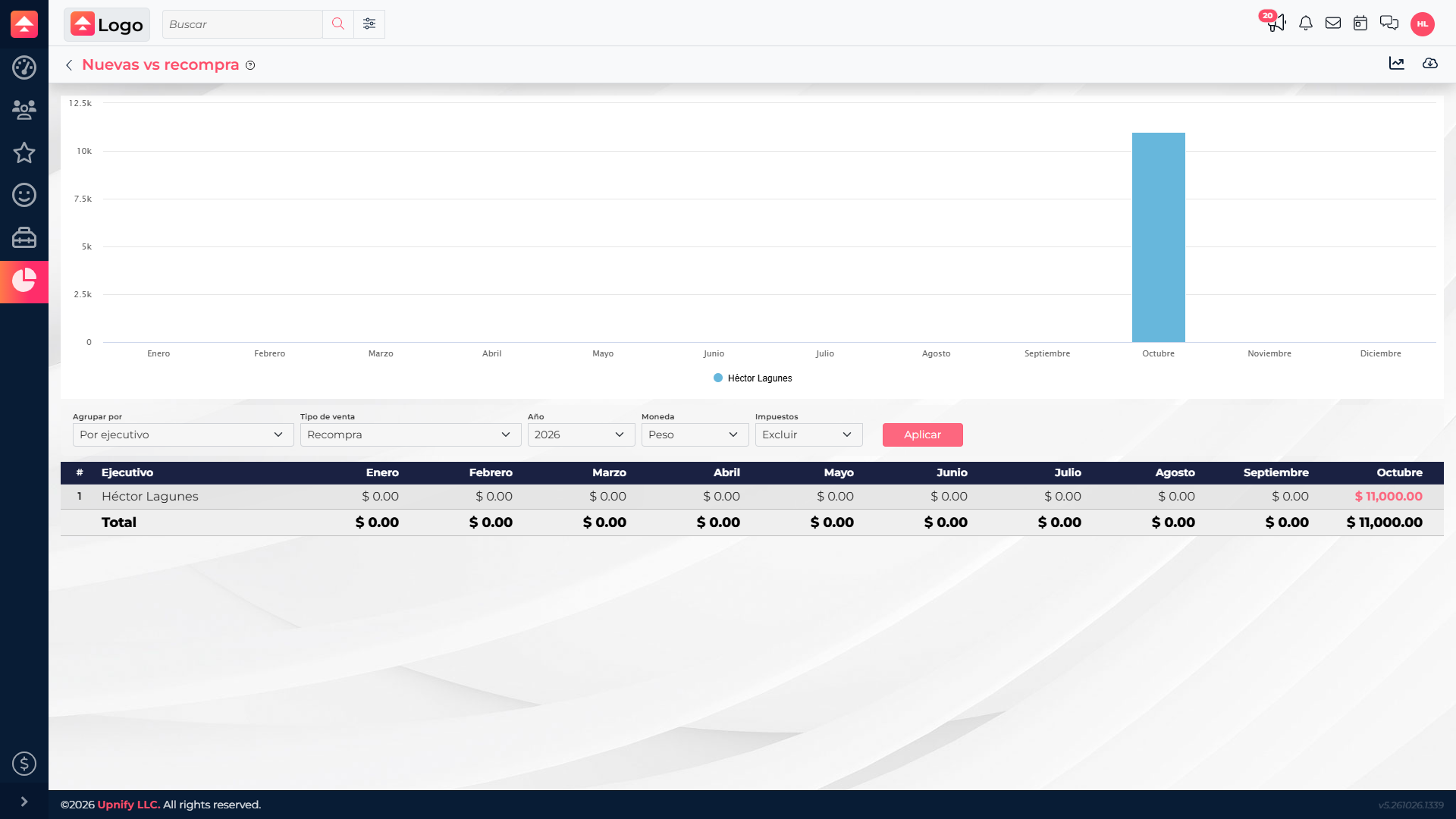
- Open New vs. repeat in the sales reports.
- Select the comparison type, currency, and year or period. If needed, group by executive, group, product line, or another available dimension.
- Select Apply to update the chart and table. Compare new sales and repeat purchase amounts for the same period.
Use both views in a sales review
| Question | Helpful report | Example |
|---|---|---|
| Which products contribute most? | By product | See whether one service accounts for a large share, then discuss availability, margin, or cross-selling. |
| How does revenue change by period? | By product, using period filters | Compare equivalent periods to identify seasonality or changes in product mix. |
| What share comes from new or returning customers? | New vs. repeat | If repeat purchases are significant, plan post-sale follow-up; if new sales dominate, review acquisition and first conversion. |
| Which team or executive drives the result? | Both views with consistent grouping | Compare owners using the same periods and currency. |
Example
In the first screenshot, CRM implementation consulting contributes MXN 6,000 (67%) and monthly sales support MXN 3,000 (33%). The period view shows MXN 2,000 in new sales and MXN 11,000 in repeat purchases for October. This suggests two follow-ups: understand demand for consulting and plan continuity for customers who have already purchased.
Compare results consistently
- Percentages in By product show each item’s share of the total under the current filters.
- New or repeat classification comes from the sale record in CRM. If a figure seems unexpected, review the source sale and its saved classification.
- Keep currency, taxes, grouping, and other filters consistent when comparing periods.
- Results depend on the sales included in the report and their line-item data; sales without associated products do not provide product-level detail.
These reports work well together: one explains sales by item, while the other shows how new sales and repeat purchases change over time.