

Discounts, commissions, and minimum prices address different needs. A discount changes the offered amount; a commission records a percentage associated with a product or sale; a minimum price helps prevent a deal from falling below a company limit.
If a product is MXN 2,500 and its minimum price is MXN 2,000, a 10% discount brings it to MXN 2,250, above the limit. A larger discount may trigger a warning or require authorization, depending on permissions.
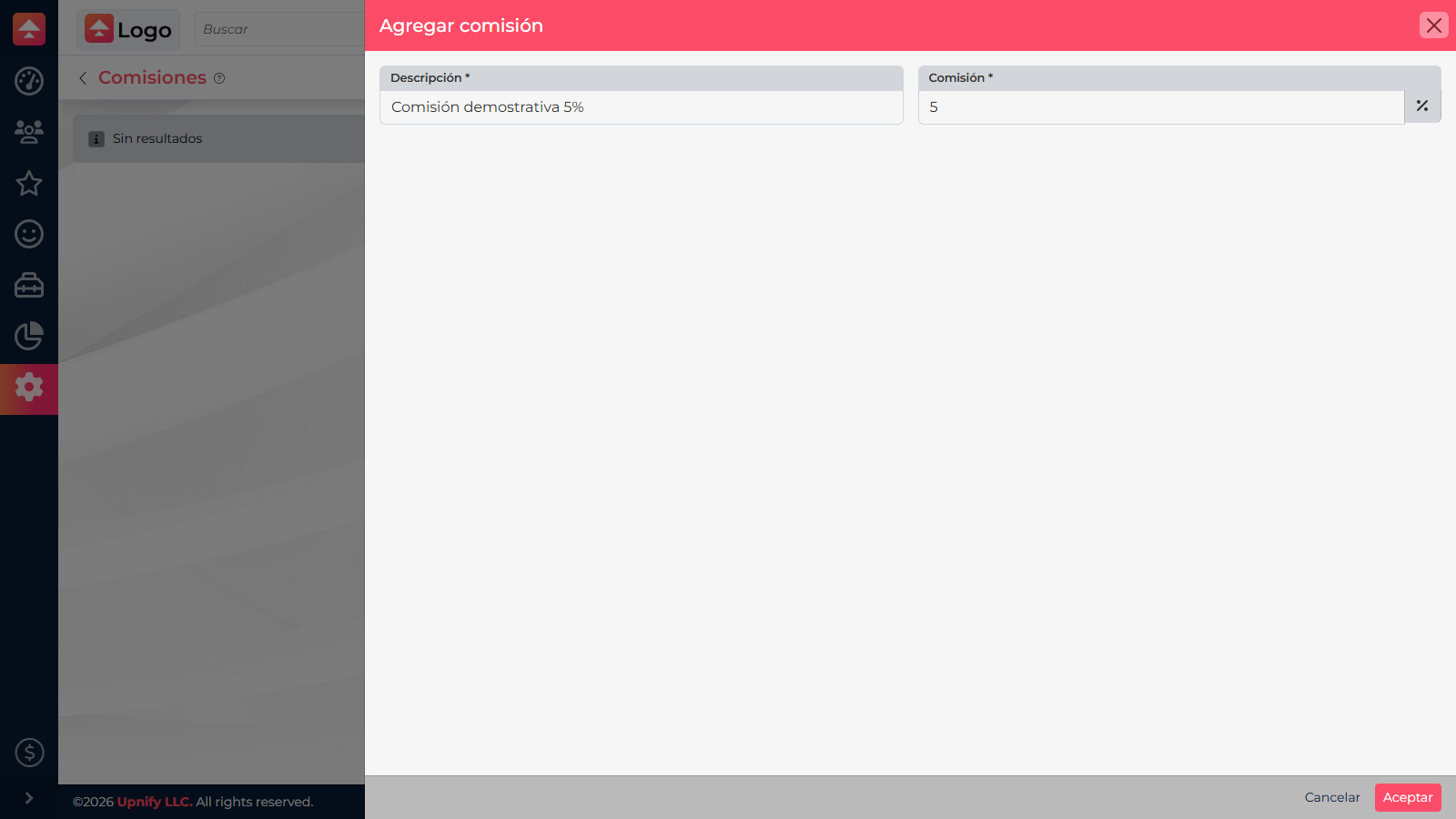
1. Add the commission
In CRM, open Settings > Commissions and select New. Enter a clear description and the percentage established by your company. The catalog keeps commission names and rates consistent, but does not replace internal payment or approval policies.
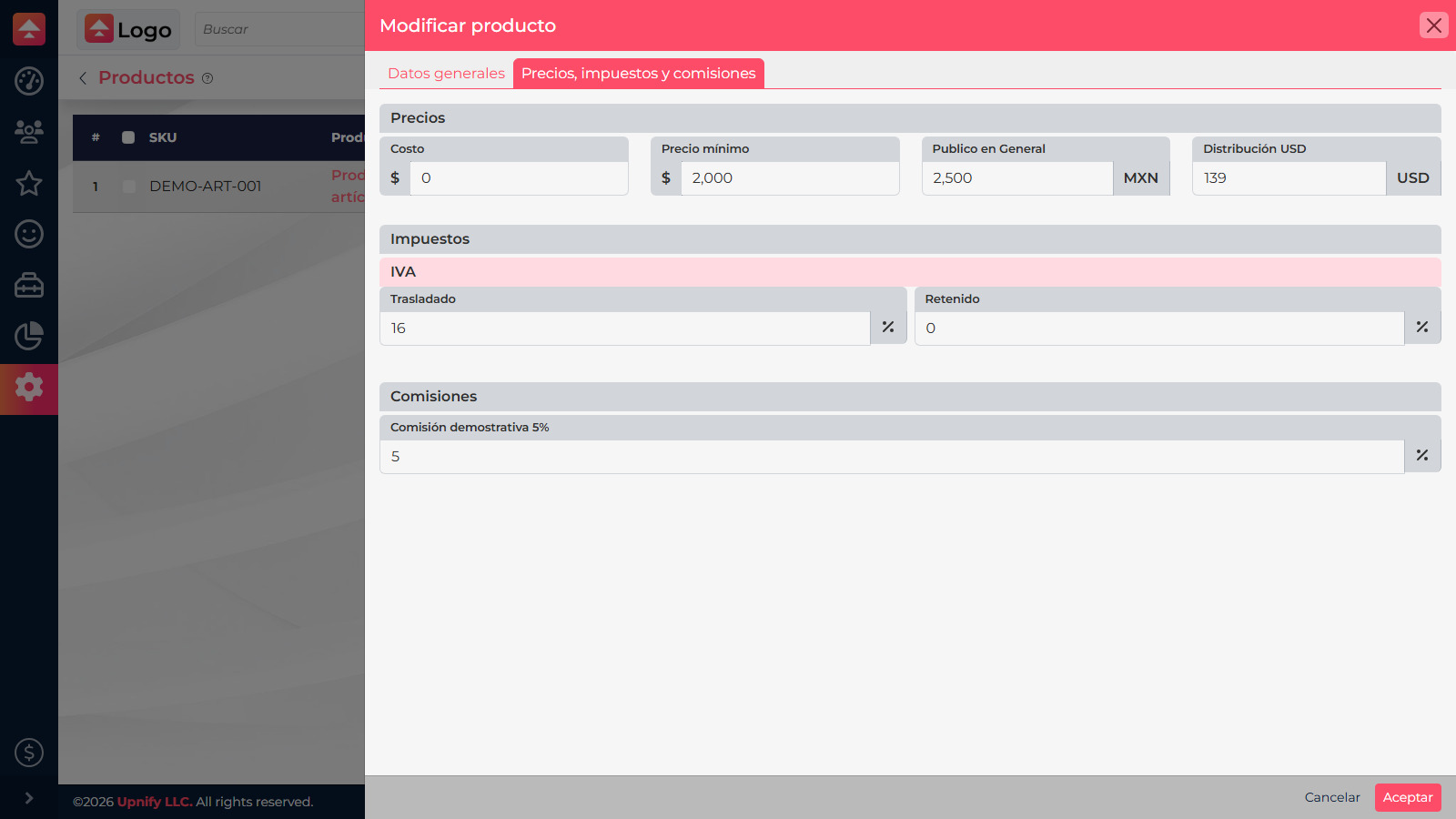
2. Configure the product
Edit the product and open Prices, taxes, and commissions. Enter the minimum price and the commission rate for that product. Also check each price list amount: the minimum is an additional control, not a replacement for the regular selling price.
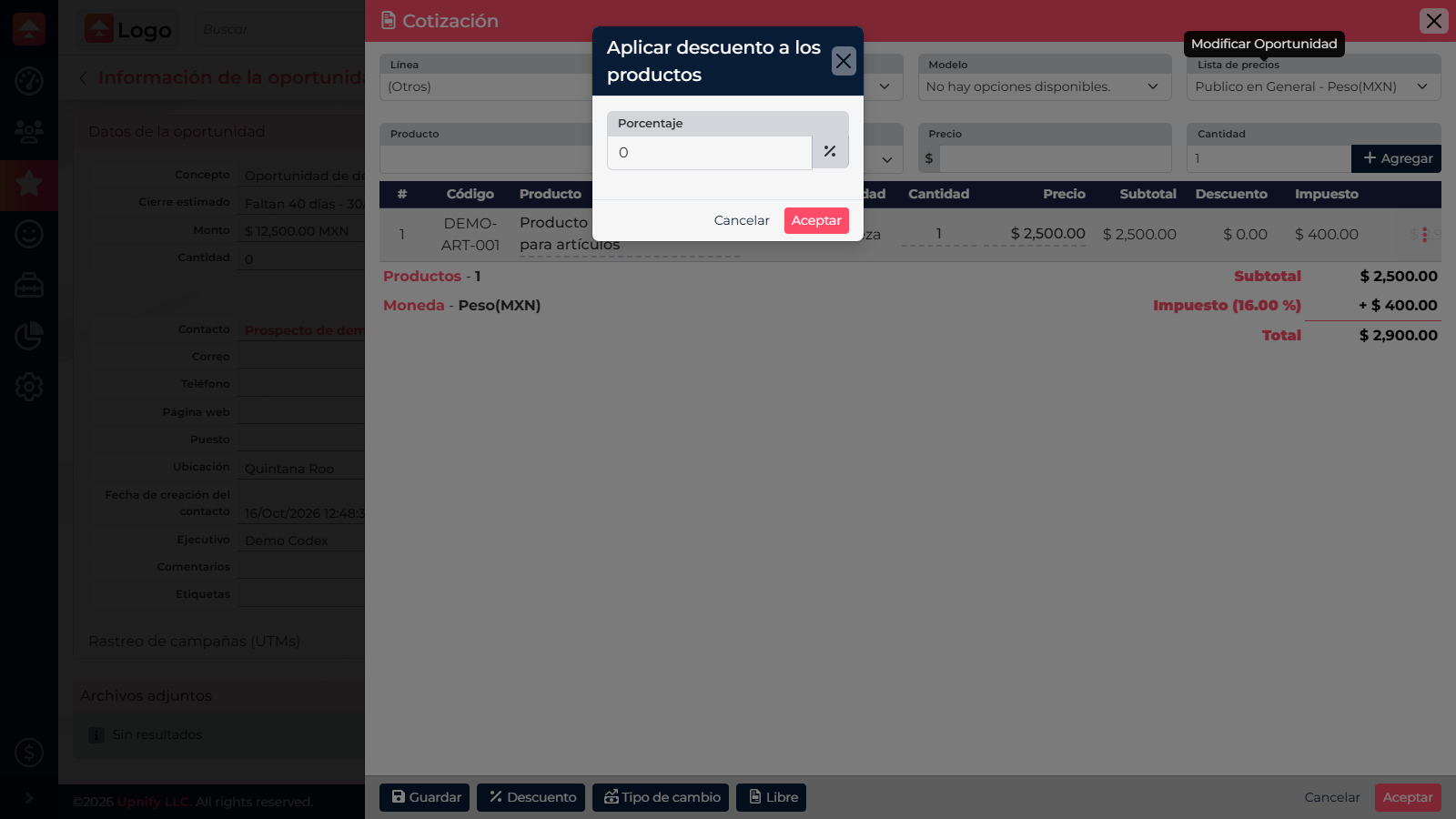
3. Apply a quote discount
Use the Discount action to apply a general percentage to the products, or review the discount options for an individual line. If the action is missing or disabled, ask your administrator to review your discount permissions.
What to check before accepting
- Confirm the product list and price before calculating a discount.
- Compare the result with the minimum price.
- Review the commission rate and who can approve exceptions.
- Check subtotal, tax, and total before saving or sending.
Rates should follow your company commercial agreement. Document approval before committing to a price that needs an exception.