

A prospect is a contact who is still being evaluated or considered for a sale. Their record brings details together, identifies who will follow up, and keeps future interactions in one place. You do not need to create an opportunity at the same time: add the person first and open an opportunity when there is a potential sale to manage.
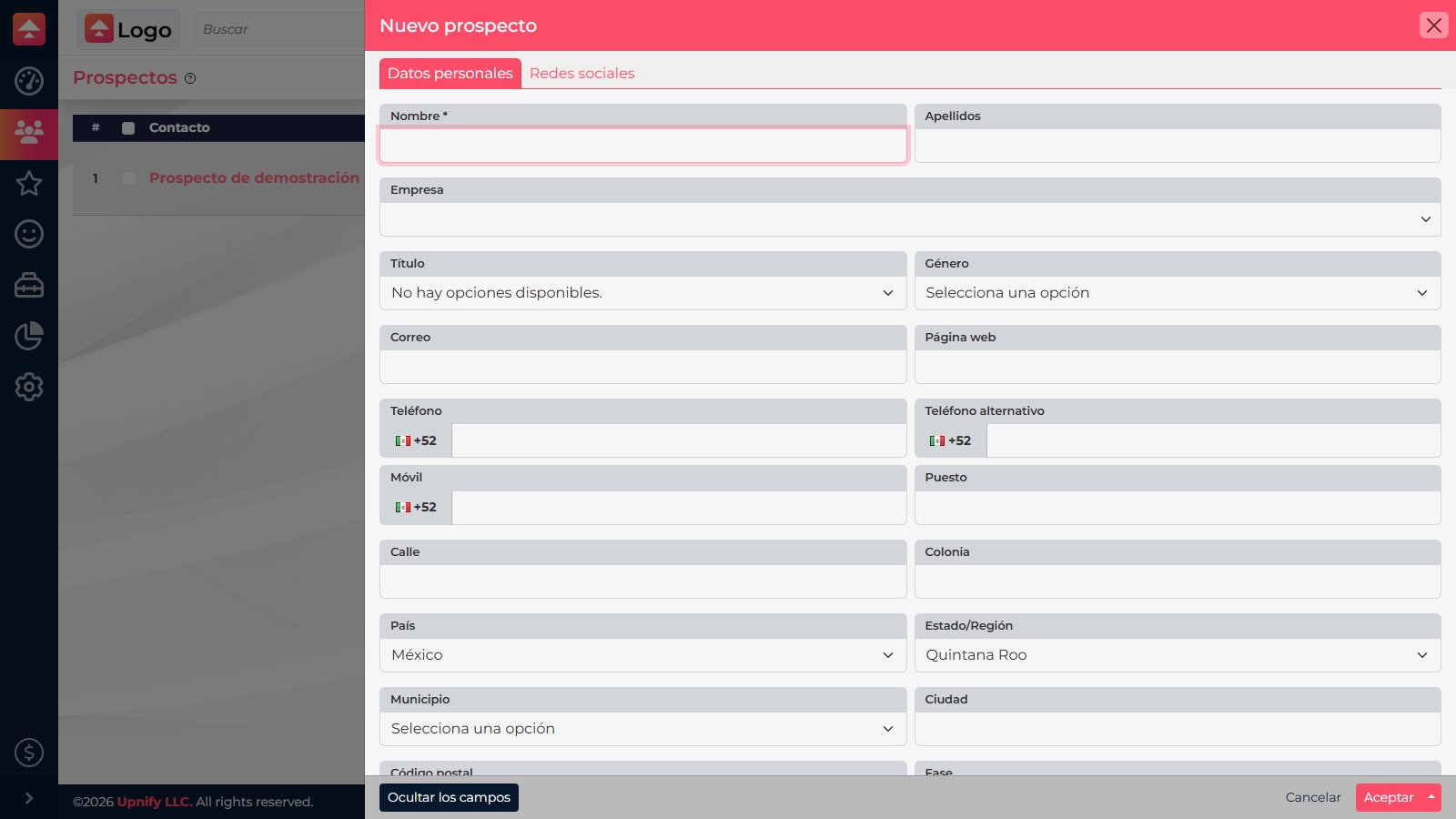
Create the record
- In CRM, open Prospects and select New.
- Enter the required Name. Add last name and details you know, such as email, phone, mobile, job title, and company.
- Select Show all fields to enter more information. Add tags if your team uses them to organize contacts.
- Review the details and select Accept. Use the add-and-view option to open the new record right away.
After saving
The contact appears in the Prospects list. From the record, you can complete commercial details, review history, or create the next task. If you do not know every detail yet, save what is confirmed and update the record as the conversation moves forward.
Avoid duplicates
Search Prospects and Customers by name, email, or phone first. If the person is already in CRM, update that record instead of creating another.
Search Prospects and Customers by name, email, or phone first. If the person is already in CRM, update that record instead of creating another.