

An opportunity represents a specific purchase that could become a sale. Creating one keeps that buying process separate from the rest of the contact's information and gives your team a place to track its concept, stage, expected value, certainty, and estimated close date.
For example, if a customer is considering licenses for a new branch, create an opportunity for that purchase. If they later ask about a different product for another team, create a separate opportunity so each decision has its own amount, progress, and follow-up.

Before you start
Link the opportunity to the prospect or customer considering the purchase. Have a short description ready, along with any information you already know about the amount, timing, and progress. If you do not know a detail yet, use the available option or update it when you have confirmed information.
Create an opportunity from a contact
- Open Prospects or Customers and find the person connected to the purchase.
- Open the contact record and select New opportunity. Check the contact name shown in the form.
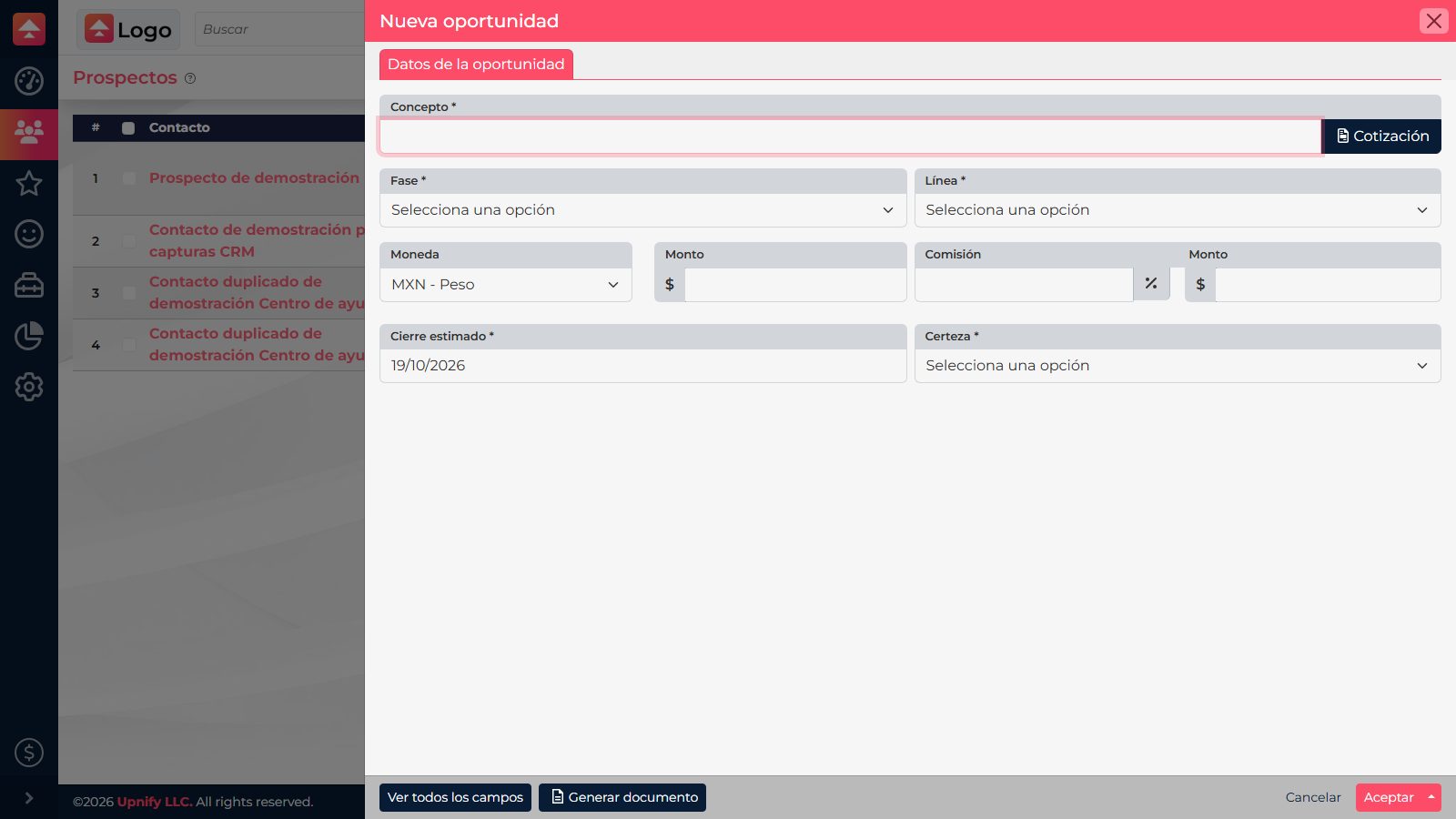
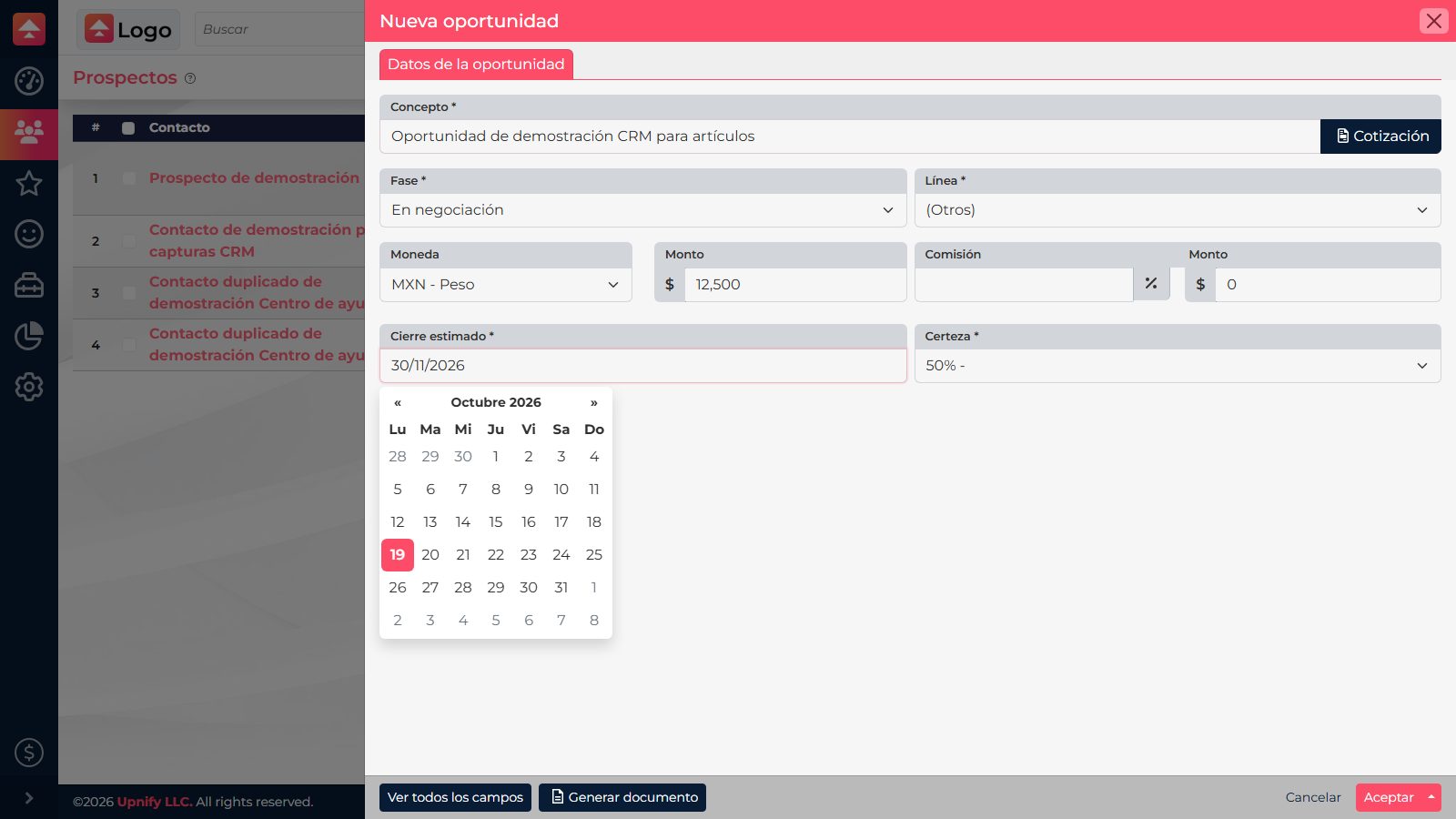
- Under Concept, describe the purchase so it is recognizable. For example: “Licenses for the North branch.”
- Choose the Phase that matches current progress. Use an early stage when the conversation is just beginning; do not advance it based on an activity that has not confirmed a decision.
- Choose the relevant product or service Product line. This helps classify the sale and review opportunities by offer type.
- Enter an amount and currency when you have a useful estimate. Under Estimated closing, enter when you expect a decision; under Certainty, choose the value that matches the buyer's signals.
- Review the contact and details, then select Accept to save.
After you save
The opportunity is linked to the contact and appears under Opportunities, in both the table and Kanban views. Open its record to log conversations, calls, appointments, and other progress. Update the stage, certainty, and estimated close when the facts change. This helps your team distinguish a new purchase from other opportunities belonging to the same person.
The screenshots show the interface in Spanish.