

A bulk email campaign sends one planned message to a selected group of contacts—for example, an event invitation, a schedule update, or a product announcement. You can choose when it is sent and which prospects, opportunities, or customers receive it.
Choose a bulk campaign for a message tied to a specific date and a defined audience. If contacts should receive several messages over time after getting a tag, create an automatic sequence instead.
Create the campaign
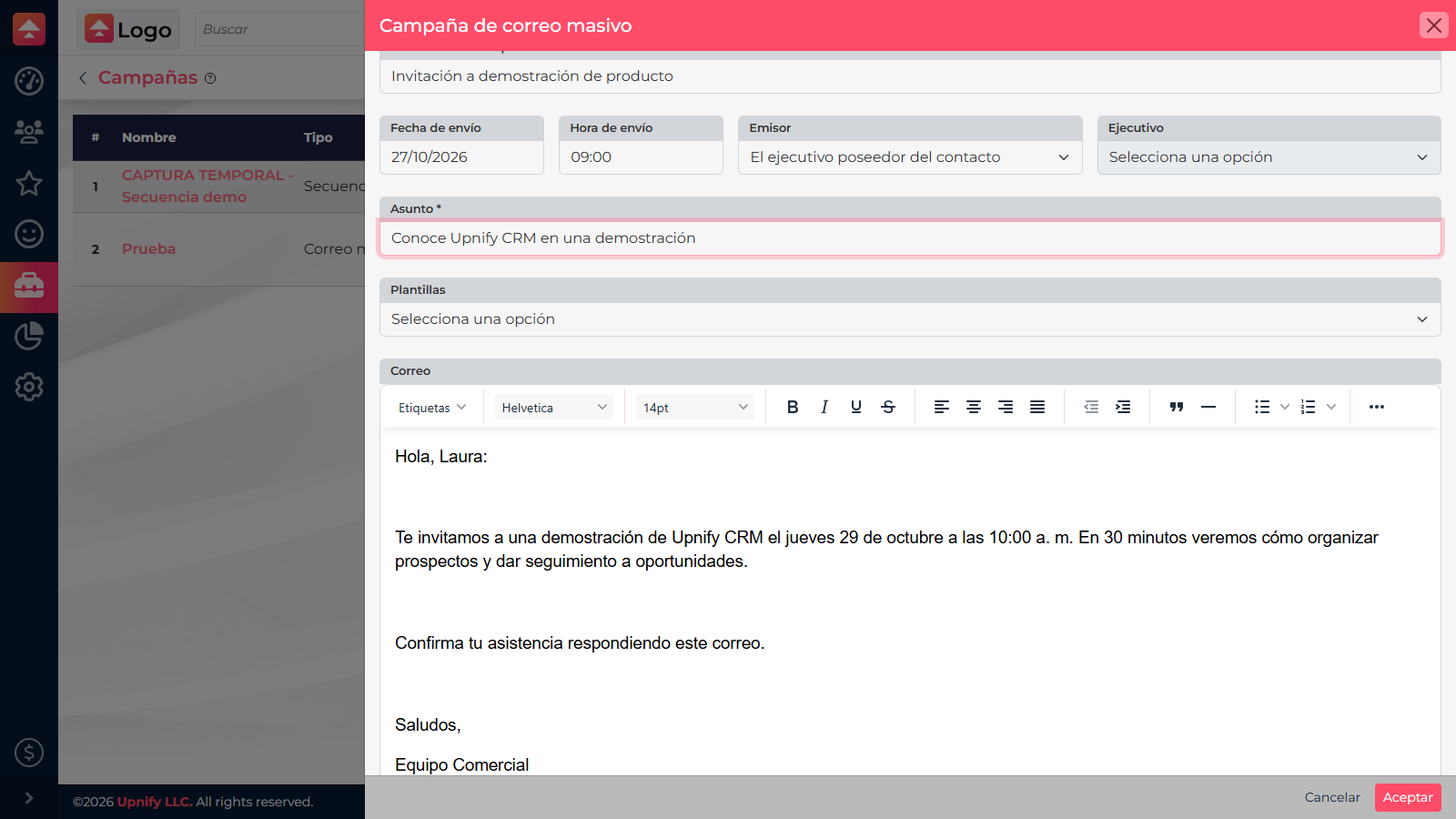
- Go to Tools > Campaigns. This list lets you review previous campaigns and their status.
- Select New campaign > Bulk email and enter a name that describes its purpose, such as November demo invitation. The name is internal and helps you find the send later.
- Schedule the send. Set the date and time. Choose whether the message uses each contact owner's sender or one specific executive. If you choose a specific sender, select that executive too.
- Prepare the content. Enter the subject, write the message or choose an email template, and personalize it. Attach supporting files if needed. Review the subject, links, personalization, and preview before continuing.
- Assign recipients. Save the campaign, then open the number in the Assigned column. Use the available filters to find prospects, opportunities, customers, or the group you need, and add the selected records to this campaign.
- Confirm the send. Return to the campaign list and verify the assigned count, sender, and schedule. When everything is ready, use the campaign's activation action. If the system identifies a pending requirement, resolve it before trying again.
What to review afterward
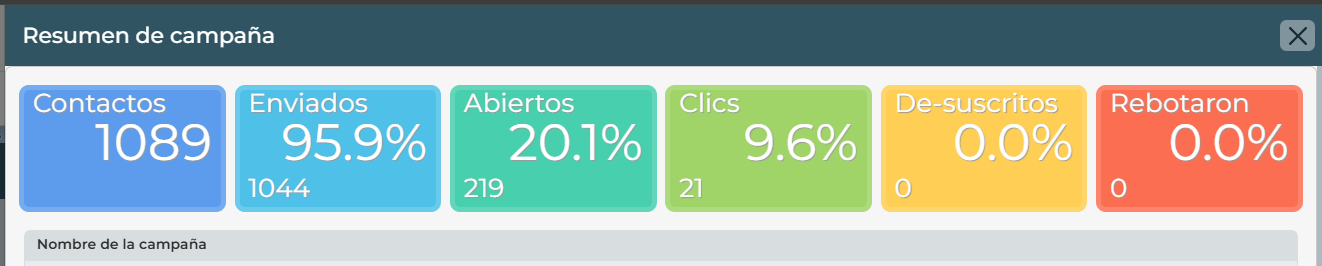
The campaign list shows the campaign, its date, assigned contact count, and status. Open the campaign to view its summary when available. If it has not started, review and correct its details before activation; once delivery is in progress, avoid changing the audience unless you understand the effect.
Example
If you are hosting a demo on Friday, create a campaign called Friday demo invitation, schedule it for Tuesday morning, and assign only prospects who fit the event. The invitation reaches them before the date without enrolling them in a follow-up series they did not request.