

An opportunity's stage summarizes how far the buying process has progressed. Reviewing opportunities by stage helps you see what needs attention and choose the next follow-up. The table is useful for searching and comparing records; Kanban makes it easier to see how work is distributed and move an opportunity when its progress changes.
For example, after a demo, you can move an opportunity to the proposal stage when the contact confirms they will review a quote. The stage should reflect what happened, not what you hope will happen.

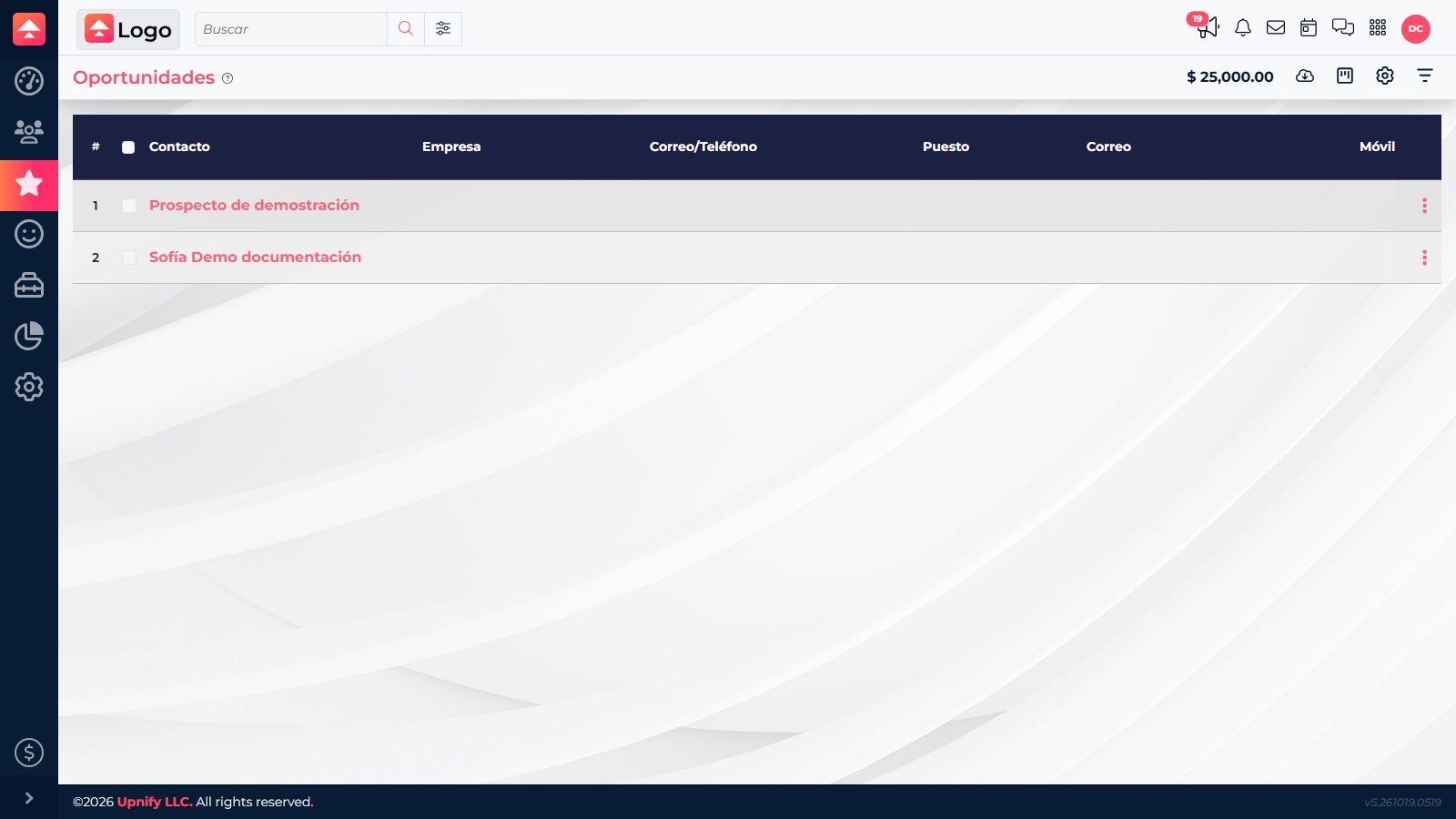
Review the table
Open Opportunities. In the table, you can search or filter records and review details such as concept, contact, stage, product line, amount, certainty, and estimated close. Use it to find an opportunity by its details or compare several records closely.
Review and update the Kanban board
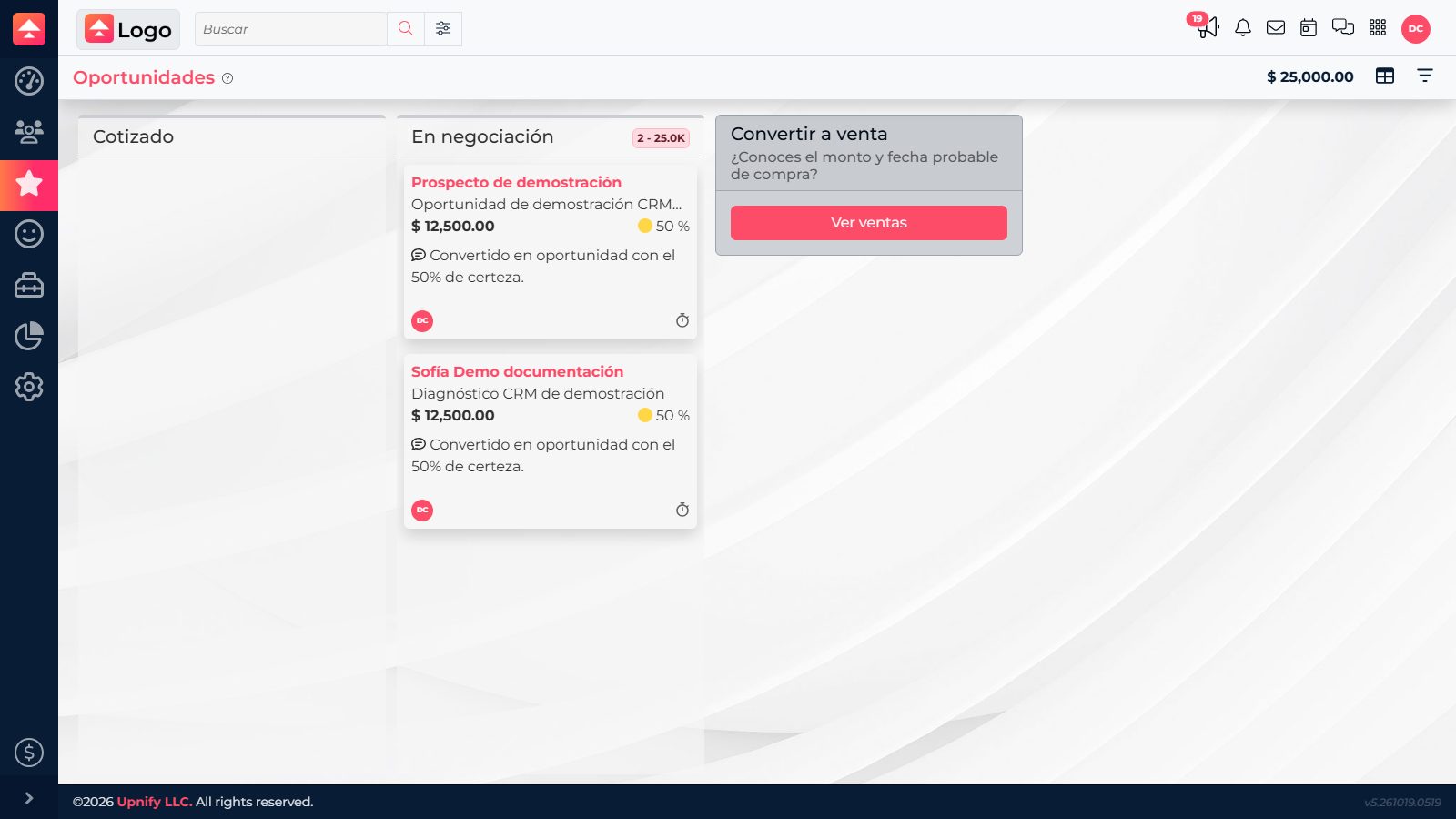
- From Opportunities, switch to Kanban using the view selector.
- Read the columns as stages configured for your sales process. Cards represent opportunities and show key details to help identify them.
- Select a card to open its record and review its history or follow-ups before choosing the next step.
- After confirmed progress, drag the card to the column for the matching stage. You can also open Modify and change the Phase field.
- Check that the card appears in the new column. When an opportunity reaches the last stage, CRM may offer to convert it to a sale; confirm only if the purchase was completed.
Keep the board useful
- Advance an opportunity when there is a concrete signal: a reviewed proposal, a meeting with decision-makers, or an agreed decision date.
- If the contact has not responded or the process has paused, log the follow-up and keep the stage that reflects the actual situation.
- Update certainty and estimated close if the expected purchase timing has changed.
The screenshots show the interface in Spanish.