

CRM lets you record a sale from a contact or customer profile, or close an existing opportunity. Direct sale starts from the contact context and does not convert a specific opportunity; Convert to Sale closes the opportunity you selected.
Record a direct sale
- Open the profile of the contact or customer who made the purchase.
- From its action menu, choose Direct sale. Verify that you selected the right buyer.
- Enter the concept and review close date, currency, amount, and commission. To itemize the purchase, open Quote and add the agreed products.
- Select Create sale as paid only if you confirmed receipt. Otherwise set up the schedule or record the collection later.
- Select Accept and review the new record in Sales, including its contact, amount, and collection status.
Convert an opportunity
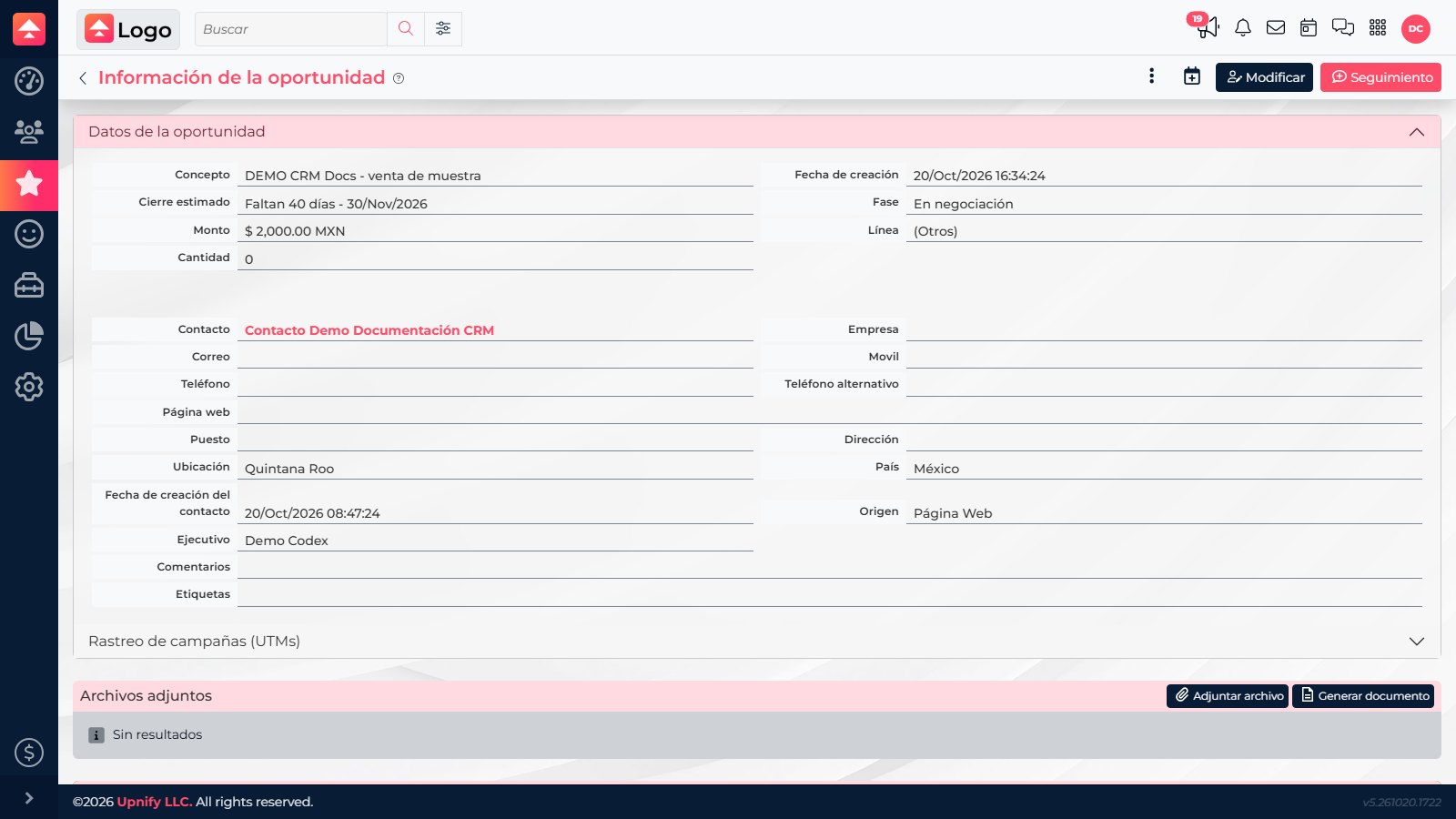
- Open Opportunities and select the confirmed opportunity.
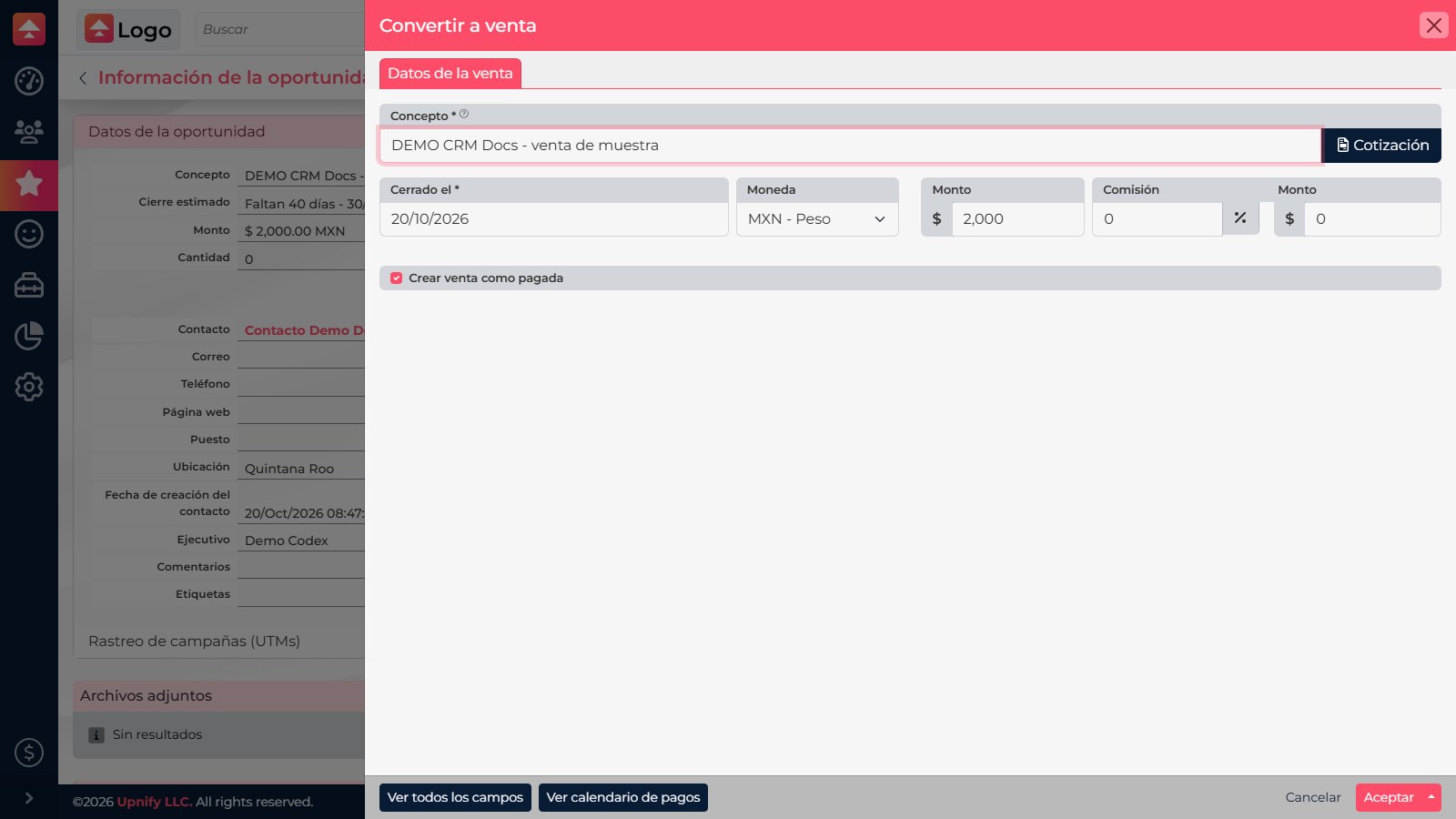
- Check the concept, contact, products, and amount. Select Convert to Sale when the process is ready to close as won.
- Confirm close date, currency, commission, and payment terms. If a product is subject to inventory, check availability before saving.
- Select Accept and review both the sale and opportunity status.

Quick rule
If the purchase was managed as an opportunity, use Convert to Sale. Use Direct sale to record a purchase without converting an opportunity. A quote you add is part of the sale.
If the purchase was managed as an opportunity, use Convert to Sale. Use Direct sale to record a purchase without converting an opportunity. A quote you add is part of the sale.
Choose the right path
| Option | Start from | Use it when |
|---|---|---|
| Direct sale | Customer/contact profile | You are recording a purchase without converting a specific opportunity. |
| Convert to Sale | The opportunity being closed | You want to continue the selected opportunity and keep its context. |