
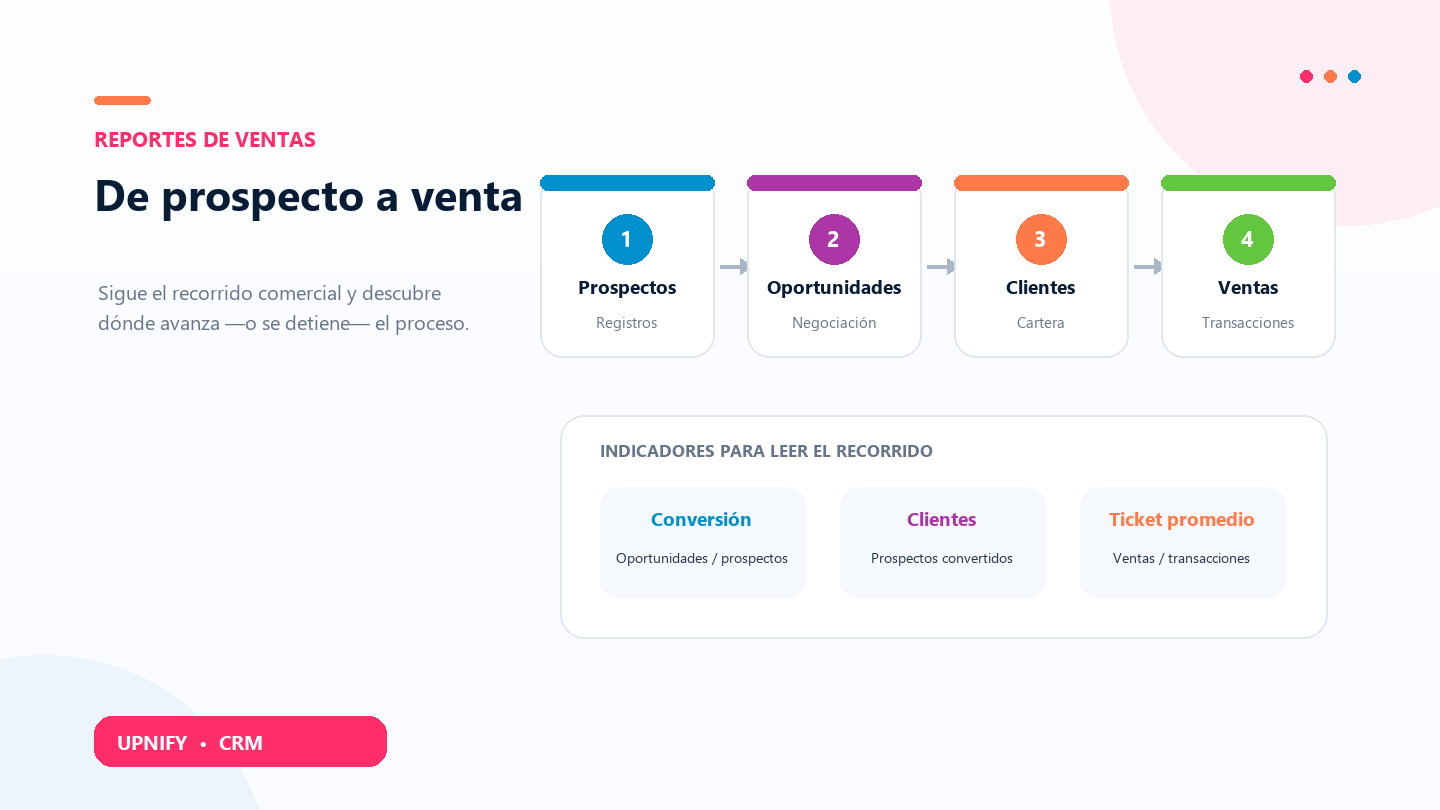
The Conversions report shows how prospects, opportunities, customers, and sales relate to one another. Use it to review the sales process with grouped data, see where progress is strongest, and decide where to inspect records or support the team.
For example, if you receive many prospects but few become opportunities, review record quality, source, or first response. If opportunities are created but few become customers, examine follow-up, proposals, or response times. The report helps frame the analysis; open the records behind each figure to understand individual cases.
Open the report and choose a period
- In CRM, open Reports, go to Sales, and select Conversions.
- Choose the period you want to review. Keep the same interval when comparing teams or tracking changes.
- Use the Group or Executive filters to narrow the view, or leave them unrestricted for a consolidated view.
- Select Apply, then review the chart and table. The table makes it easier to compare exact figures for the selected group or executive.
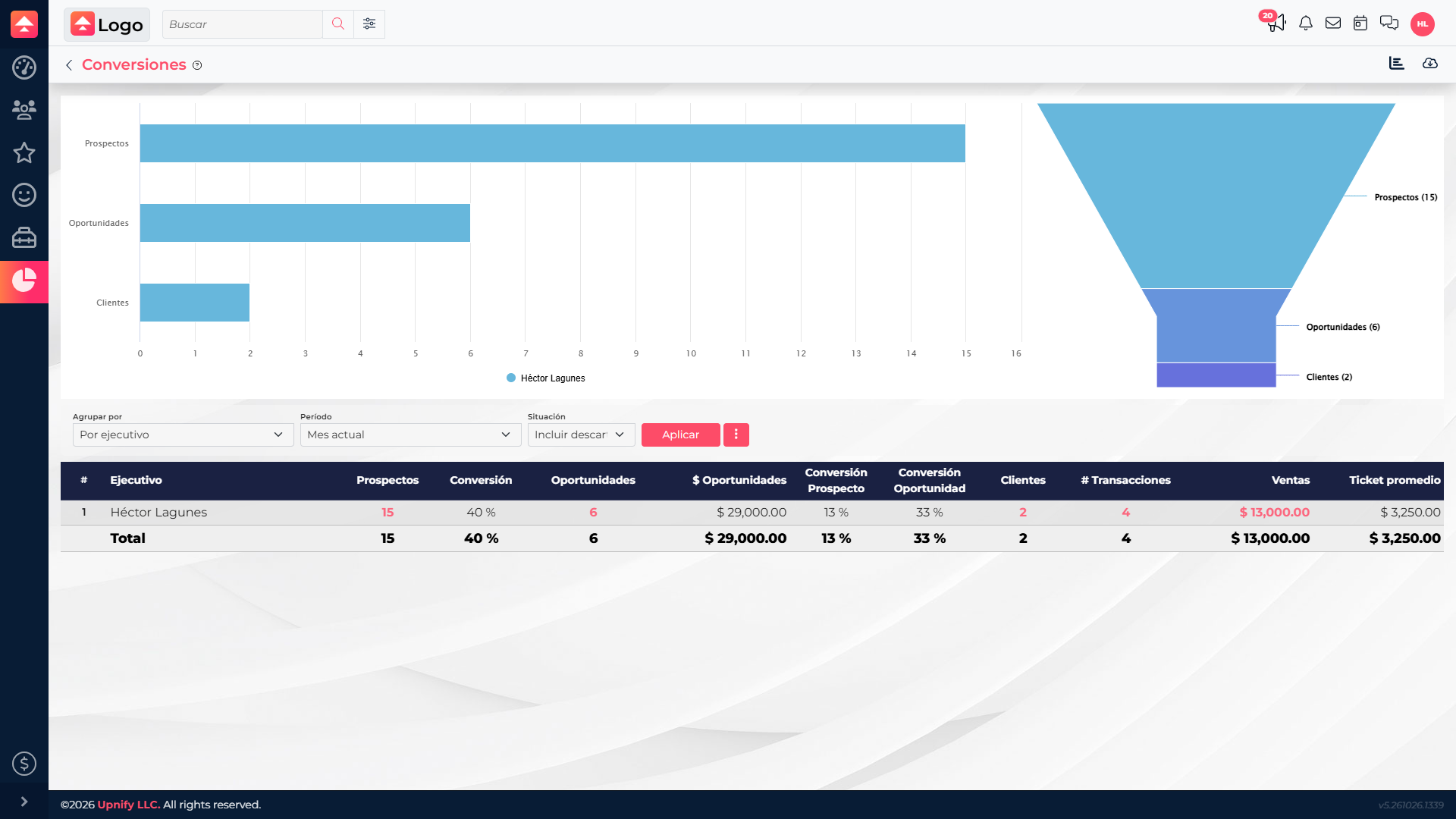
What each indicator measures
| Indicator | How to read it | What it helps you assess |
|---|---|---|
| Prospects to opportunities | Relates opportunities to the number of prospects. It can exceed 100% when a prospect has multiple opportunities. | Whether prospects are creating qualified commercial conversations. |
| Prospects to customers | Shows the proportion of prospects associated with customers. | Overall progress from acquisition to the customer portfolio. |
| Opportunities to customers | Relates customers to opportunities. | How negotiations are converting into customers. |
| Sales and transactions | Shows sales amount and the number of transactions included. | Whether commercial progress is translating into sales. |
| Average sale | Divides sales amount by the transactions included. | Compare the average value of transactions in the period. |
Example
Turn the results into action
- Compare equivalent periods and keep filters consistent before concluding that a conversion has changed.
- If prospects increase but opportunities do not, review source, qualification, and first activities.
- If opportunities grow but few customers result, inspect the details for phases, timing, or follow-up that need attention.
- If customers increase while average sale falls, review transactions and products before changing the strategy.
Use this report as the starting point for a sales review. Summary figures show relationships between records; each prospect or opportunity detail and history helps explain what happened in a particular case.