

Certainty and Estimated closing help keep the sales forecast aligned with the real situation. Certainty reflects how likely you think the opportunity is to close based on current information; estimated closing is when you expect a decision. It is not a guarantee or the date of your next call or meeting.
For example, if you presented a proposal and the contact confirmed they will review it with their team on Thursday, use that as the estimated close date. Choose a certainty that matches the interest and confirmed next steps. If the decision is postponed, update both details so the team is not working from an outdated forecast.

Update the opportunity
- Open Opportunities and find the sales process.
- From its action menu, select Modify.
- Under Estimated closing, choose when you expect the buyer to make a decision. Base the date on a commitment or recent conversation, not on your next follow-up date.
- Under Certainty, select the percentage and description that best match what you know. Consider signals such as a confirmed need, proposal review, budget, and involvement of the decision-maker.
- Save with Accept.
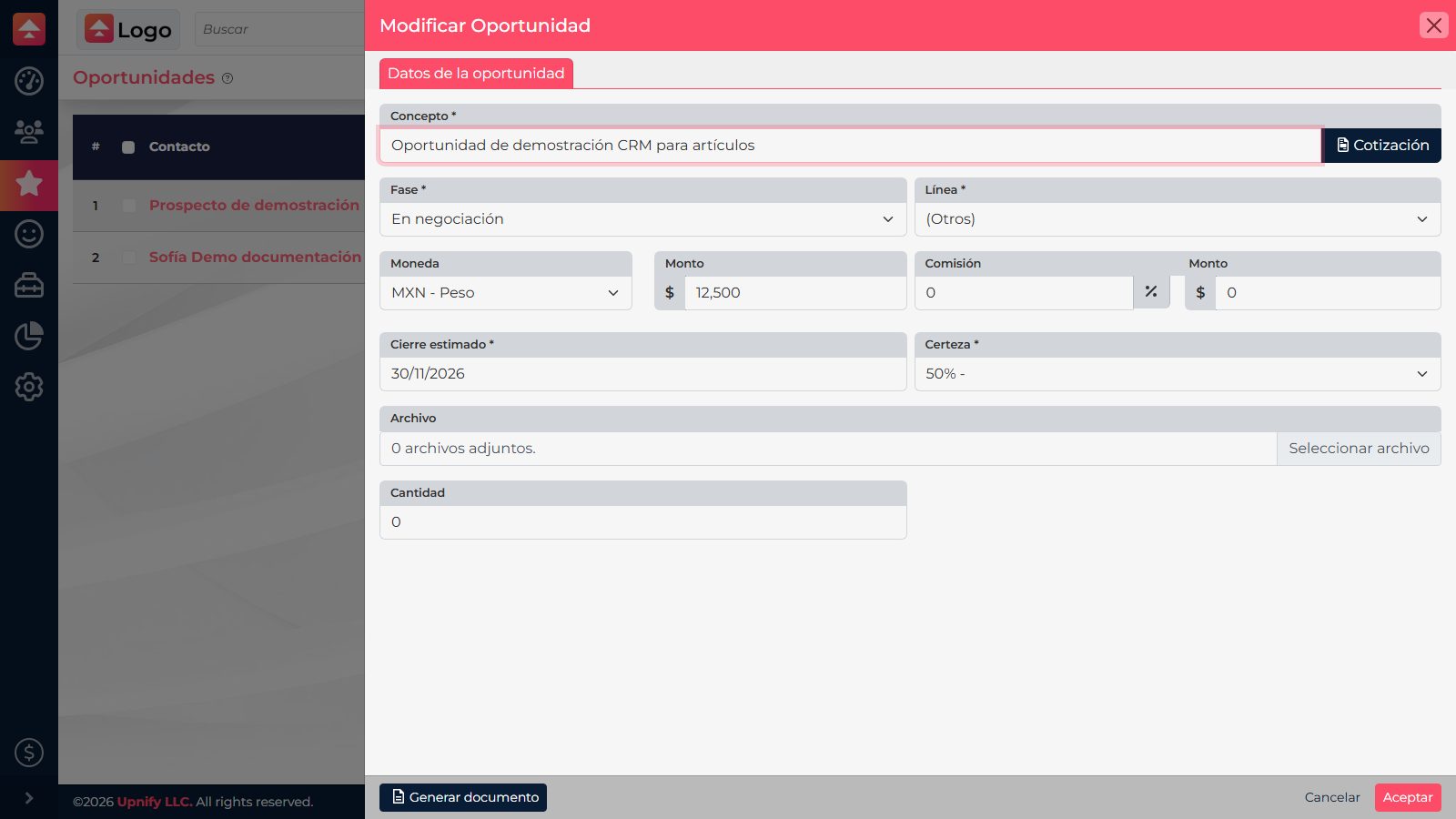
Choose a value that fits
- If you have only received an inquiry or the buyer has not confirmed their needs, keep an early certainty value.
- If they have reviewed the proposal and agreed on a next step, choose the value that matches that progress.
- If the budget, decision-maker, or purchase date changes, modify the opportunity again. Do not keep a high certainty simply because the process has been in CRM for a while.
After saving, the opportunity table shows certainty and the estimated date so you can review the forecast with your team. If you cannot find a suitable option under Certainty, ask your CRM administrator to review the Certainty catalog.
The screenshot shows the interface in Spanish.