

The free quote tool is useful when your proposal needs a service or line item that is not registered in the product catalog, such as an implementation consultation or a special project. The quote stays within its opportunity, but you enter each line manually instead of searching for a catalog product.
Use With Products to select catalog items and use their price lists. Choose Free for one-off items that are not part of the catalog.
1. Open a quote from an opportunity
- Find the opportunity for the proposal. If it does not exist yet, create it for the contact first.
- Open the opportunity and select Quote. The quote remains linked to that transaction.
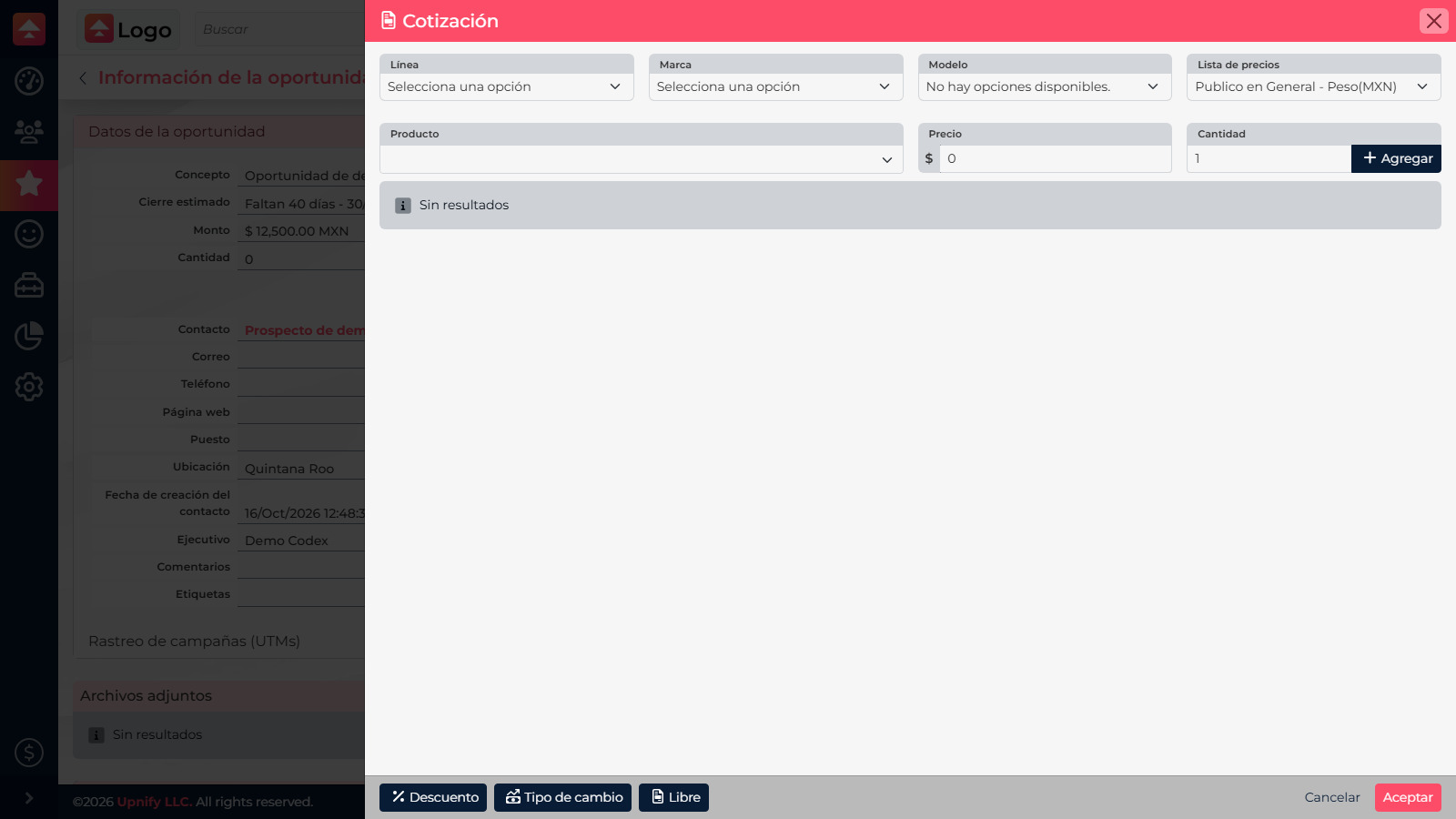
2. Switch to Free mode
At the bottom of the quote tool, select Free. CRM changes the table to editable lines; you no longer need to choose a product line, brand, model, or catalog product for each item.
3. Enter proposal line items
Enter the service or item name. Add a code if it helps your team, then review the quantity and enter a unit price. Use Add to include more lines, such as installation and a training session.
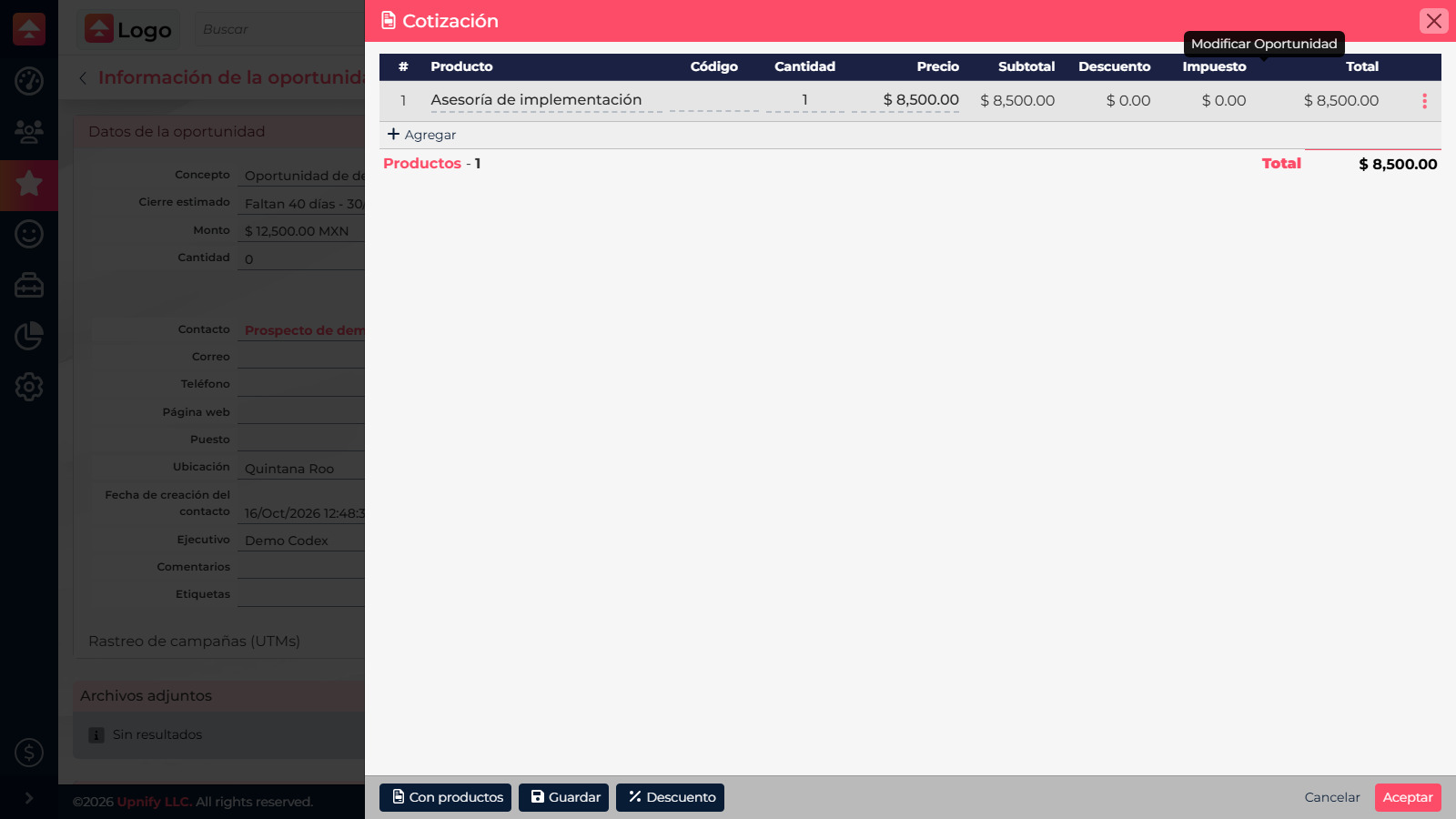
4. Review and save
Check names, quantities, prices, and total. Free mode does not automatically retrieve catalog product prices, commissions, or tax settings. Review which taxes and additional items your proposal needs and validate amounts before accepting. Use the Discount action for a general discount.
Select Accept to return to the opportunity and save the changes there. If the item becomes common or needs to appear in product reports, consider adding it to the catalog and quoting it with products.
Access may depend on your plan or account permissions. Ask your administrator to confirm quote access.