

Personalization tags fill in your content with information saved in each record. You can use one template to greet each contact by name or mention their company. For example, the same follow-up message can refer to the service each person asked about.
Before you insert a tag
If the detail you need is not on the contact record yet, create it under CRM > Settings > Custom fields and save it. When you create the field, CRM also creates its corresponding personalization tag for compatible editors.
Insert a tag in a template
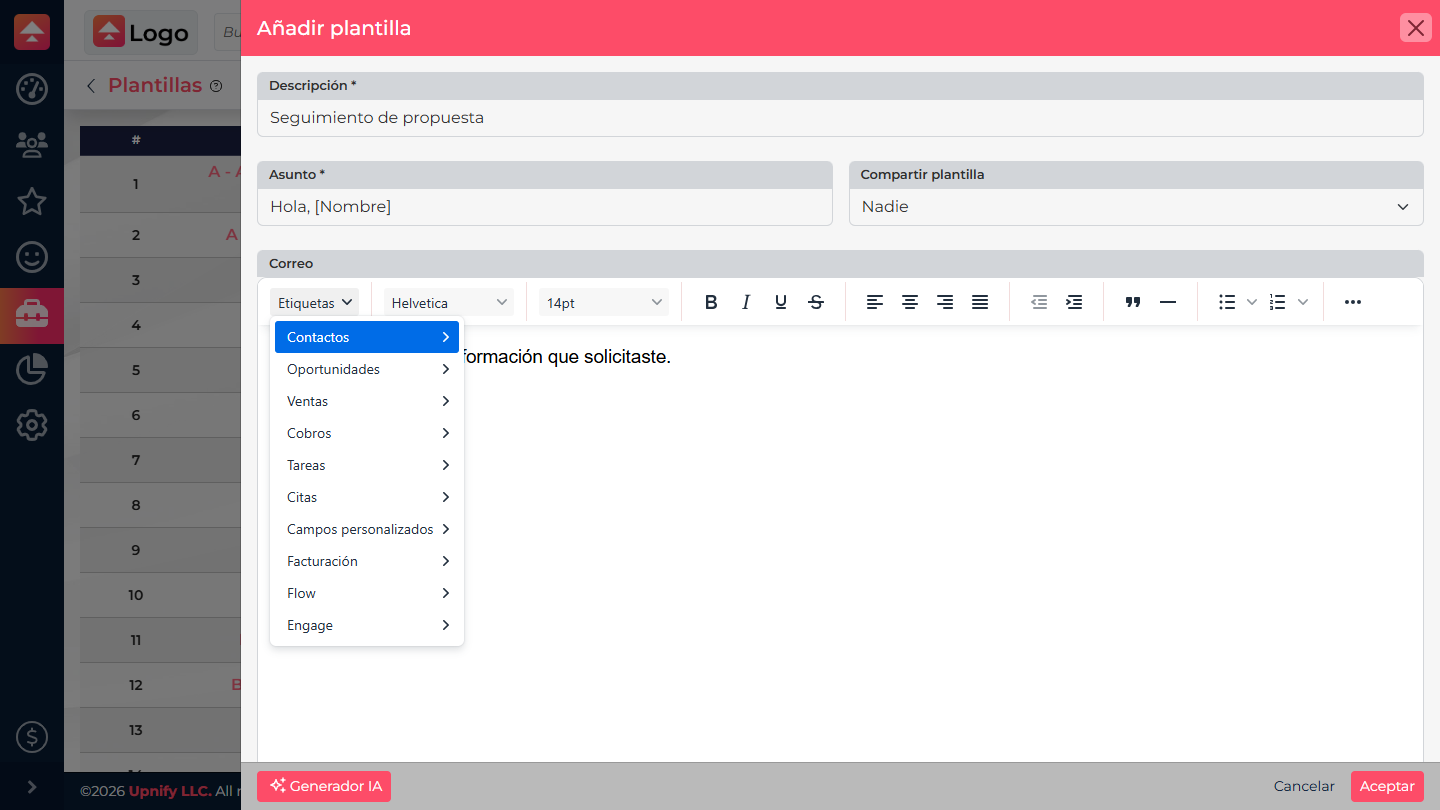
- In the email body, click where you want the information to appear. The Tags menu inserts the field at that point.
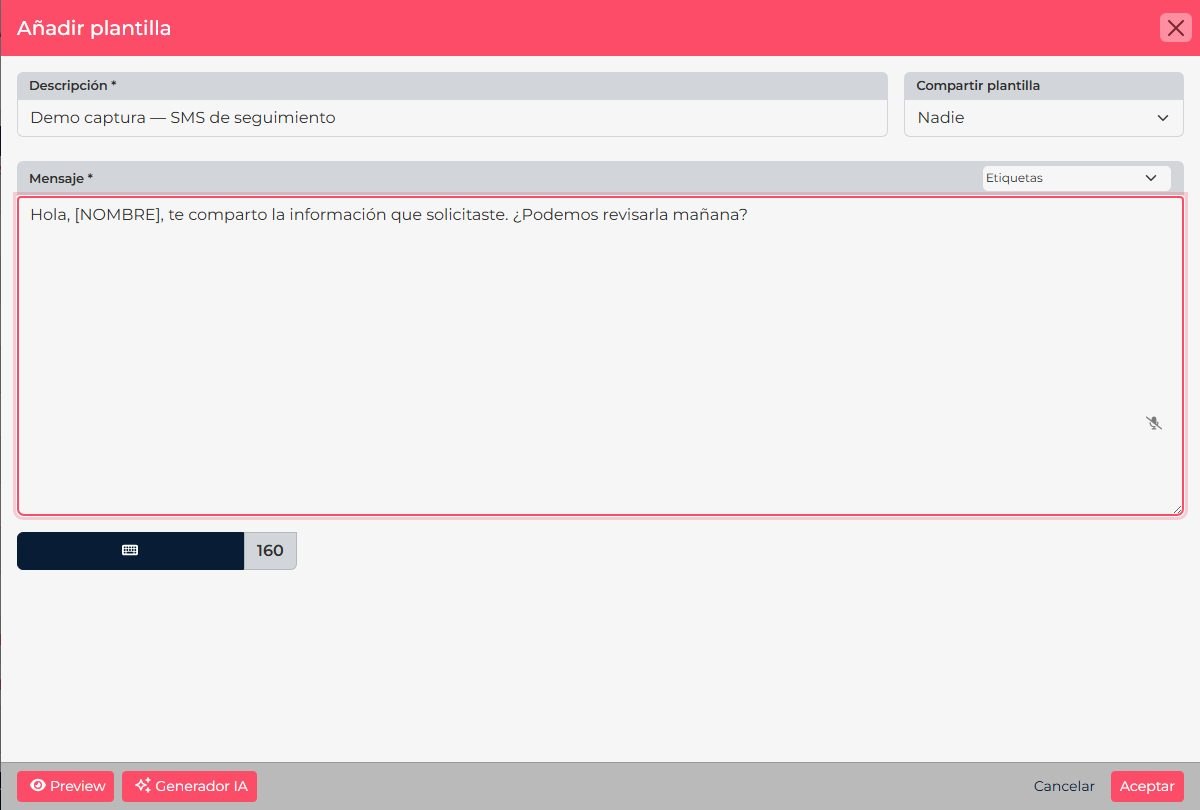
- Place your cursor where the value should appear in the subject or message. In a rich-text editor, position it at the exact point in the content.
- Open the Tags selector. If it shows categories, choose the correct record type first, such as contacts, opportunities, or custom fields.
- Select the value to insert. CRM places its token in the content; you do not need to type the token syntax from memory.
- Save and preview the content with a record that has the value filled in before using it with other contacts.

Where you can reuse them
Available tags depend on the content type and the record being used. In supported editors, you can insert them in templates and campaigns; custom fields can also be used in quote formats and other CRM formats that support tags. Flow has its own selectors for task formats. Always check the editor selector: not every value is available in every context.
| If you want to show... | What to do |
|---|---|
| The contact name or a standard contact value | Find the field in the contacts category. |
| A detail specific to your process, such as service type or number of locations | Create or confirm the custom field and select it in the matching category. |
| An opportunity, sale, or task value | Use a tag from that category only in content that has access to that record type. |
Screenshots show CRM in Spanish. Control names follow the language selected for your account.