

Categories help organize different kinds of events. Group them by purpose, audience, or format; for example, separate sales events from training and distinguish online from in-person activities.
Review the structure
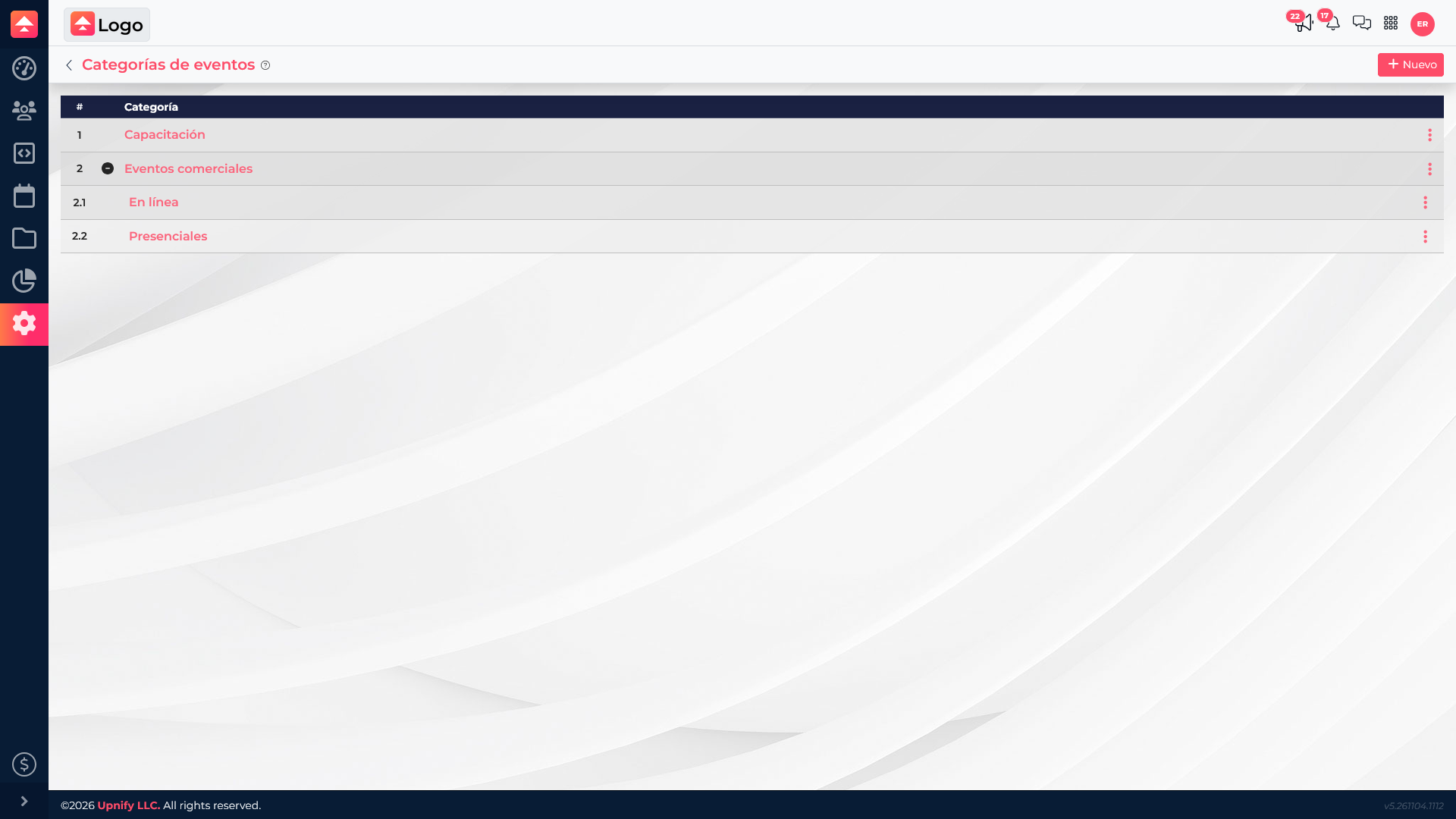
Go to Settings > Event Categories to review parent categories and subcategories. Before adding more, consider how the team will search for activities.
Create categories and subcategories
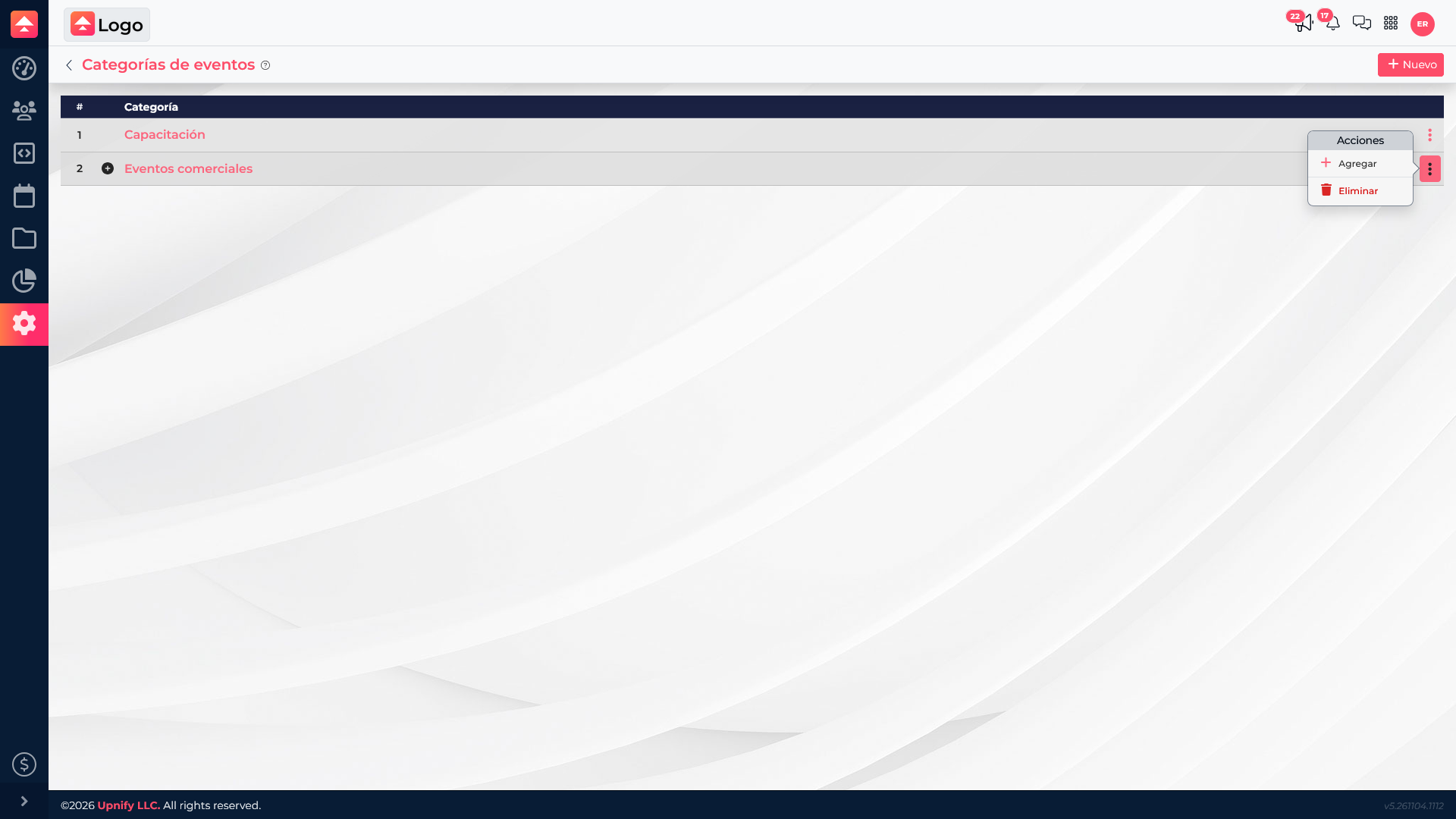
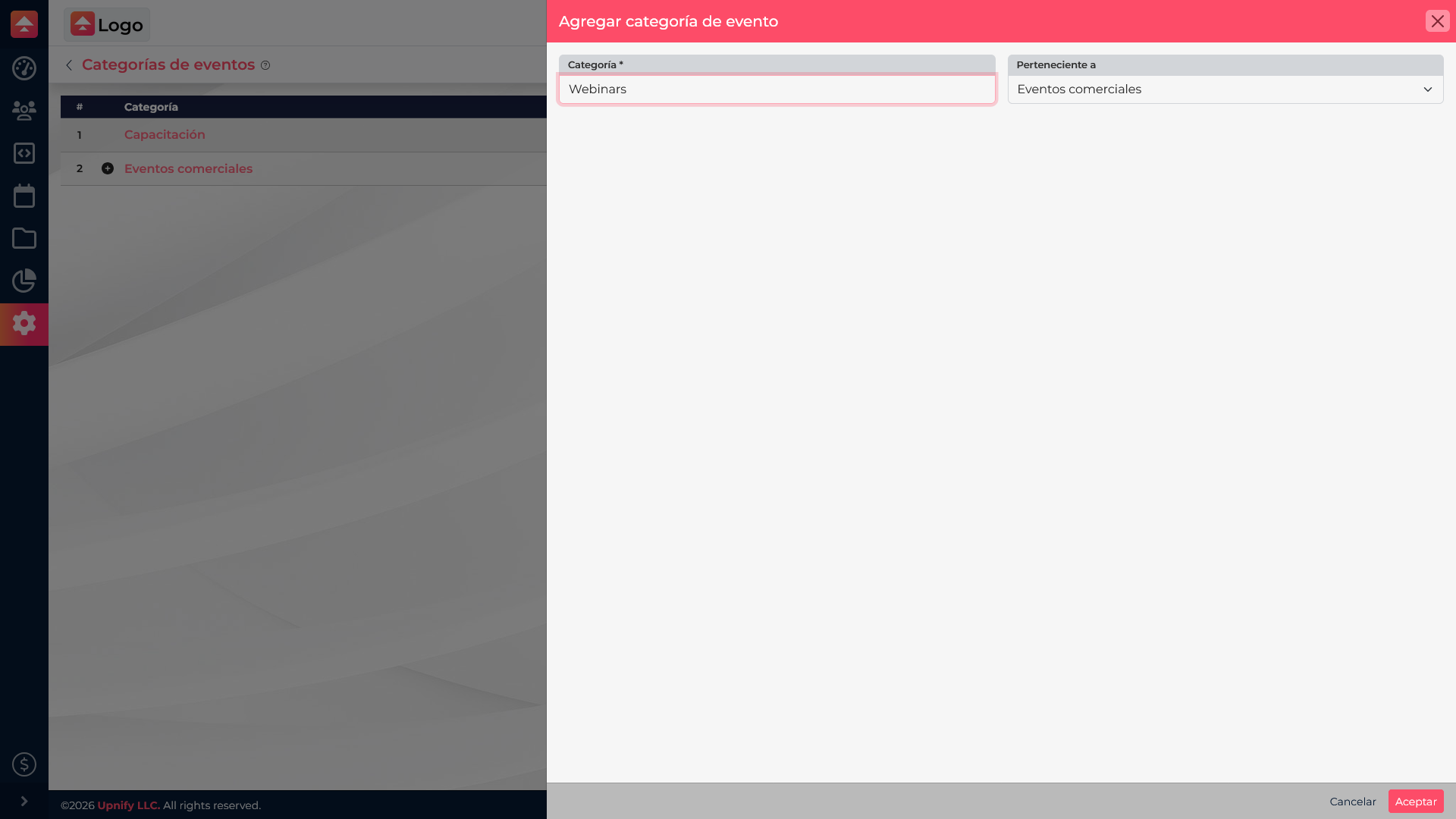
Use New for a parent category. To add a subcategory, open the parent category actions and select Add. Enter a clear name and choose the right parent. The hierarchy supports up to three levels; keep it simple.
Assign a category to an event
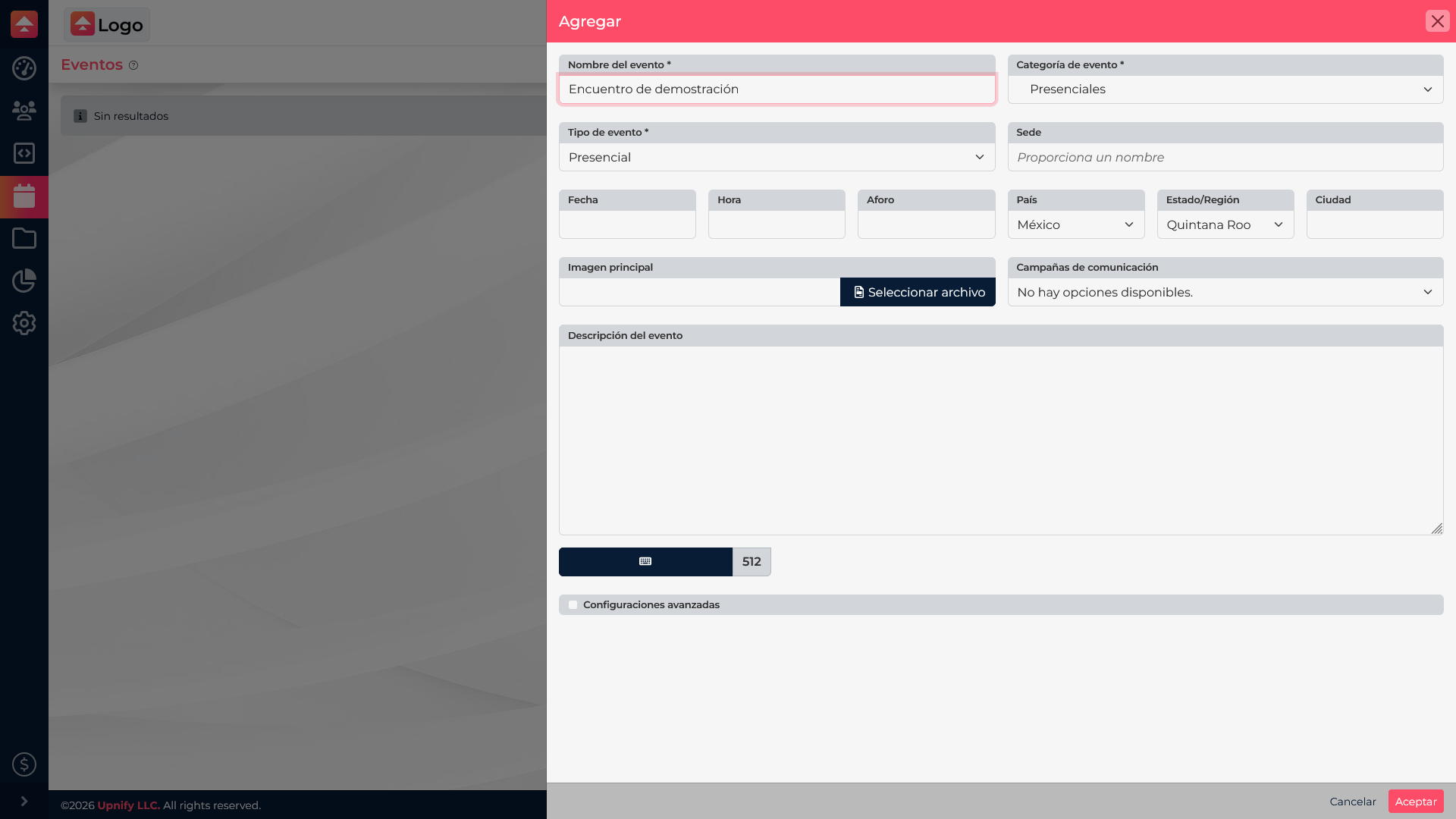
When creating or editing an event, select the most specific category. A sales webinar can use \u201CSales Events > Online\u201D; a local presentation can use \u201CSales Events > In Person.\u201D Set the event type separately.
Example and good practices
A parent category called \u201CSales Events\u201D can have \u201COnline\u201D and \u201CIn Person\u201D subcategories. This helps the team find webinars and venue meetings without duplicating categories. Reuse existing options, avoid near-identical names, and check whether a category is still used before deleting it.