

Video and download widgets help explain an offer and share materials without taking visitors away from the page. A video can demonstrate how a service works; a download widget can provide a guide, specification sheet, catalog, or another file that helps visitors make a decision.
Choose video when the explanation is clearer when people can see the process. Use a download when visitors need to keep, print, or consult the material later. If you want to collect details before showing the resource, configure the associated form; avoid asking for data when the material should be immediately accessible.
Publish a video
Go to Settings > Widgets > New and choose Video. Set the name, content URL, and text shown with playback. The configuration supports a video source such as YouTube, Vimeo, or an MP4 file accessible by URL. Review the options to show a form before playback or after a configured delay, if that control is available for your widget.
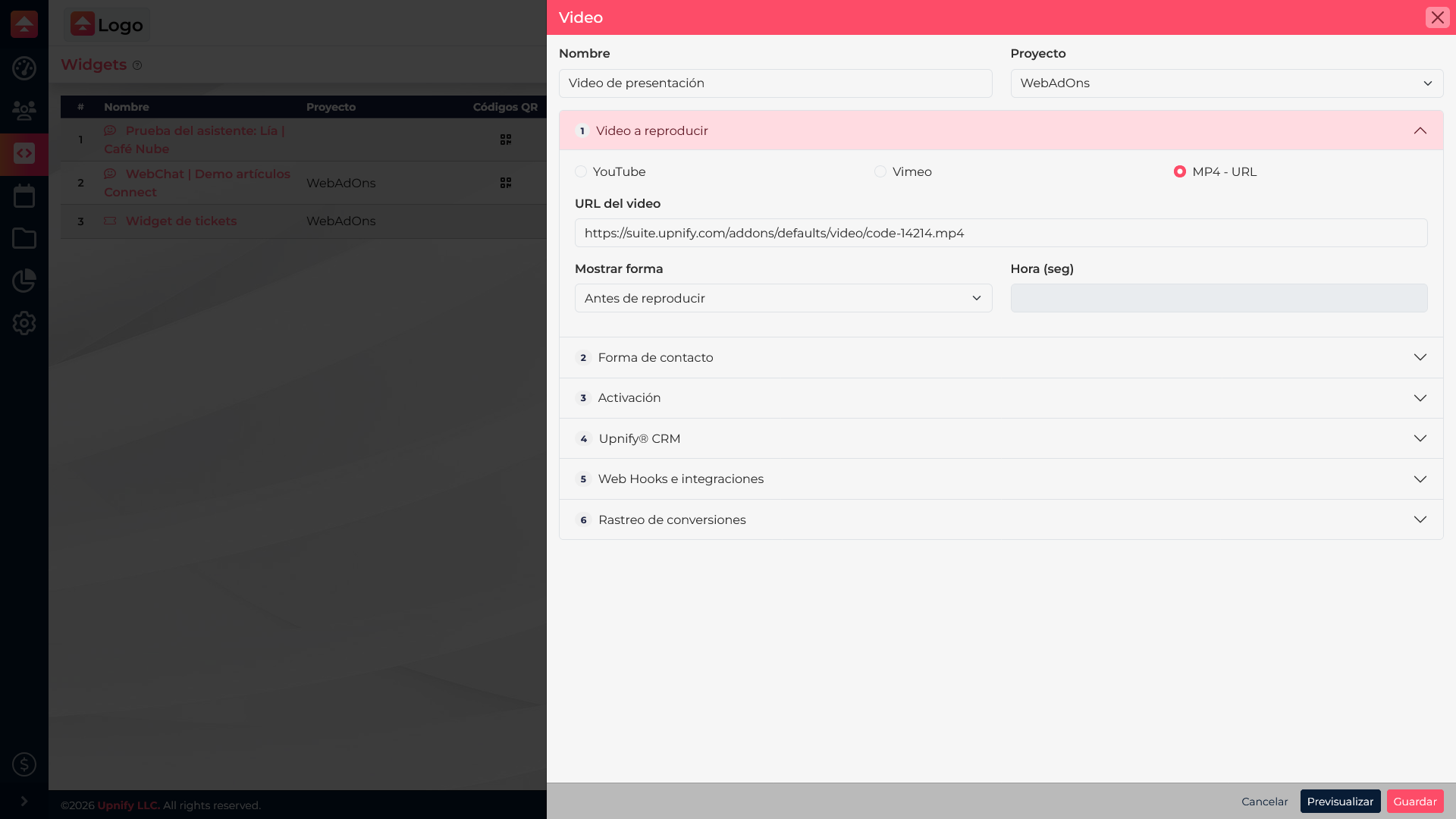
Use a public URL that can play on your website and confirm the provider allows embedding. If the video contains commercial information, make sure its access and privacy settings allow visitors to view it.
Offer a file for download
Create a Download widget. Select the file or its URL, add a title and short description, set the button text, and review whether you need a form, privacy notice, CRM connection, or webhook. The resource must be available to visitors and stored at a stable location.
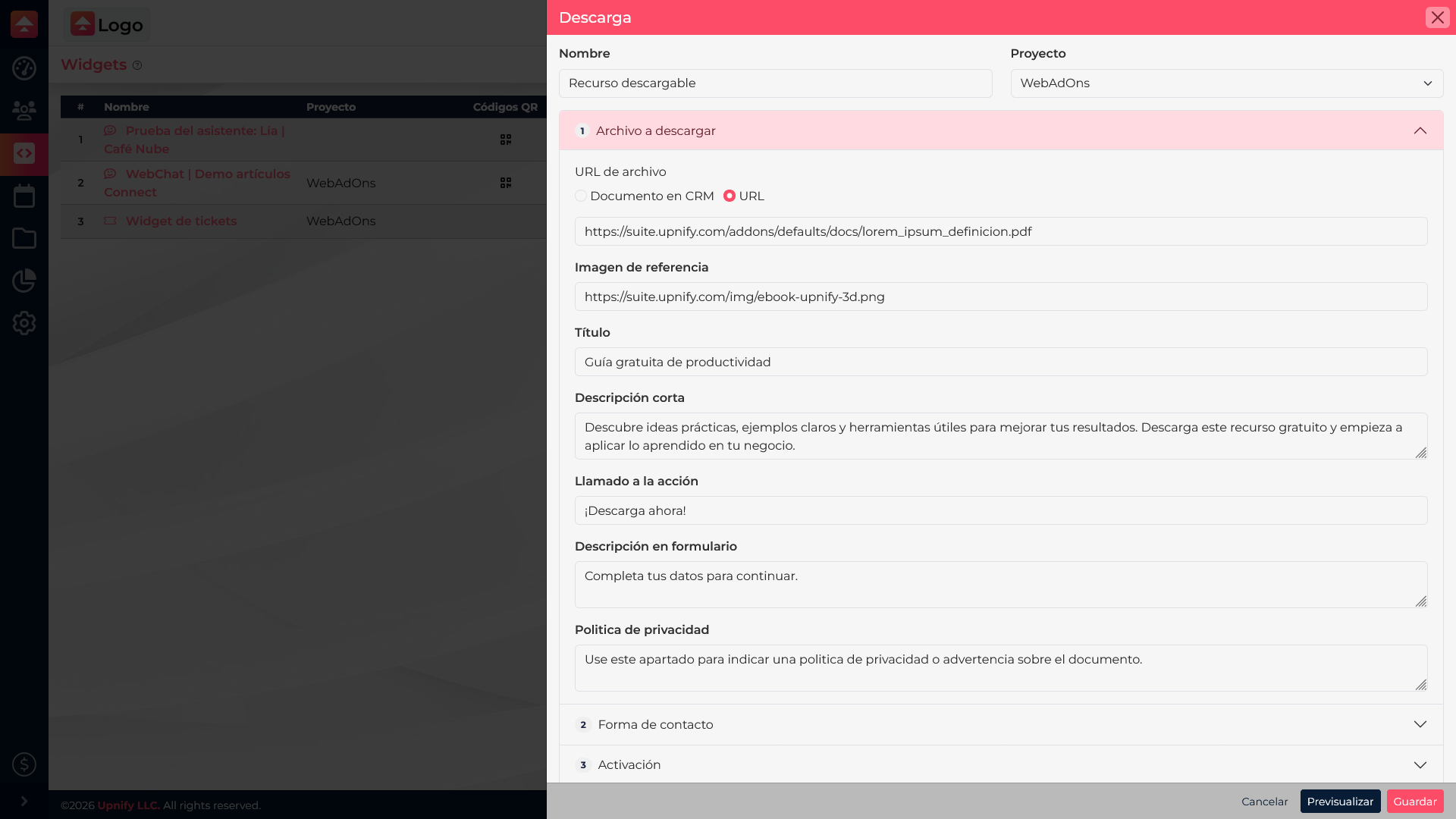
A maintenance guide is a useful example: the title explains what the visitor will receive, the description says who it is for, and the button states the action, such as \u201CDownload guide\u201D. If you collect details before delivering the file, explain how the information will be used and test the full flow.
Check before publishing
- Associate each widget with the right website and confirm it is active.
- Check the URL in a private window or on a device different from the one used for setup.
- Test playback, the button, and the downloaded file.
- If you enabled data capture, check the confirmation message and the corresponding CRM entry.
If the video does not appear, check that the source allows playback on your website and that the URL is complete. If the file does not download, check its permissions and whether the link is still valid. A link that works only for the person who configured it is not enough\u2014test as a visitor.