

ERP and CRM work with related information but serve different needs. ERP helps manage a customer company\u2019s operations, such as purchasing, inventory, sales, and finance. CRM helps the sales team organize people, companies, opportunities, and follow-up activities.
This distinction is useful when a business buys from you or receives your services: the organization can be a customer in ERP, while the people you speak with have their own records in CRM.
What each product manages
| Product | Main focus | Example |
|---|---|---|
| ERP | Company operations and documents: customers, products, purchasing, sales, and finance. | Register Servicios Boreal as an ERP customer company and review its operational details. |
| CRM | Relationships with people and companies: prospects or customers, opportunities, activities, and history. | Follow up with Lucía Herrera, the person coordinating purchases at Servicios Boreal. |
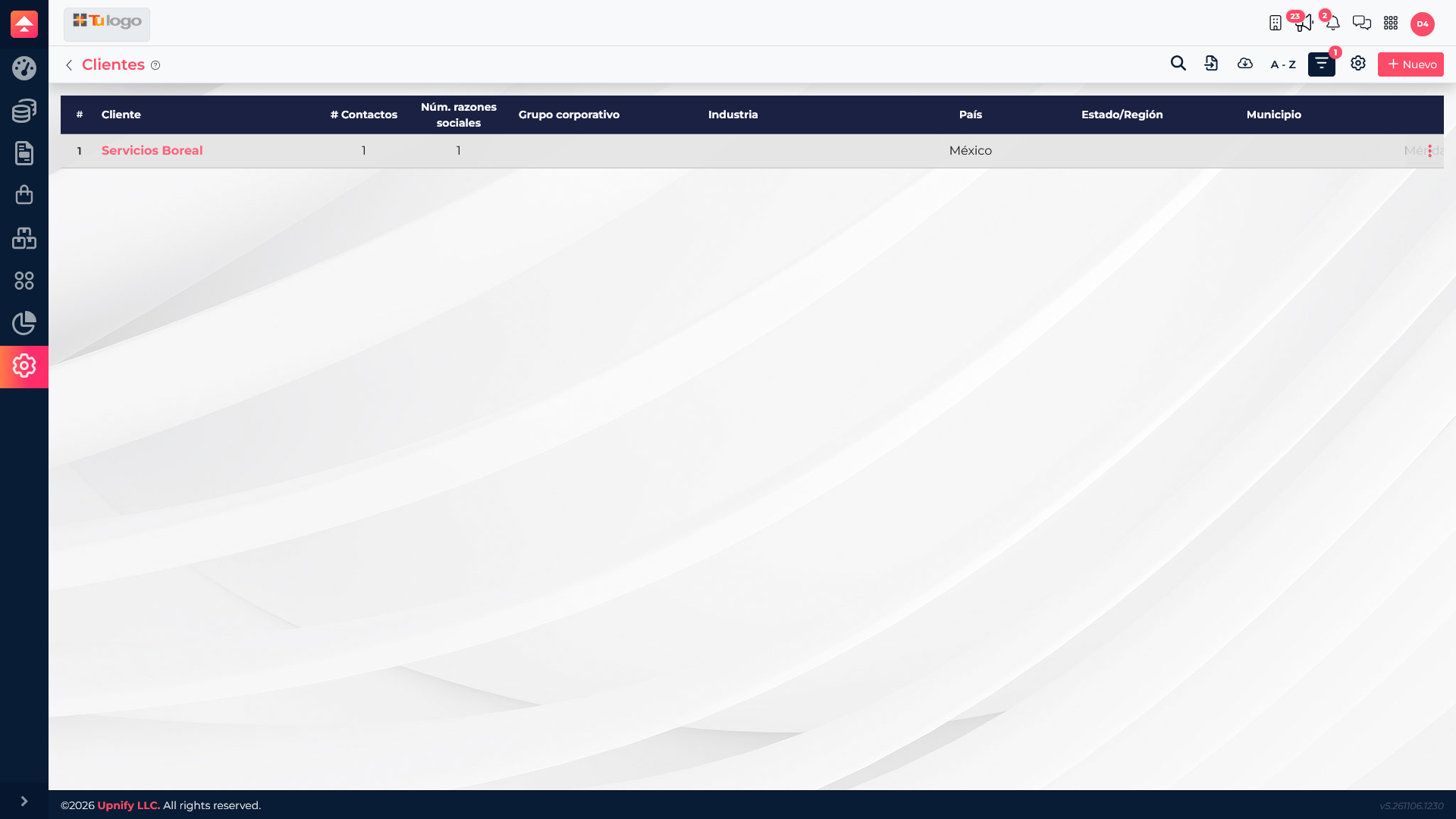
How a company and its contacts are related
When you manually create a customer company in ERP, the system also creates a related contact in CRM. In this example, Servicios Boreal is the organization registered in ERP and Lucía Herrera is the associated person in CRM. This keeps the company context available while enabling commercial communication with a specific person.
The company record and contact record are not interchangeable duplicates. The company represents the organization; a contact represents a person. A company can have more than one related person, and a person may participate in commercial activity with different teams depending on configured permissions and relationships.
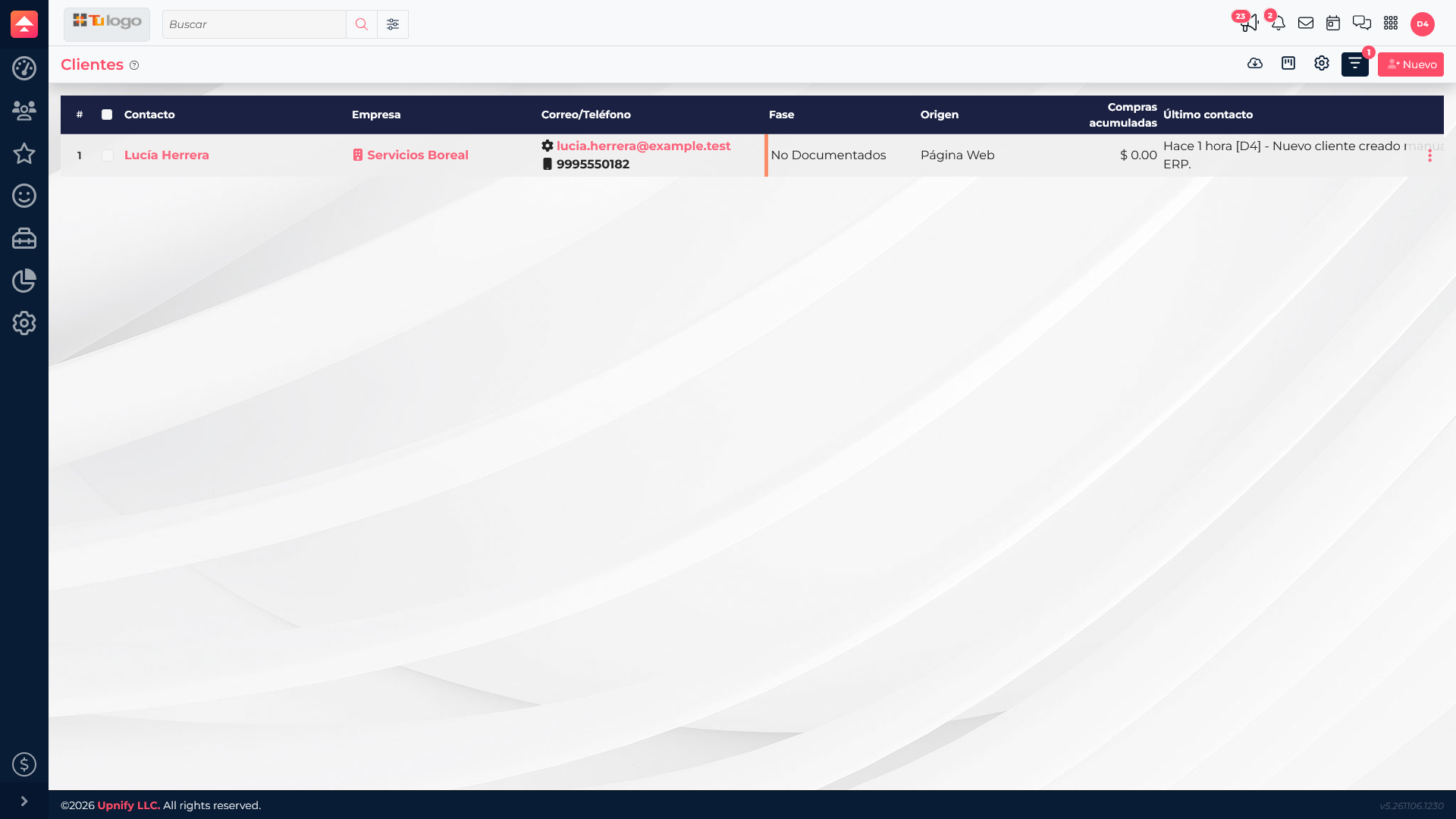
Where to complete each task
| You need to\u2026 | Use | Why |
|---|---|---|
| Review or register a customer company for ERP operations. | ERP > Customers | It is the company entity used in the operation. |
| Contact a person and keep their follow-up history. | CRM > Customers or Prospects | Follow-up is organized around people and their commercial relationship. |
| Review a purchase, sale, collection, or payment. | ERP | These are operational and financial processes. |
| Follow up on an opportunity or sales activity. | CRM | Opportunities and activities belong to the sales process. |