

The Cash flow report shows income and expenses recorded each month, along with the resulting cash flow. Use it to see whether recorded income covered expenses in a period, identify months with notable activity, and decide when to review a transaction\u2019s details.
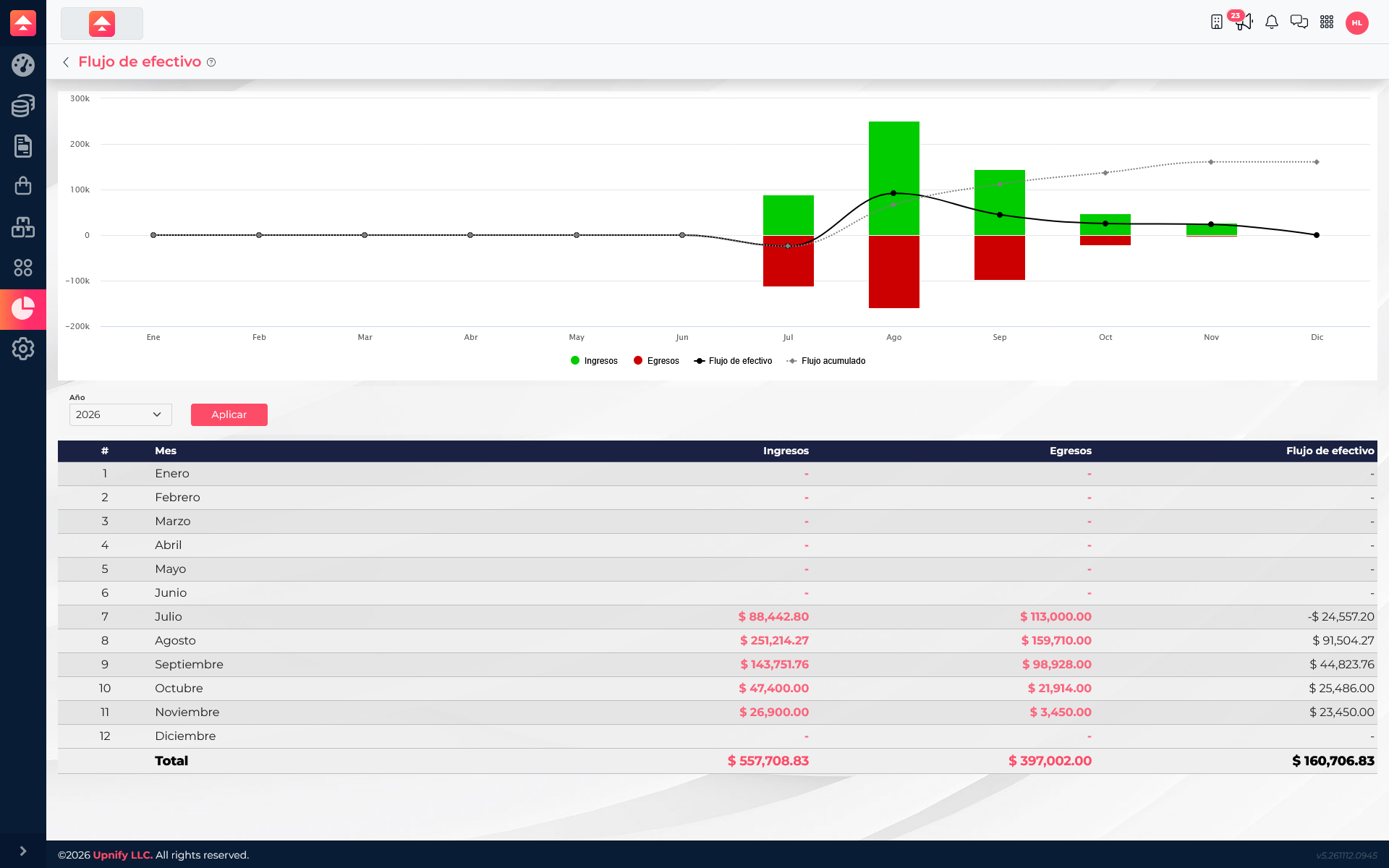
Read the chart and table
- Open ERP ? Reports ? Cash flow and select a year.
- Click Apply to load the report.
- In the chart, distinguish the Income and Expenses columns. The cash flow line shows the monthly result; the accumulated line shows how the result adds up through the year.
- Use the table below to read exact monthly amounts and the period total.
A positive monthly cash flow means recorded income exceeded expenses for that month; a negative result means expenses exceeded income. This describes the transactions included in ERP for the selected period, not a future forecast or a reconciled bank balance.
Understand an example
The report shows activity from July through November. July has MXN 88,442.80 in income and MXN 113,000.00 in expenses, resulting in negative cash flow of MXN 24,557.20. August has MXN 251,214.27 in income and MXN 159,710.00 in expenses, for positive cash flow of MXN 91,504.27. November closes with MXN 23,450.00 in cash flow. The accumulated line and annual total show how the monthly results add up.
If you need to explain an amount, select the monthly income or expense value to open the available detail and review the transactions behind it. If the cash flow does not match the balance you expect in a bank, also compare the bank history and individual movements: the report and the account balance answer different questions.