

When following up on a quote or order, it is easy to confuse two different values: a follow-up type describes an activity recorded by the team; certainty is the sales estimate for a CRM opportunity. Neither replaces a quote or order status in ERP or indicates whether it has been paid.
Configure follow-up types
Open CRM > Settings > Catalogs > Follow-up types. Review existing options to avoid duplicates. Select New, enter a specific name, and choose whether it applies to prospects, customers, or both, based on the available classification field. The name should explain what the team did, not describe an order status.
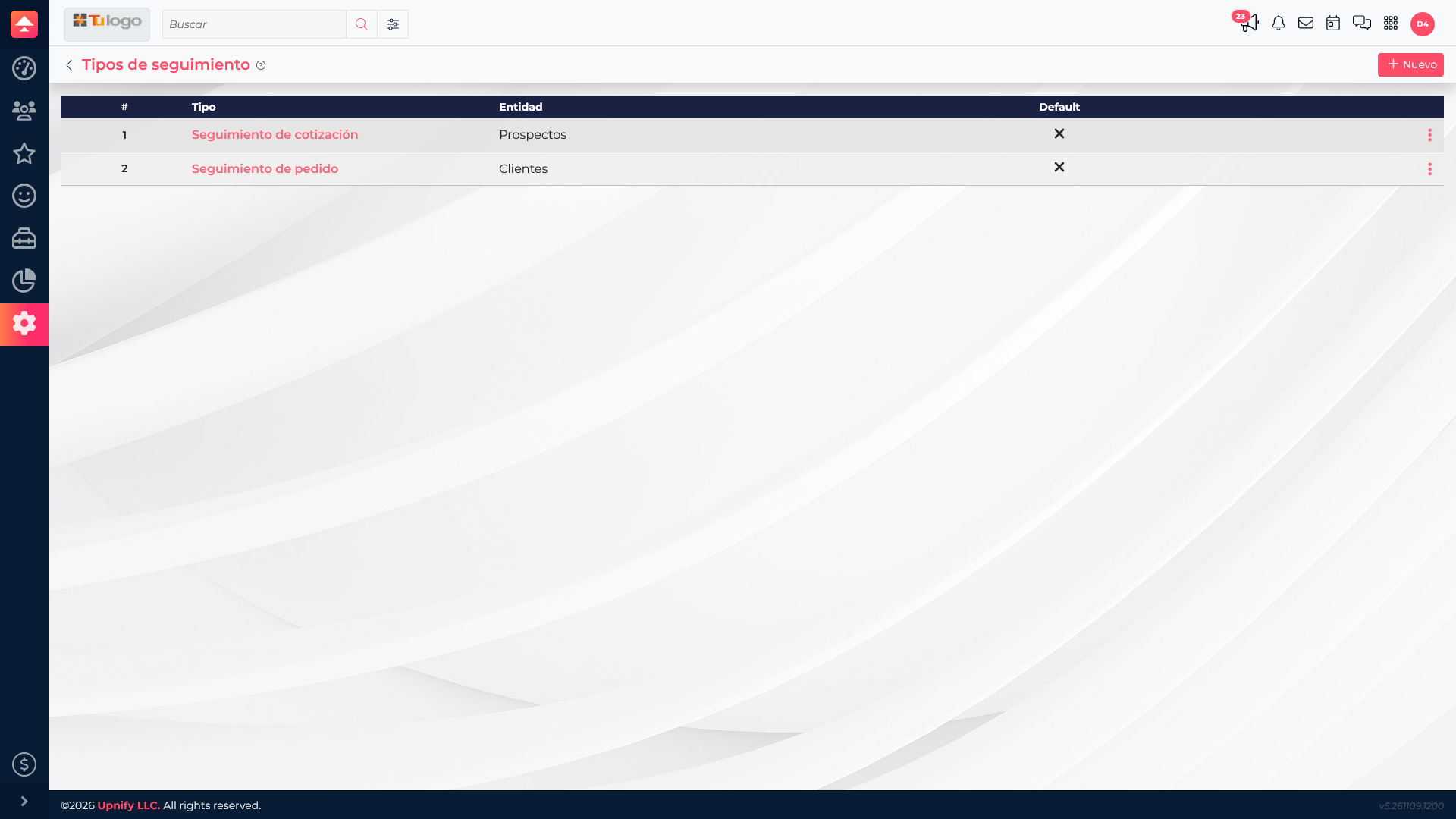
Examples include Quote review, Order confirmation, or Post-sale follow-up. When recording an activity, select the type that best describes the interaction. It classifies follow-up; by itself, it does not create a task, send a notification, or change a quote.
Configure certainty levels
In CRM > Settings > Catalogs > Certainty, review existing levels and descriptions. Each option combines a percentage with guidance so people assess opportunities consistently. Keep the scale clear and avoid duplicate percentages or ambiguous descriptions.
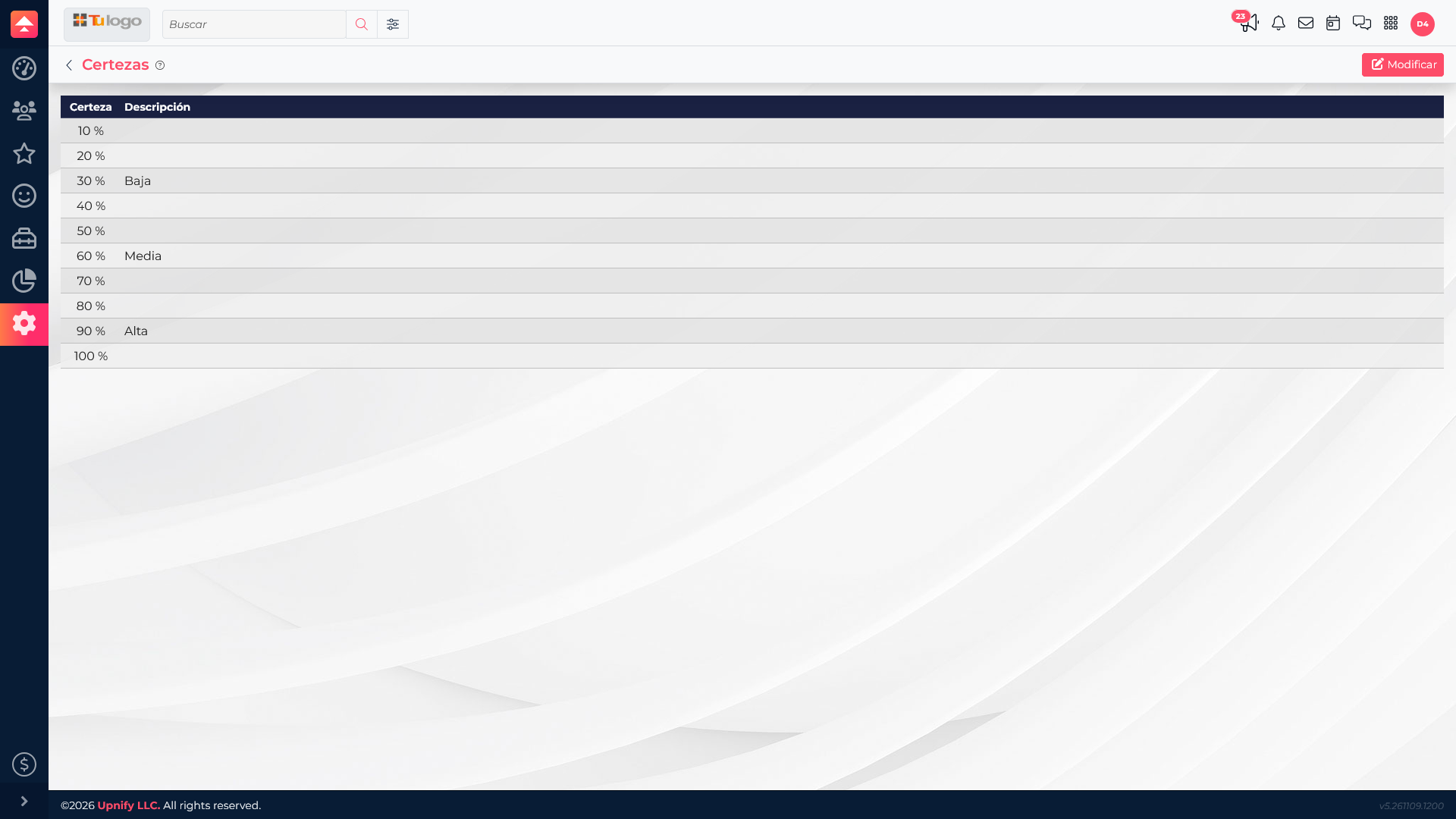
For example, your team might use Low (30%) while validating needs, Medium (60%) after confirming interest, and High (90%) when the customer is reviewing a specific proposal. The company defines these criteria; the percentage is not calculated automatically and does not guarantee a close.
Which value to use
| Value | What it represents | What it does not mean |
|---|---|---|
| Follow-up type | The activity recorded in history, such as reviewing a quote with the customer. | Does not change a quote or order status, amount, or payment. |
| Certainty | The sales estimate for a CRM opportunity. | Does not confirm a sale, represent a payment percentage, or automatically update the ERP document. |
| ERP document status | The quote\u2019s or order\u2019s own status in ERP. | Should not be inferred from certainty or a follow-up type. |
If a quote is linked to an opportunity, update certainty on that opportunity when your sales assessment changes. Record the call, meeting, or other activity with the appropriate follow-up type. If the process has already created an order, check its status directly in ERP. This keeps each value meaningful.
Example
- A salesperson sends a quote linked to a company opportunity.
- After reviewing it with the customer, they record Quote review in history.
- After learning the budget and decision date, they update the opportunity certainty using the team\u2019s agreed criteria.
- When an order is created, they check its status in ERP. Certainty does not confirm the sale or replace order follow-up.
Keeping activity, estimate, and document status separate avoids false expectations and makes sales follow-up more reliable.