

ERP lets you prepare a CFDI from a sale and keep it connected to the order and its receivable. Before issuance, confirm the tax details and payment agreement: this determines whether to use PUE or PPD and whether a later payment receipt (REP) is needed.
Have the customer and issuer tax details ready. Confirm the branch, products, quantities, taxes, and agreed amount. Review everything before confirming tax issuance.
Choose PUE or PPD
The method must reflect how the transaction will actually be paid. Do not choose PUE only because you expect payment soon.
| Method | When it applies | What happens next |
|---|---|---|
| PUE \u2014 Single payment | The sale is paid when its CFDI is issued. | Record payment according to the agreement and your tax setup. |
| PPD \u2014 Installments or deferred payment | The customer will pay after issuance or in one or more installments. | The initial CFDI indicates PPD and usually form 99 \u2014 To be defined. When each payment arrives, record it and issue the applicable REP. |
The PPD CFDI documents the outstanding sale; the REP documents money actually received and is linked to the CFDI. See SAT guidance on payment receipts and the SAT rule for installment or deferred payments.
Prepare and review the CFDI
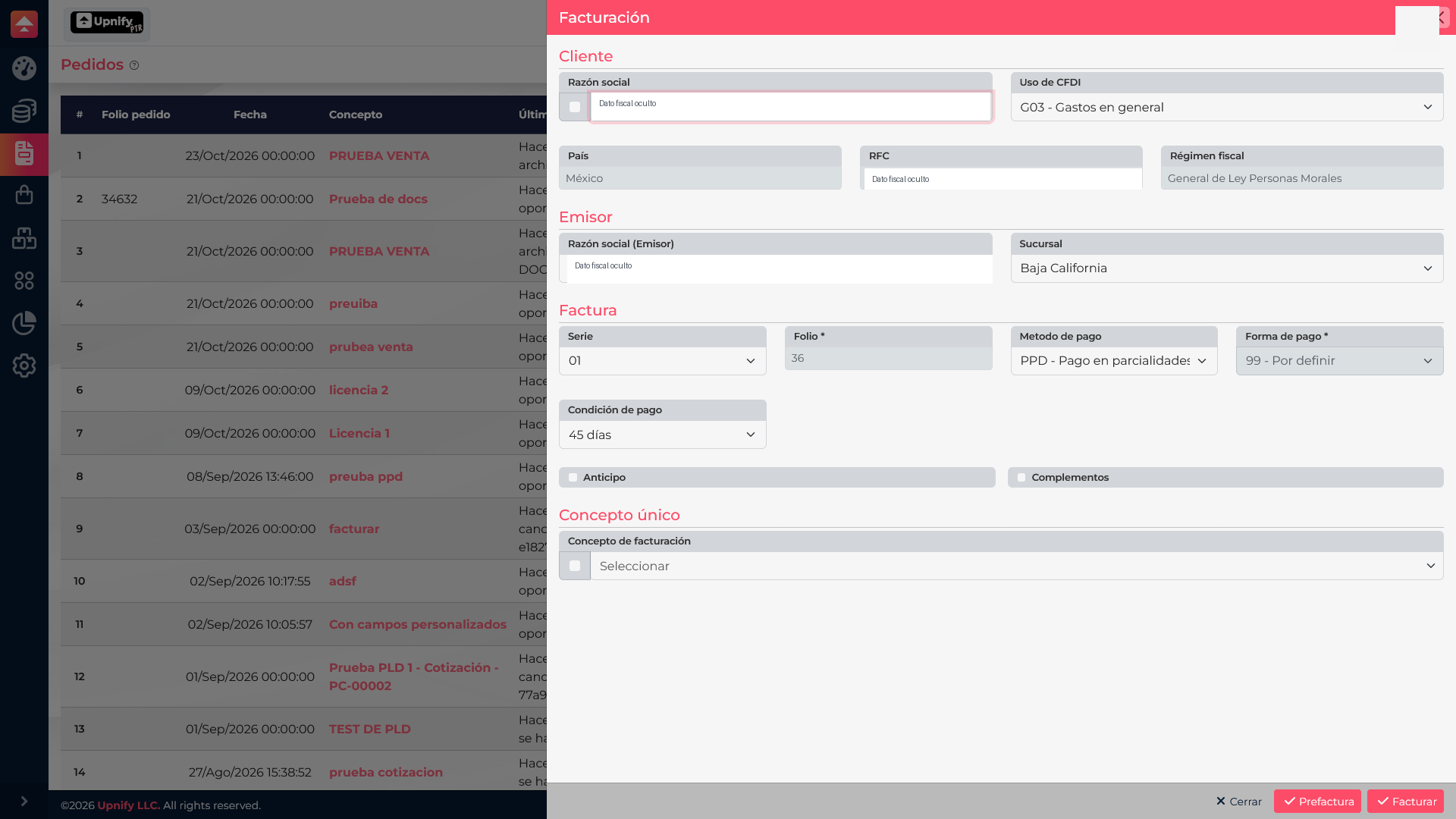
- Open the sale or order in ERP and choose Invoice. Confirm you selected the right transaction.
- Review the customer\u2019s legal name, RFC, country, postal code, tax regime, and CFDI use. Correct the record before invoicing if it differs from the tax certificate.
- Confirm issuer, branch, series, and folio.
- Compare line items, quantities, prices, discounts, and taxes with the sale.
- Choose PUE or PPD according to the agreement and enter the payment terms and form. For PPD, check 99 \u2014 To be defined when applicable.
- Use Pre-invoice to review the document. Select Invoice only after confirming the details and your intent to start tax issuance.
Record payments and issue the REP
When a payment arrives for a PPD invoice, open its receivable and choose Apply to bank. Enter the bank account, payment form, amount actually received, date, and reference. If there are installments, record each using its actual amount and date.
The Payment receipt (REP) section captures tax details related to the payment. Verify the invoice, amount, form, and date. Follow the save or issue flow shown in your account and then review the resulting document. Recording a bank transaction and issuing its tax receipt are related but distinct actions.
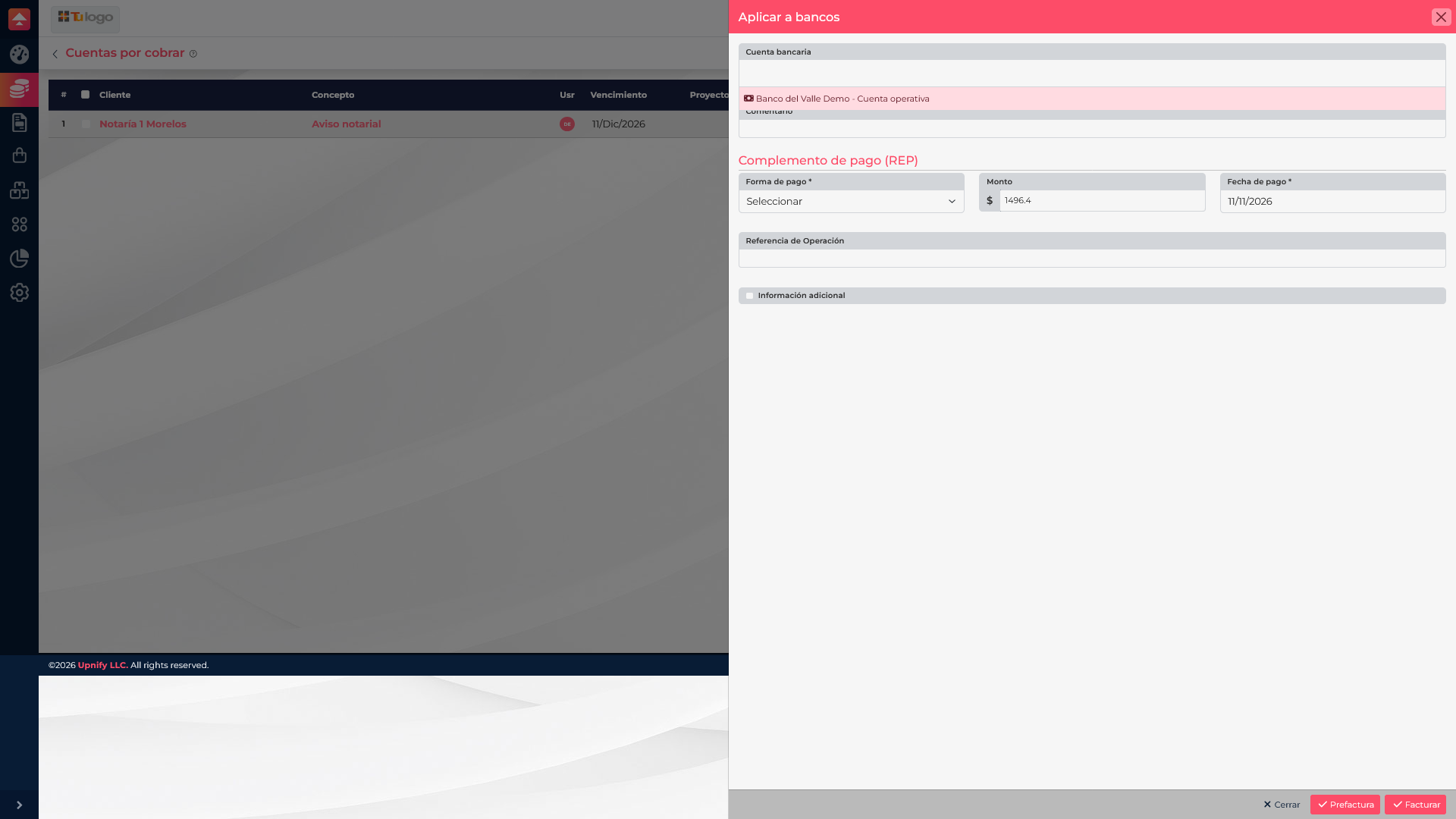
Do not save a collection or issue an REP for money that has not been received and confirmed.
After issuance
Return to Invoices and check the document status. For PPD, also review the receivable balance and applied payments. To correct an issued CFDI, see How to check an invoice status, correct it, or cancel it; an issued document is not edited like a draft.