

In ERP, a customer is the company you do business with; its people are managed as contacts within the company record. Keeping this relationship organized helps you find the right person and understand how customer accounts are grouped.
Industries and corporate groups classify the company. Labels mark contacts using a practical follow-up or segmentation criterion. They are different: a company may belong to an industry and a corporate group, while an individual contact may carry a label such as \u201CAnnual contract.\u201D
How the three classifications differ
| Data | Applied to | Purpose | Example |
|---|---|---|---|
| Industry | Customer company | Describes the organization's line of business. | Industrial maintenance. |
| Corporate group | Customer company | Groups companies that belong to the same business group. | Grupo Boreal includes more than one company. |
| Label | Company contact | Marks a useful relationship or follow-up condition. | Annual contract identifies contacts associated with that service. |
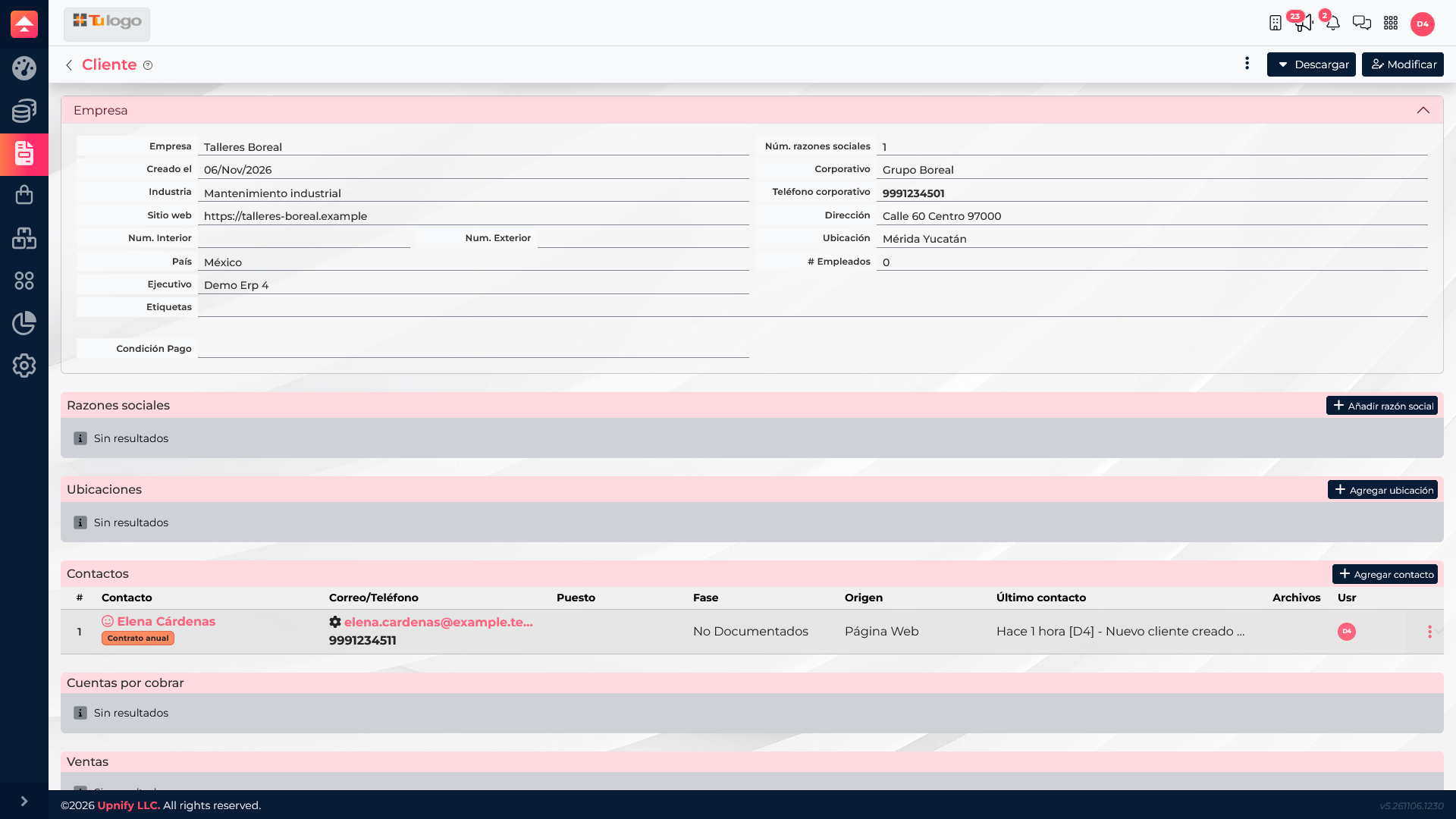
Add or update a customer company
- Open Settings > Customers and find the company you want to manage.
- For a new customer, choose the option to add a company; for an existing one, open its record and select edit.
- Enter its legal or business name and the information needed to identify and work with it.
- Choose the Industry that best describes its activity. Use consistent options to avoid splitting one industry across similar names.
- If it belongs to a business group, select the matching Corporate group. If it does not exist yet, add it in its catalog and return to the company record.
- Save and confirm that the record shows the expected classifications.
Add contacts and use labels
A company can have several contacts. Open the Contacts section in its record to add or consult people involved in purchasing, operations, or administration. Labels apply to the person, so you can distinguish contacts at the same company without duplicating the organization record.
- Open the contact record associated with the company.
- Under Labels, select an available label or create one in the segmentation label catalog.
- Save and confirm that it appears on the contact record.
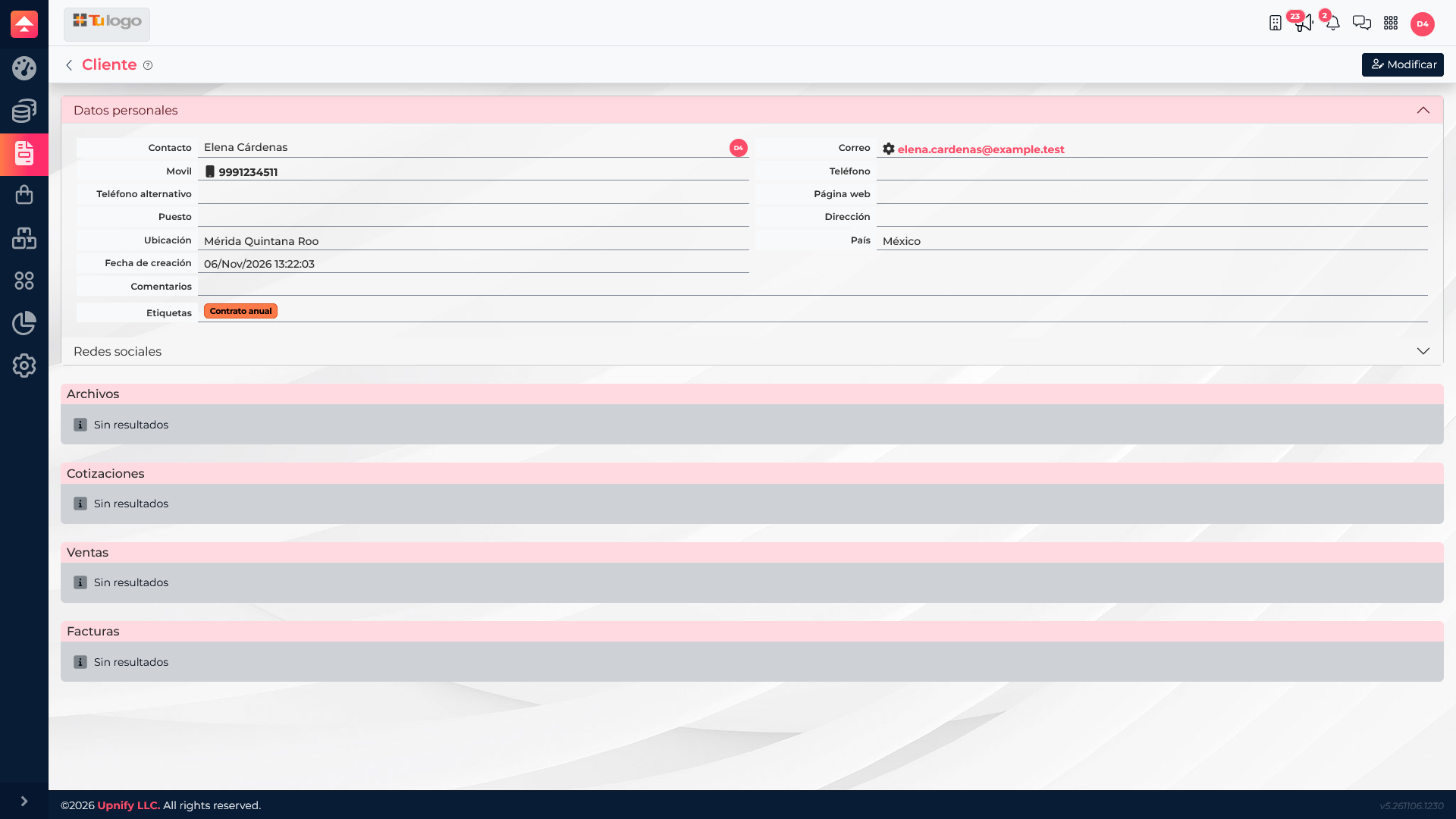
Example: organize a service portfolio
Suppose your team serves maintenance companies and sells annual contracts. Set \u201CIndustrial maintenance\u201D as the industry for Talleres Boreal so the company can be found by its line of business. If you also manage other Grupo Boreal companies, assign the corporate group. Then label Elena Cárdenas as \u201CAnnual contract\u201D so the team knows which relationship to review.
This structure distinguishes what the company does, which group it belongs to, and what condition applies to each contact. Keep names clear and avoid duplicate variations when they mean the same thing.