
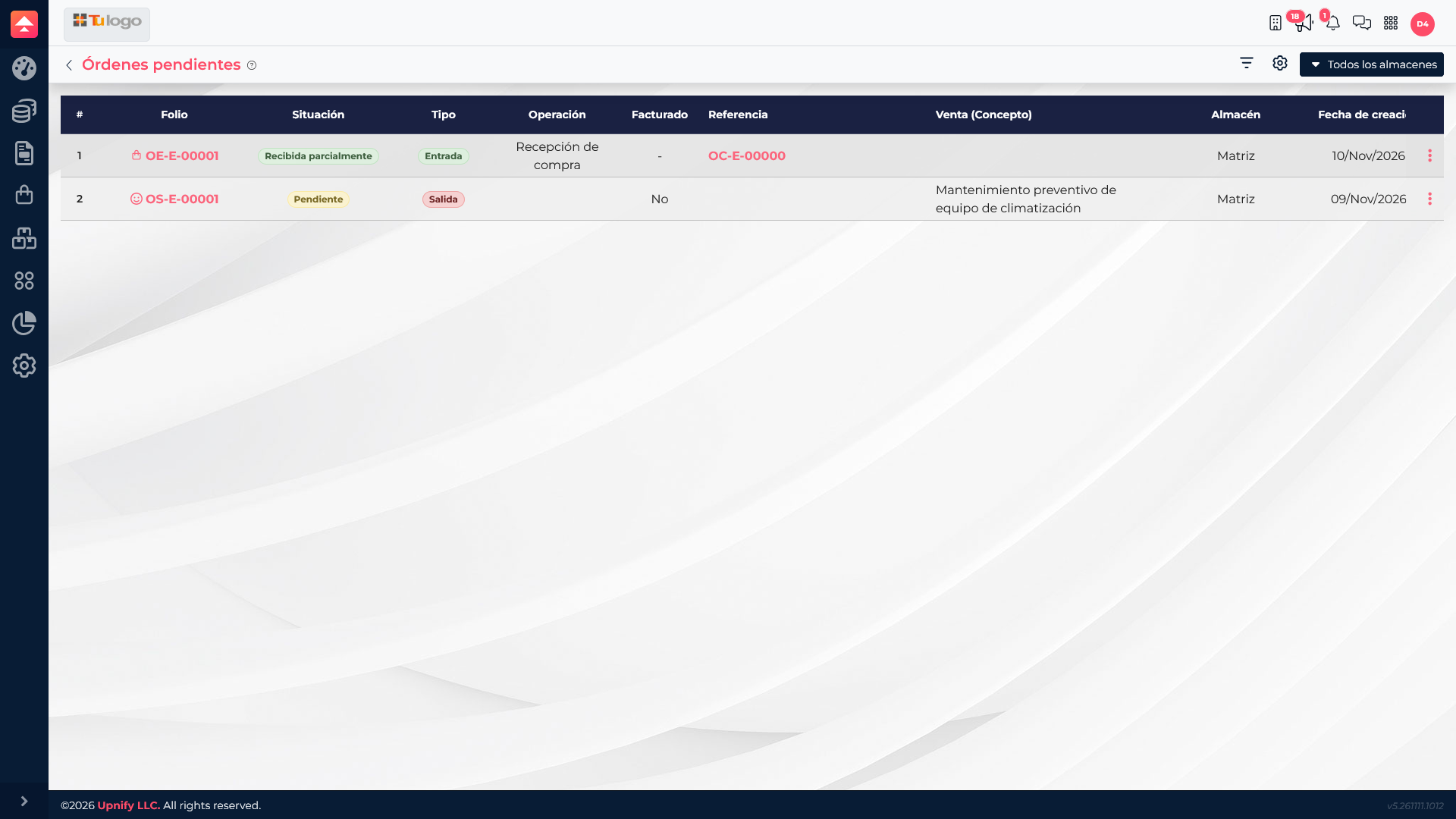
Pending orders show work that still needs follow-up, such as a sales delivery that is not complete or a partially received purchase. Separately, products can have units reserved for orders. To identify an individual unit or track a group, ERP also supports serial-number and batch tracking.
Review orders that are still pending
- Open Inventory > Pending orders to find operations that still need follow-up.
- Search by order number, date, product, or status. Check whether a purchase is partially received or a sales delivery still needs to be fulfilled.
- Open the detail before acting and confirm the product, quantities, and warehouse. A pending order describes process progress; it does not by itself mean units are available.
Understand reserved units
A reservation sets units aside for an order and reduces what is available for new commitments, but it does not mean those units have physically left the warehouse. Stock may still show the units at the warehouse while the available quantity is lower.
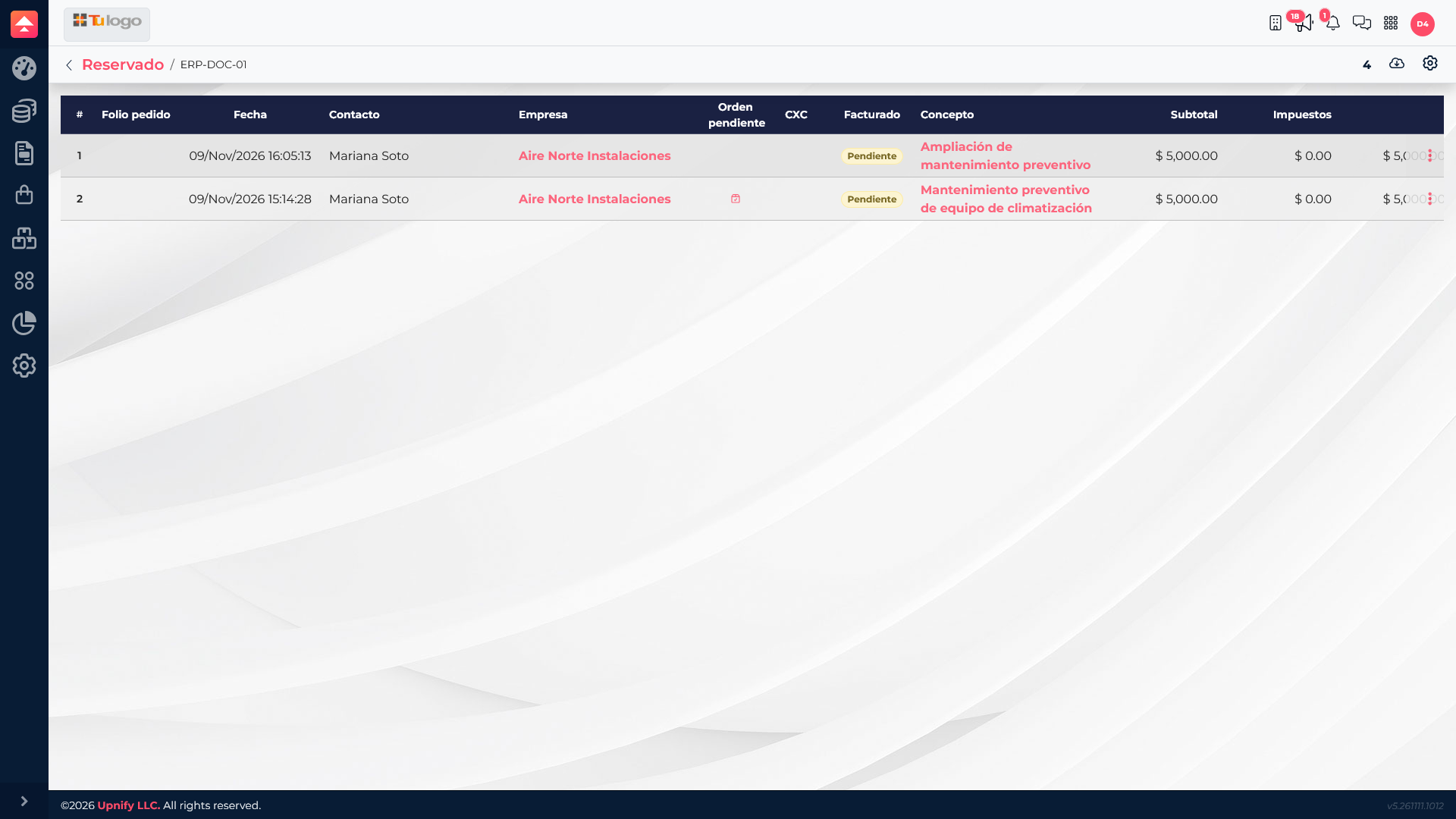
In the example, two orders reserve 2 units each, for 4 committed units total. When checking stock, compare On hand, Reserved, and Available; open the related order to see who will receive the product.
When to use serial numbers and when to use batches
| Tracking type | Identifies | Example use |
|---|---|---|
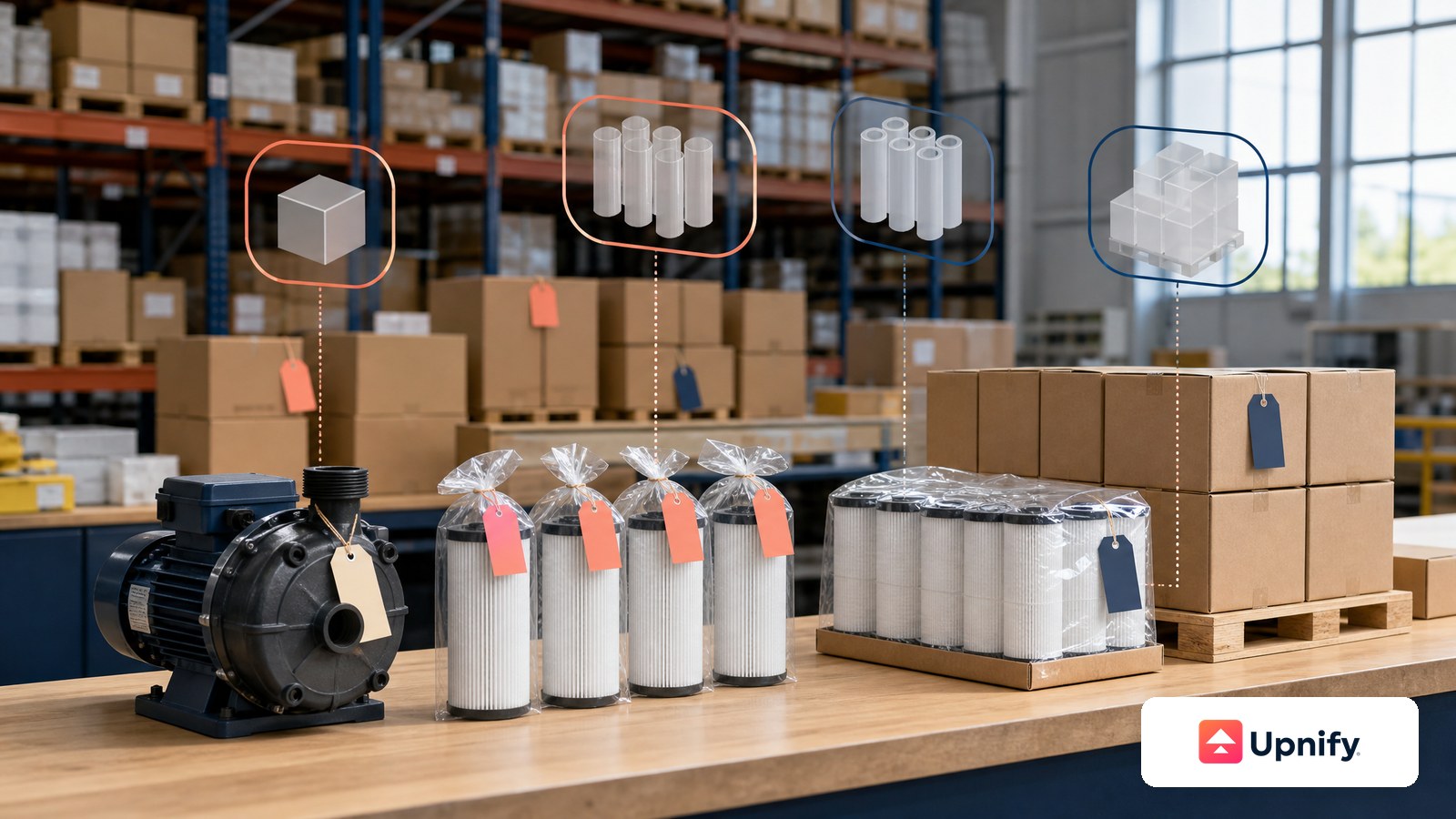
| Serial number | One unique individual unit. | Equipment, pumps, or devices with individual warranties. |
| Batch | A group sharing a manufacturing or expiration reference. | Filters, consumables, medicines, or materials with expiry dates. |
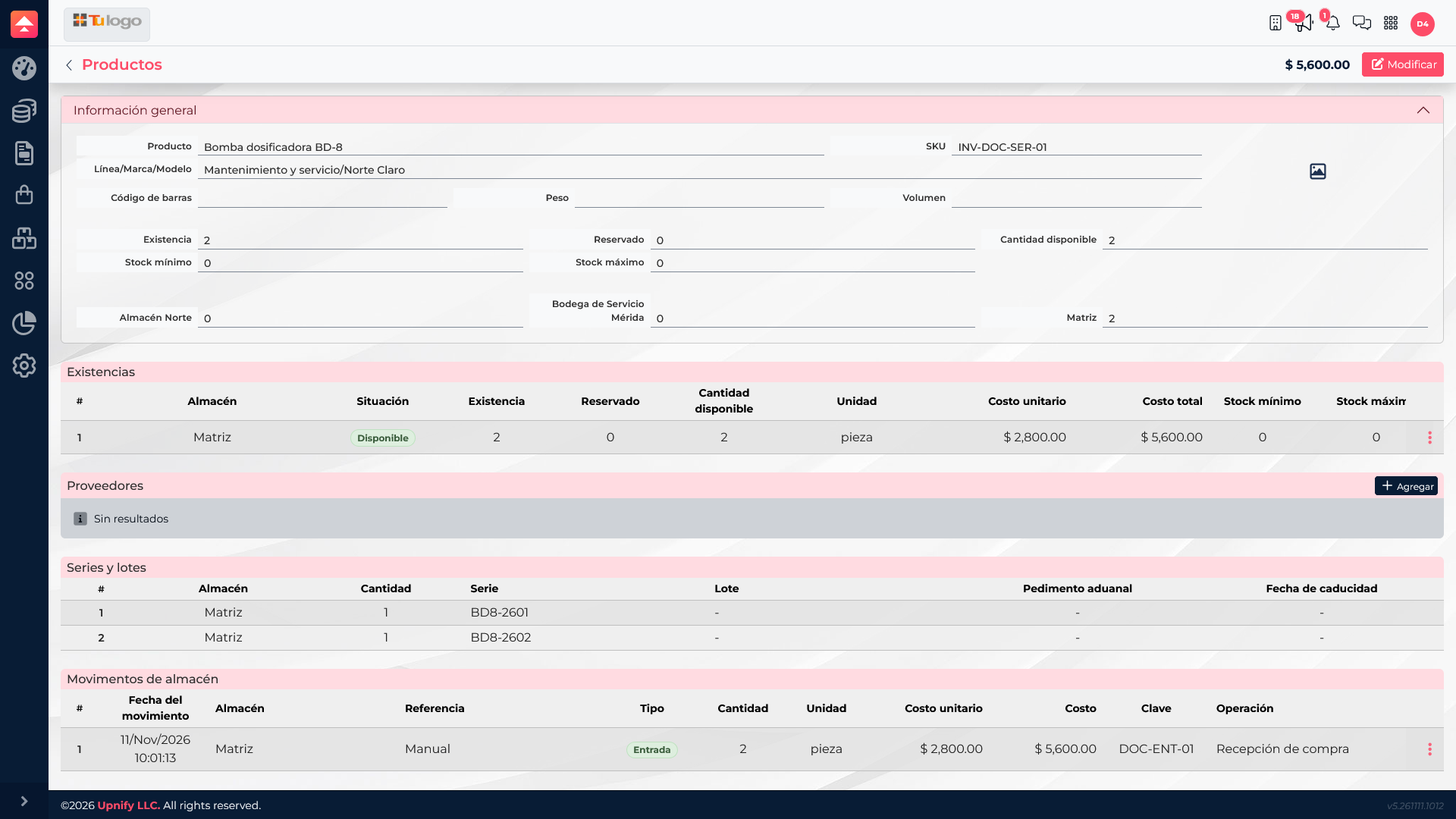
The BD-8 Dosing Pump has individually identified units BD8-2601 and BD8-2602. The F-20 Industrial Filter is organized into two batches with different quantities and expiration dates. Use the serial number to trace an individual unit; use the batch to review a group balance or expiration date.
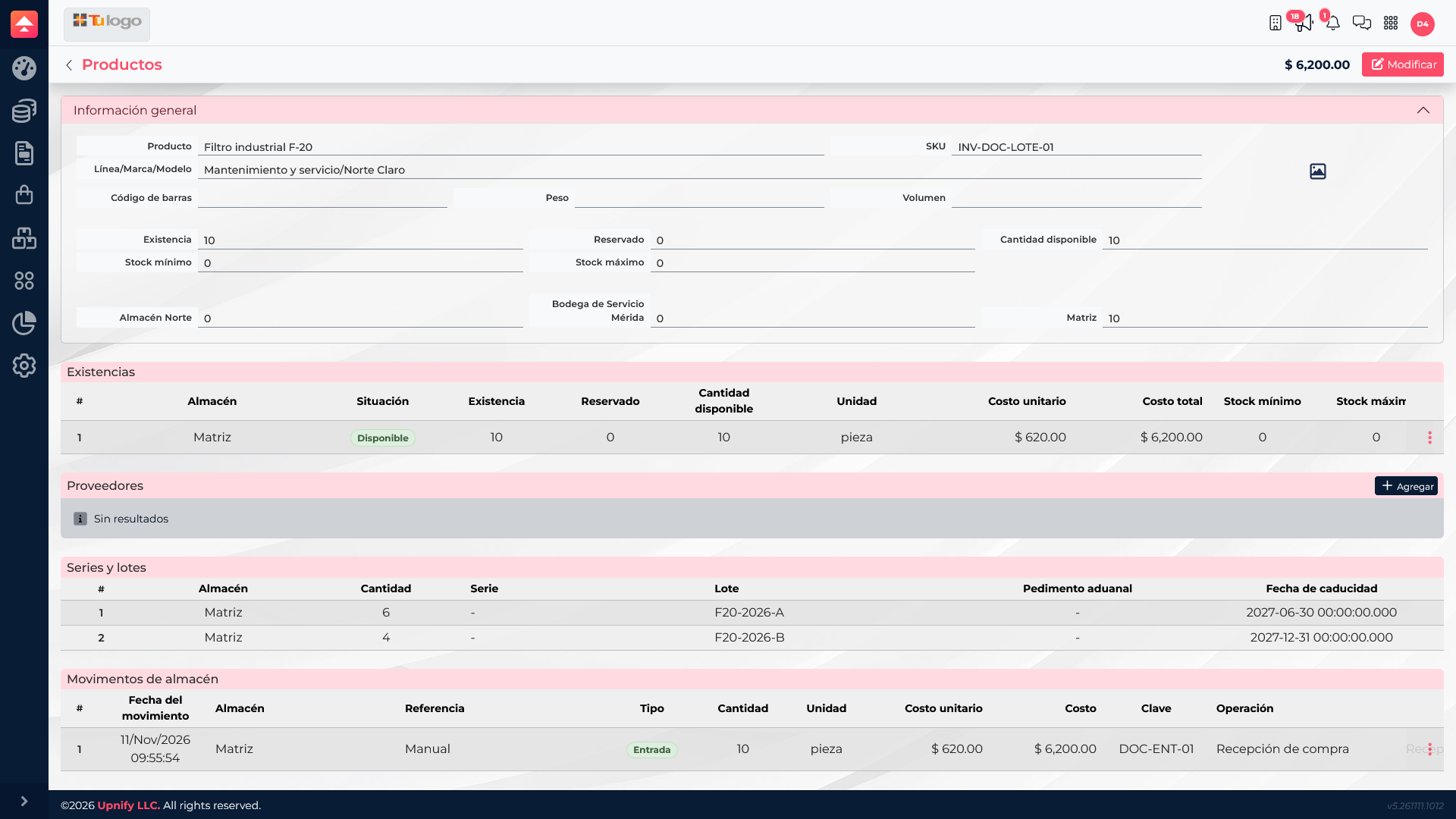
Make sure the order, reservation, and selected product match. For serialized items, select the correct units; for batch-tracked products, check the batch and its expiration before fulfillment.