

The supplier catalog keeps the companies and people your organization buys products or services from. Keeping it current avoids re-entering the same details for every operation and helps your team identify who each purchase belongs to.
For example, if you buy replacement parts from Equipos Península and materials from Suministros Horizonte, create one record for each supplier so purchasing staff can find their details in one place.
Information you can store
| Field | Purpose |
|---|---|
| Supplier / legal name | Identifies the supplier\u2019s legal or business name. |
| RFC or tax ID | Identifies the supplier and must be unique. |
| Alias | Helps the team recognize a familiar or shorter name. |
| Contact, email, and mobile | Helps staff reach the person handling orders or questions. |
The supplier name and tax ID are required. Add the contact details your team uses and keep one record per supplier.
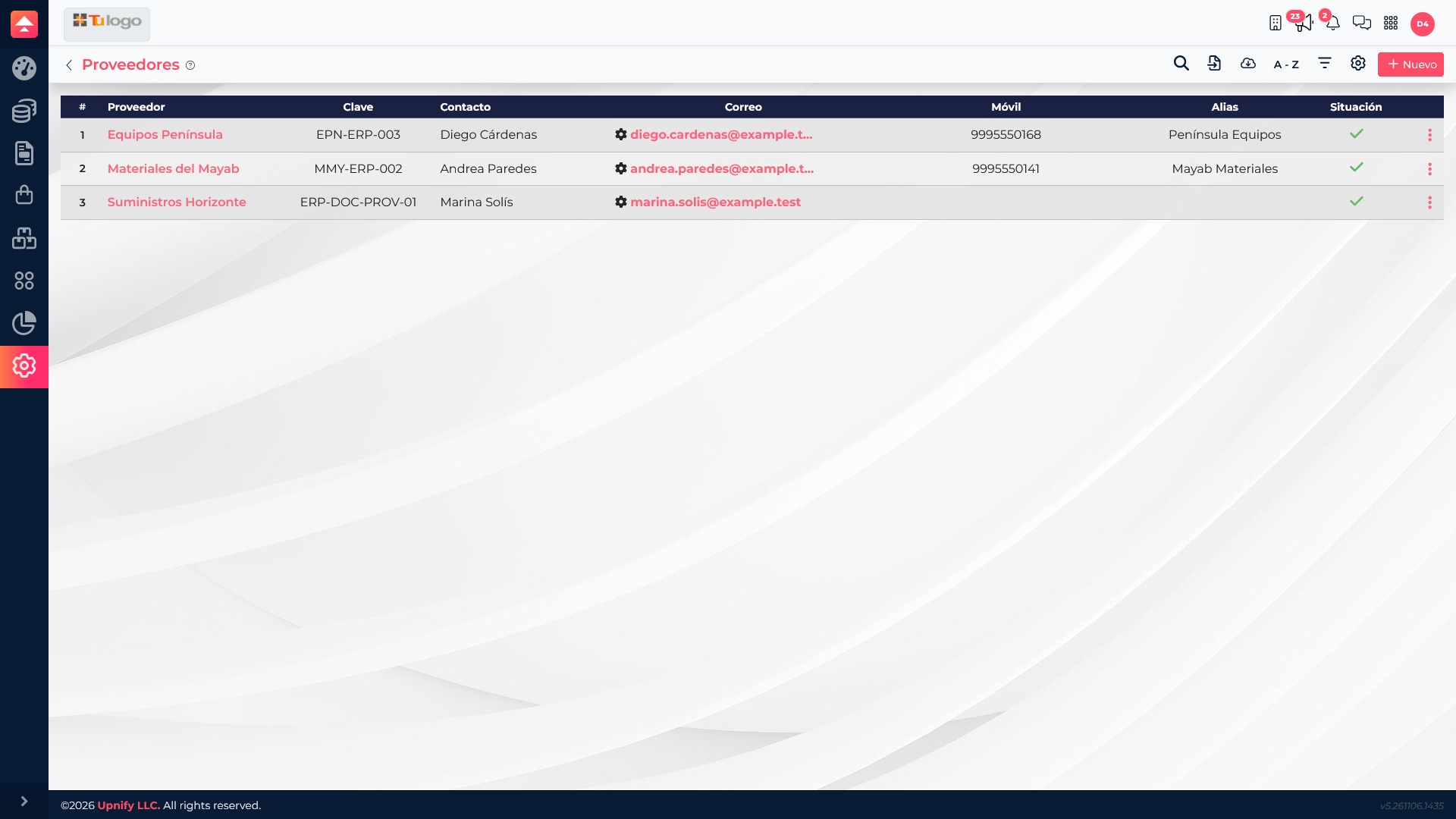
Add a supplier
- In ERP, open Settings > Suppliers.
- Select New.
- Enter the supplier\u2019s legal or business name and RFC or tax ID.
- Add an alias if the team knows the supplier by another name; enter contact, email, and phone when available.
- Check for an existing tax ID, then save.
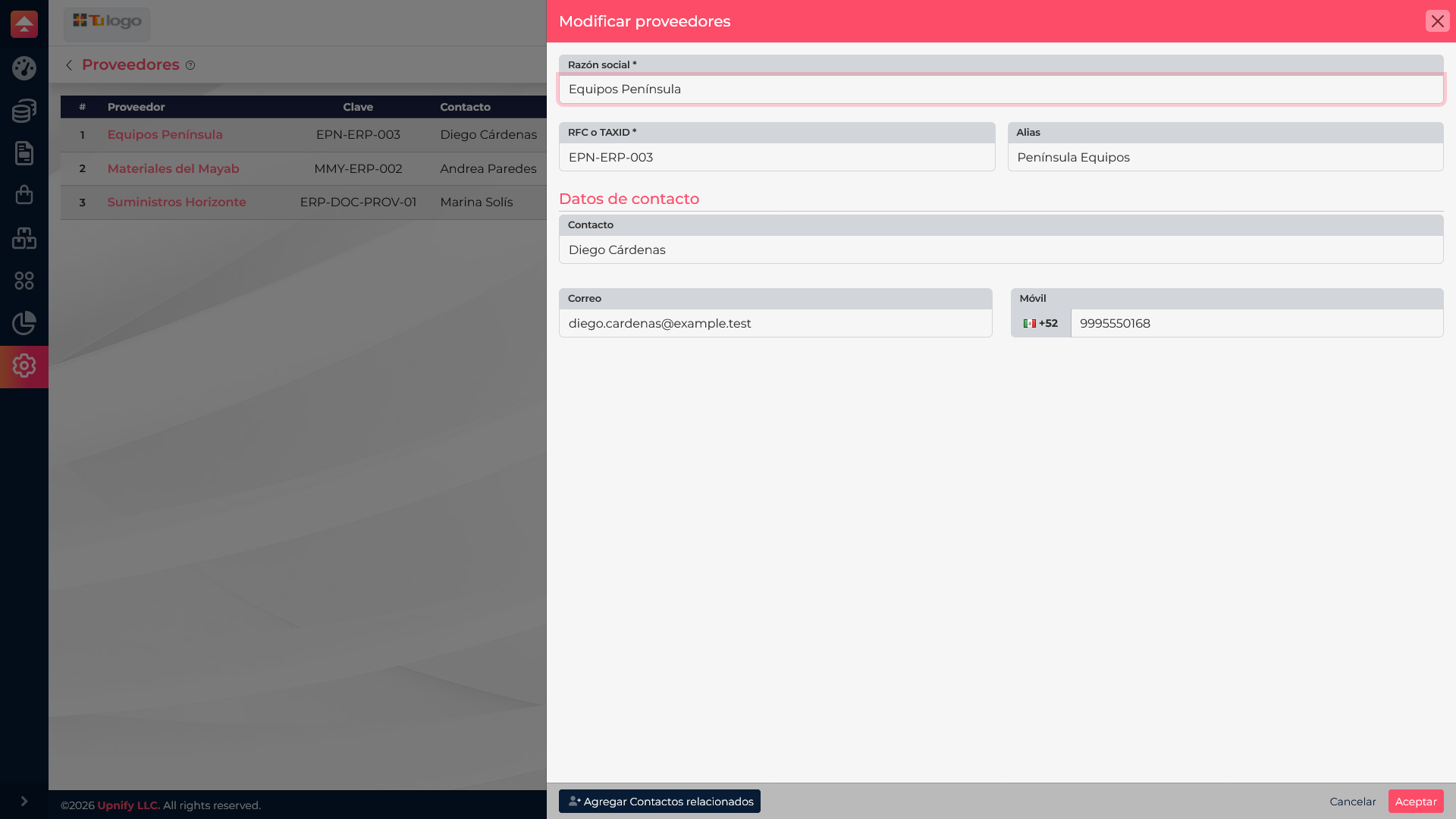
Select a supplier name in the list to review or update its details. If you no longer work with a company, use the row actions to deactivate it; this preserves context for earlier operations without treating it as a current supplier.
Before deleting a supplier, confirm that you do not need its related records. If the system asks you to replace references, carefully review the selected supplier.
Practical example
The purchasing team adds Equipos Península to buy maintenance components. They enter its legal name, tax ID, and order email. When another teammate prepares a purchase, they can find the same record rather than creating a variation such as \u201CEquipos Península Mérida.\u201D