

Receiving a purchase records the goods that physically arrived at the warehouse. Recording the actual quantity prevents items still in transit from being treated as received and keeps purchasing and inventory in sync.
Open the pending entry
After confirming a purchase, find the pending entry created for the warehouse. Review its supplier, purchase order, warehouse, and products. The entry is where receipt is recorded; confirming an order alone does not increase stock.
Record only what arrived
In the entry, review the ordered quantity and enter the amount received in this delivery in the receiving column. The form also shows the missing quantity. If only part arrived, record that part and leave the rest pending.
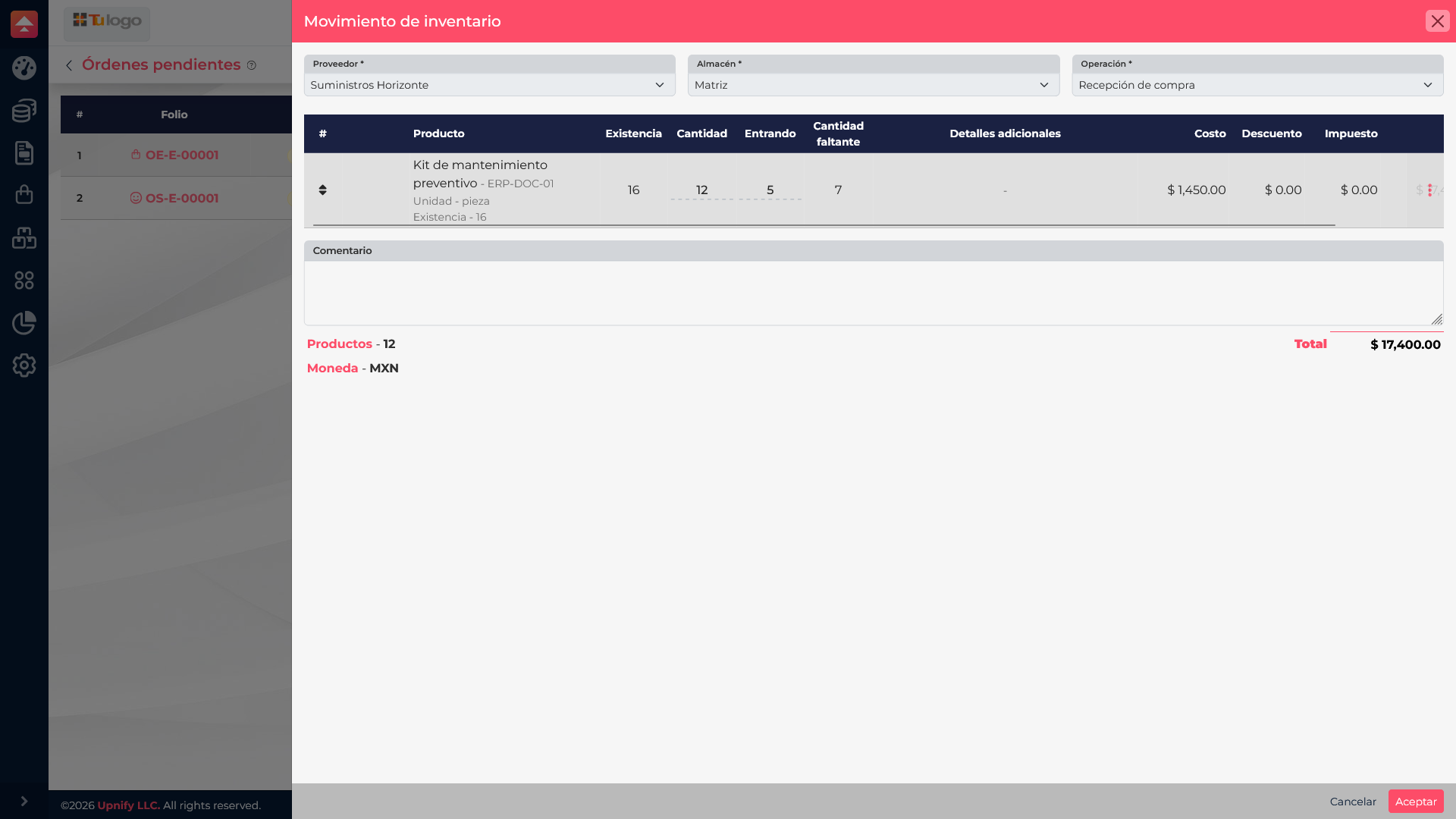
In this example, the order is for 12 maintenance kits and the supplier delivers 5. Record 5 as received; do not enter 12 while the remaining 7 are still in transit.
ERP adds the quantity recorded on the entry to warehouse stock. The unreceived balance remains pending so it can be completed in another delivery.
Verify the partial status
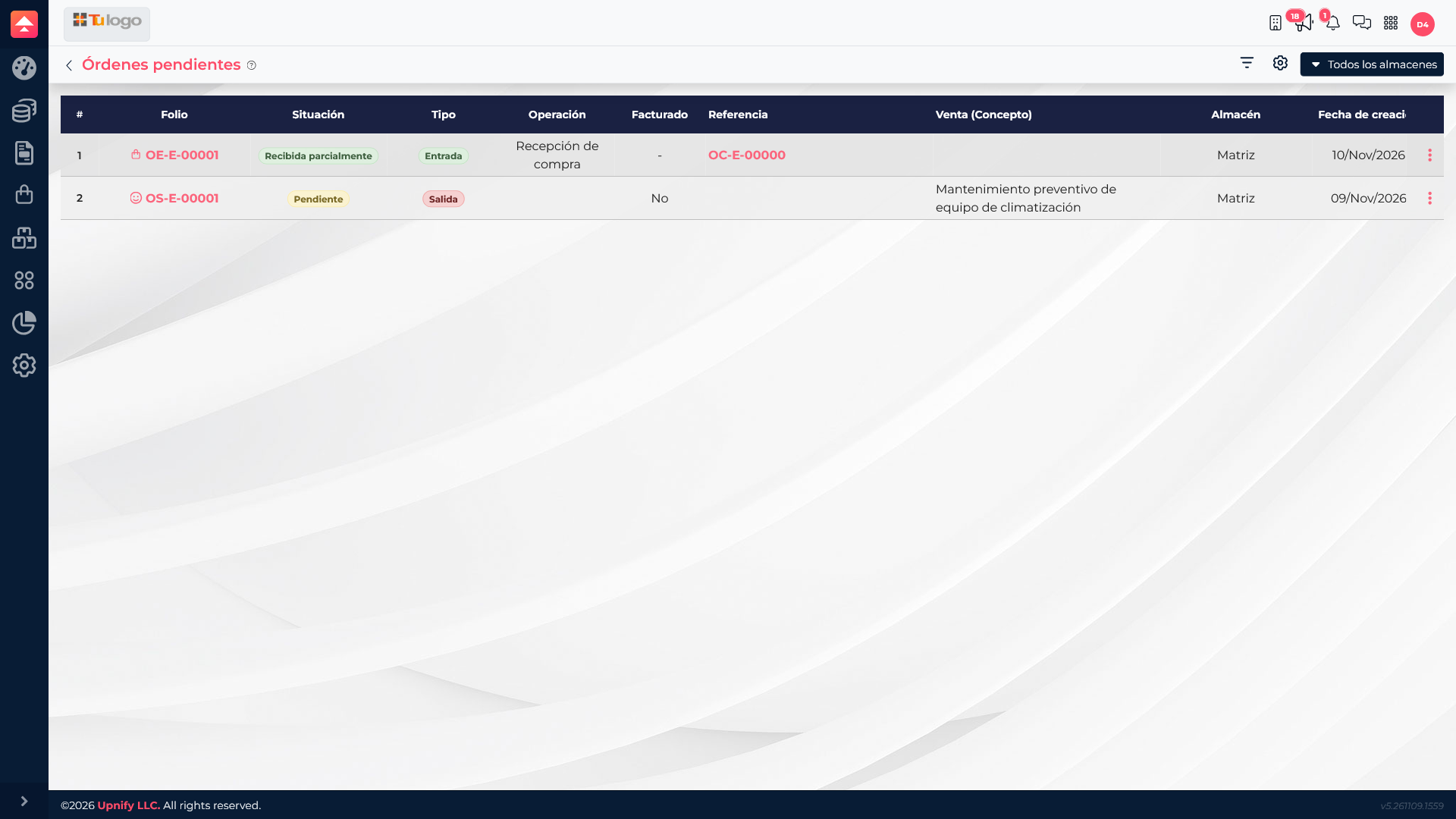
After saving, return to the pending entries list and confirm the receipt is marked partial. This example keeps 7 units outstanding. The team can see that the order is still open and follow up with the supplier.
Review the detail and continue later
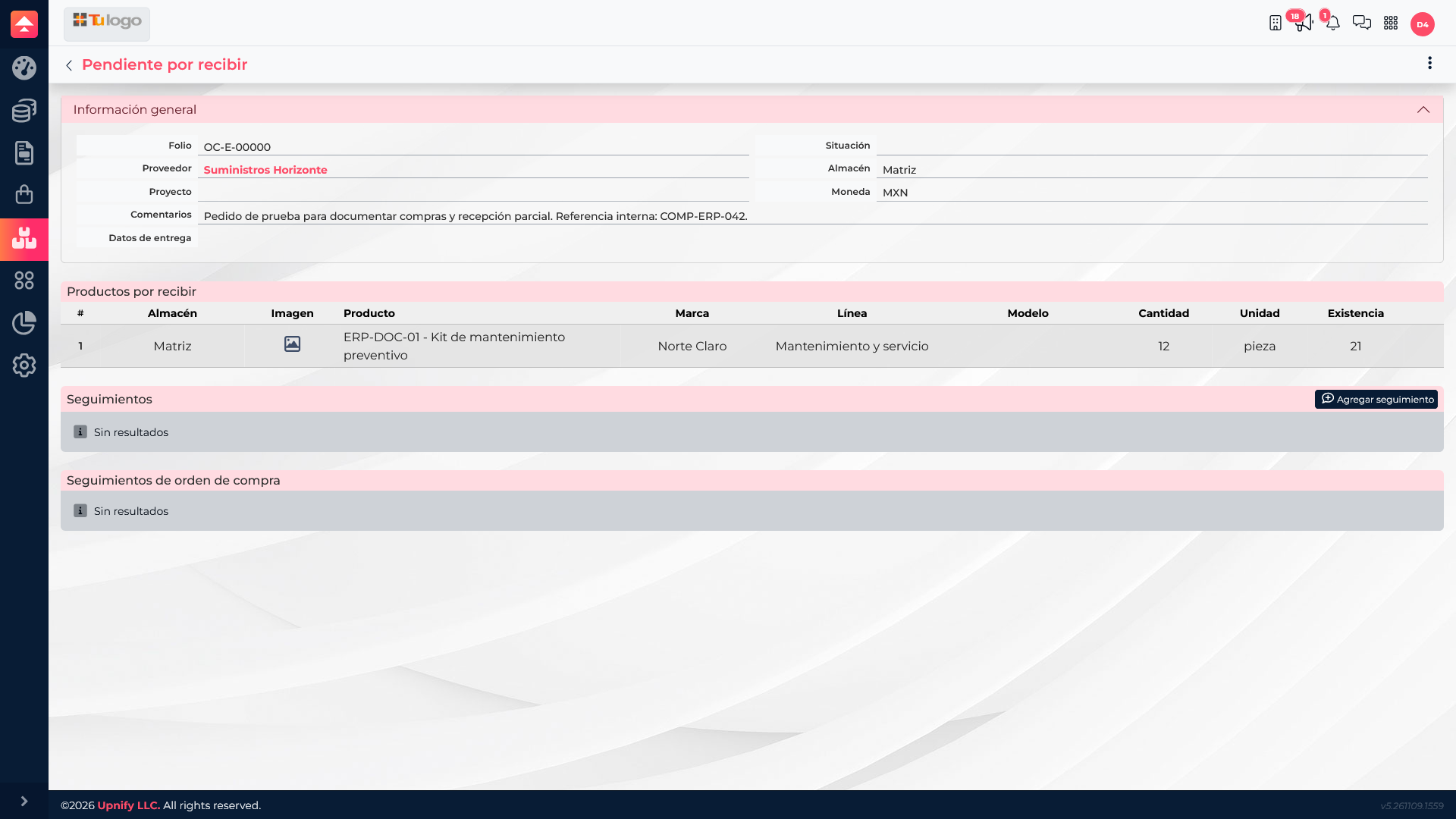
Open the detail to review the quantity received, the remaining amount, and the warehouse. When the rest arrives, return to the pending entry and record the new quantity. Check that the total received and remaining balance match the actual delivery.
Two-delivery example
| Delivery | Received | Remaining |
|---|---|---|
| First delivery | 5 | 7 |
| Second delivery | 7 | 0 |
If the second delivery contains the remaining 7 units, record only those 7. Then verify the final status and that the outstanding amount is zero.
If goods are damaged, do not match the order, or arrive at a different warehouse, pause and follow your purchasing team's agreed process before confirming the entry.