

Movements keep inventory aligned with what happens physically: a receipt increases stock at a warehouse, an issue decreases it, and a transfer moves units from one location to another. Choosing the right operation and recording its reason makes it easier to review later who made the change and why.
Record a receipt or issue
- Open Inventory > Movements and choose the action to add a movement.
- Select the warehouse and the operation that matches what happened: receipt or issue. Available operation names depend on your company configuration.
- Add the product, quantity, and any fields requested by the form. Explain the reason in the comment, and make sure you are not duplicating a receipt or delivery already recorded elsewhere.
- Check the product, warehouse, movement type, and quantity before accepting. Then verify the new row in the movement list.
For example, if material arrives and is not recorded through a purchase order, use the appropriate receipt operation. If a unit is issued outside the usual sales flow, record an issue with the correct reason. When a purchase or sale already creates movements through its own workflow, do not enter a second manual movement for the same event.
Transfer products to another warehouse
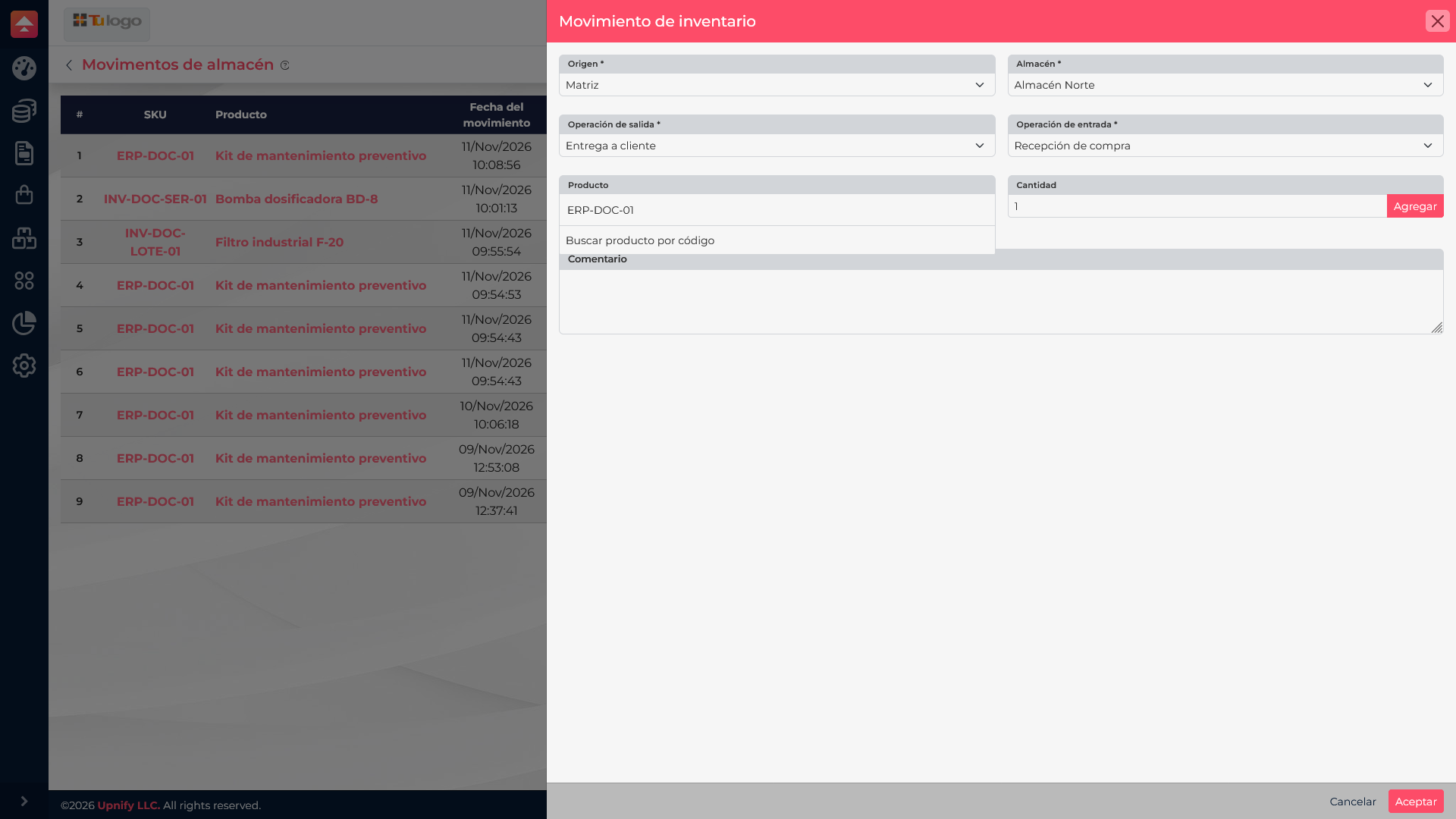
- Choose Transfer and set the source and destination warehouses.
- Add each product and the quantity to move. If your company requires serial or batch identification, enter those details for the transferred units.
- Check both locations. A transfer does not add new units to the company; it changes where the units are held.
- Accept the movement and review the list to confirm it was recorded.
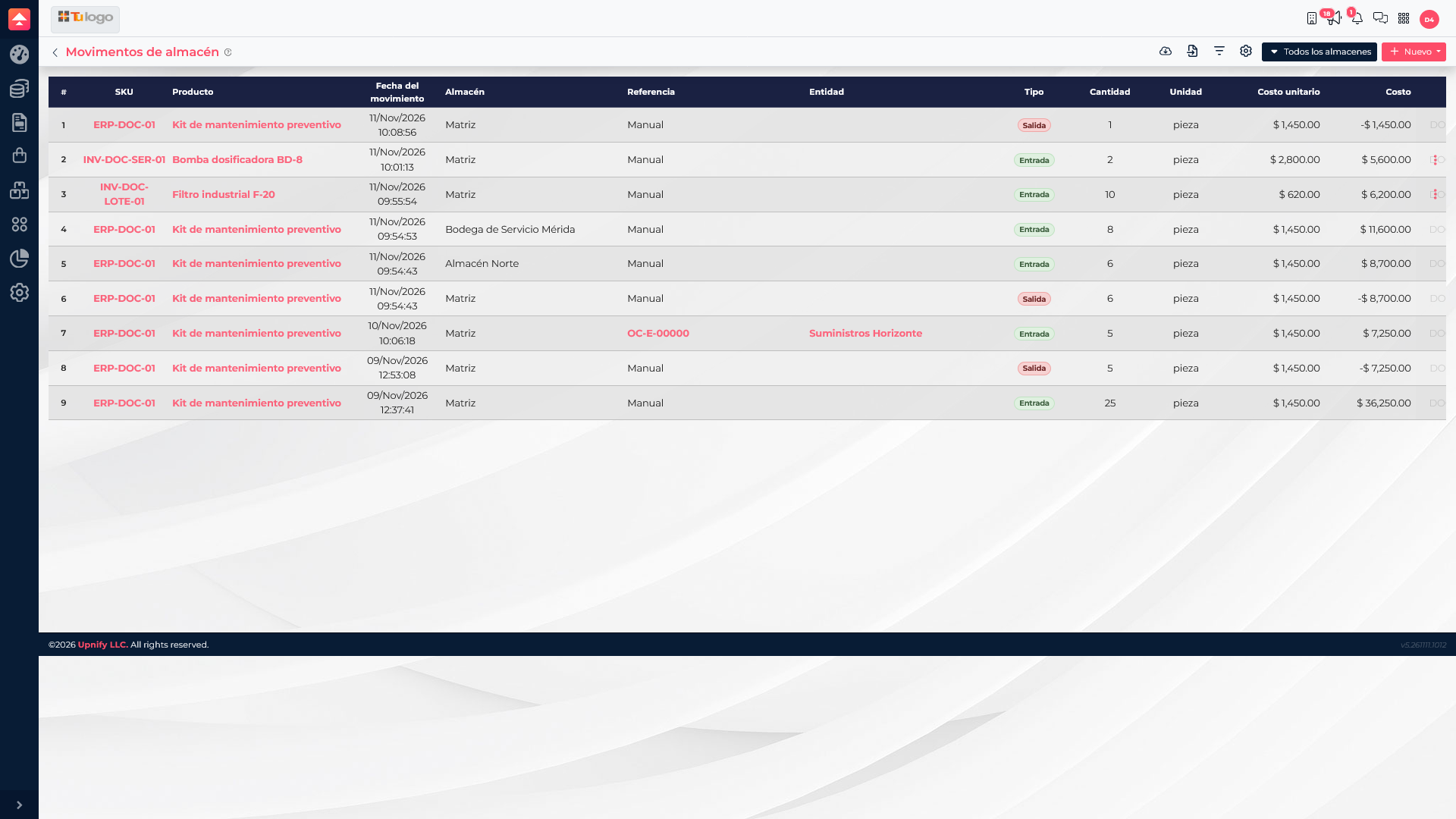
In the example, 6 units were transferred from Main to North. The history shows the linked movements: stock decreases at the source and increases at the destination. If you do not see both, check the date, warehouse, or product filters.
A receipt adds stock, an issue removes it, and a transfer changes the warehouse holding the units. Choose the operation that describes the physical event to keep a reliable history.