

ERP provides separate reports for money still owed by customers, outstanding commitments to vendors, and sales progress toward billing and revenue. Read them separately: an accounts receivable balance is not a new sale, and a sales opportunity is not a payment.
Accounts receivable: what is still due
- Open Reports ? Accounts receivable.
- Select Pending to review balances that have not been collected. Choose a grouping such as user, group, customer, origin, or another available option.
- Apply the filters and read the aging columns. They show whether a balance is current or how long it has been overdue.
- Select an amount to open the records that make up the balance when details are available.
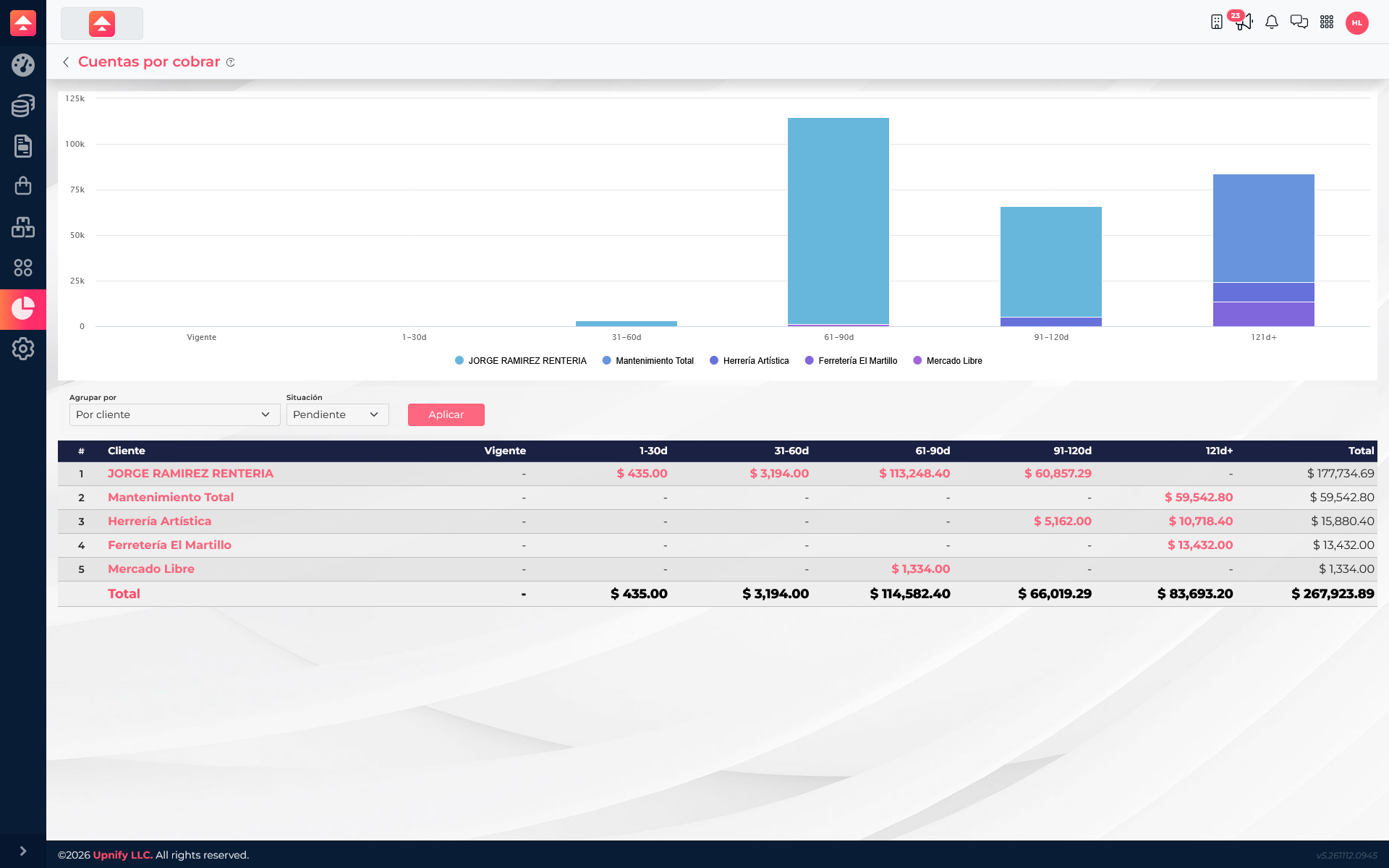
In this query, grouped by customer, the total outstanding balance is MXN 267,923.89. Jorge Ramirez Renteria accounts for MXN 177,734.69; Mantenimiento Total, MXN 59,542.80; Herrería Artística, MXN 15,880.40; Ferretería El Martillo, MXN 13,432.00; and Mercado Libre, MXN 1,334.00. The aging columns help identify which balances need attention first. Select Paid to review collections already recorded.
Accounts payable: what is still owed
In Reports ? Accounts payable, select Pending to review open obligations. Group by vendor when you need to see who needs to be paid. Period and status filters narrow the results; check each due date before scheduling a payment.
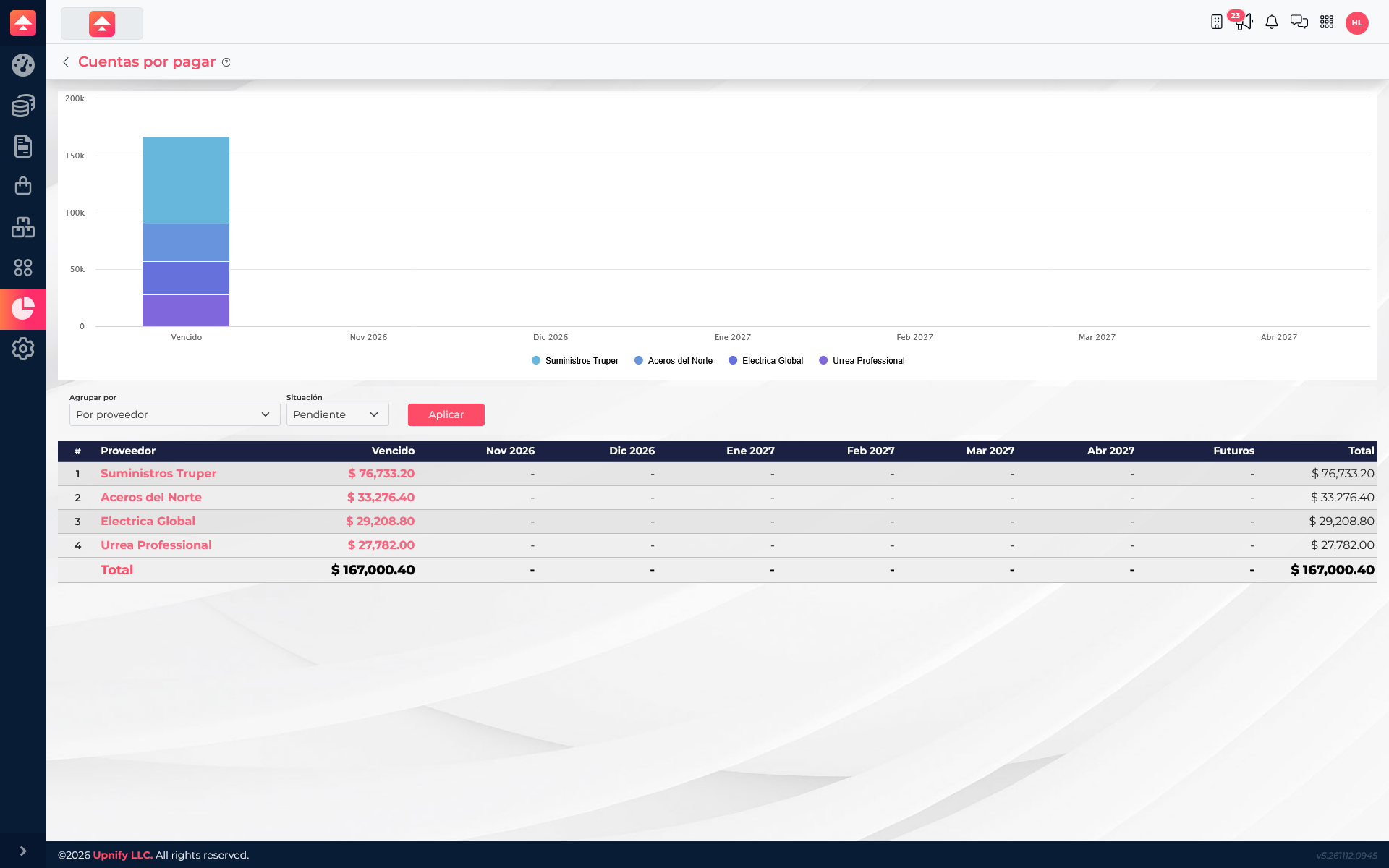
In the current query, four vendors have MXN 167,000.40 outstanding: Suministros Truper, MXN 76,733.20; Aceros del Norte, MXN 33,276.40; Electrica Global, MXN 29,208.80; and Urrea Professional, MXN 27,782.00. All four amounts appear in the Overdue column. Check each document’s due date before prioritizing payments.
Sales funnel: from progress to billing
The Sales funnel connects the overview of opportunities with later steps in the process. Depending on the report, its columns let you review opportunities, sales, billing, collections, or revenue, along with pending amounts and progress percentages. Use the period and grouping filters to compare teams, users, or other available criteria.
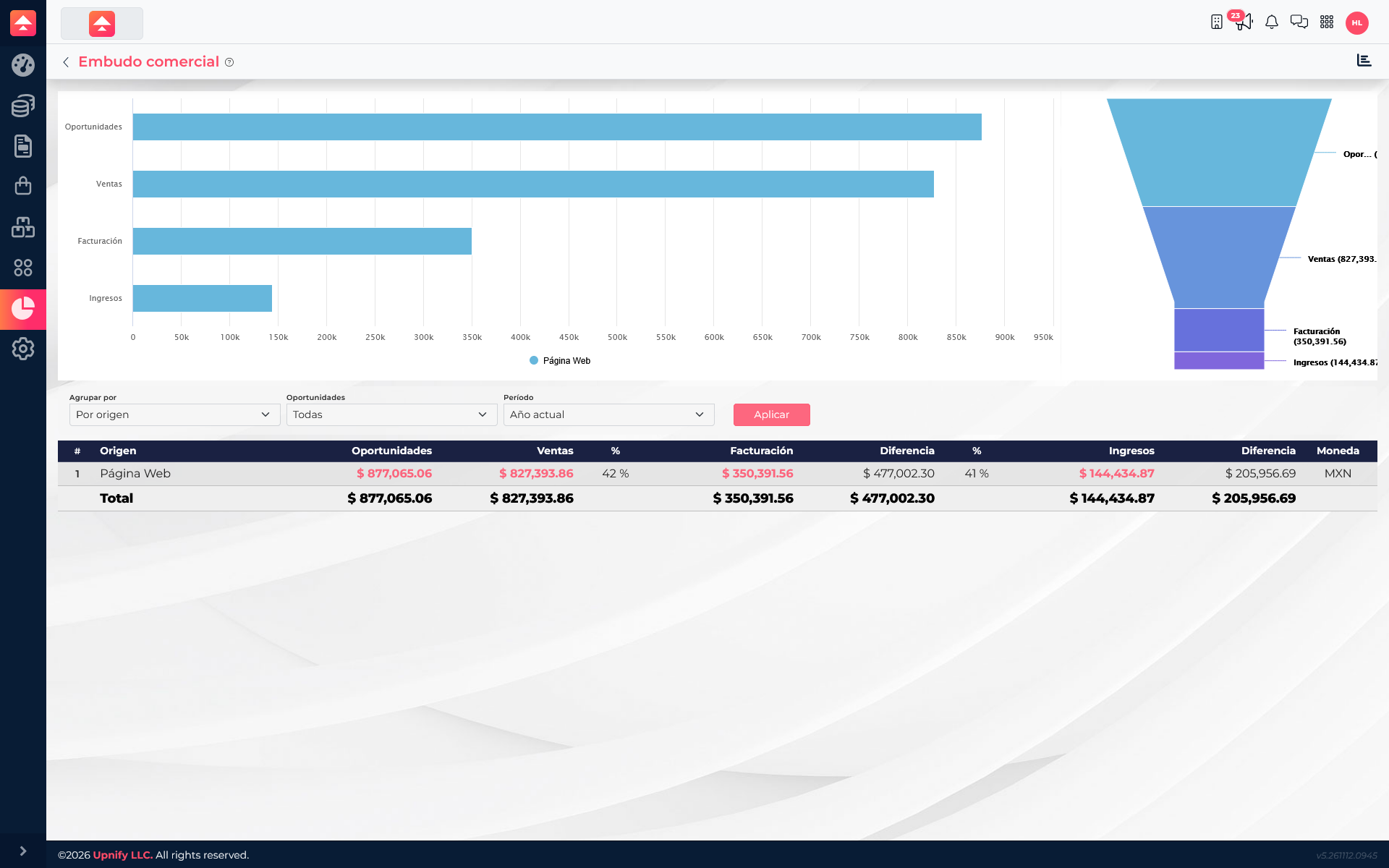
For example, a finance team can use Accounts receivable to prioritize collection follow-ups and review the Sales funnel to find sales that have not moved to billing. Then open linked cells and inspect the records before deciding what to do.