

ERP provides two complementary bank views. Bank history compares account balances across several months, while Transactions shows each deposit, charge, or transfer and its source information. Use the first view to spot trends and the second to explain a specific change.
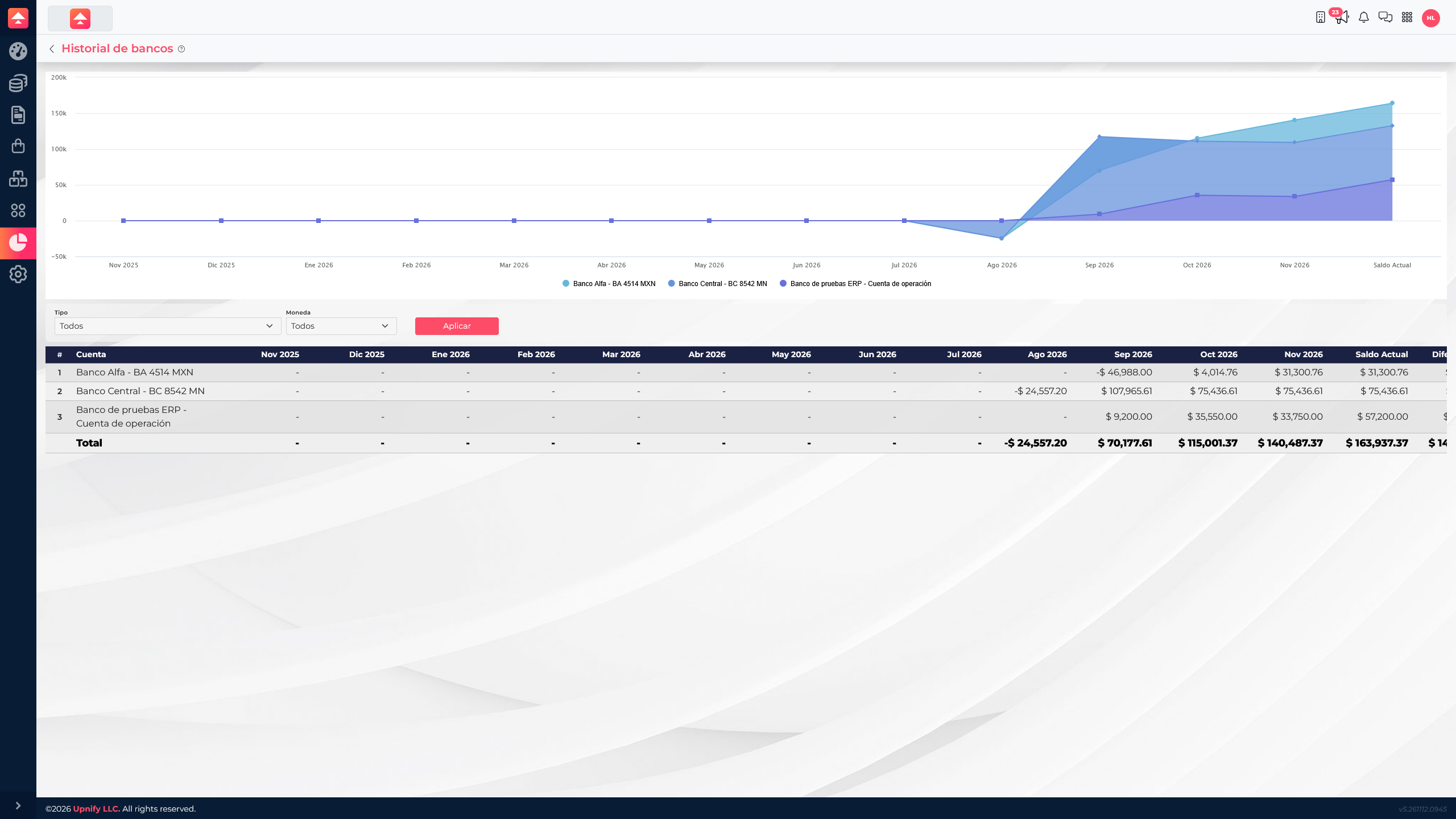
Review balance history
- Open ERP ? Reports ? Bank history.
- If available, filter by account type or currency and apply the query.
- Read the monthly columns alongside the current balance and period difference. A change indicates a difference between reported balances; it does not replace reconciliation against the bank statement.
You can compare several months in one row. To find the transaction behind a change, open the Banks area and review that account\u2019s transactions.
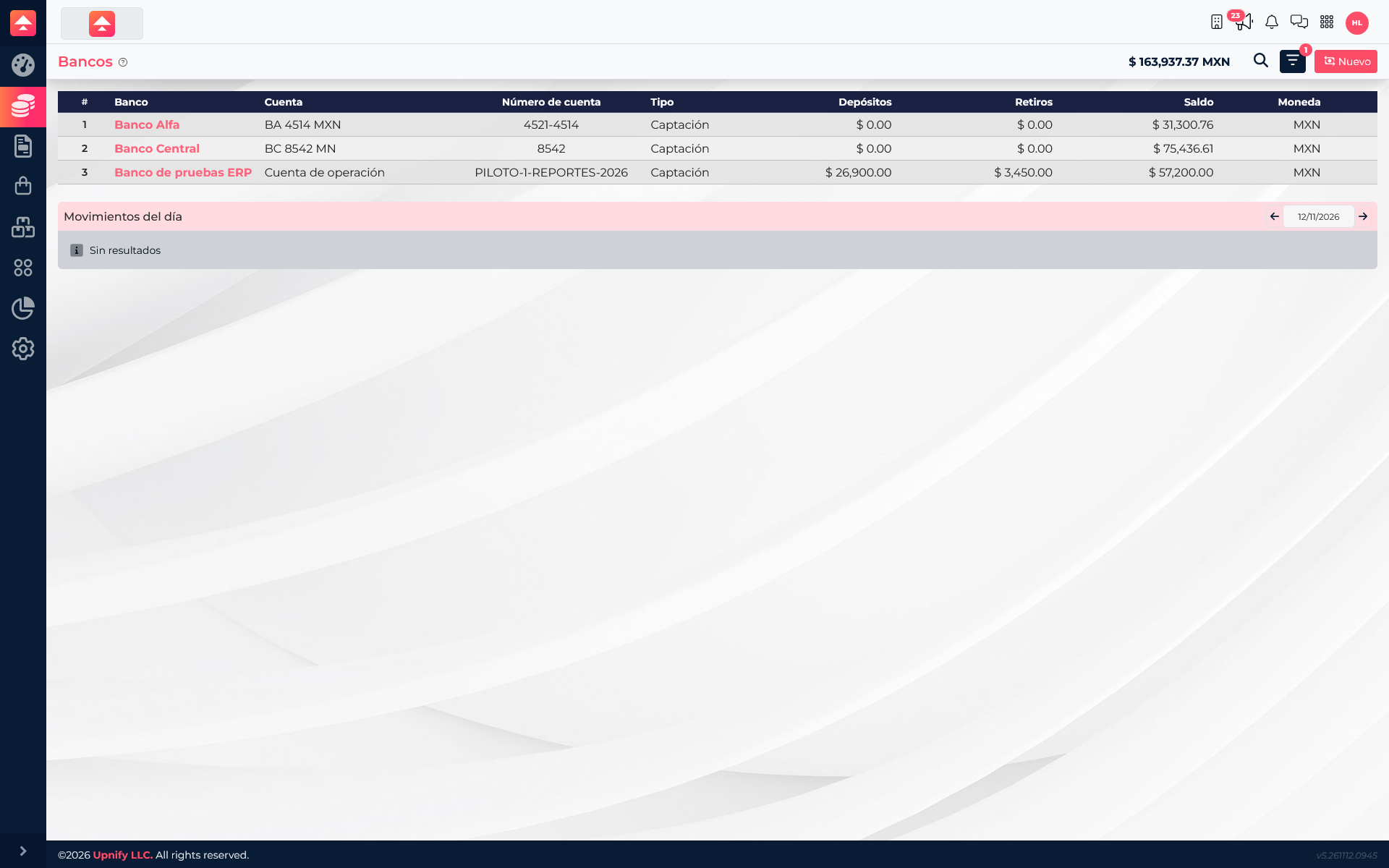
Review transactions for an account
- Open Banks and find the account by name.
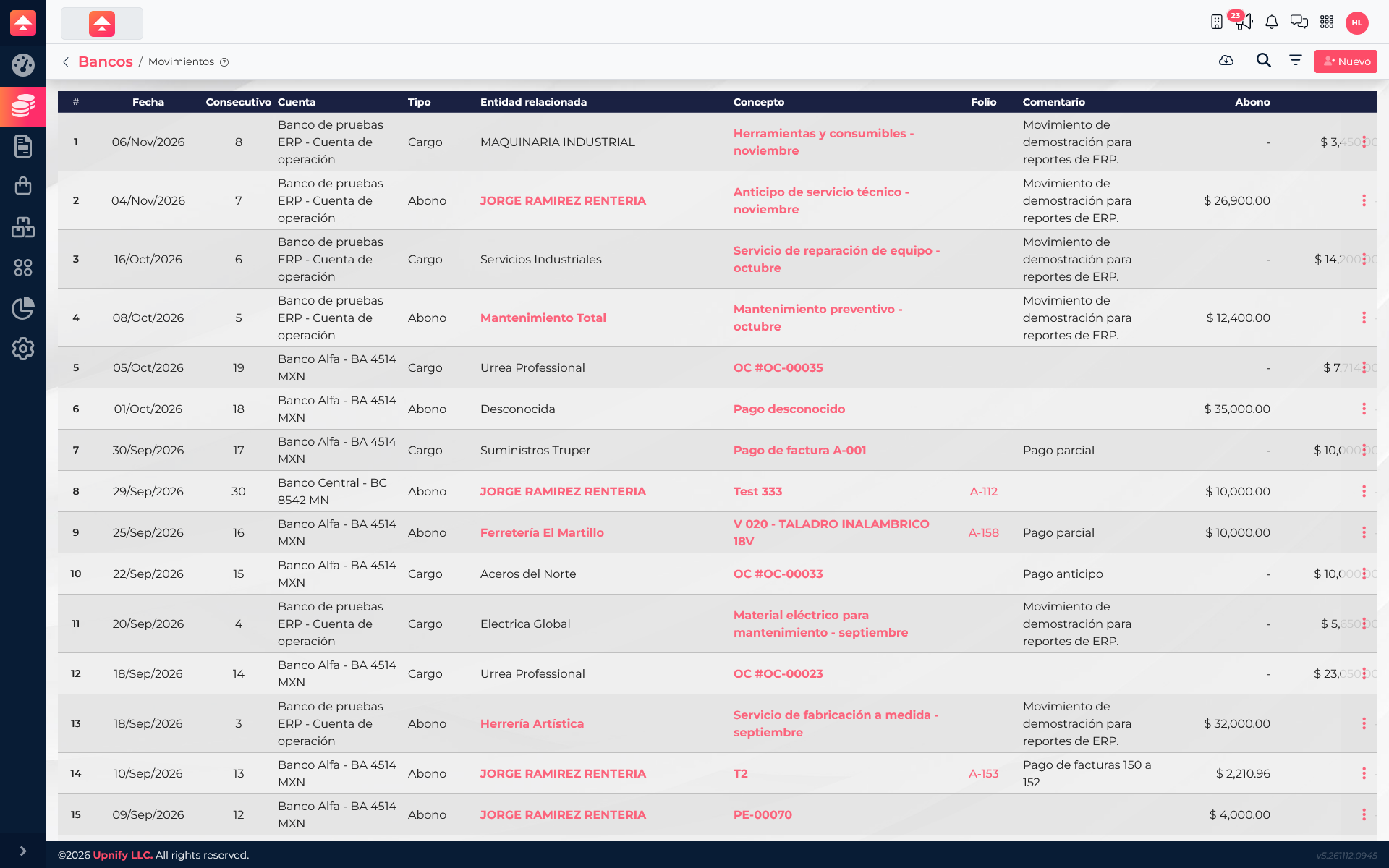
- Open the account or its transactions view. Use the available period and filters to narrow the list.
- Review the date, transaction type, concept, reference, account, and amount. Open a record for additional information or its related document.
Example: explain the balance
The Banco de pruebas ERP list summarizes MXN 26,900 in deposits and MXN 3,450 in withdrawals, and shows a current balance of MXN 57,200. Recent November transactions include a MXN 26,900 deposit from Jorge Ramirez Renteria and a MXN 3,450 charge to Maquinaria Industrial, a net MXN 23,450 across those two transactions. The current balance also includes the previous balance and transactions from other periods, so it is not calculated from those two entries alone.
Use History to compare balances across months and Transactions to investigate specific operations. This distinction prevents reading a balance chart as if it were a transaction list.