

Before recording purchases and sales, prepare the catalogs ERP uses as references. This reduces repeated data entry and helps prevent team members from entering product names, suppliers, or terms differently.
Setup can vary by country, subscribed modules, and company workflow. Start with what your first process needs, then expand the catalogs as your team is ready to use them.
1. Confirm access and review general options
- Sign in to Upnify Suite and open ERP.
- Go to Settings and review General system options. Confirm the parameters that determine how the company operates.
- If you will use invoicing, first review the applicable tax details and electronic invoicing setup for your country. Do not activate or enter production tax information in a test account.
- Identify which settings require administrator permissions. If an option is missing, ask the Super Administrator to check your access.
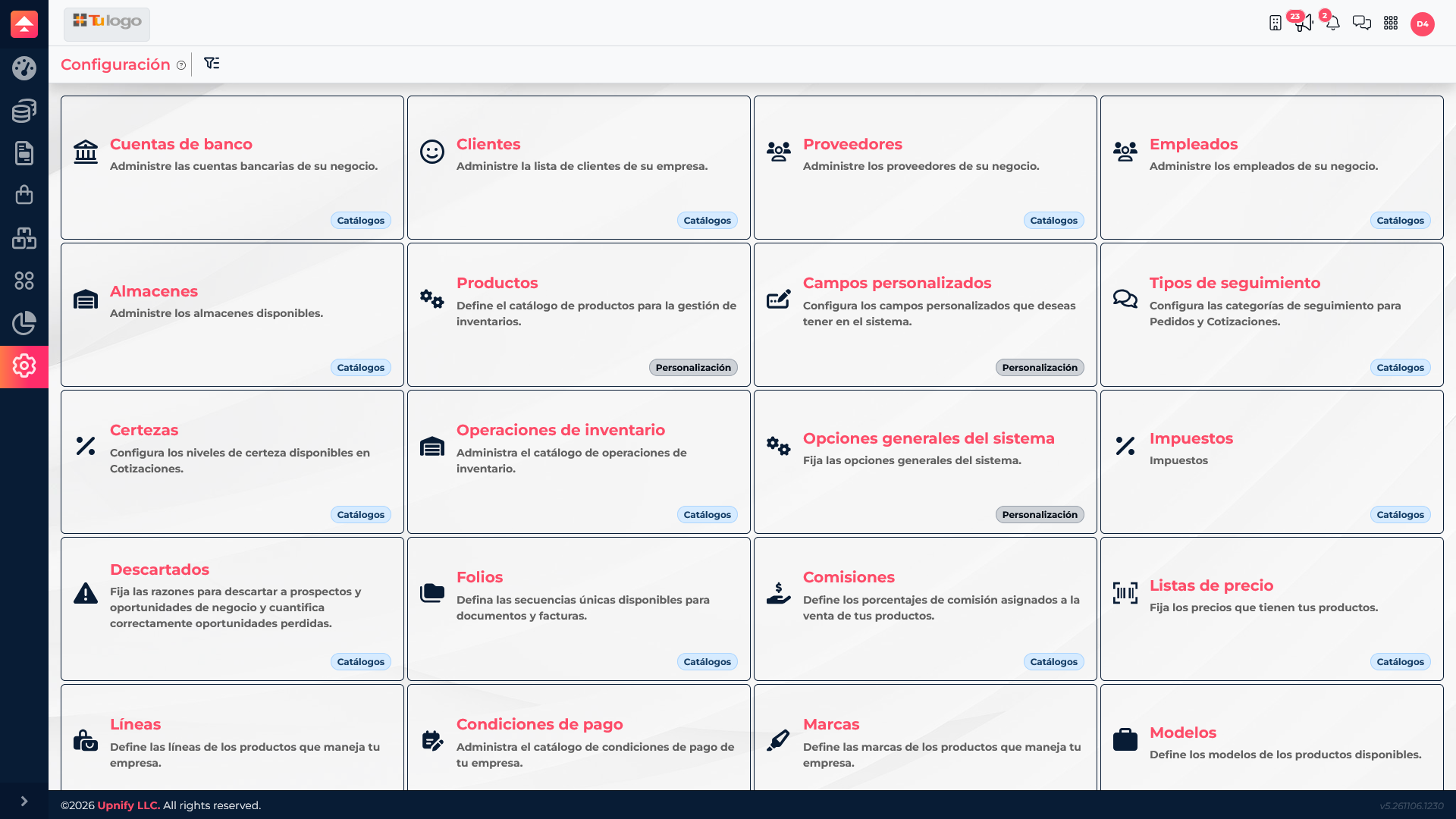
2. Prepare products and units
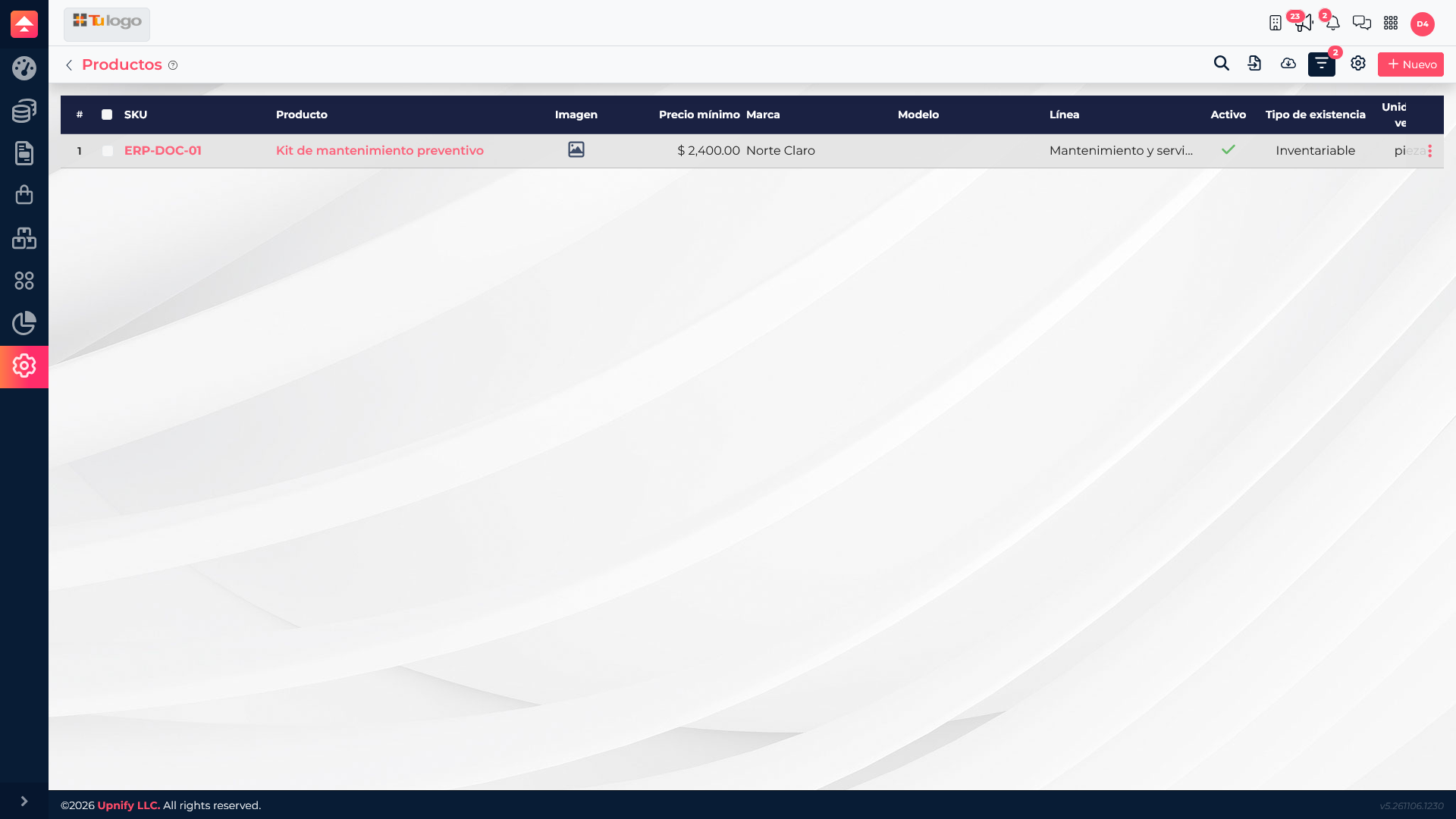
Add the products or services you need for your first workflow. Use a recognizable key and define the unit, product line, brand, or model if your process uses those details. Review costs and prices before using an item in a transaction.
For example, the fictional product Preventive maintenance kit uses SKU ERP-DOC-01. The key helps the team find it and distinguish it from similarly named items.
3. Complete the catalogs your first workflow needs
| Catalog | When to prepare it | Example use |
|---|---|---|
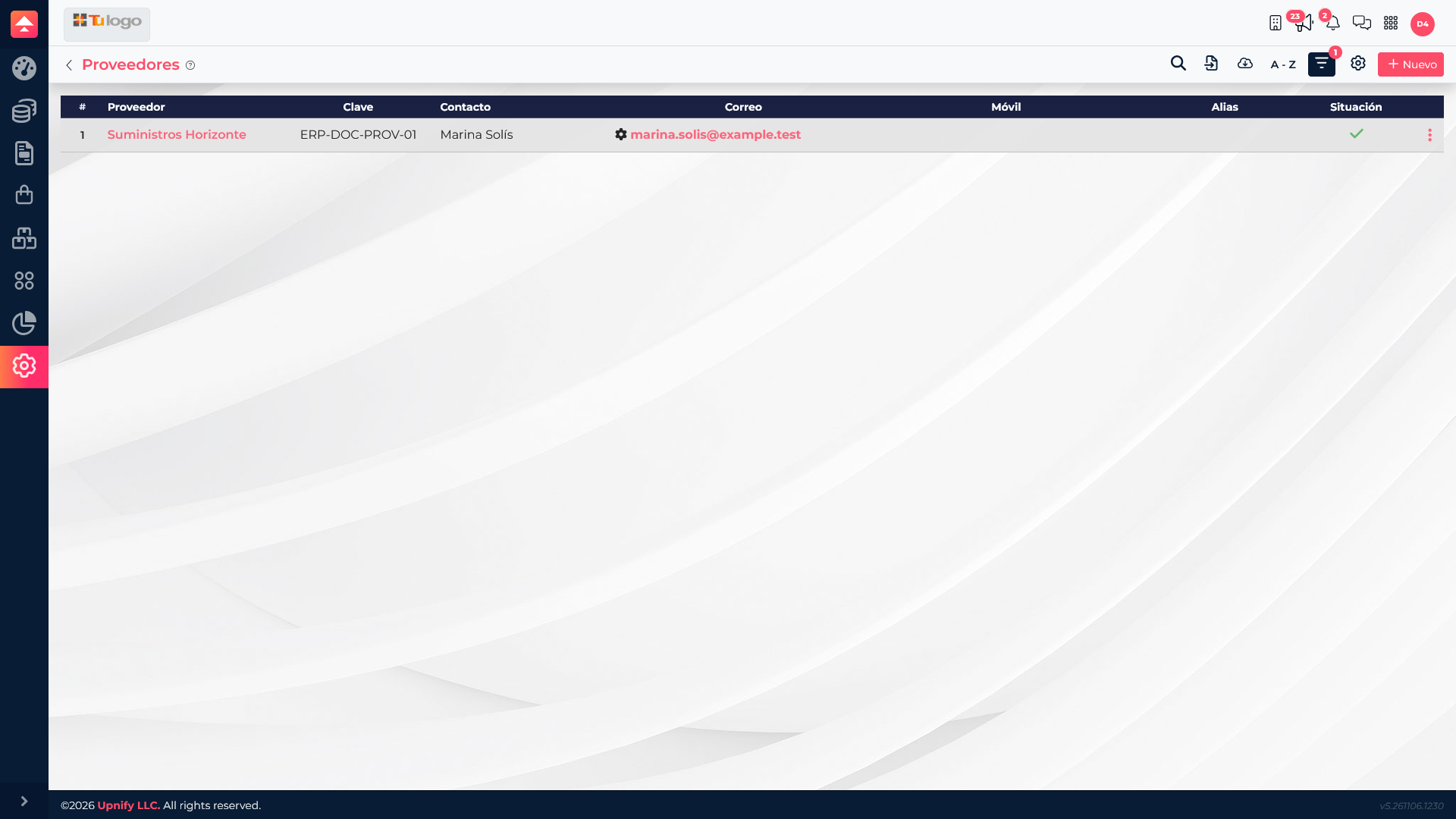
| Suppliers | Before recording purchases. | Identify the business from which products or services will be requested. |
| Warehouses | Before recording stock or location-based movements. | Separate a central warehouse from a branch location. |
| Customers | Before recording sales operations for a customer company. | Keep organization details and the commercial relationship together. |
| Currencies, payment terms, and taxes | Before quoting, purchasing, selling, or reviewing amounts that use them. | Use the currency and terms that apply to the transaction. |
| Banks and folios | Before recording bank movements or documents that need numbering. | Identify the bank account or maintain a document sequence. |
4. Run a small test before importing everything
- Choose a simple workflow, such as adding a fictional product and supplier.
- Confirm the required catalogs appear in purchase or sales forms.
- Review filters and permissions with the person who will perform each task.
- Once the workflow works, add the remaining products and records.