

An ERP order brings together the company, products, quantities, and agreed amounts for a sale. Correcting it before invoicing or starting related processes helps the team work with consistent information. Whether it can be modified depends on its status and the documents already created.
This guide shows how to open the order, add or replace a product line, and review the total. It also clarifies dates: the order edit form has no field for changing the date ERP assigned to the record.
Open and review the order
- Open ERP > Sales > Orders.
- Find the order and open its row actions menu.
- Select Modify order, if available.
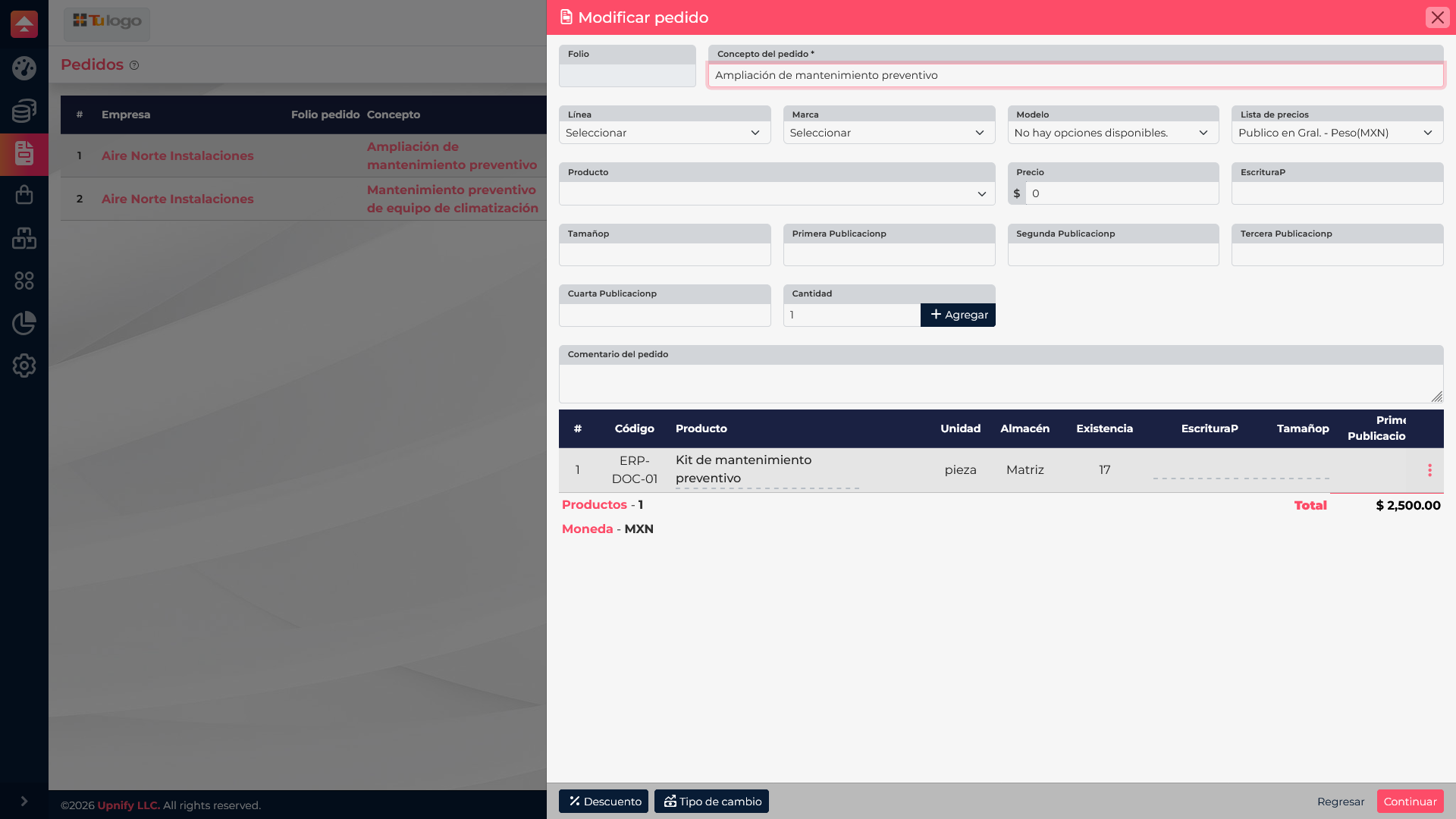
- Review the description, price list, existing products, warehouse, and current total.
Add or correct products and amounts
At the top, select product details\u2014such as line, brand, model, price list, and product\u2014and review the price and quantity before clicking Add. ERP adds the line to the table and recalculates the total.
If a line is no longer correct, open its actions, remove it, and add the correct product with the agreed quantity. Make sure the wrong item is gone and you have not added a duplicate by mistake. If the form offers discount or exchange-rate options, review those too: they can change the total even when products stay the same.
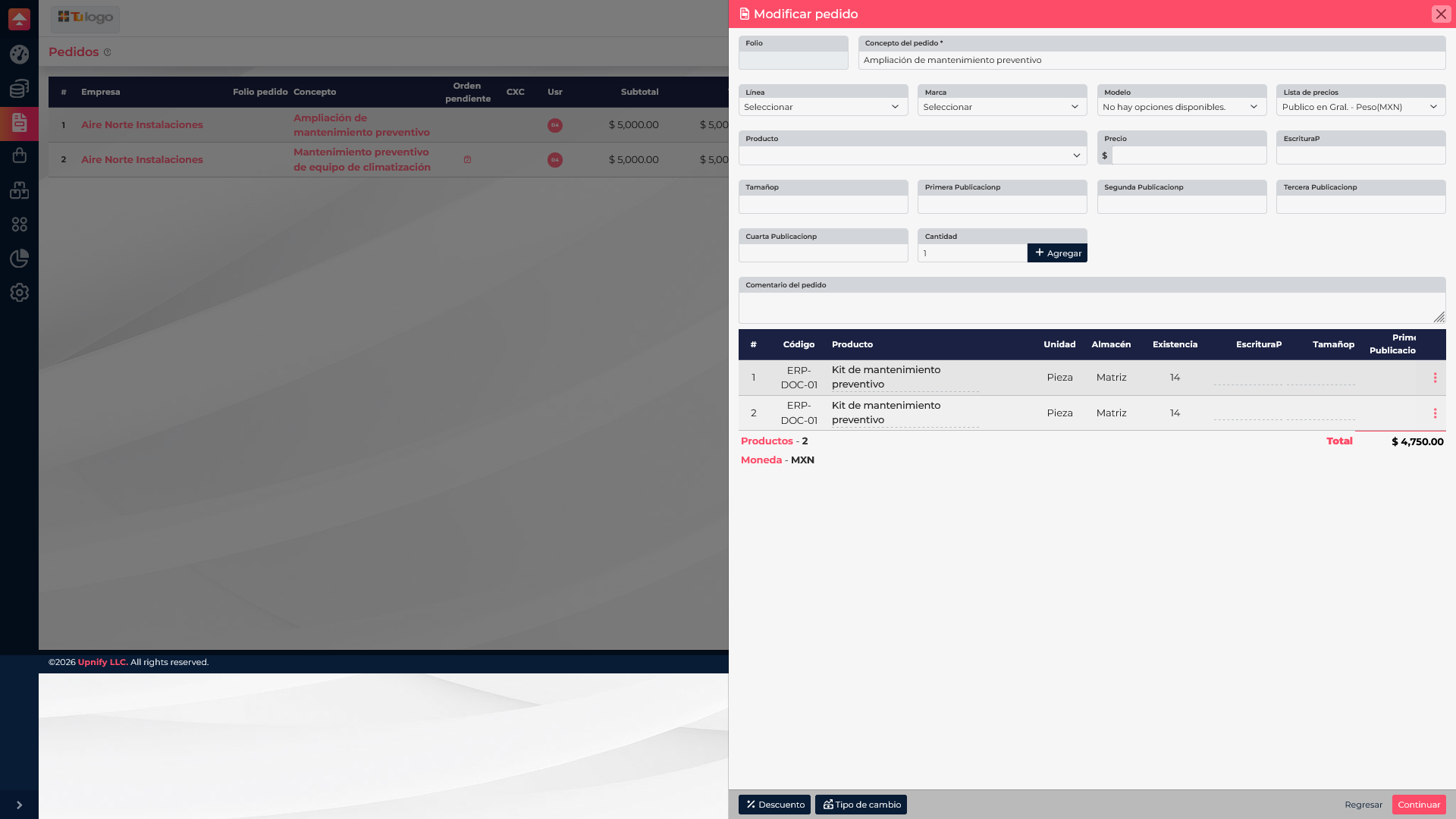
Example: Aire Norte Instalaciones adds a second maintenance kit. If its public price is MXN 2,500 and the configured minimum is MXN 2,000, you can agree on MXN 2,250 for that unit. The order total becomes MXN 4,750 before taxes or other adjustments. Review each line and the updated total, not just the unit price.
When everything is correct, select Continue, complete the confirmation ERP displays, and wait for the save message.
Which dates can you change?
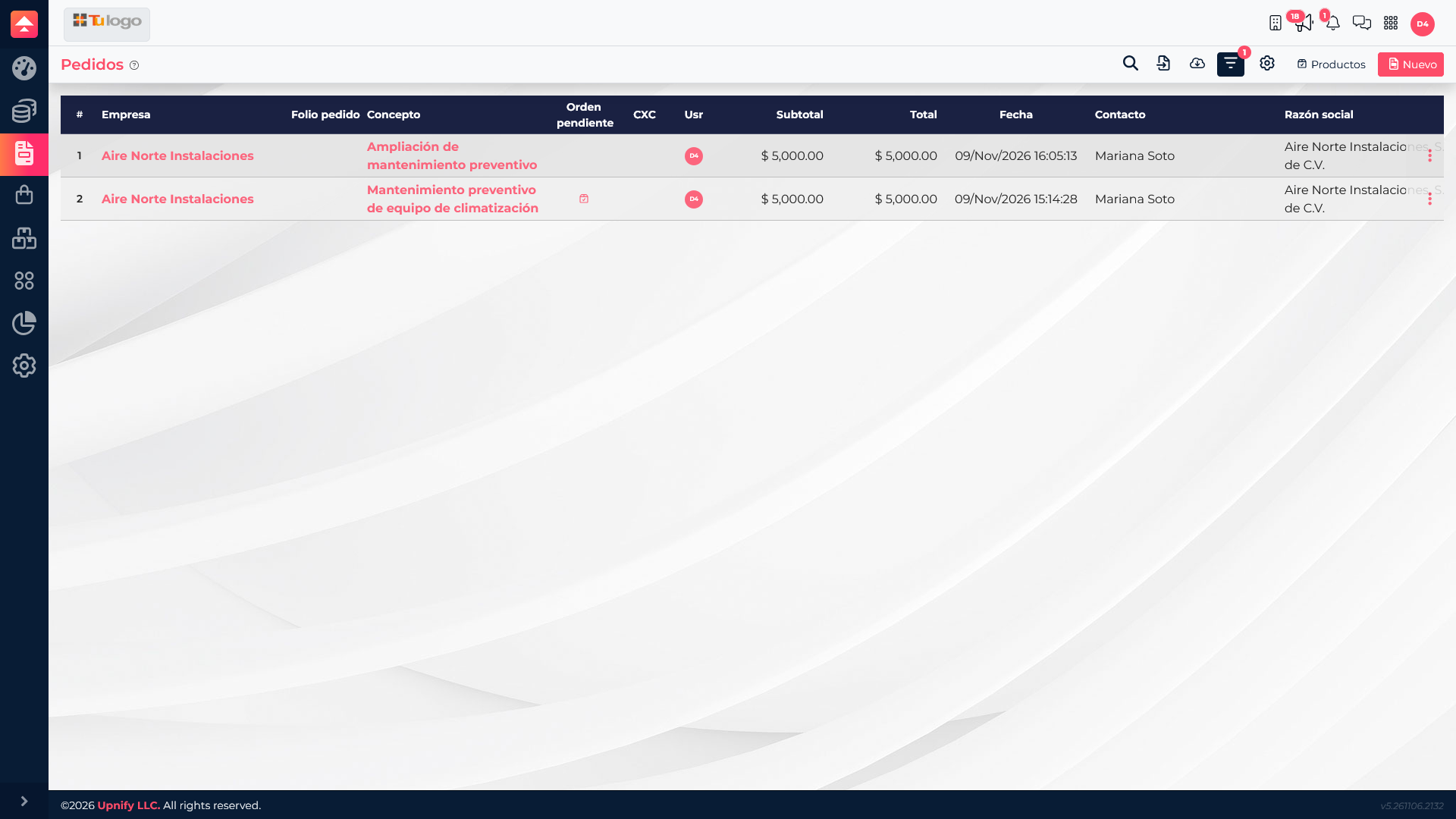
The date in the list belongs to the order record. The Modify order form reviewed for this article has no field to edit it. Do not confuse it with receivable due dates, fulfillment dates, or invoicing dates: those may belong to different documents and have their own workflows.
Final review
- Confirm the company, contact, and description.
- Review products, quantities, prices, discounts, currency, and available taxes.
- Check the total after every adjustment.
- Before saving, check whether an invoice, receivable, payment, or fulfillment order already exists.