
The Punctuality report helps you see whether completed tasks were finished by their due dates. Use it to review how the team is meeting commitments and identify when due dates, workload, or follow-up may need attention.
Which tasks are included and how results are calculated
The report includes tasks created during the selected period that have been completed; canceled tasks are excluded. It compares the completion date and time with the due date:
- On time: the task was completed by its due date.
- Late: it was completed after its due date.
- Total: all completed tasks included for that person.
Percentages are calculated from that total. Read the proportion alongside the number of tasks: 50% across two tasks and 50% across twenty tasks are the same rate but represent different volumes. The selected period is based on task creation date, not the date the tasks were completed.
Run the report
- In Flow, open Reports and select Punctuality.
- Under Criteria, select Most on time to sort by the highest on-time share or Least on time to sort by the highest late share.
- Choose the Period you want to review, such as the current month or a previous period.
- Select Apply, then compare the percentages with the task counts.
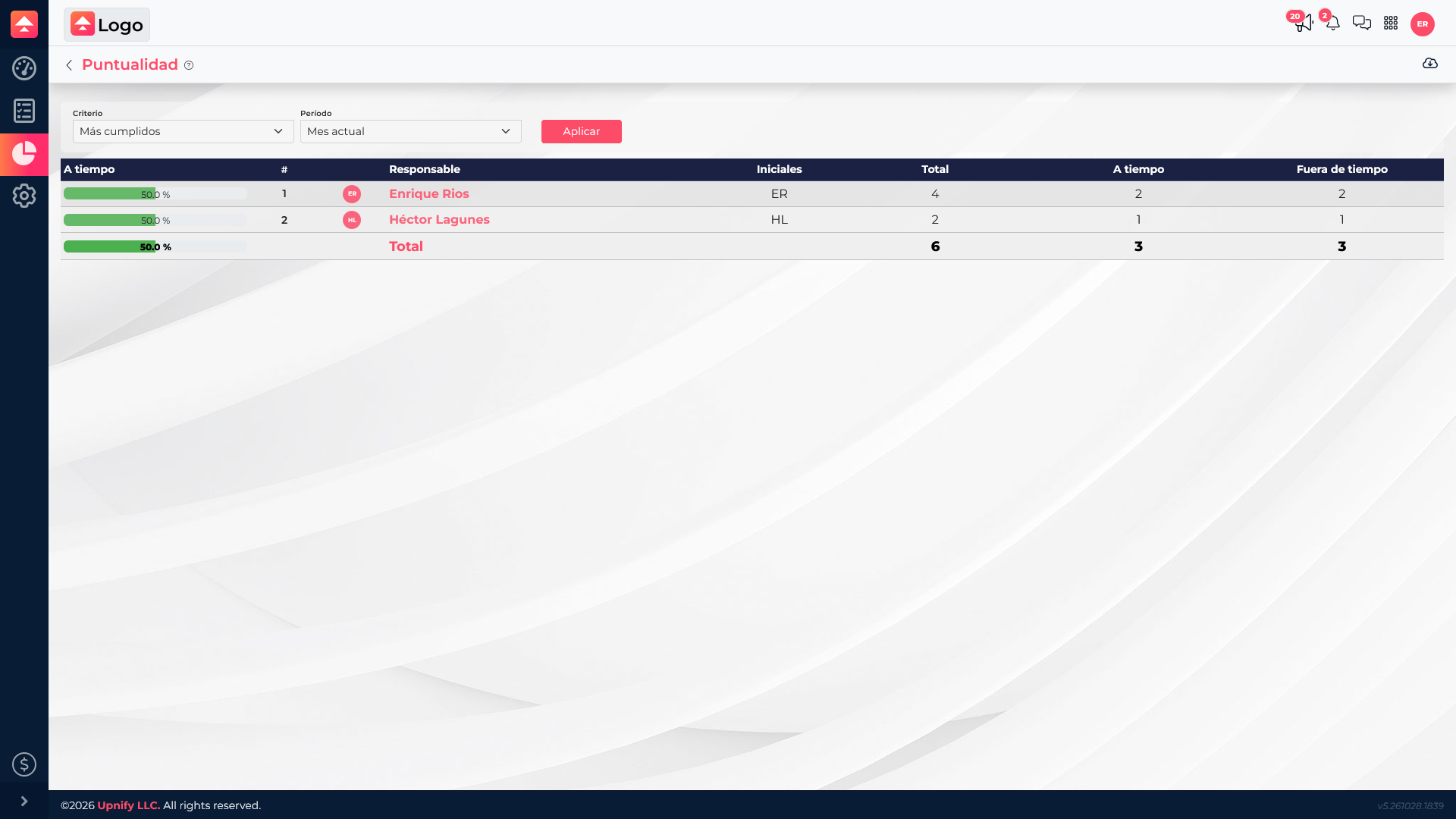
Read the result in context
The percentage column shows the share for the selected criterion. Total, On time, and Late let you verify how many tasks make up that percentage. The Total row summarizes the filtered set; do not simply average individual percentages when owners have different task volumes.
Use the report to improve follow-up
If the late share increases, first check the period and the size of the sample. Then review the affected tasks and consider their due dates and circumstances. The report helps guide a conversation and identify improvement opportunities; it does not explain by itself why a task was late and should not be treated as a complete assessment of a person.