
Train reports answer different questions: how many courses were assigned, who made progress, which courses were completed, and how learners scored. Reading them together helps you decide where follow-up is needed without confusing activity with a passing result.
Dashboard: a quick view of training
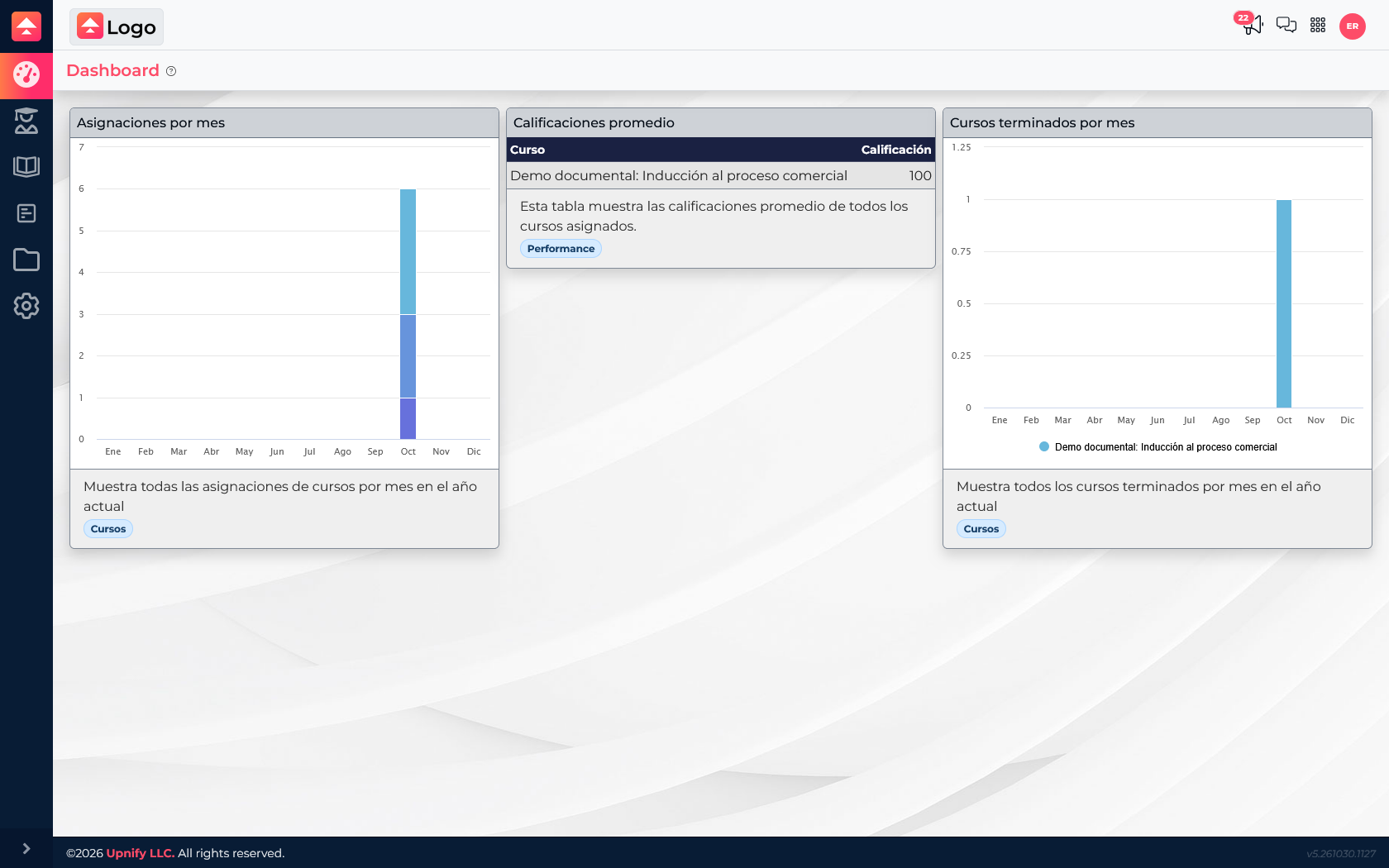
The dashboard combines three views to show the overall picture:
- Assignments by month: shows when course assignments were created. Use it to review how much training was distributed in each period.
- Average scores: shows available averages by course when graded assessments exist. A missing score does not mean a low result; learners may not have taken an assessment yet.
- Courses completed by month: shows when courses were recorded as complete. Compare it with assignments to see whether the program is progressing as expected.
In the example, “Demo documental: Inducción al proceso comercial” has an average score of 100 and one course completed in October. The dashboard summarizes the result; to find which learner needs support, check the transcript or assignment list.
Transcript: review progress by learner
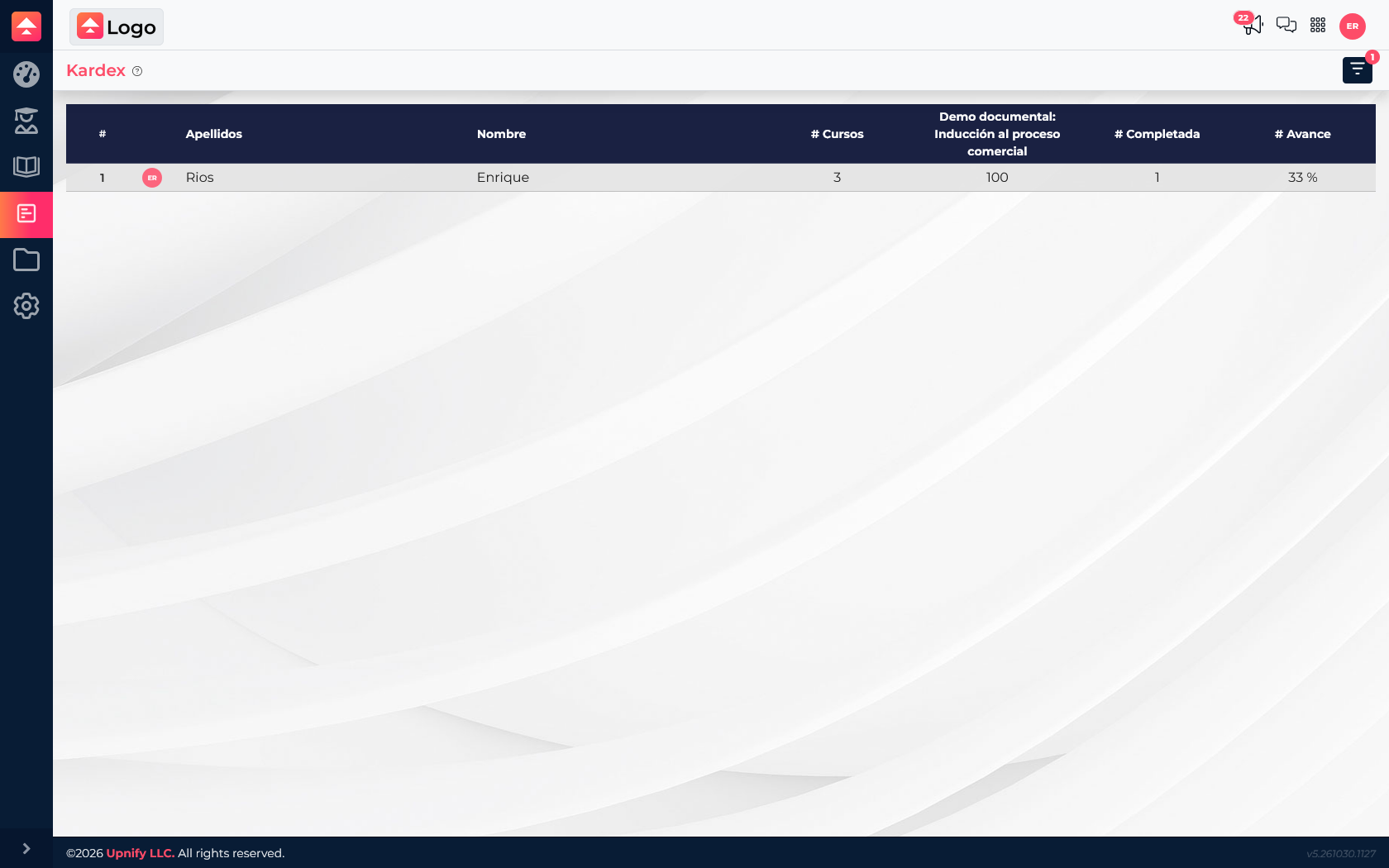
The transcript organizes information by learner. Its row shows the number of associated courses, the score for the displayed course, how many appear complete, and overall progress. In this example, Enrique has three associated courses, one completed, and 33% progress; the score of 100 belongs to the passed course, not all of his assignments.
Use the report filters to find a learner or narrow the view. For example, you can review a team’s training before an internal audit or identify who may need support before a due date.
Assignments: find the course that needs follow-up
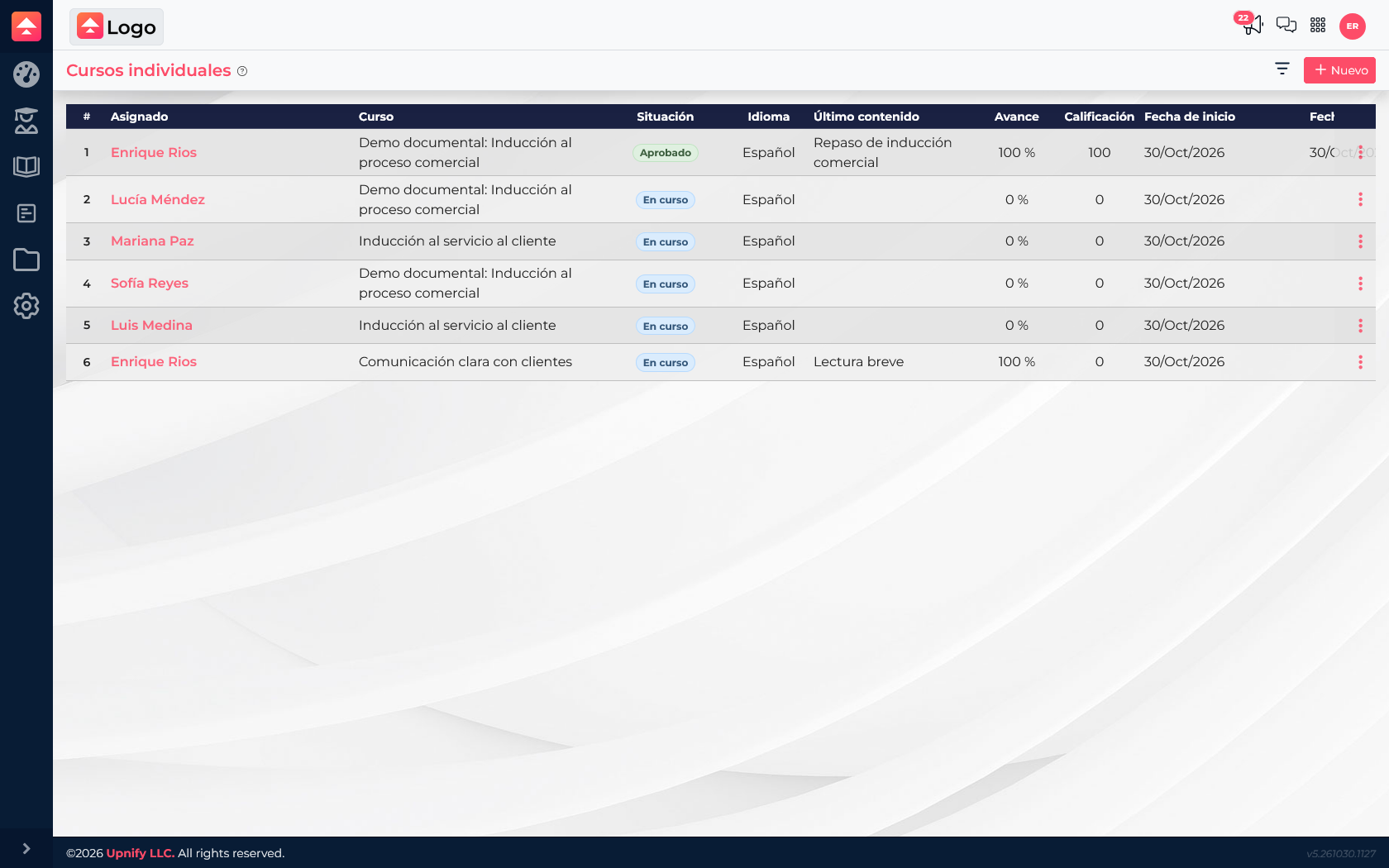
The assignment list helps investigate a specific case. Read Assigned to, Course, Status, Last content, Progress, and Score together:
- An In progress assignment with little progress may need a reminder or support.
- High progress does not confirm the course is passed; check status and score if it includes an assessment.
- Passed means a successful result is recorded for that course.
- A score of 0 on a pending assignment is not proof of failure; confirm that the learner took an assessment.
Start with the dashboard to spot periods and volume; open the transcript to understand one person’s history; finish with the assignment list to decide follow-up for each course.
Progress, completion, and score are different
Progress reflects content covered; completion means the course requirements were met; the score is an assessment result. If the data seems inconsistent, open the assignment and check its status, progress, and score before drawing a conclusion.