
Instructor profiles help learners identify the people who prepare or support a company\u2019s courses. You can store contact details, role, organization, website, and a short biography. When configuring a course, you can also associate an instructor so the course identifies the person connected with that training.
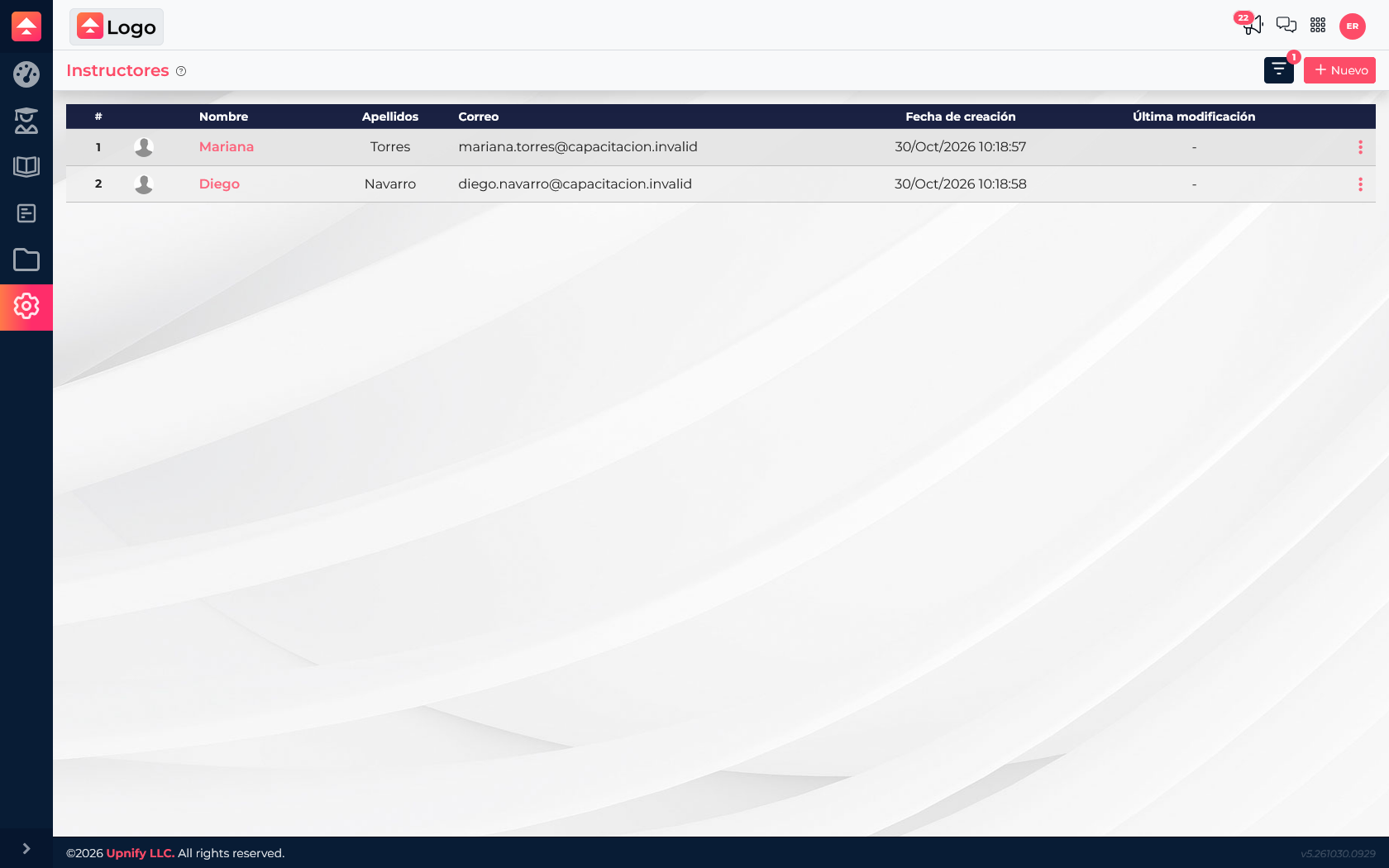
Create an instructor profile
- Open Train Settings and go to Instructors.
- Select New to open the form.
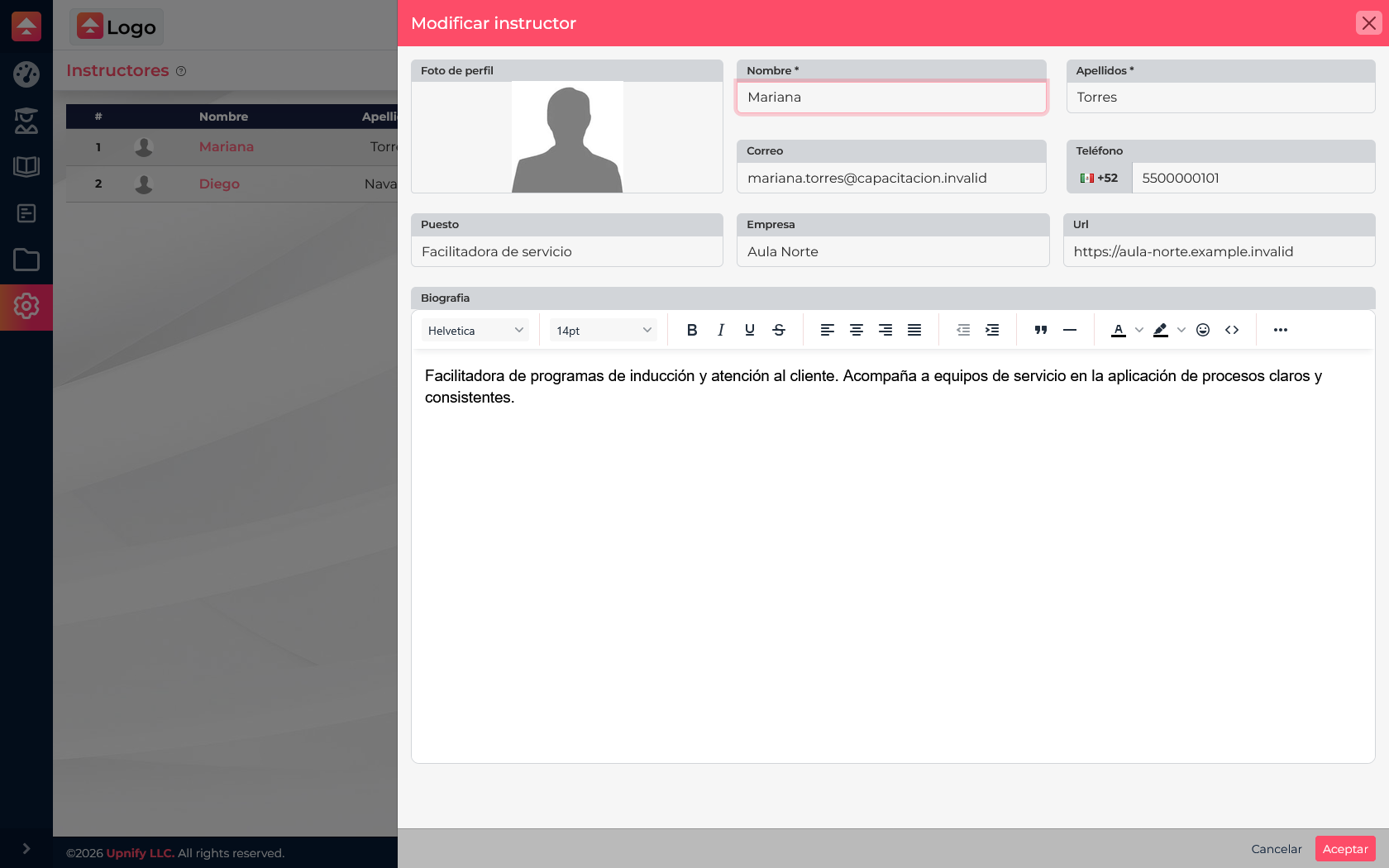
- Enter the first and last name. Add email and phone if you want those contact details on the profile.
- Add a role, organization, and website when applicable.
- Write a short biography describing the instructor\u2019s experience or subject area. Keep it useful to learners.
- Add a profile image and select Accept.
Keep the profile current
Open an instructor from the list to update their information or biography. For example, if someone moves from customer service training to onboarding, update the role or description so the profile reflects their current responsibility. You can maintain several instructor profiles and choose the relevant person for each course.
Associate an instructor with a course
Set the association in the course details. Open Courses, create or edit a course, and choose the appropriate instructor in its settings. Review your selection and save the course. If the profile does not exist yet, add it first under Settings ? Instructors, then return to the course.
For a customer service induction, associate Mariana, the service facilitator. For a communication course, choose the person responsible for that subject. This gives the team a clear reference for who supports each program.
Before saving
- Use the name your team recognizes and check for an existing profile before creating another.
- Keep the biography specific: experience, specialty, or training topic.
- Check that email, phone, and website are current and correctly entered.
- Confirm that the course is associated with the right instructor.