

Accounts receivable list outstanding amounts from sales and invoices. Reviewing them helps prioritize follow-up, spot due dates, and see which payments have been applied. Recording a collection updates the account balance, so do not enter promised or unconfirmed payments.
Viewing an account does not record money. Apply a collection only after confirming the payment was received.
Review and prioritize open accounts
- Open ERP > Accounts receivable.
- Search by customer, sale folio, or invoice and use available filters to narrow the period or status.
- Review concept, user, due date, days overdue, status, sale folio, invoice folio, and payment method. These details help distinguish a balance coming due from an overdue one.
- Open the account to confirm the balance and its relation to the sale and invoice before contacting the customer.
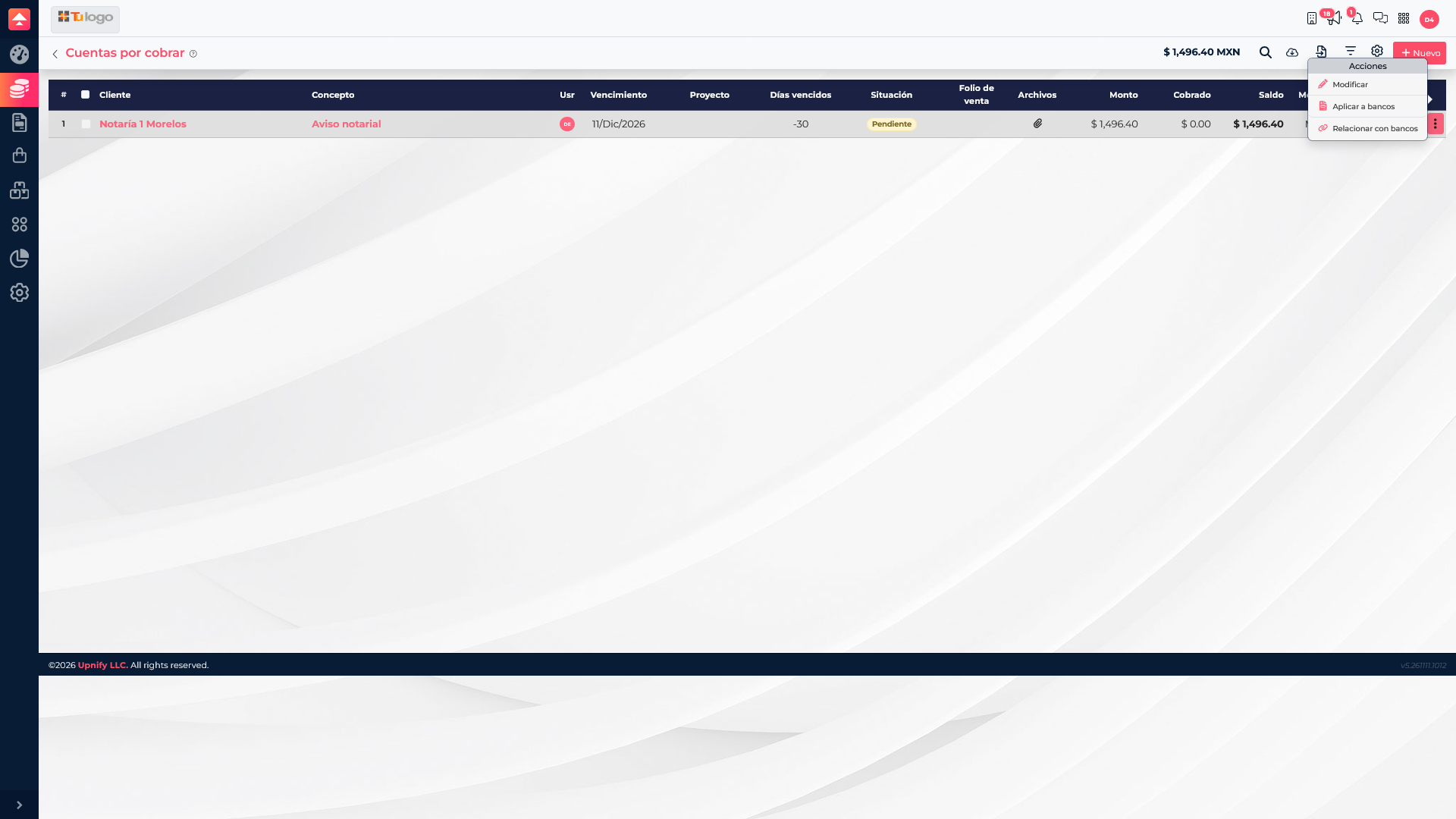
Actions can include Edit, Apply to bank, and Match with bank. Choose based on what actually happened:
| Action | When to use it | Expected result |
|---|---|---|
| Apply to bank | The customer paid and you need to record the deposit in an ERP bank account. | Enter the received amount and transaction details; the remaining balance updates according to the amount applied. |
| Match with bank | The transaction already exists in the bank register and must be linked to this receivable. | Reconcile an existing deposit; do not record the same money again. |
| Edit | You need to review or correct editable account details allowed by your permissions. | Updates permitted fields; it does not record a payment. |
Record a received payment
- From the correct receivable, choose Apply to bank.
- Select the bank account that received the money and confirm it is the right account and currency.
- Enter payment form, amount actually received, date, and transfer or deposit reference if available.
- For a partial payment, enter only that amount. Do not mark the account as settled while a balance remains.
- If a tax receipt is required for a PPD invoice, review Payment receipt (REP) and complete the information ERP requests. The REP documents the payment for tax purposes; it does not replace recording the bank deposit.
- Review the information and save only when it matches the real transaction. Then check the balance and history again.
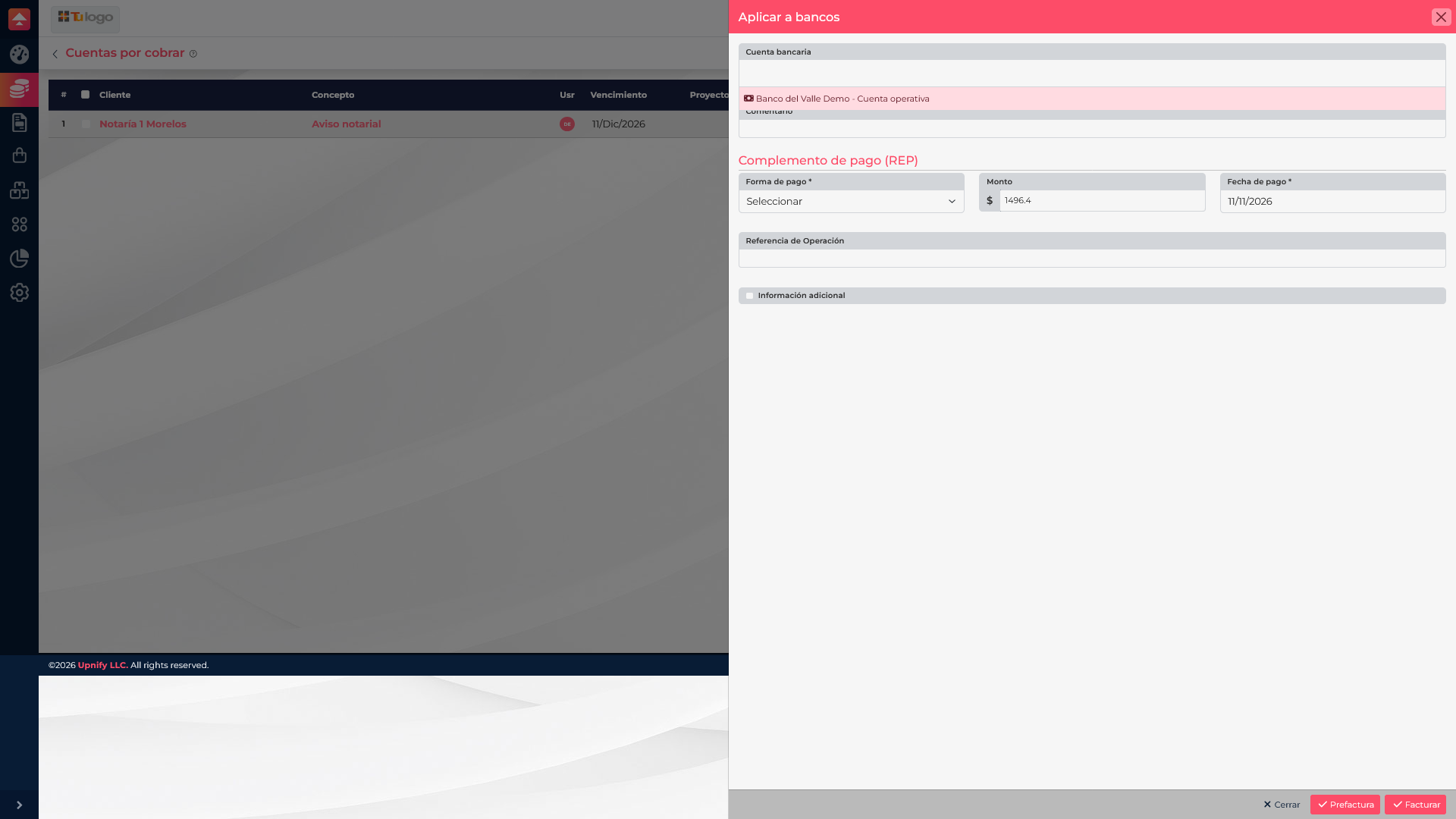
For the relationship between PPD, payment recording, and REP, see How to issue CFDIs, choose PUE or PPD, and issue payment receipts. The SAT explains the payment receipt.
If a $12,000 invoice is open and you receive a $4,500 installment, record $4,500 using its actual date. The remaining balance stays open until another payment arrives.
After recording or matching
Return to the list and confirm the balance, status, and transaction match the applied payment. If the money is already in the bank register, match it instead of recording it again. If the account or amount does not match, stop and ask an administrator before duplicating or changing entries.