

At Upnify we want you to get help quickly. Choose the channel that fits your need; if you are not sure, contact general support and we will guide you.

| If you need | Contact us through |
|---|---|
| General information | General support |
| Plans or to buy | Sales |
| An invoice or help with invoice questions | Billing |
| To renew your service | Renewals |
| To solve a technical problem | Technical support, by ticket or phone |
| An immediate answer inside the system | Support chat |
| To learn Upnify with guidance | Training |
General support
For general questions about Upnify. We are available Monday to Friday, 9:00 a.m. to 6:00 p.m. (Mexico City time).
- ?? 9982831240
Sales
To learn about plans and make a purchase. We are available Monday to Friday, 9:00 a.m. to 6:00 p.m. (Mexico City time).
- ?? 9982831260
- ?? info@upnify.com
Billing
Write to us to request an invoice or to solve questions and errors with the invoices for your payments of Upnify products or services. If your question is about how billing works inside the system, check the Suite help articles. We are available Monday to Friday, 9:00 a.m. to 6:00 p.m. (Mexico City time).
- ?? facturacion@upnify.com

Renewals
To renew your service or check its validity. We are available Monday to Friday, 9:00 a.m. to 6:00 p.m. (Mexico City time).
- ?? 9982831254
- ?? 5543376850
- ?? renovaciones@upnify.com
Technical support
To solve problems with the system. The most complete way to ask for help is to open a ticket, because it is recorded and we follow up from there. To open one, go to Tickets from the user menu, select New and choose the type of case.
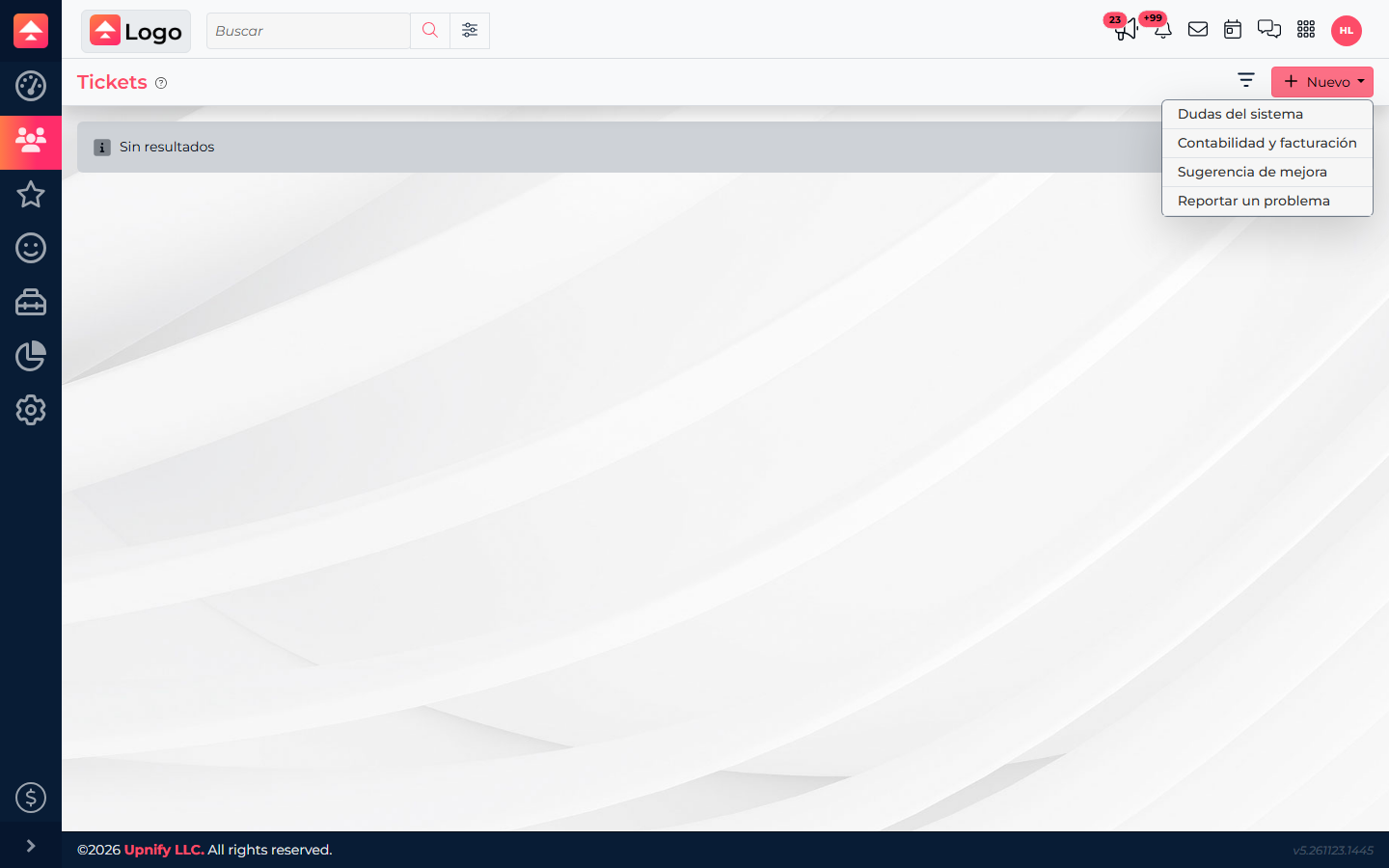
If you prefer to speak with someone, you can also call. Personalized support is available Monday to Friday, 8:00 a.m. to 7:00 p.m., and Saturdays, 9:00 a.m. to 2:00 p.m. (Mexico City time).
- ?? 9982831240, extension 108
- ?? 9982831248
- ?? mesadeayuda@upnify.com
To learn how to open and follow up on a ticket step by step, see How to create and check a support ticket.

Support chat
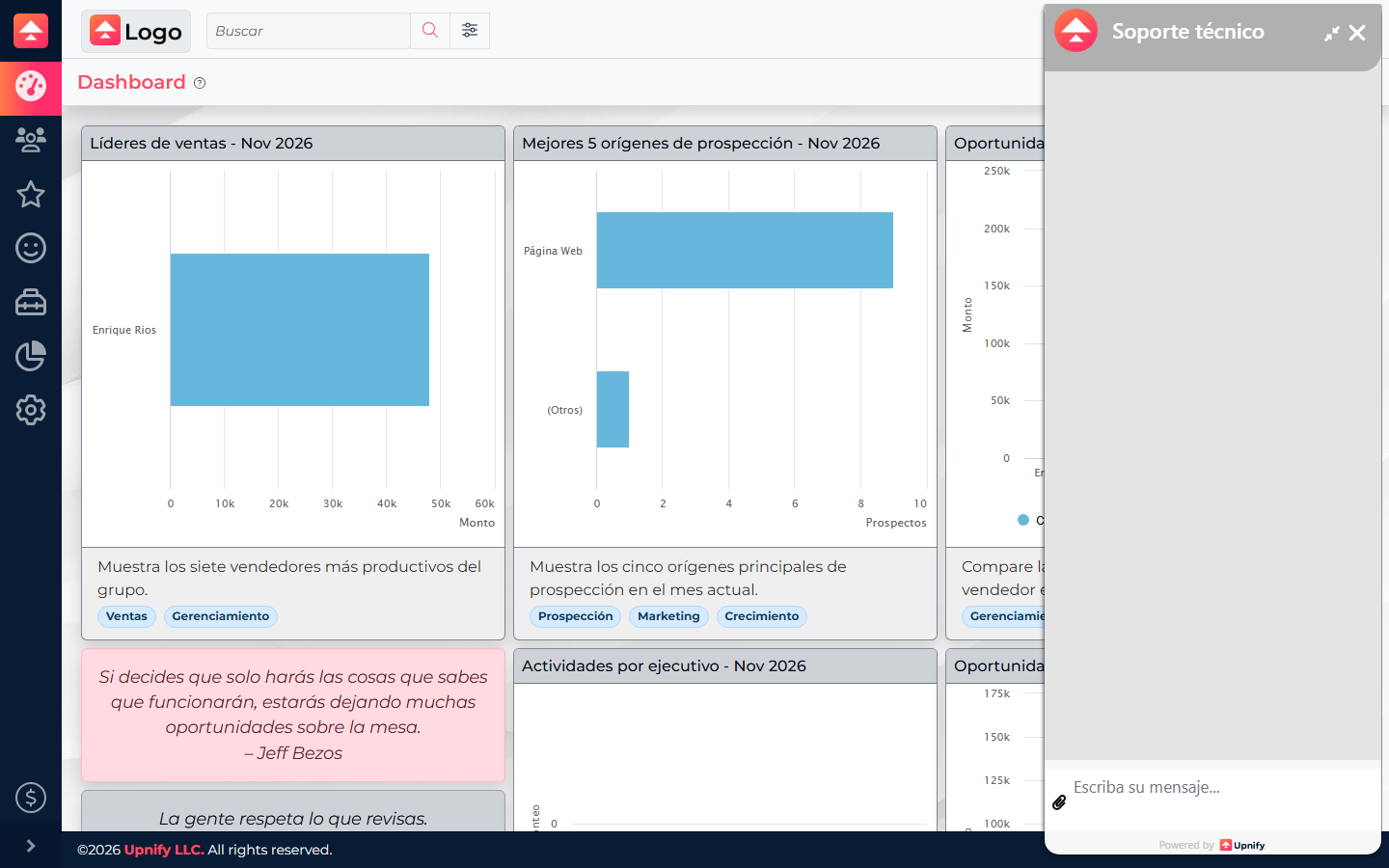
If you are already inside Upnify, you can write to us from the support chat, available 24 hours a day, 7 days a week. To open it, click the messages icon in the top bar.
Training
Want to get more from Upnify with someone guiding you? Book a session at this link.