
Schedule CRM Follow-ups from Flow
Schedule activities from Flow phases or from a task linked to a contact.
 Flow
Flow
Keep follow-up moving: schedule CRM activities as a Flow task advances, and let the team add another activity from its linked contact.
From a Flow phase to the next step in CRM
When a task reaches a specific phase, an action can automatically schedule a CRM follow-up for its linked contact. Choose the activity type and set its details. For example, when a task enters Follow-up scheduled, the phase can create a call due two days later with the subject \u201CCall to review progress.\u201D This gives the team a clear next step without relying on memory or re-entering the contact.
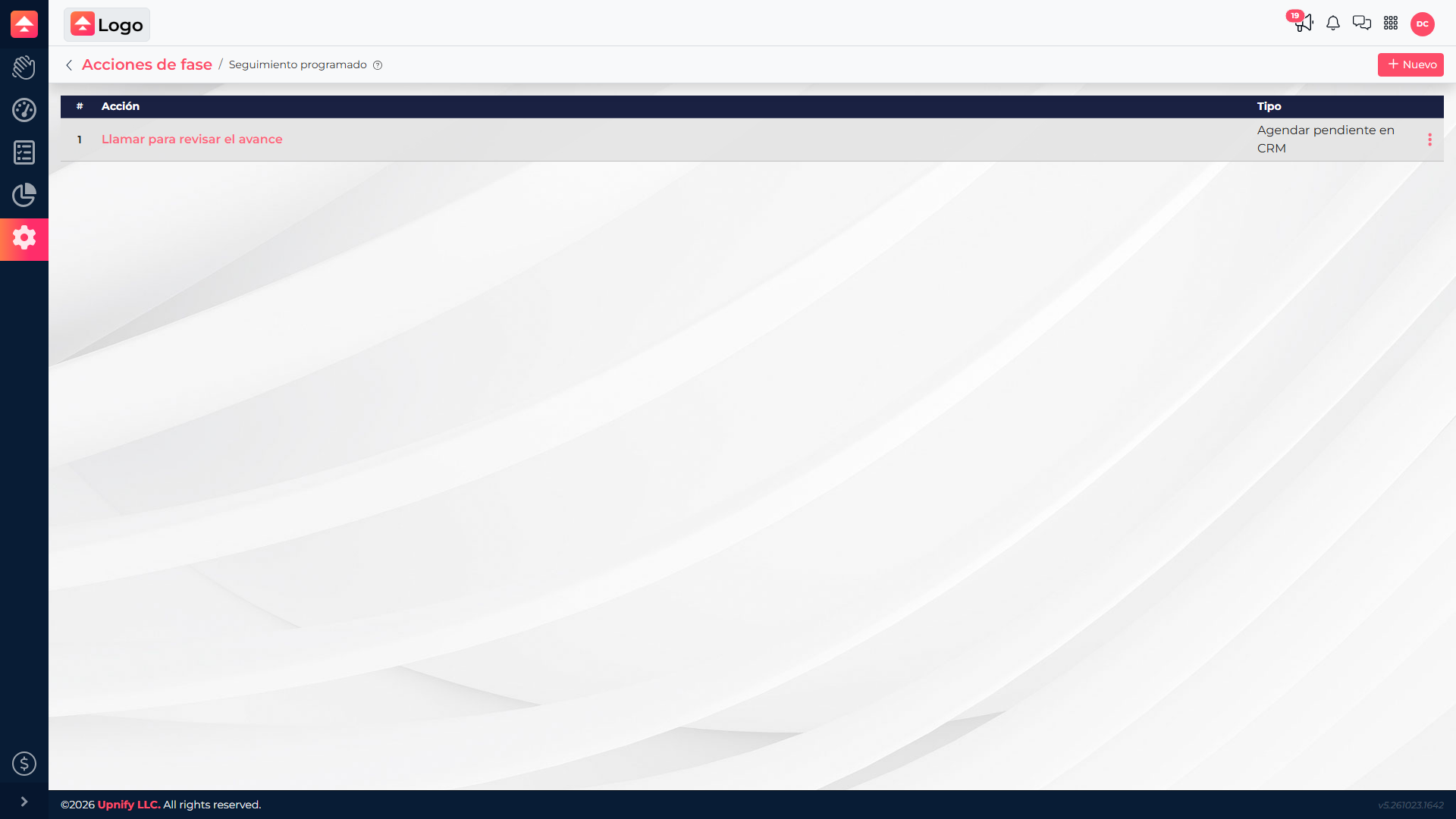
Choose the activity to create when a task reaches the phase.
Add a one-off follow-up from the task
You can also open a task linked to a contact and select Add follow-up in the contact section. Choose a reminder, appointment, call, visit, or task. Flow opens the usual CRM form in that context, so you can complete the details and save without switching apps or searching for the contact again.
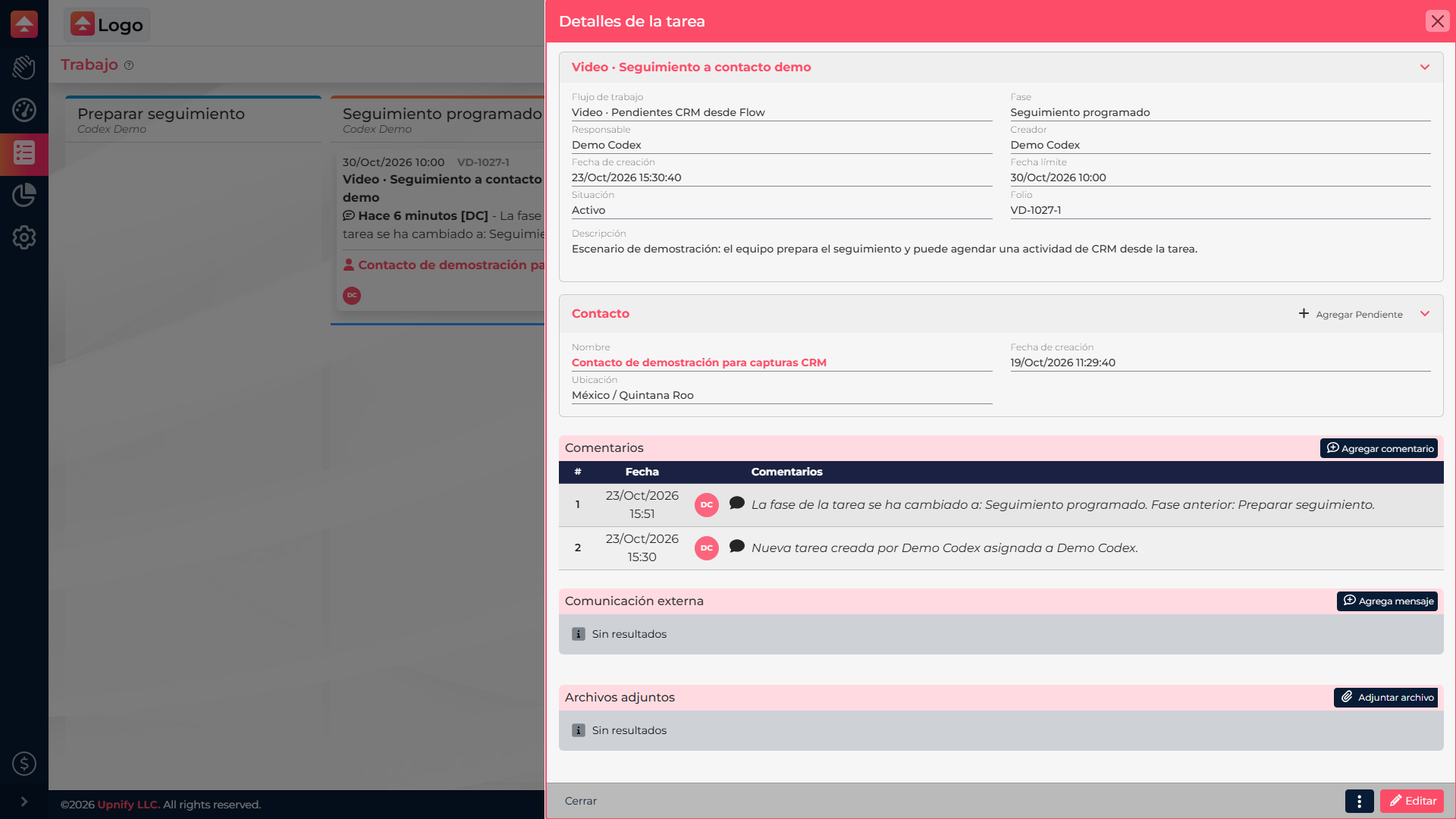
The task keeps the linked contact in view while you add a follow-up.
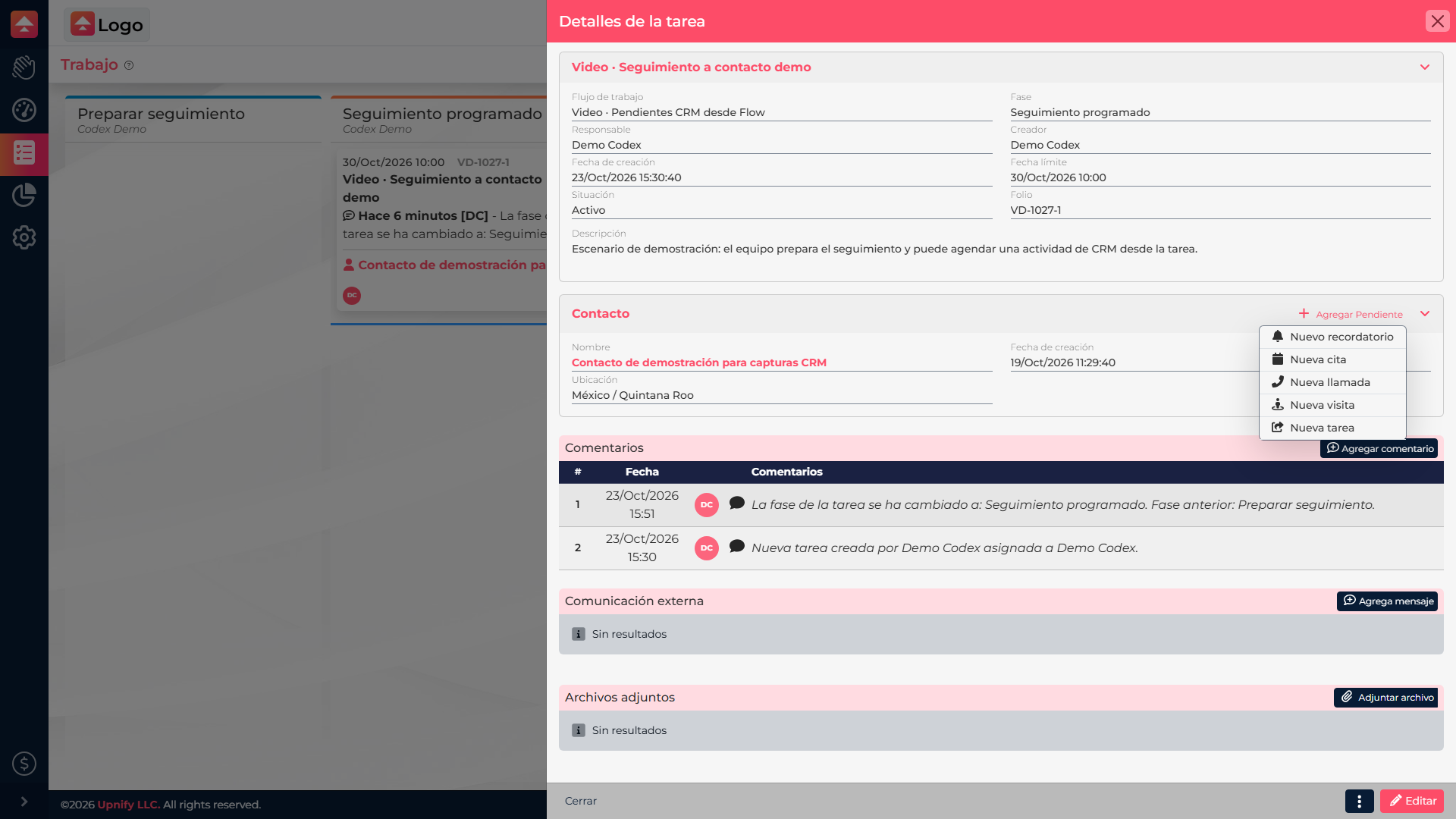
Choose the activity you need to schedule.
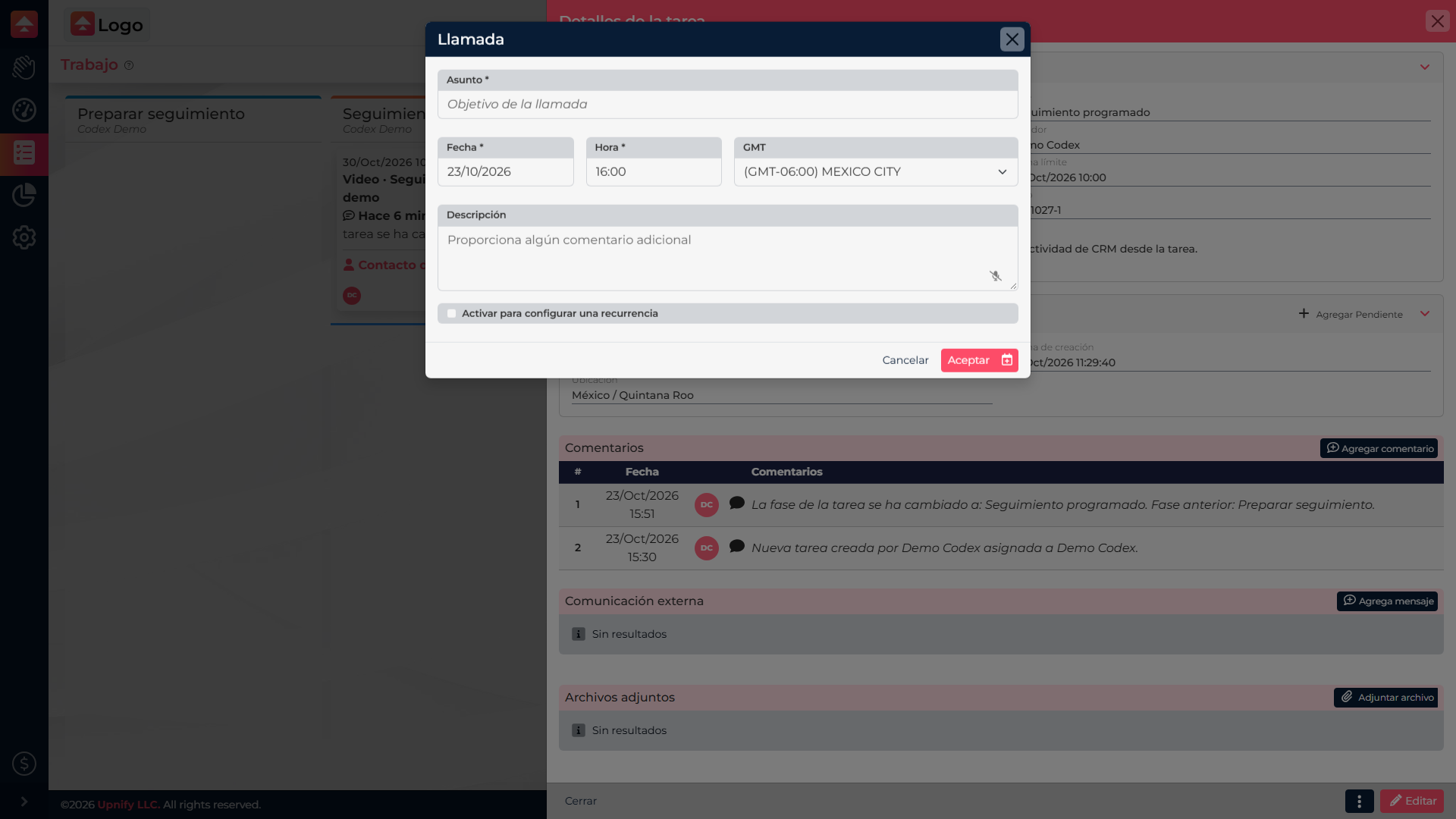
Complete the CRM form and save the follow-up.
The follow-up stays in CRM
Created activities can be viewed on the contact record and in the CRM calendar, according to their type and settings. Flow tasks and CRM follow-ups continue to be managed in their own areas; creating a follow-up from Flow does not synchronize or change the task status.