
New Tickets Widget: turn website requests into Flow tasks
Receive requests from your website and turn them into organized tasks your team can track in Flow.
 MKT

A new way to handle every request.
With Engage\u2019s new Tickets Widget, customers can submit a request from your website and automatically turn it into an organized task in Flow.
A support request, service visit, or maintenance report reaches your team with the information needed to follow through. Instead of copying messages between channels, your team can work from the workflow, phase, and owner you configured.
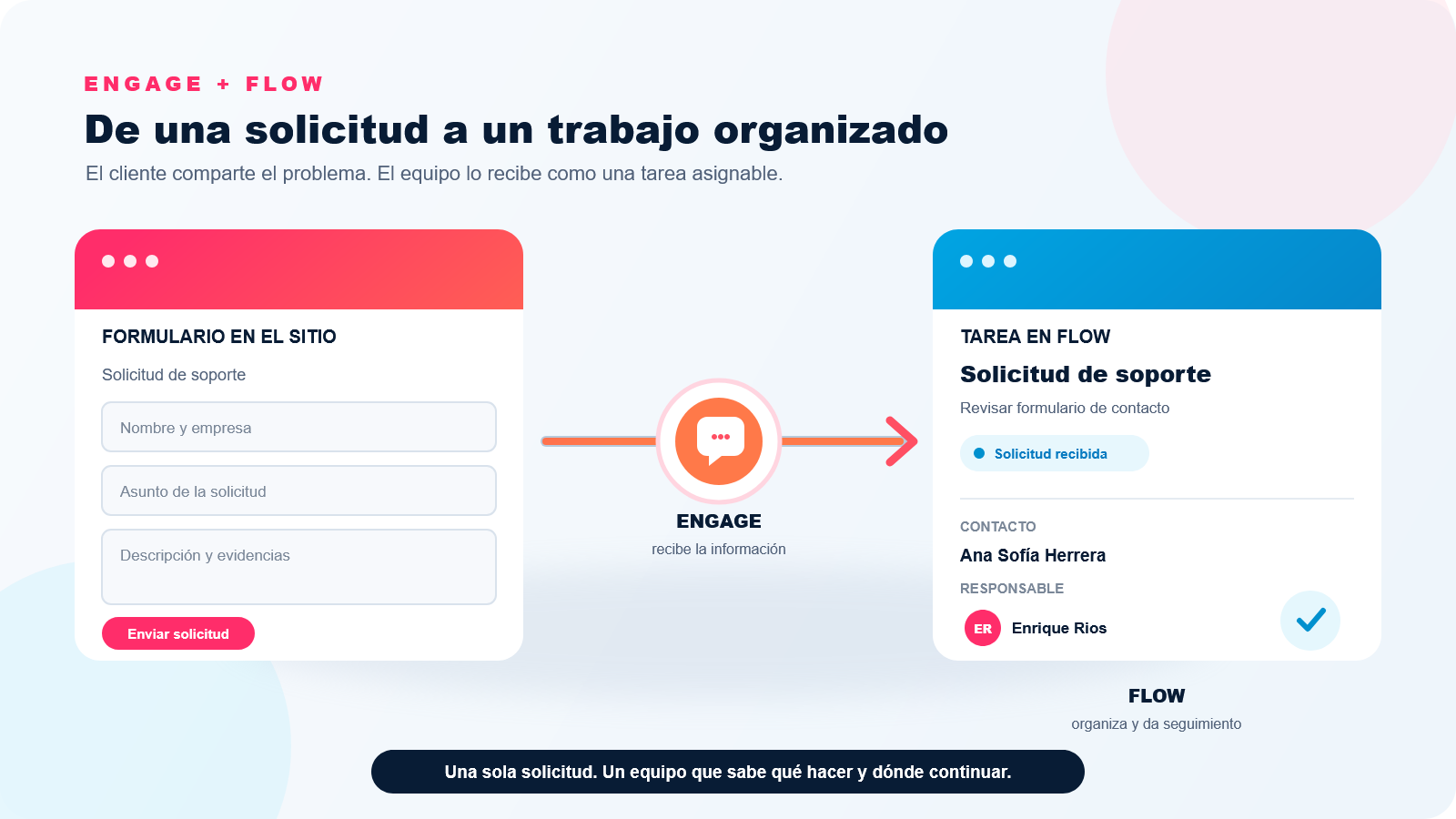
Engage receives the request; Flow turns it into assignable work the team can track.
From a website form to a task ready for action
Visitors submit the public form with a subject and description. You can add the Flow fields required by your operation and enable contact creation or linking in CRM when CRM is active. You can also allow file attachments so customers can include photos, documents, or other evidence with their request.
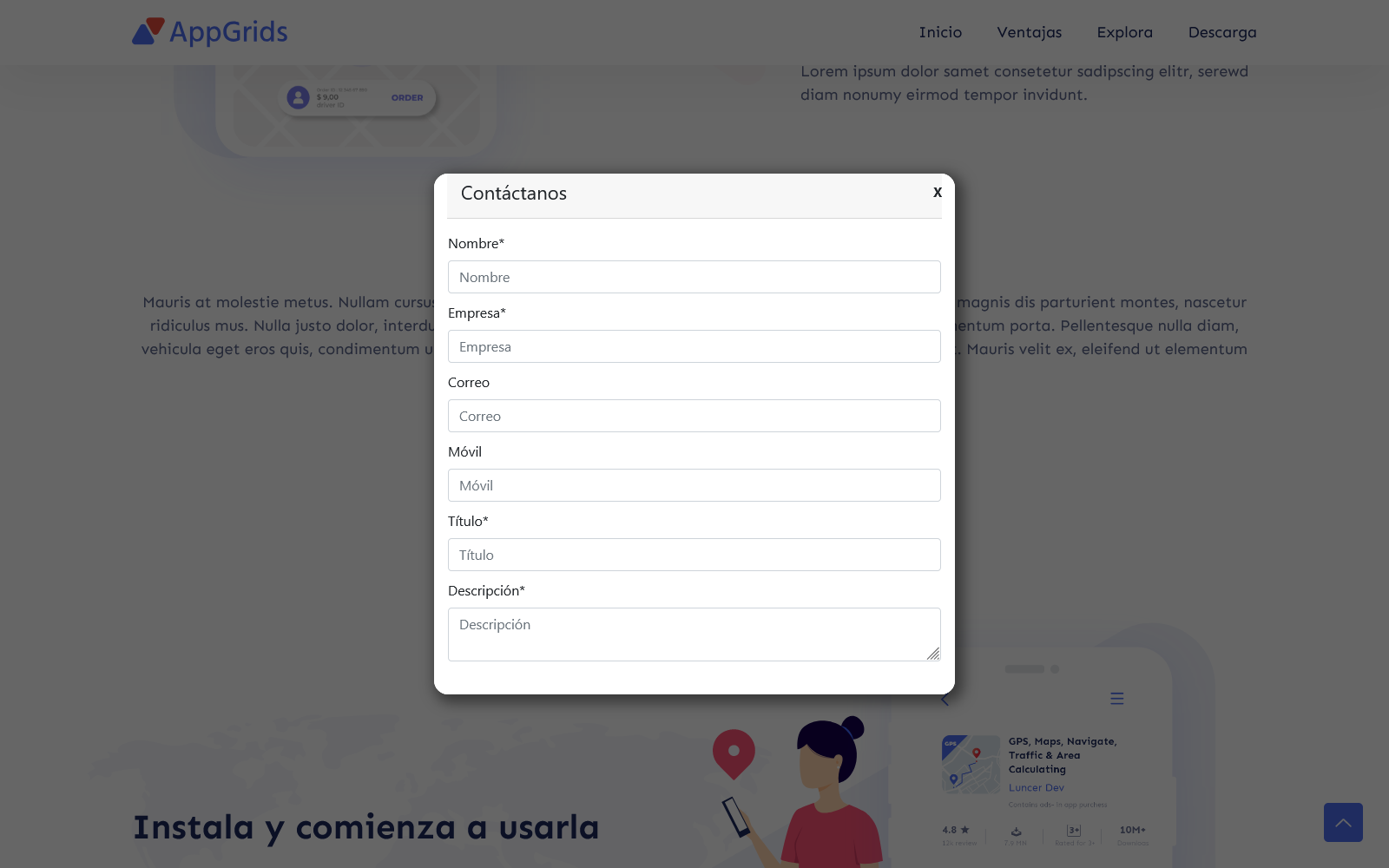 Selecting \u201CContact us\u201D opens the widget over the page, keeping the website context visible around the form.
When submitted, the form creates a task in the workflow and phase you selected. You can define who creates or handles it, when it is due, and which tags it carries; you can also add a custom task description and subtasks to guide the work. Any files attached by the visitor stay with the task; up to 10 files can be included per submission.
The ticket appears in the service workflow
When the customer submits the form, the ticket becomes a Flow task in the workflow and phase you configured. From the task list, the team can identify the request, check its phase, see who owns it, and open the record to continue the work.
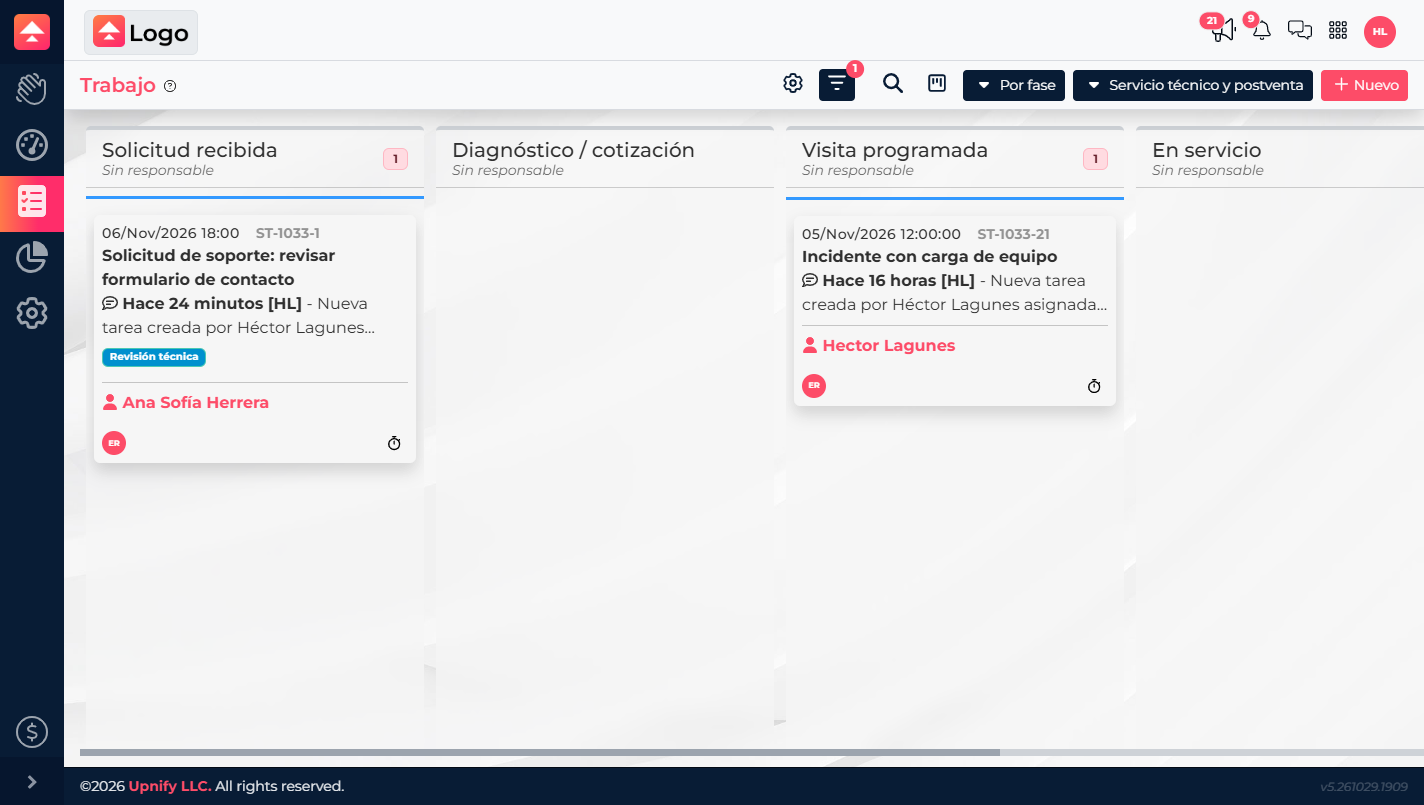 The sample ticket appears in \u201CService and post-sale,\u201D ready for its owner to continue handling the request.
Complements AI Assistants
The Tickets Widget provides a structured form for people who prefer to explain their request at once. AI Assistants offer a conversational experience and can help gather information. These are complementary ways to receive requests; either can start a Flow service process according to the available configuration.
For support, field service, and maintenance
For example, a technical support team can ask customers to describe an issue and attach a photo. Flow receives the task in a review phase, assigns it to the right team, and keeps the evidence on the same record. You can also adapt the form for service requests, warranties, installations, or preventive maintenance.
If CRM is active and you enable the option, the widget can also create or link a contact and associate it with the task. If you do not use CRM, the form can still create Flow tasks with the submitted information. The Tickets Widget joins AI Assistants as another way to receive and route customer information.
Configure the Tickets Widget in Engage > Widgets > New > Tickets. Choose the destination workflow and phase, tailor the fields to your process, and publish the form on your website.