
Connect your WhatsApp Business and capture leads automatically
You can now connect your WhatsApp Business in 2 steps and under 3 minutes, just by scanning a QR code. Keep your number, your chats and the app on your phone, while your conversations flow into Upnify so no lead slips through the cracks.
 COMM
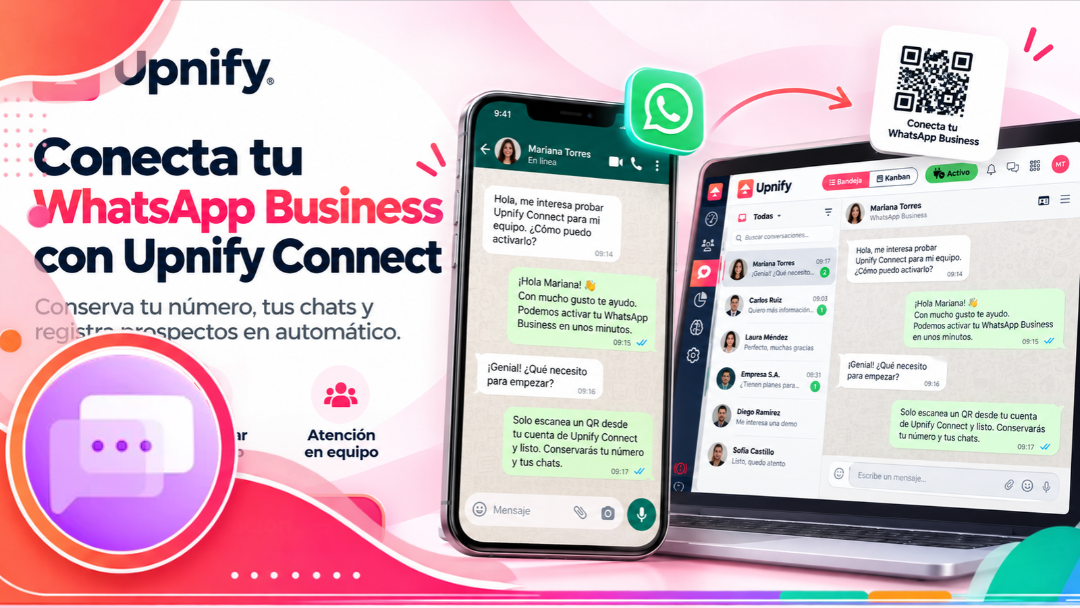
Don't have Connect in your apps yet? Message us on WhatsApp and we'll activate it on your account so you can connect your number today.
Request activation now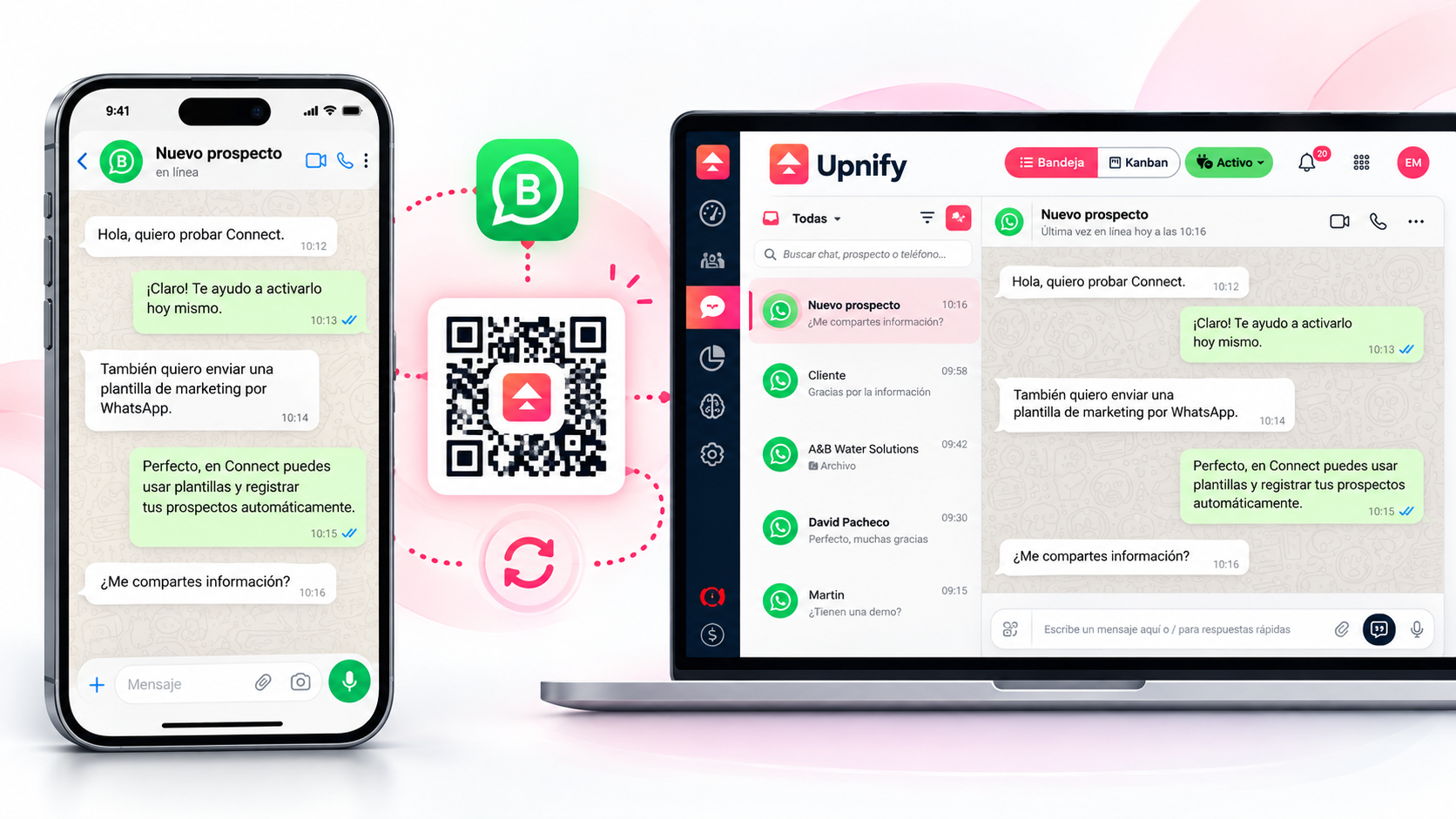
What's New?
You no longer have to choose between the WhatsApp Business app and Upnify. Connect the same number you already use, keep replying from your phone, and let your team handle chats from Connect, with every conversation linked to your leads in CRM.
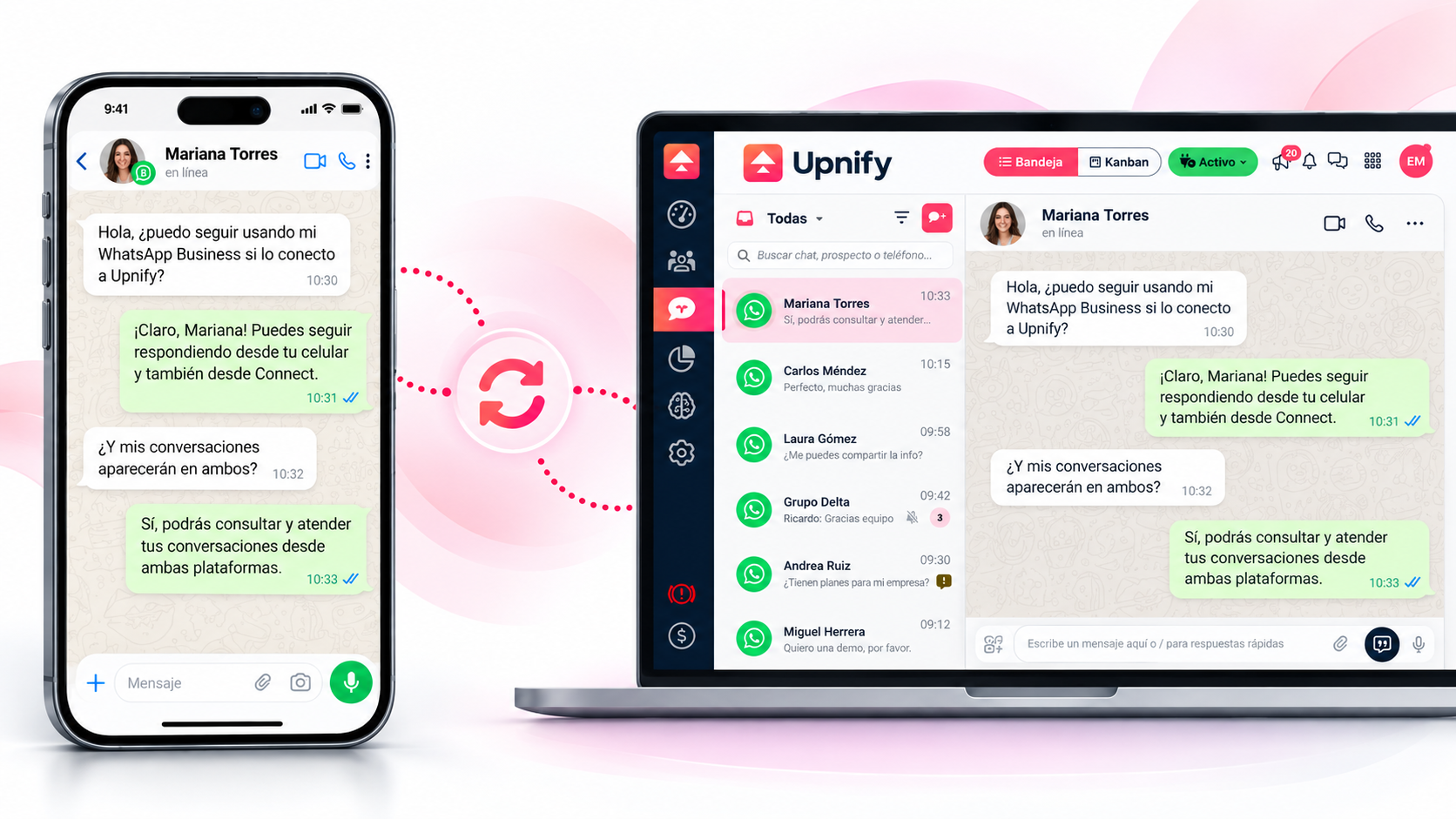
Keep using the WhatsApp Business app on your phone while your team replies from Connect. Messages you send or receive show up on both sides.
When you connect, you can choose to import your chat history so your team has the full context from day one.
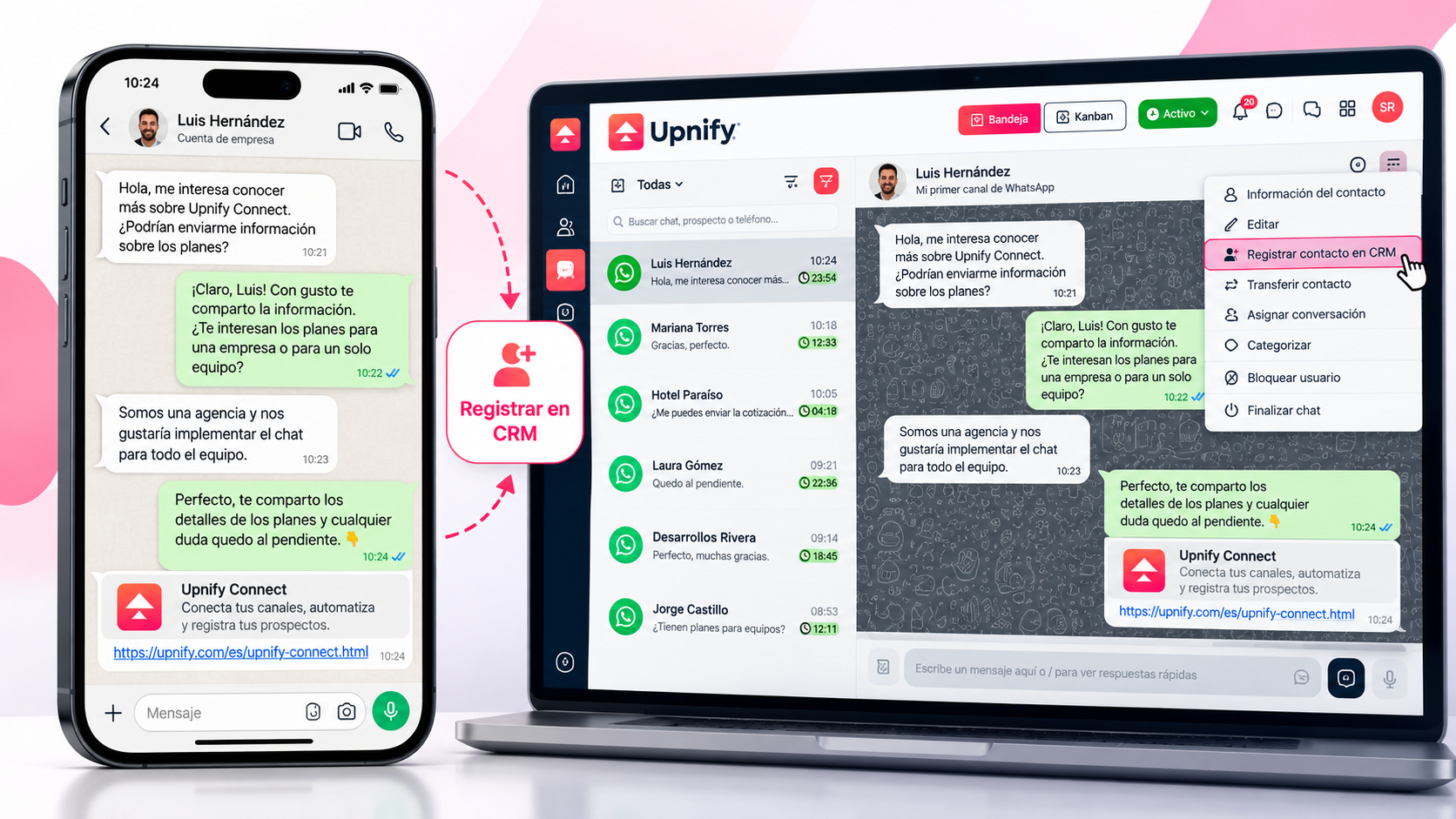
If you receive leads through WhatsApp or run conversation campaigns, every new chat can create the lead in CRM without manual data entry, using the Convert to lead stage action.
The conversation stays linked to the lead, so from CRM you can see what was said and when.
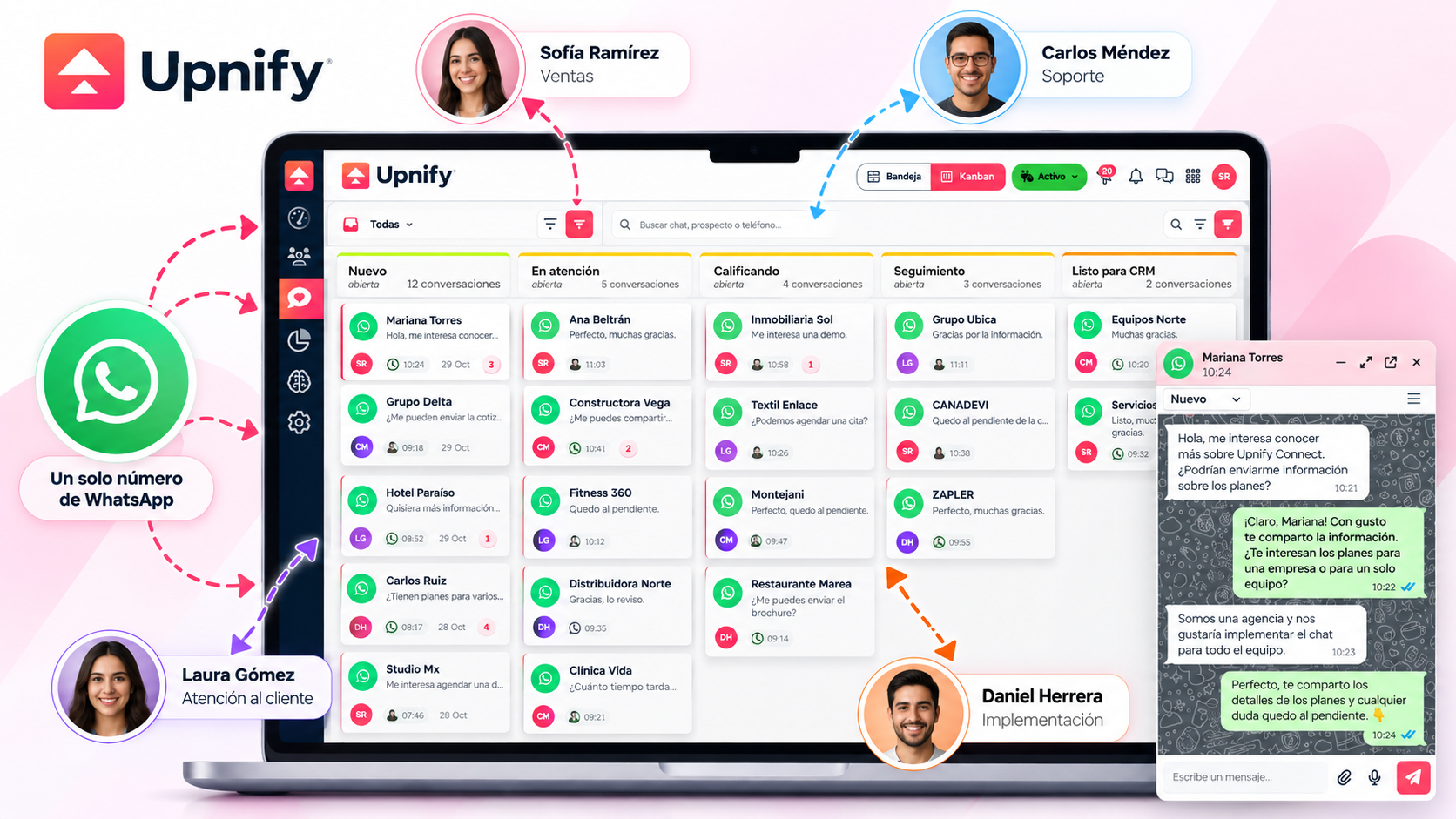
With distribution rules you assign conversations among your reps and see who is handling each chat, how long they take to reply and what stage it's in.
Organize them in the new Kanban view for conversations \u2192
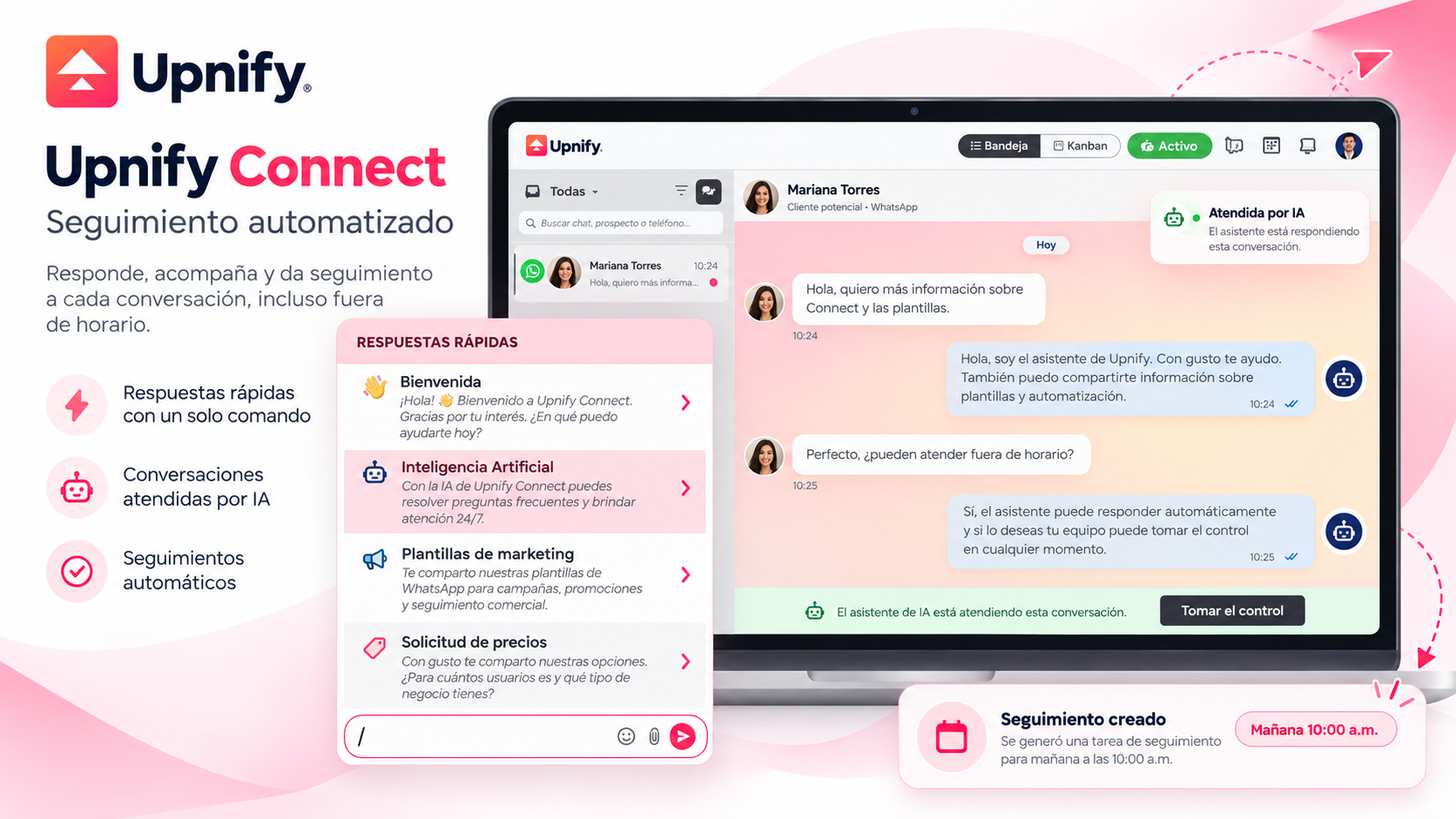
Reply faster with quick replies and templates, let the AI assistant handle chats after hours, and create tasks in Flow or reminders in CRM right from the conversation.
How Do I Connect It?
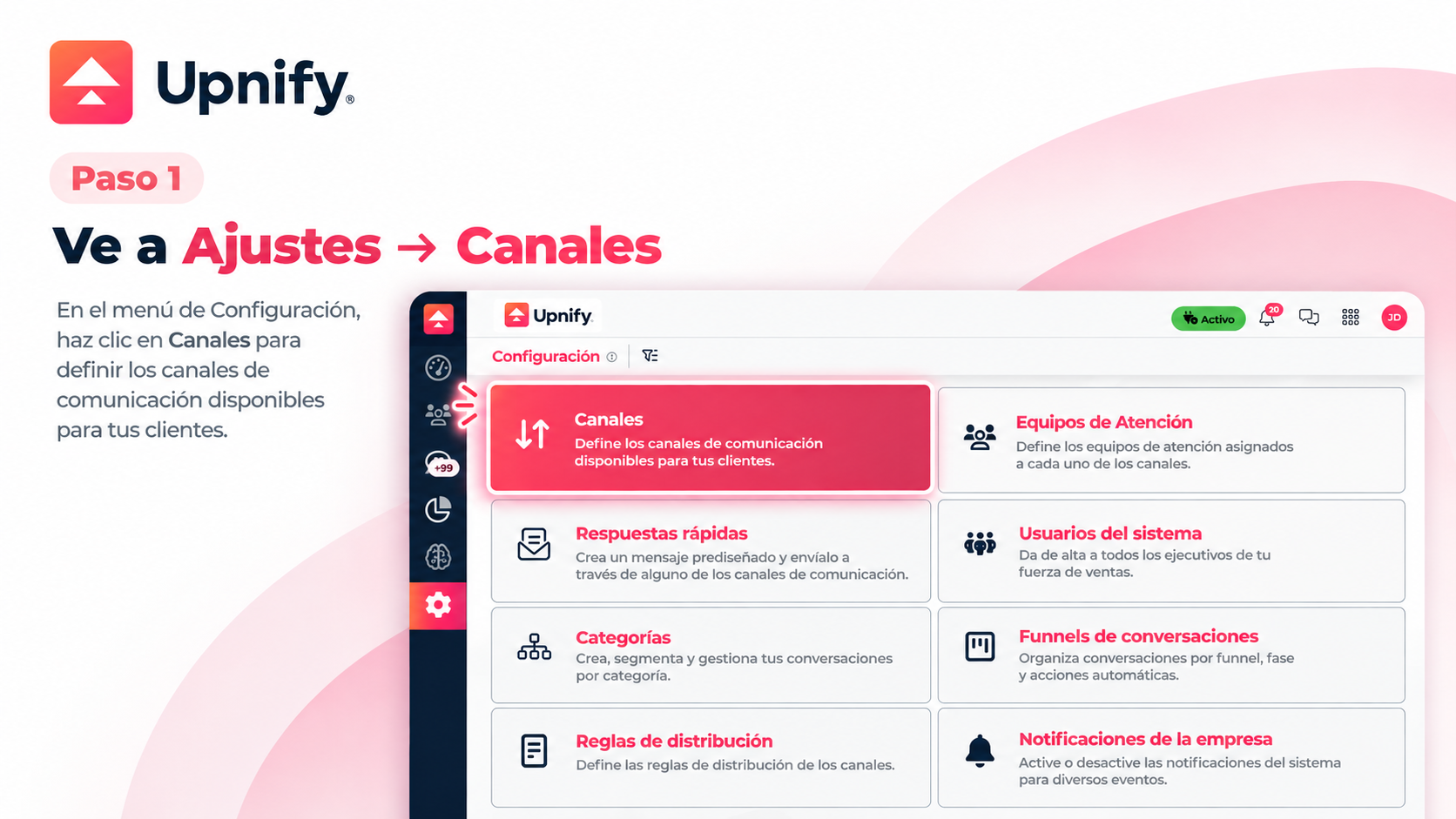
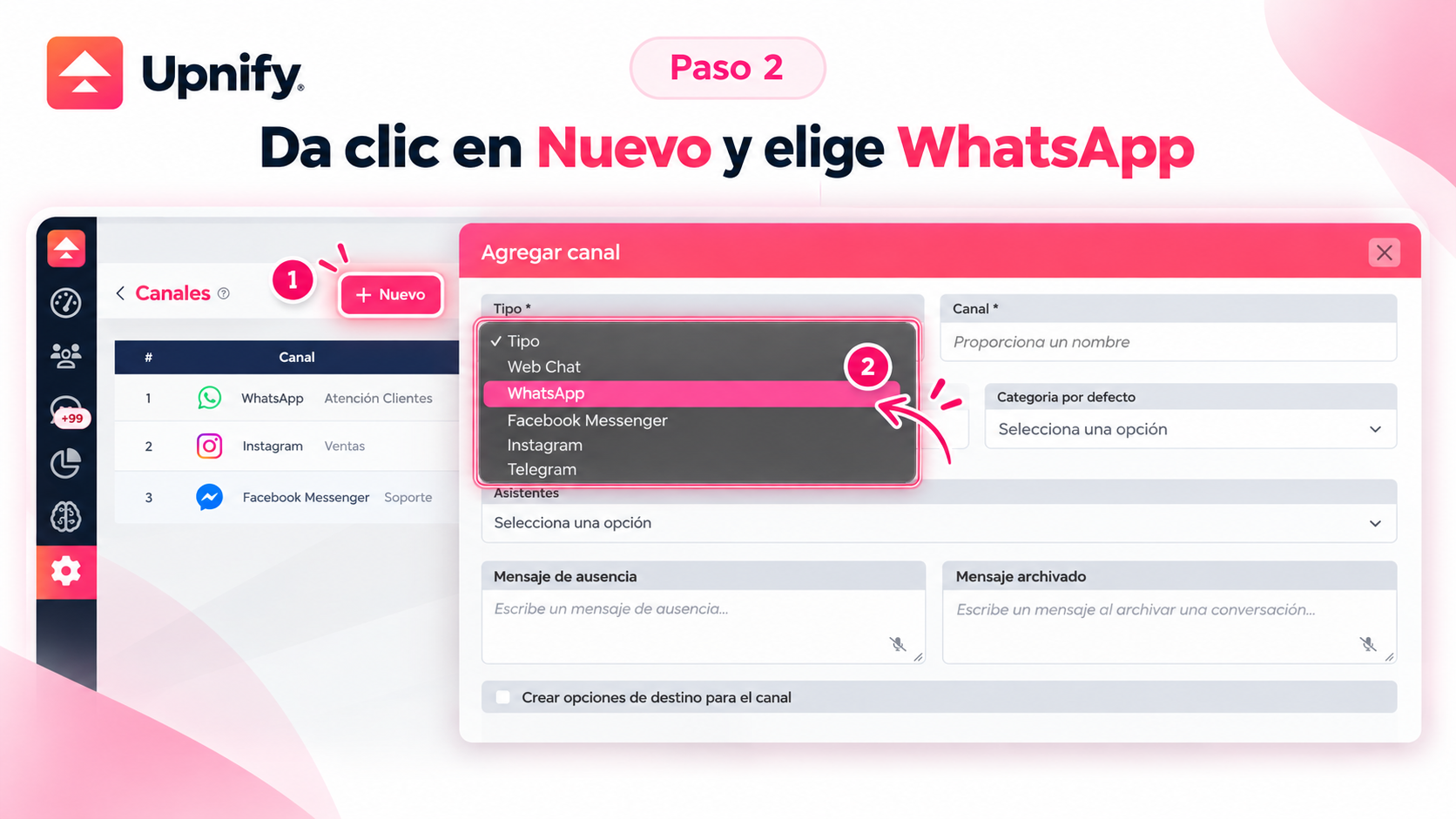
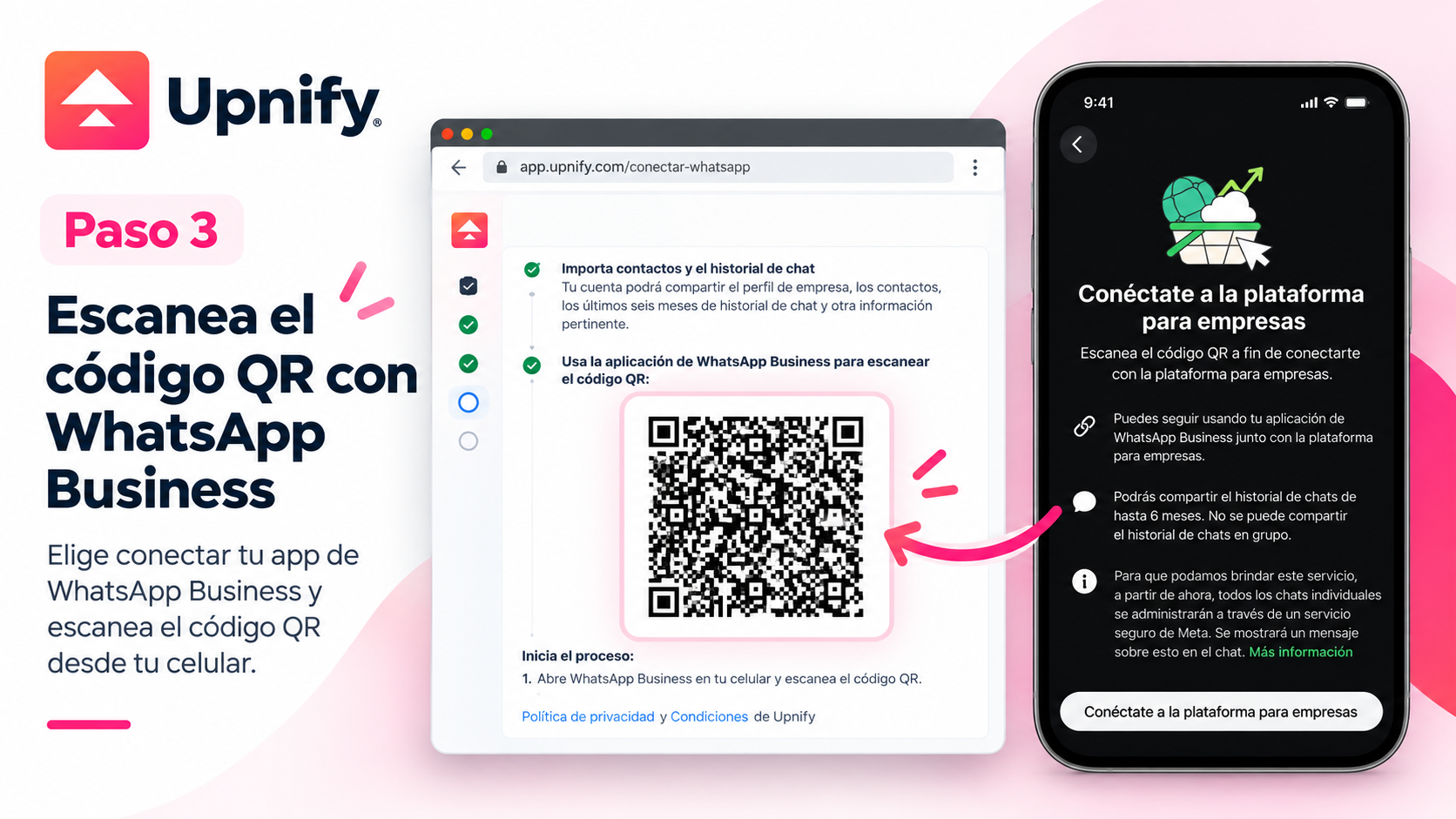
Watch it step by step
Important Considerations
We'll help you activate it and connect your WhatsApp Business today.
Request activation now